Dental Online Scheduling Software: How to Choose a System That Actually Books Patients
Posted on 8/25/2026 by WEO Media |
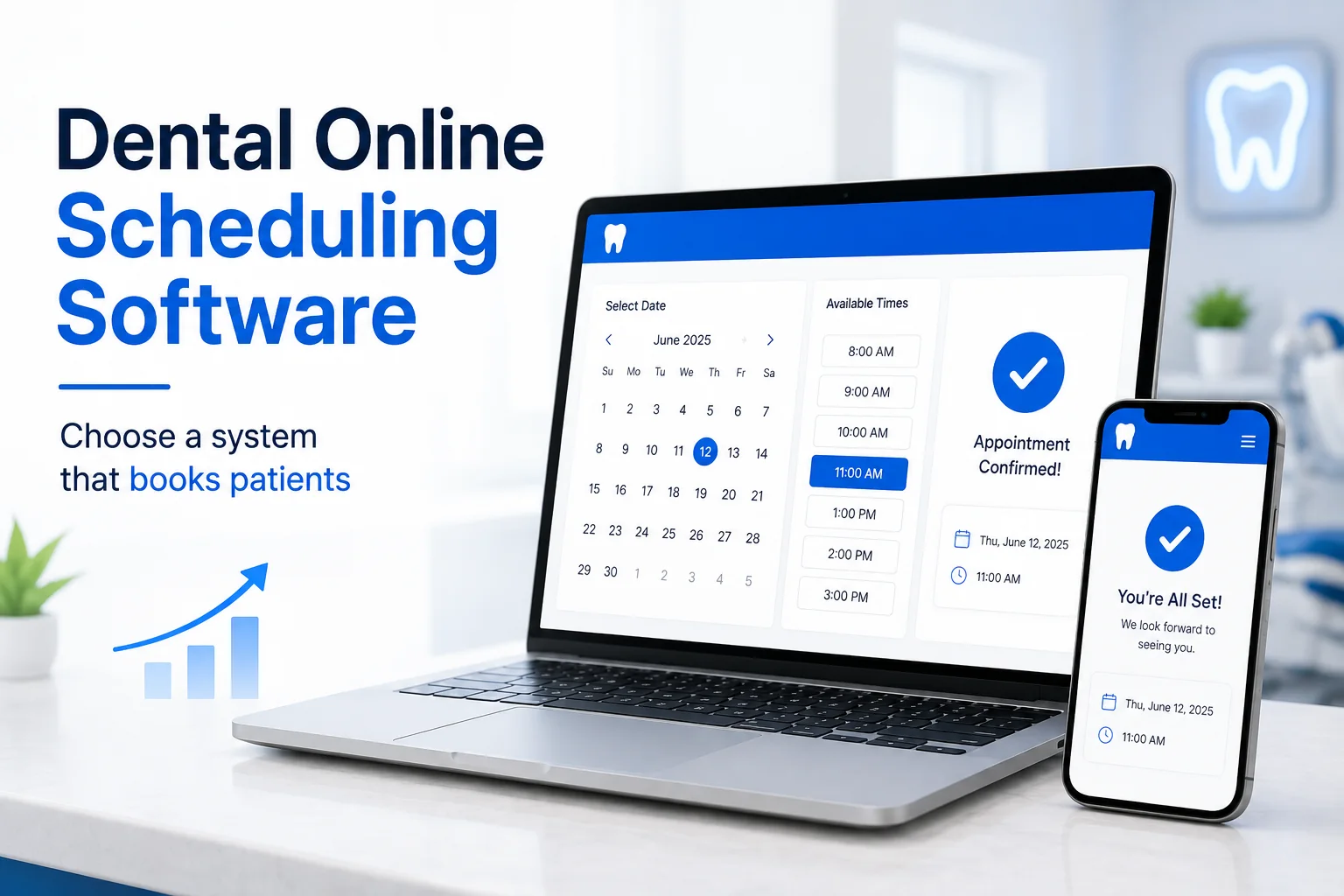 Choosing dental online scheduling software starts with one test dental practice owners, office managers, and DSO marketing teams can run before signing anything: a system that books real appointments writes them straight into your practice management software, while a request form only collects a preference someone still has to call back. Choosing dental online scheduling software starts with one test dental practice owners, office managers, and DSO marketing teams can run before signing anything: a system that books real appointments writes them straight into your practice management software, while a request form only collects a preference someone still has to call back.
Five more checks decide the rest: whether the integration uses an approved API rather than direct database writes, who controls what patients are allowed to book, whether the vendor will sign a business associate agreement, whether the booking flow works on a phone and with a keyboard alone, and whether the same booking path is reachable from your website, your Google Business Profile, and your reminder messages. Everything else on the feature list is secondary.
Most scheduling demos answer the wrong question. They show a polished patient-facing calendar. What actually determines whether the software pays for itself is everything on the other side of that calendar — your schedule template, your practice management software, and the front desk process behind both. A booking widget that generates requests your team still has to call back has not solved the problem. It has moved the bottleneck one step later and made it harder to see.
Already have online scheduling and it isn’t producing? The three usual causes are covered below: practice management write-back, scheduling rules, and measurement.
Below, you’ll get the technical questions that separate real-time booking from a dressed-up contact form, the integration details that decide whether a system is safe to run against your database, the compliance obligations that now carry dates on the calendar, and a 90-day rollout that front desks actually adopt.
Written for: dental practice owners, office managers, and the marketing teams at general practices, specialty practices, and DSOs who are evaluating, replacing, or troubleshooting an online scheduling system.
TL;DR
If you verify only six things before you sign, verify these:
| 1. |
Real-time write-back, not requests - book a test appointment during the demo and watch it land in your practice management software; if a human has to re-enter it, you bought a lead form
|
| 2. |
An authorized integration - confirm the vendor uses your practice management software’s approved API rather than writing directly to the database
|
| 3. |
Rules you control - visit types, provider and operatory mapping, lead time, booking horizon, and protection for high-production blocks
|
| 4. |
A signed BAA and minimum-necessary permissions - no product is “HIPAA certified”; what exists is a business associate agreement plus documented safeguards
|
| 5. |
Accessibility on the record - WCAG 2.1 Level AA conformance for the booking flow, in writing, with a real audit behind it
|
| 6. |
One booking path, reachable everywhere - website, Google Business Profile, paid campaigns, and reminder messages should all land in the same measurable flow |
Table of Contents
Request forms vs. real-time dental online booking
Three different products are sold under the same phrase. The case for adding online booking to your dental website is settled; which of the three you actually buy is not. Telling them apart takes about ninety seconds and changes the entire evaluation.
| • |
Request form - the patient submits preferred days and times, your team reviews it and calls back to confirm. Nothing is booked. This is a lead capture form with a calendar interface
|
| • |
Real-time booking with write-back - the patient sees openings that reflect your actual schedule template, selects one, and the appointment is written into your practice management software. The confirmation is real because the appointment is real
|
| • |
Hybrid - defined visit types book in real time, everything else routes to a request queue. This is often the right answer, provided you know which visit types fall on which side |
The ninety-second test: during the demo, ask the rep to book an appointment while you watch your own schedule on a second screen. If it appears, ask how long the sync takes and what happens when it fails. If it does not appear, you are evaluating a request form, and the honest comparison is against your existing contact form, not against a scheduling system.
Request-based booking is not automatically wrong. A pattern we commonly see in oral surgery and endodontic practices is that most new-patient visits require a referral, imaging, or a records review before anyone can responsibly assign chair time. Forcing those into a self-service calendar creates rework. The damage comes from buying a request form while believing you bought real-time booking, then wondering six months later why after-hours demand never converted. That request lands in the same phone queue that was already the constraint — it just arrives with a timestamp that makes the delay visible. If missed and unreturned calls are already a known problem, a request form inherits that problem rather than solving it.
The number that settles the argument: time from submission to confirmed appointment. Pull thirty consecutive online submissions and measure it. Real-time booking measures in seconds. Request-based booking measured in hours on weekdays and in days across weekends is telling you precisely how much after-hours demand you are losing.
> Back to Table of Contents
Practice management software integration: the make-or-break question
Integration quality is where dental online scheduling systems diverge most and where marketing materials are least specific. Five questions get you to the truth.
Is the integration authorized? Writing directly to a practice management database outside the vendor’s approved interface can corrupt records and break on version updates. Open Dental, for instance, publishes a public list of third-party vendors along with their API status, which makes checking a prospective vendor a free five-minute due-diligence step. Ask cloud platform vendors for the equivalent, whether that is a developer program, a partner listing, or a documented API agreement.
Where does the connection actually run? Server-based systems typically require a sync agent installed on a machine inside your office. That machine is now infrastructure. When it is powered off, updated, or replaced, availability data goes stale and double bookings follow. Cloud platforms move that dependency to the vendor. Neither is disqualifying, but they change who you are calling at 7:00 a.m. when the schedule does not match.
What is the sync interval, and what happens during the gap? Ask for a number in seconds rather than the phrase “real-time.” Then ask what prevents two patients from claiming the same slot inside that window, and what the system does if the write fails after the patient has already seen a confirmation screen.
What permissions is the vendor requesting? Modern dental APIs let the practice see the scope granted to a given integration key. In Open Dental, the customer can view the permissions attached to a vendor’s key even though they cannot change them. Read that list. A scheduling product requesting write access to financial records or clinical notes should have to explain why, and HIPAA’s minimum necessary standard gives you the language to ask. Vendor access scope is a practice cybersecurity question as much as a compliance one.
How does our data get out if we leave? Ask how appointment data, patient records created online, and booking history export at the end of the relationship. Get that answer before the contract, not during offboarding.
> Back to Table of Contents
Scheduling rules, visit types, and the guardrails that protect production
The software is rarely why online scheduling underperforms. The configuration is, and the failure pattern matches recall systems that quietly stop working: the tool is fine, but the rules behind it were set once and never revisited. Practices tend to open too little (one generic appointment type that fits nobody) or too much (a wide-open calendar that lets a new patient book into the block reserved for a crown seat).
Open these to online booking first:
| • |
New patient exam and cleaning - your highest-value online conversion and the visit your marketing actually promotes
|
| • |
Hygiene recare - existing patients rescheduling themselves is the quietest win in the entire system
|
| • |
Limited exam or emergency evaluation - a narrow daily slot, clearly labeled, with honest expectations about what happens at that visit
|
| • |
Consultations - where the appointment is a conversation and a records review rather than a procedure |
Keep these off the online calendar until the rest is stable: anything requiring pre-authorization, surgical blocks, sedation cases, long restorative appointments, and any visit whose correct length depends on clinical judgment that has not happened yet.
The settings that matter more than the feature list:
| • |
Provider and operatory mapping - which chairs and which providers each online visit type may occupy, hygiene columns included
|
| • |
Minimum lead time - how close to now a patient can book; too short creates chaos, too long discards same-day demand
|
| • |
Booking horizon - how far out the calendar opens, which controls whether new bookings crowd out recare
|
| • |
Block protection - explicit rules preventing self-service bookings from consuming reserved production blocks
|
| • |
Existing patient matching - how the system recognizes a returning patient instead of creating a duplicate chart, which is the most common front desk complaint we hear after go-live
|
| • |
Capacity limits - a ceiling on new patient exams per day so a marketing push does not overwhelm a Tuesday |
Assign an owner. Someone inside the practice has to own the schedule template and revisit it monthly through the first quarter. In our work with practices, the systems that stall are almost always the ones where the vendor configured the rules once during onboarding and nobody has opened the settings since.
> Back to Table of Contents
HIPAA, TCPA, and accessibility obligations for dental scheduling
This is not legal advice, and specifics vary by state and by practice. It is the list of questions worth putting in front of counsel before signing a scheduling contract.
Start with the business associate agreement. A scheduling vendor handling patient names, contact details, and appointment reasons is handling protected health information, which makes it a business associate. There is no such thing as a “HIPAA certified” product. What exists is a signed BAA plus documented administrative, physical, and technical safeguards, the same standard that governs HIPAA compliance in dental marketing generally. When a vendor leads with a certification badge and hesitates on the BAA, that ordering tells you something.
Know what is required now versus proposed. The Office for Civil Rights published a proposed overhaul of the HIPAA Security Rule in the Federal Register in January 2025 that would make encryption, multi-factor authentication, and asset inventories mandatory rather than addressable. As of mid-2026 it remains proposed, and the department’s regulatory agenda now points toward 2027 for final action. The existing Security Rule stays in force meanwhile. Practically: a vendor claiming those controls are legally required today is wrong, and a vendor that cannot offer them anyway is still the weaker choice.
Watch what runs on your booking page. OCR’s guidance on online tracking technologies was partly vacated by a federal court in June 2024, specifically the position that an IP address combined with a visit to an unauthenticated page about health conditions or providers triggers HIPAA obligations. The remainder stands, and tracking tools on authenticated pages such as a patient portal still require a permitted disclosure and a BAA. Separately, and regardless of HIPAA, state wiretapping and session-recording claims against healthcare websites have continued. The working rule: know exactly which analytics, advertising, and session-replay scripts run inside your booking flow, and be able to explain why each one is there. The wider version of this problem is covered in our guide to HIPAA privacy risks in dental digital marketing.
Reminders and confirmations answer to a different law. HIPAA compliance does not produce TCPA compliance. The FCC’s consent revocation rules took effect on April 11, 2025, including the obligation to process opt-out requests within ten business days and to disclose clearly when a consumer cannot opt out by text. The broader revoke-all provision — treating an opt-out from one message type as applying to unrelated messages — has been delayed twice and now carries a compliance date of January 31, 2027, and the FCC asked in late 2025 whether that requirement should be modified because of its effect on health care messages specifically.
Build consent capture into the booking flow. Your scheduling system needs to record consent at the point of booking, store it with a timestamp, and honor STOP immediately across every channel it sends from. The operational detail lives in our guides to TCPA compliance for dental text marketing and consent-first SMS practices.
Accessibility now has dates attached. WCAG 2.1 Level AA is the standard courts and regulators reference. HHS finalized a Section 504 rule in May 2024 requiring recipients of its financial assistance to conform web content and mobile applications to WCAG 2.1 Level AA, with separate accessibility requirements for self-service kiosks. In May 2026 the department extended those compliance dates by one year: May 11, 2027 for recipients with fifteen or more employees, and May 10, 2028 for smaller recipients. The standard itself did not change, though OCR has signaled it may revisit the underlying requirements. If your practice participates in Medicaid or CHIP, ask counsel whether you are a recipient.
Ask for proof, then test it yourself. Independently of that rule, ADA Title III litigation over inaccessible booking flows and intake forms continues, and accessibility overlay widgets do not resolve it. Ask any scheduling vendor for a current WCAG 2.1 AA conformance report, then run the flow yourself using only a keyboard. Our guide to ADA compliance for dental websites covers what to check across the rest of the site.
> Back to Table of Contents
Where your dental booking path needs to live
A scheduling system only earns its keep if patients reach it at the moment they decide. For most practices that moment happens on a phone, on Google, outside business hours, which is why the booking path and your dental SEO program should be designed together rather than sequentially.
On your website: a persistent booking action in the header on every page, repeated in the body of every service page, and reachable without scrolling on mobile. Not a modal triggered by exit intent. Not a link in the footer. The same discipline that governs calls to action on a dental website applies to the booking action.
On your Google Business Profile: you have two paths. Connect a scheduling partner participating in Google’s Reserve with Google program, or add your own booking URL manually. Eligibility and presentation both depend on how the profile itself is built, starting with your Google Business Profile categories. For healthcare the common implementation is a redirect: the patient taps a booking button in Search or Maps and lands on your booking page with a tracking parameter appended so the source stays attributable. Google’s integration policies for that program are specific: the landing page has to be the first step of the booking flow with bookable services visible without scrolling, it cannot be a homepage, and it cannot open with a login wall or a payment wall.
Also on Google: audit your profile for booking links you did not add. Third-party providers can attach booking links to a Business Profile by asserting a relationship with your practice, and healthcare listings saw a wave of these appear without consent. Check the Booking section of your profile. Google’s documentation on managing local business links covers setting a preferred link and removing a provider, and requires providers to process removal requests within five days, after which you can report a violation. One detail that matters for groups: these links cannot be managed through the Business Profile API or by spreadsheet upload, so multi-location organizations have to audit and fix them location by location, which is one more standing item for a multi-location Google Business Profile process.
On paid campaigns: for high-intent searches, sending dental PPC traffic to a booking page rather than a general landing page usually shortens the path enough to justify the tighter message match. Keep the phone number equally prominent. A meaningful share of patients will still call, and forcing a choice costs you both.
Inside reminders and recare messages: every confirmation and reminder should carry a reschedule link into the same system. Rescheduling that requires a phone call becomes a cancellation, which is why appointment reminder texts should carry an action rather than only a notice.
> Back to Table of Contents
Insurance verification, intake forms, and booking friction
Two features get oversold in scheduling demos, and both cause real problems when a practice trusts them further than they can carry.
Real-time insurance verification has a defined ceiling. Electronic eligibility runs on the X12 270 inquiry and 271 response. That exchange reliably confirms whether a plan is active and returns gross benefit levels. What it does not reliably return is frequency limitation history, how much of the annual maximum has already been used, remaining waiting periods, missing tooth clause status, or benefits broken out by procedure code. The American Dental Association has documented these gaps in the transaction standard as it applies to dental services. Use eligibility at booking to confirm coverage is active and route the patient correctly. Do not let it produce an out-of-pocket estimate the patient will hold you to at the front desk.
Intake forms belong after the booking, not inside it. Every additional field costs completions, and health history is a long form. Book the appointment with the minimum viable set, then send the intake packet with the confirmation. A pattern we commonly see: a practice front-loads the entire new-patient packet into the booking flow to save the front desk time, then cannot work out why completion collapsed for phone visitors.
What the booking flow actually needs:
| • |
Name, contact, and date of birth - date of birth is what lets the system match an existing chart instead of creating a duplicate
|
| • |
Visit type - written in patient language, not procedure codes
|
| • |
New or returning - because those two paths should not be identical
|
| • |
Insurance carrier - as a selection where it drives routing, and optional where it does not
|
| • |
Explicit consent for text and email communication - captured, timestamped, and stored where your reminder system can read it |
Then confirm immediately and specifically. The confirmation should name the date, time, provider, location, and what to bring, and it should arrive on the channel the patient just used. Vague confirmations generate phone calls asking whether the appointment went through, which erases the labor savings the system was bought for and weakens the new patient experience you just paid to improve.
> Back to Table of Contents
Demo questions and contract red flags
Vendor demos run in optimized environments. These questions move the conversation into yours, in the same spirit as the questions worth asking any marketing company before signing.
| 1. |
Book a live appointment now while I watch my schedule - and tell me the sync interval in seconds
|
| 2. |
Show me the integration status for my practice management software - the approved API, developer program, or partner listing that covers it
|
| 3. |
Show me the permission scope your integration requests - and justify anything beyond scheduling
|
| 4. |
Walk me through a failed write - what the patient sees, what my team sees, and how we find out
|
| 5. |
Show me the rules engine - visit types, provider and operatory mapping, lead time, horizon, block protection, capacity limits
|
| 6. |
Send me your BAA and your current WCAG 2.1 AA conformance report - before the contract, not after
|
| 7. |
Show me where consent is captured and where opt-outs are recorded
|
| 8. |
Show me the reporting - specifically completed bookings, cancellations, and kept appointments, not sessions
|
| 9. |
Tell me how our data exports if we leave
|
| 10. |
Give me two references running my practice management software - not two references generally |
Contract terms worth reading closely: auto-renewal windows and the notice period required to exit; whether fees are charged per booking and whether existing-patient rescheduling counts against that; term length relative to the roadmap promises made in the demo; who owns the booking data; and what happens to your Google Business Profile booking link if you cancel.
Run one test before you sign: book a real appointment on a personal phone, on cellular rather than office wifi, after hours, as a new patient, using only the keyboard for part of the flow. Most of the problems you would otherwise live with for three years surface in that ten-minute exercise.
> Back to Table of Contents
How to measure dental online scheduling performance
The most common reporting error is counting the wrong end of the funnel, which is a conversion tracking problem before it is a scheduling problem. A scheduling dashboard reporting “bookings” sometimes means started sessions.
Track these five stages:
| • |
Booking flow entries - by source, so website, Google Business Profile, paid campaigns, and reminder links stay separable
|
| • |
Started - a slot selected
|
| • |
Completed - a confirmation issued
|
| • |
Confirmed and not cancelled - measured a day out
|
| • |
Kept - the only stage that reflects production |
Set this up correctly in analytics. In GA4, what used to be called conversion events are now key events, and the term conversions is reserved for Google Ads. Mark the completed-booking step as a key event, keep the started step as a separate event so abandonment stays visible, and confirm that a booking flow hosted on a third-party domain is not breaking your sessions unless cross-domain tracking is configured. Our GA4 guide for dental websites covers the rest of that setup.
Ask the cannibalization question honestly. If online bookings rise while phone bookings fall by the same amount, the system is not producing new patients — it is shifting channel, which has real value in staff hours but should not be reported as growth. Compare total new patient starts and total kept appointments against the same period last year, not only the online numbers, and use call tracking by source so the phone side of that comparison is measured rather than estimated.
Watch the abandonment point. When completions drop sharply at one specific step, that step is the problem. The usual suspects are an insurance field demanding information patients do not have on hand, a required account creation, and a form that becomes unusable on a small screen.
Review kept rate by booking channel. Self-scheduled appointments sometimes show a different kept rate than phone-booked appointments. Whichever direction it runs in your practice, that is a reminder-cadence and confirmation-design question rather than a reason to abandon the channel, and the mechanics behind online scheduling and dental no-shows are worth understanding before you tune the cadence.
> Back to Table of Contents
A 90-day rollout plan your front desk will actually adopt
Adoption failures are usually sequencing failures. Launching everything at once means nobody owns anything. Groups should pilot in one location first and feed the results into the dashboard that tracks every location.
| 1. |
Days 1–15: configure and restrict - map two visit types only, set lead time and horizon, protect production blocks, and run internal test bookings on multiple devices before a single patient sees it
|
| 2. |
Days 16–30: soft launch - publish the booking path on the website and inside reminder messages, leave the Google Business Profile link unchanged, and have one named person review every online booking each morning against the schedule
|
| 3. |
Days 31–45: fix and expand - correct the visit types that produced wrong appointment lengths, resolve duplicate chart issues, then add hygiene recare
|
| 4. |
Days 46–60: connect the local surfaces - add or verify the booking link on your Google Business Profile, audit for links you did not add, and route high-intent paid traffic to the booking page
|
| 5. |
Days 61–90: measure and tune - report the five funnel stages, review kept rate by channel, adjust capacity limits, and set a standing monthly review of the schedule template |
Name the owner on day one. Not the vendor, not the agency. Someone inside the practice who can approve a change to the schedule template. The strongest single predictor of whether online scheduling still works in month twelve is whether that person exists.
> Back to Table of Contents
Talk to WEO Media about your scheduling and conversion path
Selecting the software is one decision. Getting patients to it — from search, from your Google Business Profile, from paid campaigns, and from a dental website design that converts on a phone — is a different one. WEO Media - Dental Marketing works with general practices, specialty practices, and DSOs and multi-location groups on exactly that path, and our online appointment scheduling service is built to sit inside it. Call 888-246-6906 or schedule a consultation to walk through your current setup.
> Back to Table of Contents
FAQs
What is the difference between a dental online scheduling system and an appointment request form?
A request form collects preferred days and times and produces a task for your front desk; nothing is booked until someone calls back. A true online scheduling system reads live availability from your practice management software and writes a confirmed appointment into it without staff involvement. The fastest way to tell them apart is to have the vendor book an appointment during the demo while you watch your own schedule.
Does online scheduling work with Dentrix, Eaglesoft, or Open Dental?
Most major dental scheduling platforms integrate with the widely used practice management systems, but depth varies enormously between read-only availability, one-way writes, and true two-way sync. Ask specifically whether the integration uses the vendor’s approved API, where the sync agent runs if your system is server-based, and what the sync interval is in seconds. Open Dental publishes a vendor list with API status that practices can check independently.
Do I need a business associate agreement with my scheduling vendor?
If the vendor creates, receives, maintains, or transmits protected health information on your behalf, it is a business associate and a signed BAA is required. Appointment data tied to an identifiable patient generally qualifies. Note that no software can be “HIPAA certified” because no such certification exists under the regulations. What you should ask for is the executed BAA plus documentation of the vendor’s administrative, physical, and technical safeguards.
Can patients book my dental practice directly from Google?
Yes, in two ways. You can connect a scheduling partner that participates in Google’s Reserve with Google program, or you can add your own booking URL to your Google Business Profile manually. For healthcare the usual implementation redirects the patient from Search or Maps to your booking page rather than completing the booking inside Google. Google’s policies require that landing page to be the first step of the booking flow, not a homepage, and not a login or payment wall.
Why is there a booking link on my Google Business Profile that I did not add?
Third-party booking providers can attach links to a Business Profile by asserting an authorized relationship with the business, and healthcare listings saw a notable wave of these appearing without practice consent. Open the Booking section of your profile, set your own link as preferred, and use the remove provider option. Google requires providers to process removal requests within five days, after which you can report a violation. These links cannot be managed through the API, so multi-location groups must check each location individually.
Should I let patients book any appointment type online?
No. Start with new patient exams, hygiene recare, limited or emergency evaluations, and consultations. Keep surgical blocks, sedation cases, long restorative appointments, and anything requiring pre-authorization off the online calendar until the rest is running cleanly. Also set capacity limits and block protection so self-scheduled visits cannot consume the production blocks your schedule depends on.
Can online scheduling verify dental insurance before the appointment?
Partially. Electronic eligibility uses the X12 270 inquiry and 271 response, which reliably confirms whether a plan is active and returns gross benefit levels. It does not reliably return frequency limitation history, remaining annual maximum, waiting periods, missing tooth clause status, or procedure-code-level detail, and the American Dental Association has documented those gaps for dental services. Use it to confirm active coverage and route the patient, not to quote out-of-pocket costs.
Does my dental booking flow need to be accessible?
Booking flows and intake forms are among the most frequently targeted elements in web accessibility claims under ADA Title III, and WCAG 2.1 Level AA is the standard courts and regulators reference. Practices that receive HHS financial assistance also fall under a Section 504 rule whose web content and mobile app compliance dates were extended in May 2026 to May 11, 2027 for recipients with fifteen or more employees and May 10, 2028 for smaller ones. Ask your vendor for a current conformance report and test the flow with a keyboard only.
How long before online scheduling produces measurable results?
Expect roughly 90 days to a reliable read, largely because the first month is spent correcting visit type lengths, duplicate charts, and scheduling rules that looked right in configuration. Measure booking flow entries, started, completed, confirmed, and kept appointments by source rather than raw booking counts. Compare total new patient starts year over year so you can tell genuine growth from a shift of phone bookings into a self-service channel. |
|