Questions to Ask Your Dental Marketing Company Before Signing a Contract
Posted on 1/27/2026 by WEO Media |
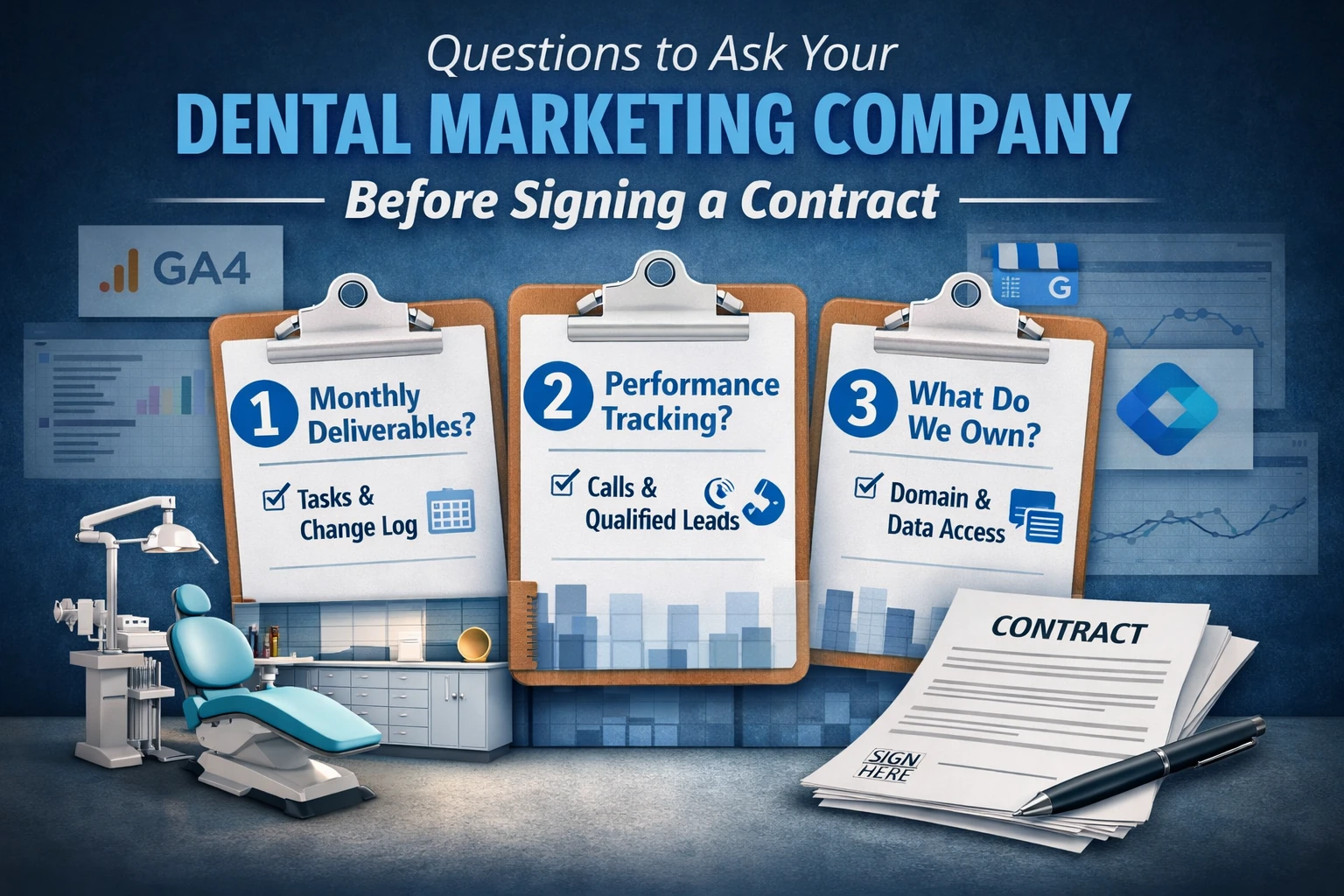 Before you sign with a dental marketing company, ask these three questions—and get each answer in writing: Before you sign with a dental marketing company, ask these three questions—and get each answer in writing:
- What do you deliver each month? (deliverables + dated change log)
- What counts as performance—and how will you verify it? (calls/forms/booking requests + qualified-lead definition)
- What will we own and be able to export? (domain, website/CMS + hosting, GBP, GA4, GTM, Search Console, ads, call tracking)
These three answers prevent vague scope, unprovable reporting, and switching friction. Use this to compare vendors, verify reporting, and reduce lock-in risk if you ever switch providers.
If acronyms make your eyes glaze over, don’t worry—the point is simple: own the accounts that prove performance so you can verify results and switch providers safely.
Top questions to ask first (fast version)
Use these on the first vendor call to quickly expose vague scope, weak tracking, and access restrictions.
| 1. |
What do we get each month, and can you share a redacted deliverables list and change log?
|
| 2. |
How do you define and validate a qualified lead, and what are the top disqualifiers?
|
| 3. |
Will we have admin access to domain, website/CMS + hosting, GBP, GA4, GTM, Search Console, ads, and call tracking?
|
| 4. |
What is your conversion setup standard, and how is it tested monthly?
|
| 5. |
What is your communication cadence, response-time expectation, approvals workflow, and escalation path for urgent issues?
|
| 6. |
How do you scale back marketing when we’re booked out—and what gets adjusted first?
|
| 7. |
What will you need from us in Weeks 1–4, and what is the minimum weekly time by role?
|
| 8. |
Which contract clauses should we redline: auto-renew, offboarding, IP, scope changes, and pause terms?
|
TL;DR
| • |
Protect patient trust - Require message guardrails that avoid fear-based messaging, hard-sell tactics, and wrong expectations about pricing, pain, urgency, and outcomes
|
| • |
Reduce front desk stress - Require lead-quality controls, routing rules, and a written scale-back plan so volume doesn’t become chaos
|
| • |
Make time burden explicit - Require minimum weekly time by role and a Week 1–4 onboarding inputs list in writing
|
| • |
Demand reporting you can verify - Require calls, forms, and booking requests with clear definitions, disqualifiers, and a dated change log of what changed and why
|
| • |
Measure beyond inquiries - Require tracking from inquiries → booked (scheduled) → kept (showed) when possible—not just inquiry totals, clicks, or impressions
|
| • |
Clarify who can act fast - Require a named owner who can pause ads, revert changes, and fix routing or reputation issues immediately
|
| • |
Prevent vendor lock-in - Require admin access (and a named backup admin) to every core account where possible
|
| • |
Protect exportability - Require written confirmation of what can be exported/transferred for domain, website/CMS + hosting, GBP, GA4, GTM, Search Console, ads, and call tracking
|
| • |
Plan for common problems - Require written response plans for tracking breaks, spam spikes, GBP disruptions, policy changes, and phone system or PMS changes |
Read Our Related Article: How to Find a Dental Marketing Agency You Can Trust
Table of Contents
- Quick glossary
- Who this is for (owner/manager/DSO)
- Why these questions protect your practice
- Quick screening: question → good answer → red flag
- Evidence to request (redacted examples)
- Vendor comparison scorecard (0–2)
- Copy/paste email script to request documentation
- Week 1–4 onboarding inputs + typical time burden
- Communication and workflow (cadence, response times, approvals, escalation)
- Capacity, intake alignment, and scale-back plan
- Message guardrails + expectation matching
- Deliverables by channel (what good looks like)
- Pricing models + billing transparency questions
- Tracking, privacy boundaries, and consent considerations
- Monthly report + lead quality review protocol (merged checklist)
- When Things Go Wrong: Response Plans (spam, tracking, GBP, tool changes)
- Ownership and permissions checklist (minimum)
- Qualified lead worksheet (copy/paste)
- Contract clause checklist (what to redline)
- Red flags to watch for
- How to decide (simple process)
- FAQs
Quick glossary
| • |
GBP - Your Google listing in Maps and Search that drives local calls, direction requests, and booking actions
|
| • |
GA4
- Google Analytics 4, which records website activity and conversions when configured correctly
|
| • |
GTM - Google Tag Manager, which often allows tracking updates without constant website code edits (still requires oversight rules: who can change what, and how changes are tested)
|
| • |
NAP - Name, address, and phone consistency across listings and directories that supports local trust signals
|
| • |
PMS - Practice management software (the system that manages scheduling, patient records, and billing workflows)
|
| • |
DSO - A dental support organization that provides management and operational services across practices; not every multi-location group is a DSO
|
| • |
UTM - A tracking label added to links so sources are separated consistently in reporting |
> Back to Table of Contents
Who This Is For (Owner/Manager/DSO)
| • |
For - Practice owners, office managers, and DSO operations/marketing leads comparing proposals or reviewing a contract before signing
|
| • |
Not for - Anyone looking for guaranteed outcomes, pressure-based messaging, review manipulation, or shortcuts that risk patient trust |
Role-based shortcuts
| • |
If you’re the owner/doctor - Focus on message guardrails, service priorities, who has decision authority to pause or revert, and how quality is validated without blaming the team
|
| • |
If you’re the office manager - Focus on onboarding time burden, workflow and communication rhythm, intake readiness, and ownership/access checklists
|
| • |
If you’re a DSO/group lead
- Focus on oversight, approvals, multi-location disclosures, reporting rollups, and portability across vendors
|
| • |
If you run multiple doctors - Require “message guardrails” so marketing promises match shared standards and don’t create internal conflict between providers |
> Back to Table of Contents
Why These Questions Protect Your Practice
Most marketing-contract disappointments aren’t one dramatic failure. They’re small assumptions that add up: “lead” means different things to different people, capacity changes but spend keeps running, approvals stall, and tracking drift (things silently stop tracking) after a website change.
This is healthcare marketing. If a campaign misfires, it can raise patient anxiety, attract the wrong expectations, and create internal friction—especially at the front desk. A good agency protects patient trust and reduces stress on the team.
This guide helps you verify three things before you commit:
| 1. |
What work will be done
|
| 2. |
How performance will be verified
|
| 3. |
What you will own |
Three small breakdowns that often look “fine” on a dashboard until you check reality:
| 1. |
Mobile booking breaks - Traffic rises, but the booking path fails on common devices, so patients drop off or call competitors
|
| 2. |
Spam inflates conversions - Analytics shows a surge in “leads,” but call quality review and lead logs reveal bots, duplicates, and wrong intent
|
| 3. |
Access disputes delay fixes - A GBP ownership issue drags on because roles, verification evidence, and backup admin access were never documented |
A short anonymized transition example: A practice switched vendors after months of “lead growth,” but the front desk felt busier without better schedules. The audit found a broken mobile booking path, conversions counted for spam/duplicates, and no agreed definition of “qualified.” The measurable signs of a real fix weren’t “more clicks”—they were fewer spam and wrong-intent outcomes, faster routing for the right visit types, and (where tracking allowed) a higher share of inquiries converting to booked appointments over the following weeks.
Shortcut: if you only verify one thing here, verify definitions in writing (deliverables, qualified lead, and ownership). Everything else depends on that.
> Back to Table of Contents
Quick Screening: Question → Good Answer → Red Flag
Use this screening process first. For every answer, ask what documentation verifies it.
| • |
What do we get each month? - Good Answer: written monthly deliverables plus a dated change log; Red Flag: “ongoing optimization” with no concrete outputs
|
| • |
How do you define and validate a qualified lead? - Good Answer: qualifiers, disqualifiers, and a spot-check process; Red Flag: every call counted as a lead with no quality review
|
| • |
Will reporting connect to booked and kept when possible? - Good Answer: inquiries → booked (scheduled) → kept (showed) tracked when feasible, with limitations; Red Flag: only clicks, impressions, or raw inquiry totals
|
| • |
Who owns our accounts? - Good Answer: admin access for domain, website/CMS + hosting, GBP, GA4, GTM, Search Console, ads, and call tracking; Red Flag: screenshots-only reporting or shared logins
|
| • |
What happens when we’re booked out? - Good Answer: scale-back triggers and an adjustment sequence with response times; Red Flag: “we’ll turn it down” with no steps or decision authority
|
| • |
What happens when tracking breaks? - Good Answer: monthly tests plus an issue-response plan and a revert option; Red Flag: “tracking is set, so it’s fine” |
What a good answer sounds like (short examples)
| • |
Deliverables - “Each month you’ll get a deliverables list and a dated change log: what we updated, what we tested, and what we learned.”
|
| • |
Qualified lead - “A qualified lead is reachable, in-area, correct intent, and reasonably able to schedule. We also report top disqualifiers so junk volume doesn’t inflate results.”
|
| • |
Ownership - “You’ll have admin access to GA4, GTM, Search Console, the ad account, and call tracking. We document roles so transitions are smooth.” |
> Back to Table of Contents
Evidence to Request (Redacted Examples)
You don’t need private client names to confirm that an agency is accountable. Ask for redacted examples that show how they operate, how they validate quality, and how they handle failures.
If a vendor says they “can’t share examples,” ask for a redacted outline, blurred screenshot, or a text-only template. The goal is to confirm that the engagement is run with documentation, not improvisation.
Redacted deliverables list excerpt (example format)
| • |
SEO
- Updated top service page first screen, refined internal links, fixed indexing issue for one priority URL
|
| • |
Paid media
- Tightened match types, added exclusions, updated landing-page message to reduce wrong intent, reviewed a call sample for quality
|
| • |
GBP/local - Corrected categories/services, updated photos, responded to reviews with privacy-aware templates, resolved duplicate listing report
|
| • |
Website conversion - Fixed mobile click-to-call behavior, re-tested forms and routing, improved contact page clarity |
Redacted monthly report outline (example format)
| • |
Outcomes - Calls, forms, and booking requests, and how each is counted
|
| • |
Lead quality - Qualified versus disqualified, top disqualifiers, and sampling notes
|
| • |
Booked and kept - When feasible, show inquiries → booked (scheduled) → kept (showed) by visit type
|
| • |
What changed - Dated change log of edits, tests, and fixes
|
| • |
What we learned - What improved, what did not, and what will change next month
|
| • |
Source crediting - How sources are assigned, plus known limitations |
Tracking-issue timeline (example format)
| • |
Detect - Conversion events dropped after a plugin update; a test form did not trigger the confirmation flow
|
| • |
Contain - Pause or scale back campaigns driving the broken path until routing and confirmations are restored
|
| • |
Fix - Reverted the change, updated GTM triggers, and validated in GA4 debug tools
|
| • |
Prevent - Added monthly end-to-end tests and a scheduled update window rule for future site updates |
> Back to Table of Contents
Vendor Comparison Scorecard (0–2)
Score each category 0–2 to compare proposals fairly. 0 = unclear or restricted, 1 = partially defined, 2 = defined in writing with direct access and supporting documentation.
| • |
Message guardrails - Calm standards and expectation matching for pricing, urgency, and outcomes
|
| • |
Capacity controls - Intake readiness, routing rules, scale-back triggers, and seasonality planning
|
| • |
Deliverables - Monthly outputs, what is extra, and a change log requirement
|
| • |
Lead quality - Qualified definition, disqualifiers, sampling cadence, and dispute resolution steps
|
| • |
Tracking and reporting - Conversion setup standard, monthly tests, and direct access to GA4, GTM, and ad accounts
|
| • |
Ownership and exports - Domain, website/CMS + hosting, GBP, analytics, ads, call tracking, and exportability
|
| • |
Contract and handoff - Auto-renew, cancellation, scope change, and a written handoff timeline |
Dealbreaker rule: any 0 on ownership or access is a high-risk signal because it prevents verification and makes transitions painful.
Optional next steps (low clutter)
| • |
Download - Vendor Scorecard + access checklist + email script (one-page PDF)
|
| • |
Request - A 30-minute proposal/contract review call (you’ll leave with an access-gap list, a red-flag clause list, and the questions to ask next) |
A quick conflict-of-interest disclosure (evaluate us too)
We provide dental marketing services. Use this checklist to evaluate any vendor—including us. If we can’t answer these questions in writing with clear access, definitions, and documentation, you should treat that as a red flag.
> Back to Table of Contents
Copy/Paste Email Script to Request Documentation
Subject line options:
| • |
Request for deliverables, access, and reporting examples
|
| • |
Proposal follow-up: ownership, tracking, and handoff details |
Email text:
“If possible, please reply with these items in a single email and attach any redacted examples as PDFs. Thank you for the proposal. Before we move forward, please confirm the items below in writing:
| • |
Monthly deliverables - A sample monthly deliverables list and a redacted change log excerpt
|
| • |
Qualified lead definition - Qualifiers, disqualifiers, and how you validate lead quality (spot-check cadence)
|
| • |
Reporting access - Confirmation that we will have admin access to GBP, GA4, GTM, Search Console, ad accounts, and call tracking
|
| • |
Tracking standard - What you track (calls, forms, booking requests) and how tracking is tested monthly
|
| • |
Scale-back plan - Triggers and the sequence of actions when we’re booked out or quality drops
|
| • |
Handoff/Offboarding - A redacted example of a handoff package and the typical transfer timeline
|
| • |
Communication - Meeting cadence, response-time expectations, approvals workflow, and escalation path for urgent issues |
If you can’t share an item, please state why and what you provide instead. We’re comparing vendors side by side. Thank you.”
> Back to Table of Contents
Week 1–4 Onboarding Inputs + Typical Time Burden
Onboarding is where hidden time costs show up. Require clarity on what the agency needs, who provides it, and what “done” looks like each week.
Typical time burden varies by team size, scope, and how organized current access is. These are planning ranges, not promises:
| • |
Doctor/owner - Often 30–90 minutes per week in month one for service priorities, guardrails, and approvals, then less once stable
|
| • |
Office manager - Often 60–180 minutes per week in month one for access, scheduling constraints, and workflow alignment
|
| • |
Front desk lead - Often 30–90 minutes per week early on for lead-quality feedback, routing rules, and script alignment |
Week 1: Access and inventory
| • |
Accounts and logins - Domain registrar, website/CMS + hosting, GBP, GA4, GTM, Search Console, ads, call tracking, phone system, scheduling tools, and PMS context
|
| • |
Starting point - Current campaigns, top services, coverage windows, and known constraints (hours, staffing, booked-out issues)
|
| • |
Coordination plan - How the agency works with your existing website vendor/IT/PMS or phone-system vendor without breaking tracking or routing
|
| • |
Risk controls - Backup admins, credential policy, and revert expectations for changes |
Week 2: Messaging and service priorities
| • |
Service focus - What to prioritize now and what not to promote based on schedule reality
|
| • |
Multi-doctor alignment - What can be promised consistently across providers and what needs service-line segmentation
|
| • |
Patient experience standards - Tone, “won’t use” language, and offer disclosure rules the practice will follow consistently
|
| • |
Approvals map - Who approves ads, landing pages, core service pages, and review-response templates |
Week 3: Tracking and intake alignment
| • |
Qualified lead definition - Qualifiers, disqualifiers, and outcome categories the front desk will use consistently
|
| • |
Routing rules - Emergency vs hygiene vs elective consult handling, plus any multi-doctor assignment logic
|
| • |
Handling wrong-fit inquiries - Scripts and outcome categories for insurance-only requests, price-shopping, financing constraints, and services you don’t offer so staff time isn’t wasted
|
| • |
Follow-up expectations - Missed-call workflow, after-hours capture, and realistic response windows based on staffing |
Week 4: Launch checks and reporting cadence
| • |
End-to-end testing - Test calls, test forms, booking clicks, and mobile journey checks across key pages
|
| • |
Monitoring plan - How tracking is verified monthly and how issues are escalated
|
| • |
Reporting rhythm - What is reviewed weekly versus monthly and how actions and next tests are documented |
> Back to Table of Contents
Communication and Workflow (Cadence, Response Times, Approvals, Escalation)
Marketing feels chaotic when communication is vague. Require a workflow that respects your practice culture, protects patient trust, and reduces interruptions.
Cadence and who attends
| • |
Meeting frequency - Weekly during onboarding, then biweekly or monthly once stable, based on scope and volatility
|
| • |
Attendees - Office manager plus a front desk lead for quality feedback; add a provider voice when service priorities change
|
| • |
Agenda standard - Outcomes, quality notes, what changed, what is blocked, and next tests |
Response-time expectations
| • |
Standard requests - Define a realistic window for edits and questions so tasks don’t vanish into email threads
|
| • |
Urgent issues - Define what counts as urgent, and the response path for routing failures, ad misfires, or reputation concerns
|
| • |
Decision authority - Identify who can pause ads, revert changes, and publish urgent updates without delay |
Approvals workflow (in plain English)
Approvals should protect the brand without stalling performance. Require a fallback workflow if content approvals are slow.
| • |
Safe defaults - Pre-approved language for hours, after-hours steps, and basic service descriptions that can run without repeated approvals
|
| • |
Approval windows - Clear time expectations for ads, landing pages, and core page edits
|
| • |
Fallback path - What happens if approvals can’t happen quickly (pause, hold changes, or use pre-approved language)
|
| • |
Documentation - A shared task board or change log so a new manager isn’t starting from zero |
> Back to Table of Contents
Capacity, Intake Alignment, and Scale-Back Plan
Marketing should not outpace your ability to serve patients well. Require clarity on what intake changes are expected, who trains whom, and how volume is scaled back when reality changes.
Minimum intake standards (to reduce stress)
| • |
Lead log with outcome categories - Booked, not reached, scheduled callback, spam, duplicate, wrong intent, out-of-area, after-hours
|
| • |
Callback workflow - A defined sequence for missed calls with outcome logging so recovery improves over time
|
| • |
Visit-type routing - Clear rules for emergency vs hygiene vs elective consult scheduling so the calendar stays stable
|
| • |
Script alignment - Short scripts that match the marketing promise and reduce wrong-visit bookings
|
| • |
Language access - If you serve Spanish or other languages, require a plan for ads/landing pages and intake handling so expectations stay aligned |
Scale-back sequence (what gets adjusted first)
| • |
Trigger examples - Booked-out threshold, answer rate drop, callback backlog, negative review trend, wrong-intent call surge
|
| • |
Tighten first - Targeting radius, hours, match types, exclusions, and service focus before cutting overall spend
|
| • |
Then adjust - Budgets and expansion campaigns after controls are tightened and quality stabilizes
|
| • |
Speed expectation - Define whether urgent scale-backs happen same day or next business day, and who is authorized |
Seasonality and sudden capacity changes
| • |
Seasonality - School schedules, holidays, and year-end demand can change what “good” looks like for volume and conversion
|
| • |
Sudden changes - Staff turnover, vacations, and reduced hours should trigger immediate targeting and messaging updates
|
| • |
Service-mix reality - If hygiene is full but you need implants, aligners, or emergencies, campaigns should be segmented so the schedule is protected |
If your team is skeptical of marketing
| • |
Make quality the shared goal - Use lead quality definitions and sampling so the conversation is about fit, not blame
|
| • |
Protect the front desk - Track disqualifiers and wrong intent so staff isn’t judged on spam volume
|
| • |
Keep messaging consistent - Align what the ad promises with what the team can deliver, especially across multiple doctors |
> Back to Table of Contents
Message Guardrails + Expectation Matching
This answers the culture question: will this agency increase patient anxiety or create a hard-sell vibe that hurts trust?
Guardrails (tactics a practice should refuse)
| • |
No fear or shame - Avoid language designed to scare, guilt, or rush patients into decisions
|
| • |
No bait offers - Avoid pricing hooks that omit required disclosures or attract the wrong intent for your policies and capacity
|
| • |
No outcomes certainty - Avoid guaranteed timelines, candidacy promises, or “permanent” claims that don’t reflect clinical reality
|
| • |
No review gating or incentives - Avoid filtering who gets a review link or offering incentives that can conflict with platform rules and guidance
|
| • |
No aggressive competitor comparisons - Avoid comparative claims that create reputational and compliance risk |
Related Articles:
FTC Dental Advertising Rules: Practical Compliance Guide
Google's Removal of Business Reviews: Causes, FTC Connection, and Impact
Preventing wrong expectations (pricing, pain, urgency, outcomes)
| • |
Pricing expectations - Require a plan for variability, verification, and disclosures without misleading patients
|
| • |
Urgency expectations - Require calm expectations about availability, after-hours steps, and response windows
|
| • |
Outcome expectations - Require responsible language about candidacy, timelines, and variability
|
| • |
Multi-location disclosures - If you operate across states/boards, require location-specific disclosure handling so offers don’t create risk |
Two review templates (general examples; adapt to your policies)
These are general examples to reduce privacy risk and avoid escalating conflicts. Confirm your approach with local guidance and your compliance/legal resources as needed.
| • |
Neutral review request - “Thank you for visiting today. If you’d like to share your experience, you can leave a review here: [link].”
|
| • |
Privacy-aware negative review response - “Thank you for the feedback. We can’t discuss details here, but we’d like to learn more and help if possible. Please contact our office so we can address your concerns.” |
Read: Dental Patient Review Responses: Proven SOP + Templates
> Back to Table of Contents
Deliverables by Channel: What Good Looks Like
Contracts often describe “services” but not what you’ll receive each month. Require deliverables, decision points, and examples for each channel.
Deliverables questions (scope clarity)
| • |
What you’ll receive each month - A written monthly deliverables list plus a dated change log
|
| • |
What is extra - Development work, migrations, advanced tracking, content volume limits, and photography should be explicit
|
| • |
Who does the work - Which roles are assigned and whether any work is outsourced, with quality checks documented
|
| • |
Urgent updates - Hours, closures, emergency messaging, and after-hours instructions should have a defined process |
Micro-examples by channel (deliverables + core KPIs)
| • |
SEO - Example outputs: refresh a priority service page, improve internal linking, fix a technical issue; core KPIs: qualified organic calls/forms, priority-intent visibility, engagement on top pages
|
| • |
GBP and local - Example outputs: correct categories, resolve duplicates, update services and photos, strengthen review-response workflow; core KPIs: calls, direction requests, website clicks from GBP, review volume and response consistency (Google Business Profile help)
|
| • |
Paid media - Example outputs: tighten targeting, add exclusions, align landing pages, sample calls for quality; core KPIs: qualified call rate, cost per qualified inquiry, wrong-intent rate, top disqualifiers (Google Ads policies)
|
| • |
Website conversion - Example outputs: fix mobile booking path, improve first-screen clarity, test forms and routing; core KPIs: conversion rate on key pages, call and form completion, reduced drop-off on mobile |
> Back to Table of Contents
Pricing Models + Billing Transparency Questions
You can only compare proposals fairly when pricing structure and billing visibility are explicit.
Common pricing models to clarify
| • |
Retainer - Fixed monthly fee tied to defined deliverables and reporting
|
| • |
Project - One-time work such as a website build, migration, or tracking overhaul with clear milestones
|
| • |
Percent of ad spend - Fee tied to spend that still needs defined deliverables and lead-quality accountability
|
| • |
Hybrid - Retainer plus separate development, content, or advanced tracking work as needed |
Billing transparency questions
| • |
Platform spend vs management fee - Who pays the platform directly and how spend is verified
|
| • |
Tool costs - Call tracking, forms, chat, reporting dashboards, and scheduling tools should be itemized
|
| • |
Restrictions - Minimums, markups, or required bundles should be disclosed in writing
|
| • |
What drives cost - Market competitiveness, service mix, content volume, and technical complexity (tracking, integrations, migrations) change effort and pricing |
> Back to Table of Contents
Tracking, Privacy Boundaries, and Consent Considerations
If tracking is not standardized and tested, reporting becomes a story instead of a verification trail.
Important boundary: this section is general operational guidance, not legal advice. Privacy and advertising requirements vary by jurisdiction and platform. Platforms and tools are not “compliant by default.” Privacy-aware marketing often involves minimizing sensitive data collection and avoiding sending sensitive details into analytics and ad platforms, but your requirements depend on your systems, vendors, and legal guidance.
If your marketing vendor claims they are “HIPAA compliant,” ask them to explain exactly what that means operationally (forms, call recordings, access controls, retention) and confirm with your compliance and legal guidance. Read more about HIPAA Compliance for Dental Marketing.
Consent and call recording (multi-state note)
Call recording and consent rules vary by state. If calls are recorded, require a written consent approach that matches your locations and phone system behavior, and confirm with local guidance.
Ownership vs user access (why it matters)
Owner/admin access means you can add or remove users, see change history, and export settings. User access can be limited, temporary, or tied to an agency-owned master account. If you can’t verify what changed or export what was built, you’re taking a vendor’s word for performance.
Conversion setup standard (what should be tracked)
| • |
Calls - Call conversions categorized by source with spam and wrong intent labeled where possible
|
| • |
Forms - Form submissions tested end-to-end with confirmations and internal notifications
|
| • |
Booking actions
- Booking link clicks or requests tracked consistently, especially on mobile
|
| • |
Quality - Outcome categories that separate qualified opportunities from spam, duplicates, out-of-area, and mismatches
|
| • |
Monthly testing - Require a documented end-to-end test of calls, forms, and booking flows (including mobile) |
What if GA4 looks fine but call quality review shows reality is different?
| • |
Audit sources - Identify which campaigns, sources, pages, or referrers drive wrong-fit inquiries
|
| • |
Fix intent match - Adjust targeting, exclusions, hours, and landing-page messaging to reduce wrong-fit calls
|
| • |
Update definitions - Refine qualified and disqualified categories so reporting reflects reality and reduces blame |
> Back to Table of Contents
Monthly Report + Lead Quality Review Protocol (Merged Checklist)
A monthly report should help you make decisions, not just summarize activity. It should also protect staff time by showing how lead quality is validated.
| • |
Outcomes - Calls, forms, and booking requests, with clear conversion definitions
|
| • |
Lead quality - Qualified versus disqualified, top disqualifiers, and sampling notes
|
| • |
Booked and kept when possible - Inquiries → booked (scheduled) → kept (showed) when your workflow supports it, with limitations stated plainly
|
| • |
Actions completed - A dated change log of what was updated, tested, or fixed, and why
|
| • |
Next tests - What will be tested next and what decision it supports
|
| • |
Attribution method - How sources are assigned and where the data can be blended or incomplete
|
| • |
Dispute resolution - How disagreements about lead quality are handled using sampling and documented definitions |
> Back to Table of Contents
When Things Go Wrong: Response Plans
Require a written plan that covers common problems and the first-day response.
First 24 hours of a spam spike
| • |
Identify the pattern - Which campaign, source, form, or time window is being targeted
|
| • |
Tighten controls - Exclusions, radius, hours, and placement controls first
|
| • |
Protect staff time - Use outcome categories so spam doesn’t pollute lead counts or morale
|
| • |
Document and prevent - Log the issue and adjust monitoring so recurrence is caught faster |
Tracking break response
| • |
Detect - Routine checks for missing events, routing failures, and sudden conversion drops
|
| • |
Contain - Scale back demand sources if forms or routing are failing to avoid wasting patient effort
|
| • |
Fix - Revert recent changes, test across devices, validate events in GA4 and GTM, then resume scaling
|
| • |
Prevent - Add monthly end-to-end tests and a documented revert path for future site changes |
Policy changes mid-campaign
| • |
Monitor - Require monitoring for platform policy shifts that can pause ads or limit targeting
|
| • |
Update fast - Require a workflow to adjust copy, landing pages, and targeting quickly without breaking messaging guardrails
|
| • |
Document - Require a dated change log entry for policy-driven changes so reporting stays honest |
GBP disruption or ownership dispute
| • |
Upfront documentation - Confirm what evidence is stored before launch so you’re not starting from zero under pressure
|
| • |
Escalation path - Who files cases, who communicates with support, and how updates are controlled while a case is open
|
| • |
Downtime mitigation - How website and paid channels are adjusted to protect calls and directions |
If you pause for a month
| • |
Ads - Expect learning to cool; confirm restart steps, budgets, and targeting controls so quality doesn’t drop on relaunch
|
| • |
SEO and local - Expect momentum to slow; confirm what maintenance continues (site health, key listing accuracy, review response)
|
| • |
Deliverables - Confirm what still gets done during a pause, what is deferred, and what changes in reporting cadence |
If you switch PMS, phone system, or booking tool
| • |
Pre-change checklist - Require a routing and tracking plan before the switchover date
|
| • |
Containment - Require fast dial-down steps if routing or booking fails post-switch
|
| • |
Re-validation - Require end-to-end tests for calls, forms, and booking flows immediately after launch |
> Back to Table of Contents
Ownership and Permissions Checklist (Minimum)
Ownership is a control issue, not a preference. If you cannot access and export your systems, you cannot verify performance or transition safely.
Minimum access and ownership checklist:
| • |
Domain registrar - Admin access to the account controlling the domain
|
| • |
Website CMS - Admin access to the content management system
|
| • |
Hosting - Admin access plus backups or a documented backup/export process
|
| • |
GBP - Owner-level access documented with at least one backup admin
|
| • |
GA4 - Admin access to the analytics property
|
| • |
GTM - Admin access to the tag container
|
| • |
Google Search Console - Owner-level access for indexing diagnostics and organic visibility troubleshooting
|
| • |
Ad accounts - Admin access plus billing visibility where applicable
|
| • |
Call tracking - Ownership or documented portability, including configuration exports where supported |
Role names to request in common platforms (plain-English check)
| • |
GBP - Ask for “Owner” access (and ensure there is a backup owner) rather than “Manager” only
|
| • |
GA4 - Ask for “Administrator” access to the property so you can manage users and see configuration history
|
| • |
GTM - Ask for “Admin” and publishing permissions so you can export the container and see what changed
|
| • |
Google Ads - Ask for “Admin” access and confirm who controls billing and change history
|
| • |
Search Console - Ask for “Owner” access (or the highest available level) so you can manage users and diagnose indexing |
Minimum export/handoff items (what “portability” means in practice)
| • |
GTM - Container export file plus a short tag map describing what each tag does
|
| • |
GA4 - Admin roles, event list, conversion definitions, and any key audiences (export/documentation as available)
|
| • |
Ads - Access transfer steps, change history visibility, and a copy of key settings (locations, schedules, exclusions) in a handoff note
|
| • |
Call tracking - Number ownership status, routing rules, recording settings, spam controls, and reporting definitions |
Acceptable exceptions to admin access (rare)
Sometimes a vendor may use an agency-owned master account for a tool or platform workflow. If that happens, require a written switching-safety plan.
| • |
What must still be true - You can export key configurations, you receive documentation, you have change history visibility, and handoff timelines are written
|
| • |
What is not acceptable - “You’ll never get access” or “we only provide screenshots,” especially for analytics, ads, and core assets |
If a vendor won’t give admin access (what to do)
| • |
Ask whether you will be under their agency-owned master account - Confirm what you can export and what you cannot
|
| • |
Require at least read-only access + change history - Especially for ads and analytics, so reporting can be verified
|
| • |
Require written handoff/offboarding terms - What transfers, in what formats, and in what timeline
|
| • |
If access is refused entirely - Treat it as a dealbreaker unless there is a documented exception that protects exportability and transition |
> Back to Table of Contents
Qualified Lead Worksheet (Copy/Paste)
Use this to force clarity in proposals and contracts. Adjust the wording to match your practice policies.
Qualified lead definition (fill-in template)
“A qualified lead is an inquiry that is:
| • |
Reachable - We can contact them and confirm intent
|
| • |
In-area - They live or work within our service area
|
| • |
Correct intent - They are looking for a service we offer (define top priorities)
|
| • |
Schedulable - They can schedule within our availability and policies (including hours and visit-type rules)
|
| • |
Expectation-aligned - Their expectations about pricing, urgency, and outcomes are realistic based on our messaging” |
Top disqualifiers (standard list)
| • |
Spam or bots
|
| • |
Duplicate inquiries
|
| • |
Out-of-area
|
| • |
Wrong service intent
|
| • |
Unreachable after defined attempts
|
| • |
Policy mismatch - Expectations about insurance, pricing, or availability don’t match the practice’s rules |
> Back to Table of Contents
Contract Clause Checklist (What to Redline)
This section is general information, not legal advice. The goal is to reduce surprises by making the contract describe reality: what gets delivered, how it is measured, who owns what, and how you exit.
| • |
Auto-renew and notice windows - How renewal works and what notice is required to avoid unwanted extensions
|
| • |
Scope and deliverables - Replace vague language with a monthly deliverables list and change log expectation
|
| • |
Measurement definitions - Qualified lead definition, disqualifiers, and what counts as a conversion
|
| • |
Ownership and IP - Who owns content, creative, landing pages, and tracking configurations created during the engagement
|
| • |
Offboarding handoff package - What is provided, in what formats, and the timeline to transfer access and exports
|
| • |
Pause and restart - What happens if you pause and how restarts are handled for ads, tracking, and deliverables
|
| • |
Scope changes - If priorities pivot midstream, how KPIs are reset and how temporary dips are handled responsibly |
Three short clause snippets you can request (general examples)
Use these as plain-English prompts you can ask an attorney to help adapt.
| • |
Deliverables + change log - “Vendor will provide a monthly deliverables list and a dated change log documenting work performed, tests run, and material configuration changes.”
|
| • |
Ownership + admin access - “Client retains admin ownership of domain, website/CMS + hosting, GBP, GA4, GTM, Search Console, ad accounts, and call tracking. Vendor access is permissioned, documented, and removable by Client.”
|
| • |
Offboarding/Handoff timeline - “Within [X] business days of termination, Vendor will deliver an offboarding package including exports, documentation, and access transfer steps, and will cooperate in transition.” |
A simple redline prompt:
“What do we keep, what do we lose, and what transfers within what timeline if we cancel?”
> Back to Table of Contents
Red Flags to Watch For
A red flag is often a sign you will lose control, measurement, or reputation protection.
| • |
Fear-based or salesy messaging - If the pitch relies on pressure, expect trust damage and internal resistance
|
| • |
Lead inflation - Counting every call as a lead without quality validation wastes staff time and hides problems
|
| • |
No direct access - Screenshots-only reporting is not a verification trail and increases transition risk
|
| • |
No scale-back plan - If they can’t explain what gets adjusted first when you’re booked out, chaos risk increases
|
| • |
No issue response plans - If they can’t explain detection, containment, fix, and prevention, downtime risk rises
|
| • |
Offboarding/Handoff not defined - If the handoff is vague, transitions become painful and slow
|
| • |
Won’t put it in writing - Refusing to put deliverables, ownership, offboarding, and definitions in writing is a high-risk signal |
> Back to Table of Contents
How to Decide (A Simple Process)
A low-stress decision process is simple: standardize what you compare, request documentation, and choose the team with the clearest definitions, direct access, and documented response plans.
| 1. |
Score each vendor using the 0–2 scorecard and don’t waive ownership or access requirements
|
| 2. |
Request redacted examples and verify that reporting, lead quality review, and scale-back steps are operational, not theoretical
|
| 3. |
Choose the partner that protects patient trust, reduces front desk chaos, and documents decisions so staff changes don’t reset the relationship |
Reminder: before you sign, send the email script, request redacted examples, and confirm admin access in writing.
Pro Tip: Request a 30-minute proposal/contract review call (you’ll leave with an access-gap list, a red-flag clause list, and the questions to ask next). What you should expect from any review call - who attends, what documents are reviewed, whether the review is complimentary or paid, and what you receive afterward in writing.
> Back to Table of Contents
FAQs
What is a qualified lead for a dental practice?
A qualified lead is an in-area inquiry with clear service intent, reachable contact, and realistic ability to schedule within your policies. Reporting should also show disqualifiers such as spam, duplicates, out-of-area inquiries, wrong-service calls, and policy mismatches so junk volume does not inflate results.
What should a monthly marketing report include for a dental practice?
A useful report includes outcomes (calls, forms, booking requests), lead quality breakdown (qualified vs disqualified with top disqualifiers and sampling notes), actions completed (a dated change log), and next tests. When feasible, it also connects inquiries to booked and kept appointments, and it documents how sources are credited and the limitations.
What does ownership mean for GBP, GA4, GTM, and ad accounts?
Ownership means the practice has owner or admin access and documented roles for GBP, GA4, GTM, Search Console, ad accounts, and call tracking, plus the ability to export key configurations and documentation. This enables verification, reduces lock-in risk, and prevents downtime during transitions or staff changes.
How do we keep dental marketing from becoming fear-based or salesy?
Set message guardrails in writing: no fear or shame, no bait offers without disclosures, and no outcomes certainty. Require an approvals workflow for ads and core pages, and align front desk scripts to the same promise so patient expectations stay consistent.
> Back to Table of Contents
How this checklist was created
| • |
Built from recurring patterns we see during proposal reviews, vendor transitions, tracking audits, and reporting cleanups for dental practices
|
| • |
Examples are generalized and redacted so you can evaluate a vendor without needing private client details
|
| • |
This is operational guidance to help you ask better questions and reduce surprises; it isn’t legal advice, and requirements vary by jurisdiction and vendor stack
|
| • |
We avoid medical claims and focus on operational verification (access, definitions, documentation, and testing)
|
| • |
This checklist is meant to evaluate any vendor (including us), and you should expect these answers in writing from everyone |
|
|





