Best Dental Appointment Text (SMS) Reminders to Reduce No-Shows and Late Cancellations
Posted on 1/19/2026 by WEO Media |
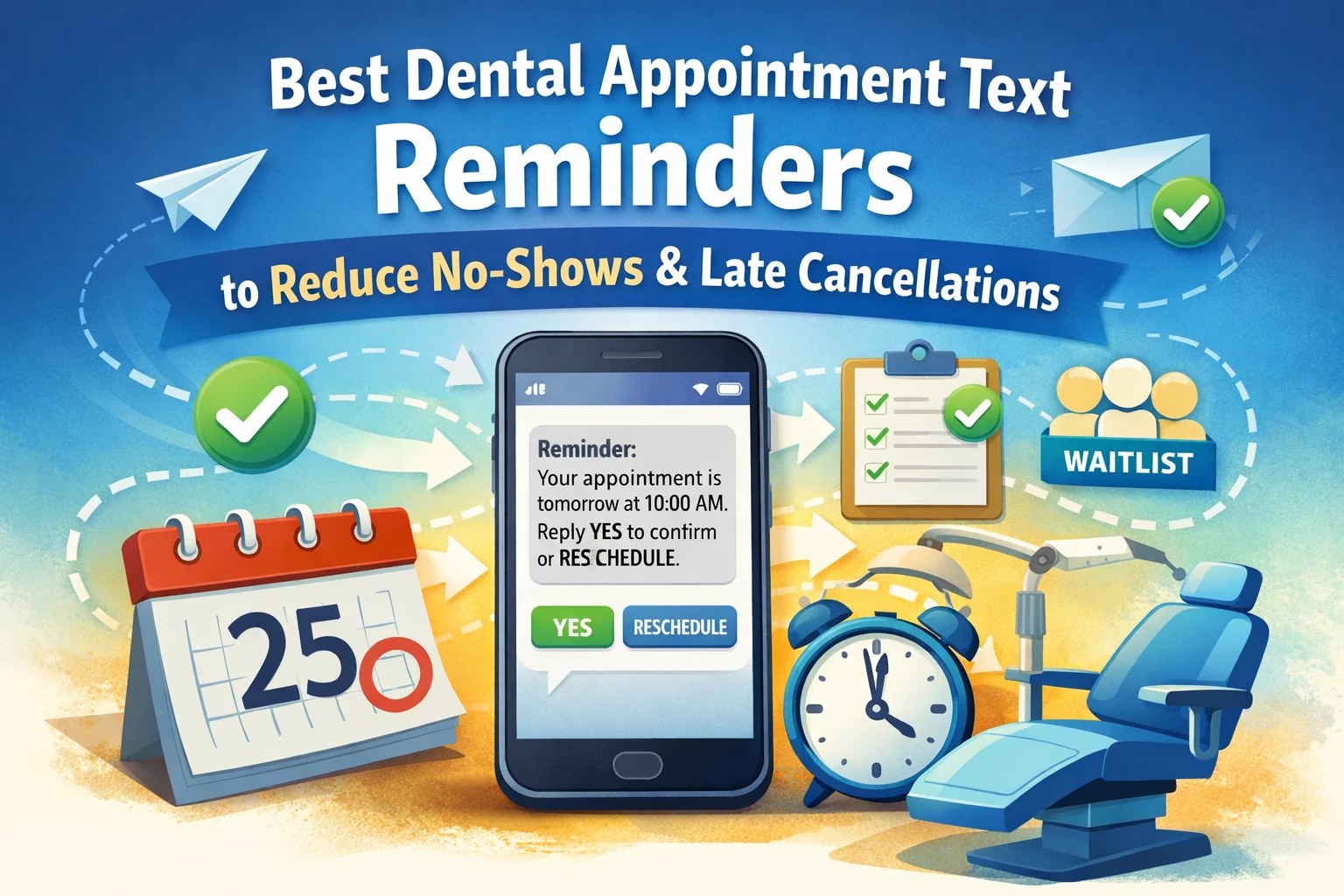 The best dental appointment text reminders aren’t just well-written messages. They work as a complete system: patient-respectful timing, clear templates, predictable reply handling, reliable deliverability, and compliance guardrails—so appointments get confirmed earlier and openings can be filled before they become lost chair time. The best dental appointment text reminders aren’t just well-written messages. They work as a complete system: patient-respectful timing, clear templates, predictable reply handling, reliable deliverability, and compliance guardrails—so appointments get confirmed earlier and openings can be filled before they become lost chair time.
Who this is for - Practice owners, office managers, and front desk teams who want fewer no-shows and late cancellations without adding phone tag.
What this covers - Timing defaults, templates, enrollment (first message), reply parsing, no-response escalation, wrong-number recovery, waitlist rules, deliverability basics, consent workflows, and performance metrics.
Why “system” matters - A single reminder can help, but a system prevents common failure modes: forgotten appointments, late cancellations without runway, confusing reschedules, and messages that never arrive.
Use the System Map below to keep implementation consistent across staff shifts:
Cadence (timing) → Templates (copy) → Enrollment (first message) → Parsing (what replies mean) → Escalation (when to call) → Wrong-number containment → Waitlist (how to fill) → Deliverability → Compliance → Metrics.
Table of Contents
Quick Start: Minimum System and Exact Timing Defaults
If you implement only one thing, start with this minimum system. It’s simple enough for daily use and structured enough to protect chair time.
Minimum system checklist
| • |
Touch 1 - Booking confirmation sent shortly after scheduling with a simple YES/RESCHEDULE prompt. |
| • |
Touch 2 - Runway reminder sent early enough to allow rescheduling before the opening becomes hard to refill. |
| • |
Touch 3 - Short reminder close to the appointment to reduce day-of forgetfulness and late arrivals. |
| • |
No-response SOP - One follow-up, then escalation based on appointment length and schedule demand. |
| • |
After-hours autoresponder - Acknowledges messages and sets expectations so patients don’t feel ignored. |
This works because it creates early certainty: either the time is protected, or you learn early enough to recover it.
At-a-glance timing defaults
| • |
Right after booking - Confirm the exact day/date/time and ask for YES or RESCHEDULE. |
| • |
Runway window - Send a reminder several days before (earlier for long appointments) so a reschedule still leaves time to refill the opening. |
| • |
Short window - Send a same-day or day-before reminder to reduce day-of forgetfulness and “I thought it was a different time” errors. |
Exact timing defaults (starting point)
Use these as baseline defaults, then adjust based on your patterns (which appointments miss most often, and which are hardest to refill).
Hygiene recare (30–60 minutes):
| • |
Touch 1: within minutes after booking
|
| • |
Touch 2: 3–5 days before
|
| • |
Touch 3: 2–4 hours before |
New patient exams:
| • |
Touch 1: within minutes after booking
|
| • |
Touch 2: 5–7 days before with forms/arrival guidance
|
| • |
Touch 3: 2–4 hours before |
Treatment (60–90 minutes)
| • |
Touch 1: within minutes after booking
|
| • |
Touch 2: 5–7 days before
|
| • |
Touch 3: 1 day before or 2–4 hours before based on runway needs |
Treatment (90+ minutes):
| • |
Touch 1: within minutes after booking
|
| • |
Touch 2: 7–10 days before
|
| • |
Touch 3: 1 day before with earlier escalation for non-response |
Booked months out:
| • |
Add a "memory reset" confirmation 2-3 weeks before that asks for a YES confirmation to keep the time reserved, then follow your standard Touch 2 and Touch 3 timing. |
Quiet hours defaults (weekday/weekend)
Quiet hours are the time windows you avoid for routine reminders to protect patient trust and reduce opt-outs. Use the patient’s local time when you have it, and a conservative daytime fallback when you don’t.
| • |
Weekdays - 9:00 AM to 7:00 PM (patient local time when known). |
| • |
Weekends - 10:00 AM to 5:00 PM for Monday appointments and small-batch waitlist offers (if your office is closed). |
| • |
Same-day add-ons - Send immediately when a patient is actively coordinating a same-day visit, and keep the message short and time-specific. |
Time zone edge case (multi-state practices and seasonal residents)
If you aren’t certain which time zone the patient is in, reduce confusion by using a consistent office reference: include “local time” when appropriate or specify the office time zone in the message (especially for multi-location groups or seasonal residents traveling between states).
Response-time expectations for RESCHEDULE and HELP
Texts reduce missed visits only when reschedule requests are handled fast enough to save chair time.
| • |
Same-day appointments - Respond within 10–20 minutes during business hours when possible; if not, acknowledge and call as soon as feasible. |
| • |
Next-day appointments - Respond within 30–60 minutes during business hours; these are high-value schedule-recovery moments. |
| • |
Future appointments - Respond the same business day; prioritize longer appointments first because runway matters more. |
| • |
After-hours messages
- Autoresponder now, then triage first thing the next business day starting with the soonest and longest appointments. |
Release rule for unconfirmed long appointments
Long appointments require earlier certainty because they are harder to refill. Create a consistent “release rule” that the team follows the same way every time.
| • |
Runway deadline - If a 90+ minute appointment is not confirmed by the runway window (often several days out), escalate to a call the same day. |
| • |
Clear, respectful framing - The goal is to protect the patient’s time and the practice schedule, not to pressure the patient. Keep language neutral and offer a simple reschedule path. |
| • |
Waitlist recovery - If you cannot reach the patient and the appointment is high-impact, begin a small-batch waitlist outreach while continuing attempts to confirm through approved channels. |
If two-way texting isn’t enabled
Some systems send reminders but don’t reliably receive or monitor replies. In that case, each text should provide an alternate method to confirm or revoke consent (typically a phone number), and the team should not rely on “text back to confirm” as the primary confirmation method.
> Back to Table of Contents
Key Definitions That Prevent Confusion
No-show vs. late cancellation
A no-show is when the patient does not arrive and provides no notice, leaving no opportunity to refill the opening. A late cancellation is when the patient cancels too close to the appointment for the practice to refill the opening reliably. Both create lost chair time, but late cancellations often improve fastest when reminders offer earlier runway to reschedule.
Reschedule runway
Reschedule runway is the minimum lead time needed to rebook the patient and refill the original opening. Longer appointments need more runway because they’re harder to backfill. Runway also determines when “no response” should trigger a call for high-impact appointments.
Recovered chair hours
Recovered chair hours are the hours that would have become unfilled openings but were saved through early rescheduling or waitlist fills. This metric matters because it measures schedule recovery directly. If runway improves and reply handling is fast, recovered chair hours can rise even when overall demand is unchanged.
Appointment confirmation text
An appointment confirmation text is a message that asks the patient to explicitly confirm the visit (usually by replying YES) and provides an equally simple rescheduling option (RESCHEDULE). The goal is early certainty: you learn sooner whether the time is protected or needs recovery.
> Back to Table of Contents
Cadence by Appointment Type and Length
The most reliable cadence is based on refill difficulty and patient friction, not a single universal schedule.
Cadence summary
Hygiene recare (30–60 min):
| • |
Touches: 3
|
| • |
Runway Goal: 24–48 hours
|
| • |
Escalation Trigger: non-response when the day is dense or hygiene is double-booked. |
New patient exams:
| • |
Touches: 3 plus forms/arrival value
|
| • |
Runway Goal: earlier clarity to reduce first-visit uncertainty
|
| • |
Escalation Trigger: non-response for next-day visits or signs of confusion. |
Treatment (60–90 min):
| • |
Touches: 3 with earlier runway than hygiene
|
| • |
Runway Goal: 48–72 hours
|
| • |
Escalation Trigger: non-response by the runway window on high-demand days. |
Treatment (90+ min):
| • |
Touches: 3 plus earlier non-response escalation
|
| • |
Runway Goal: several days when possible
|
| • |
Escalation Trigger: no response by the runway window, switch to a call to avoid back-and-forth. |
Sedation blocks and prep-required visits:
| • |
Touches: 3 with early confirmation
|
| • |
Runway Goal: several days
|
| • |
Escalation Trigger: earlier call escalation and any prep questions move to phone or secure messaging. |
Best time of day to send reminders
A practical default is mid-morning through early evening during patient local time, inside your quiet-hours window. If your patient base includes shift workers or caregivers, confirm preferred contact times during intake and honor those preferences so reminders don’t feel like pressure.
How many reminders is too many?
For most practices, three touches is a strong default because it supports confirmation, runway, and day-of reliability without feeling spammy. Add touches only when the appointment is hard to refill (long appointments) or the visit type has higher friction (new patients). If opt-outs rise or patients complain, reduce touches before rewriting templates.
Pick your cadence (quick chooser)
| • |
If the appointment is 30–60 minutes - Use the 3-touch minimum system unless you have a persistent no-response problem. |
| • |
If the appointment is 60–90 minutes - Keep 3 touches, but move the runway reminder earlier when refill difficulty is high. |
| • |
If the appointment is 90+ minutes - Keep 3 touches, add earlier call escalation for non-response, and apply a release rule tied to runway. |
| • |
If the appointment is booked months out - Add a memory-reset confirmation 2–3 weeks before, then follow the normal cadence. |
> Back to Table of Contents
Enrollment: The First Message After Opt-In
Many practices collect consent correctly but skip the practical step that reduces confusion: a clear first outbound enrollment message that sets expectations for help, opt-out, and frequency. This message is typically sent immediately after opt-in is recorded (or after the first time a patient is enrolled).
First enrollment message example
| 1. |
Enrollment confirmation: “[Practice Name]: You’re enrolled to receive appointment reminders by text. Message frequency varies based on appointments. Reply HELP for assistance or STOP to opt out. Message and data rates may apply.” |
| 2. |
Privacy-friendly note (optional): “[Practice Name]: We only text scheduling updates. For clinical questions, please call [Phone].” |
> Back to Table of Contents
What to Include in Every Reminder
When reminders fail, it’s often because they’re too vague or too hard to act on. Use a consistent structure so patients can confirm quickly and avoid misunderstandings.
| • |
Practice identification - Use [Practice Name] so the message is recognizable and feels legitimate. |
| • |
Day + date + time - Include all three to prevent “I thought it was next week” errors. |
| • |
Location clarity - Include the location format your patients recognize; add street or suite when there’s any ambiguity. |
| • |
One clear action - Ask for YES to confirm or RESCHEDULE to change. |
| • |
Phone fallback - Include [Phone] in HELP or change-request messages so patients aren’t stuck. |
> Back to Table of Contents
Copy/Paste SMS Templates That Reduce No-Shows
High-performing reminder texts are short, specific, and action-oriented. They include day/date/time/location and make rescheduling as easy as confirming.
Should you include the patient’s name?
Many practices omit names in standard reminders to reduce privacy risk when phones are shared. If you include names, keep content strictly scheduling-focused and avoid sensitive details. A safe default is practice name + day/date/time + location + action prompt.
Core templates
| 1. |
Booking confirmation: “[Practice Name]: You’re scheduled for [Day] [Date] at [Time], [Location]. Reply YES to confirm or RESCHEDULE to change.” |
| 2. |
Runway reminder: “[Practice Name]: Reminder—[Day] [Date] at [Time], [Location]. Reply YES to confirm or RESCHEDULE if you need a different time.” |
| 3. |
Short reminder: “[Practice Name]: We’ll see you [Today/Tomorrow] at [Time], [Location]. Please arrive [X] minutes early. Reply YES to confirm.” |
| 4. |
Help (with phone option): “[Practice Name]: Need scheduling help? Reply HELP or call [Phone]. To stop texts, reply STOP.” |
No-response follow-up and ambiguous replies
| 1. |
No-response follow-up: “[Practice Name]: Please reply YES to confirm [Day] [Date] at [Time], [Location], or reply RESCHEDULE to change.” |
| 2. |
Ambiguous reply clarifier: “Thanks. To confirm, reply YES. If you need to change your time, reply RESCHEDULE. For help, reply HELP.” |
Cancellation handling
If policy requires speaking to staff to finalize changes inside a late window, keep SMS neutral and move the policy discussion to a call.
| 1. |
Cancellation request received: “[Practice Name]: We received your message about [Day] [Date] at [Time]. Please call [Phone] to finalize changes so we can help with next steps.” |
| 2. |
Cancellation confirmed: “[Practice Name]: Your appointment on [Day] [Date] at [Time] has been canceled. Reply RESCHEDULE if you’d like a new time.” |
After-hours autoresponder
| 1. |
After-hours RESCHEDULE: “[Practice Name]: We received your message and will reply during business hours. If you need urgent help, please call [Phone].” |
| 2. |
After-hours HELP: “[Practice Name]: Thanks for reaching out. We’ll respond during business hours. If you believe this is an emergency, call local emergency services or go to urgent care.” |
Waitlist templates
| 1. |
Waitlist offer: “[Practice Name]: An earlier time opened up: [Day] [Date] at [Time], [Location]. Reply YES to take it or NO to pass.” |
| 2. |
Opening filled: “[Practice Name]: Thanks for replying. That time has been filled. We’ll keep you in mind for the next available opening.” |
Reschedule link option (when to use it)
Some offices prefer “Reply RESCHEDULE” so the team can control routing, confirm details, and avoid confusion. Others add a secure scheduling link for speed. If you use links, keep it simple and logistics-only.
| • |
Use a link when - You have a secure scheduling experience and the link does not expose sensitive details. |
| • |
Avoid links when - Deliverability is unstable, phones are often shared, or you see confusion from multiple reschedules. |
| • |
Link hygiene - Use readable, trusted domains and avoid overly complex tracking strings that can increase filtering risk. |
Multi-location clarity (reduce “wrong office” arrivals)
When there is any chance of location confusion, include more than a nickname.
| • |
Minimum - Location nickname plus city (for example: “[Downtown] – [City]”). |
| • |
Better - Add street name or suite number when patients could confuse locations. |
| • |
Always - Include day/date/time in every message so the patient can verify the right visit. |
STOP and re-opt-in templates
Re-opt-in keywords can vary by vendor and configuration. Use the keyword your system supports most reliably (commonly START or UNSTOP), and document the re-opt-in.
| 1. |
STOP confirmation: “[Practice Name]: You’ve been opted out and will no longer receive text messages. For scheduling help, call [Phone].” |
| 2. |
Re-opt-in confirmation: “[Practice Name]: You’re opted in for appointment reminders. Reply STOP to opt out.” |
Supportive variants for anxious patients
| 1. |
Supportive reminder: “[Practice Name]: You’re scheduled [Day] [Date] at [Time]. If you need a different time, reply RESCHEDULE and we’ll find a better fit.” |
| 2. |
Comfort concerns handoff: “Thanks for sharing. For comfort questions, please call [Phone]. For scheduling changes, reply RESCHEDULE.” |
Spanish templates (with parsing caution)
Only use non-English action words if your system can reliably recognize them. Always honor STOP regardless of language.
| 1. |
Confirmación: “[Practice Name]: Tiene una cita el [Día] [Fecha] a las [Hora], [Ubicación]. Responda Sí para confirmar o CAMBIAR para reprogramar.” |
| 2. |
Ayuda / baja: “[Practice Name]: ¿Necesita ayuda? Responda AYUDA o llame a [Phone]. Para dejar de recibir mensajes, responda STOP.” |
What not to send via SMS
| • |
Avoid fees or threats - Fee disputes and policy enforcement often escalate in writing; handle by phone. |
| • |
Avoid diagnoses and procedure names - Keep messages logistics-only unless you’re using a secure channel. |
| • |
Avoid balances or payment details - Financial specifics should not be sent in standard SMS reminders. |
> Back to Table of Contents
Reply Parsing: Keyword Variants, CANCEL Nuance, and Misunderstanding Prevention
Patients reply with “Y,” “Yep,” emojis, “K,” or questions. The safest approach is to assume neutral intent and use structured confirmations when needed.
Common confirmation and reschedule variants
| • |
Confirm variants - “Y,” “Yep,” “Yeah,” “OK,” “K,” “Confirm,” thumbs-up or checkmark emojis may indicate confirmation depending on parser settings. |
| • |
Reschedule variants - “Resched,” “Change,” “Move,” “Different time,” “Can’t make it,” “Not mornings” should route to the reschedule workflow. |
CANCEL replies (treat as a potential opt-out)
The word “cancel” is operationally ambiguous. A patient may mean “cancel my appointment,” but “cancel” can also function as a reasonable method of revoking consent for robotexts. The safest workflow is to treat CANCEL as a potential opt-out, route it to staff review immediately, and move appointment changes to a phone call.
| 1. |
Safe response: “[Practice Name]: We received your message. For scheduling changes, please call [Phone]. If you want to stop all text messages, reply STOP.” |
| 2. |
Team rule - Hold automated texts to that number and call the patient to confirm whether they intended to cancel the appointment, stop texts, or both. If the patient wants texts again after any opt-out handling, document a clear re-opt-in. |
Opt-out variants and the one-message rule
Opt-out keywords and revocations should be honored consistently. After an opt-out, send at most one confirmation, then no further texts unless the patient clearly re-opt-ins.
| • |
Common opt-out variants - STOP, “Unsubscribe,” “End,” “Quit,” “Stop texts,” and sometimes “Cancel” may be treated as opt-outs depending on configuration. |
| • |
Avoid accidental opt-outs - Keep parser logic conservative so ordinary words don’t trigger opt-outs unintentionally. |
| • |
If replies aren’t supported - Each message should provide a phone number or other opt-out method so patients can revoke consent without texting back. |
Out-of-order delivery
Carriers can delay messages. Prevent confusion by anchoring every text to day/date/time/location, and by suppressing queued messages tied to old appointment times after a reschedule.
> Back to Table of Contents
No Response SOP: One Follow-Up, Then Escalate Predictably
A no-response plan prevents staff from guessing and prevents long appointments from turning into last-minute openings.
| • |
Step 1 - Send one structured follow-up that restates day/date/time/location and requests YES or RESCHEDULE. |
| • |
Step 2 - If still no response, apply escalation triggers: longer appointments, new patients, and high-demand days escalate to a call sooner. |
| • |
Step 3 - If a patient repeatedly doesn’t reply, switch the channel for that patient (call-first confirmation) and document the preference so the team stays consistent. |
> Back to Table of Contents
Wrong-Number and “Who Is This?” Workflow
Wrong-number texts happen constantly and create privacy risk if the team keeps messaging. Numbers can also be reassigned over time, which is why verification at each visit matters.
Wrong-number SOP
| • |
Stop immediately - Suppress messaging to that number until identity and consent are verified. |
| • |
Do not confirm identity - Avoid confirming the patient’s name, treatment, or any specifics in a reply. |
| • |
Verify through a safe channel - Confirm the correct number with the patient via call or in-person verification. |
| • |
Document and correct - Update the number, note the incident, and confirm consent before restarting texts. |
Wrong-number templates
| 1. |
“Who is this?” reply: “[Practice Name]: We’re a dental office sending scheduling messages. If we reached the wrong number, reply STOP and we will remove it. For questions, call [Phone].” |
| 2. |
Removal acknowledgement: “[Practice Name]: Thank you. We will stop sending texts to this number.” |
> Back to Table of Contents
If a Patient Says They Didn’t Receive Texts
Patients will sometimes say “I never got the texts.” Treat it as a system check, not a debate.
| • |
Check delivery logs - Confirm whether messages were delivered, delayed, or blocked/filtered as junk/spam by carriers or apps. |
| • |
Verify the number - Confirm the mobile number and whether it was recently updated or reassigned. |
| • |
Confirm consent status - Ensure the patient opted in for SMS reminders to that number. |
| • |
Offer an alternate channel - Temporarily switch to calls or email for that patient until delivery reliability is restored. |
> Back to Table of Contents
Integration and Duplicate-Reminder Control for Multiple Reschedules
The fastest way to lose trust is to keep sending reminders tied to old appointment times after a reschedule.
Multiple reschedules (suppression rule)
| • |
Cancel pending messages - When the appointment changes, suppress queued messages tied to the old time. |
| • |
Send one fresh confirmation - Immediately send the updated day/date/time/location and request YES or RESCHEDULE. |
| • |
Avoid stacking sequences - If you cannot auto-suppress, make it a front desk step: “reschedule → suppress old → send new.” |
> Back to Table of Contents
Waitlist SOP: Fairness and Double-Fill Prevention
Waitlists recover chair time best when eligibility stays current and offers are controlled.
| • |
Eligibility upkeep - Capture availability windows, notice needed, location preferences, and appointment length tolerance; refresh periodically so the list stays accurate. |
| • |
Small-batch offers - Send offers to a small eligible segment to reduce chaos and fairness complaints. |
| • |
Reservation rule - Reserve the opening internally before confirming it to the patient; this prevents double-filling when multiple patients reply YES. |
| • |
Tie-breakers - Use a consistent method (eligibility match + notice window + documented availability), not only “fastest reply wins.” |
> Back to Table of Contents
Deliverability and Number Types: Long Code, Toll-Free, and Short Code
Delivery problems are often caused by carrier filtering, number quality, or registration requirements—not message content alone. It also matters what type of sending number you use.
Long code vs toll-free vs short code (high level)
| • |
Long code - Common for two-way messaging with local-feeling numbers; in the U.S., registration requirements and traffic patterns can affect filtering and speed. |
| • |
Toll-free - Often supports higher throughput and can be perceived as more “business” by carriers; setup and verification requirements differ from long codes. |
| • |
Short code - Highly recognizable and can support higher volume; usually requires a more formal provisioning process and is not always necessary for typical appointment reminders. |
US note on A2P/10DLC
A2P/10DLC registration primarily applies to U.S. application-to-person messaging using long codes. Practices outside the U.S. should confirm regional messaging requirements with their vendor, along with how delivery delays and carrier filtering are monitored.
Character limits and link strategy (practical guidance)
SMS can be split into multiple segments depending on message length and the characters used. As a general rule, standard texts are often 160 characters per segment, while messages that include certain special characters may be shorter per segment, which can reduce readability.
| • |
Keep reminders short - Practice name + day/date/time + location + one action is usually enough. |
| • |
Limit extra details - Put parking, codes, and long instructions in a secure channel or a short follow-up when necessary. |
| • |
Use links carefully - Prefer readable, trusted domains and avoid overly complex tracking strings that can increase filtering risk. |
What to do when delivery drops or messages are filtered
| • |
Reduce variability - Pause nonessential messaging and keep wording consistent while troubleshooting. |
| • |
Confirm registration status - Verify A2P/10DLC setup (or your regional equivalent) and sending limits with your vendor. |
| • |
Audit number quality - Undelivered messages often indicate outdated numbers; verify at check-in and suppress texting until corrected. |
| • |
Protect trust - If delivery becomes unreliable, temporarily switch high-impact confirmations to calls so long appointments do not become last-minute openings. |
> Back to Table of Contents
Compliance Precision: HIPAA, TCPA, Consent, Opt-Outs, and Recordkeeping
This section is informational, not legal advice. Requirements vary by jurisdiction, vendor setup, and practice policy. Confirm your approach with legal counsel and your vendor’s compliance documentation, and recognize that rules and effective dates can change.
HIPAA and texting (practical framing)
Appointment reminders are allowed under HIPAA
as part of treatment communications. The practical expectation is to apply reasonable safeguards, minimize PHI in routine texts, and honor patient requests for confidential communications when requested (for example, using a different number or a different channel).
Business Associate Agreement (BAA) question
Whether a texting vendor needs a Business Associate Agreement can depend on what the vendor does on your behalf and whether it creates, receives, maintains, or transmits PHI beyond a “mere conduit” role. Many practices confirm BAA expectations during vendor selection and align message content to minimize PHI in standard SMS.
TCPA nuance: health care messages vs marketing
Under U.S. FCC rules, “health care messages” and telemarketing can have different consent expectations. Marketing texts generally have stricter consent requirements than appointment-related messages. Keep reminder consent separate from marketing consent and confirm details with counsel, especially if automation or promotional content is involved.
Message frequency and category nuance
Some informational message categories have specific conditions tied to consent, content, and frequency. Even when appointment reminders are a fit, confirm your exact category and vendor setup so your enrollment disclosures match how messages are actually sent.
Message frequency disclosure (where it belongs)
Frequency disclosures typically belong in the enrollment/opt-in context, not in every reminder. A practical phrasing is “Message frequency varies based on appointments,” alongside help and opt-out language.
Consent capture checklist (what to document)
| • |
Verified number - Confirm the mobile number and whether it is shared (family phone) or likely to change often. |
| • |
Who consented - Patient vs guardian/responsible party for minors, plus preferred recipient when applicable. |
| • |
What they consented to - Appointment reminders and scheduling messages, kept separate from marketing consent if you collect that elsewhere. |
| • |
When and how - Timestamp and method (intake form checkbox, verbal consent, portal enrollment). |
| • |
Where it’s stored - Consistent system of record (PMS field, intake form archive, and/or vendor log). |
| • |
Re-opt-ins - Document re-opt-in events the same way you document initial consent. |
Exact opt-in language examples
| • |
Intake form checkbox - “I agree to receive appointment reminders and scheduling messages from [Practice Name] by text message. Message frequency varies. Reply STOP to opt out. Message and data rates may apply.” |
| • |
Verbal script - “Would you like appointment reminders by text? Message frequency varies. You can opt out anytime by replying STOP. Message and data rates may apply.” |
| • |
Re-opt-in confirmation - “[Practice Name]: You’re opted in for appointment reminders. Reply STOP to opt out.” |
Opt-out timing expectations
Opt-outs should be honored quickly and consistently in daily operations. Treat “within 10 business days” as an outer boundary in some regulatory contexts, not a target, and aim for immediate suppression whenever possible.
Opt-out scope (channel-specific vs practice policy)
A STOP reply is generally treated as an opt-out for SMS to that number. It does not automatically mean the patient opted out of calls or emails unless your practice policy intentionally applies broader suppression. If you apply “do not contact” across channels, document it clearly and ensure staff understands the difference between legal minimums and internal policy.
STOP confirmation behavior and the one-message rule
Many programs send one final confirmation after a STOP request, then no further messages. Whether or not your system sends that confirmation automatically, the operational requirement is the same: suppress future texts reliably, document the opt-out, and prevent accidental re-texting without a clear re-opt-in.
Re-opt-in keyword variability
Re-opt-in keywords can vary by vendor and configuration. Use the keyword your system supports, confirm it in vendor documentation, and store the re-opt-in in the same place you store original consent to avoid restart errors later.
Minors, guardians, and shared phones
For minors, confirm the responsible party number and consent, and document guardian preferences for reminder timing and channels. For shared phones, default to minimal content (day/date/time/location) and offer an alternate channel when requested.
Recordkeeping guidance (operational)
Keep text logs and consent records in a way that supports dispute resolution and consistent team behavior. Decide what the system of record is (vendor log, PMS note/flag, or both) and apply it consistently so “I never got that” or “I never canceled” can be reconciled with delivery and response history.
If patients complain about texts
Patient feedback is a signal to tune the system, not to abandon it.
| • |
First adjust timing - Keep messages inside quiet hours and avoid late-night or early-morning sends. |
| • |
Then adjust frequency - Reduce touches for low-risk appointments before rewriting templates. |
| • |
Offer channel choice - When a patient prefers calls or email, document the preference and follow it consistently. |
| • |
Keep tone neutral - Avoid language that implies judgment for prior cancellations or missed visits. |
> Back to Table of Contents
KPIs and an Illustrative ROI Method
Two-way texting should be managed like a process: a named owner, predictable review cadence, and a small set of metrics tied to kept appointments and recovery speed.
A practical measurement approach is to capture a baseline for 4–8 weeks, implement the new system, then compare the next 4–8 weeks by appointment type and length.
Metrics that matter
| • |
Confirmation rate - Confirmed ÷ messaged (segment by appointment type and length). |
| • |
Late cancellation rate - Late cancellations ÷ scheduled appointments (track separately from no-shows). |
| • |
No-show rate - No-shows ÷ scheduled appointments (exclude cancellations). |
| • |
Time-to-fill - Average time from opening created to refilled. |
| • |
Same-day fill rate - Same-day openings filled ÷ same-day openings created. |
| • |
Confirmation-to-kept conversion - Kept among confirmed ÷ confirmed. |
Illustrative ROI method using recovered chair hours
If a practice recovers R chair hours per week through earlier reschedules and waitlist fills, and average production per chair hour is P, then estimated recovered production is R × P per week. Tracking recovered chair hours by appointment length helps identify where runway and escalation rules are producing the biggest schedule recovery.
Illustrative ROI example with numbers
If a practice recovers 5 chair hours per week and average production per chair hour is $500, the estimated recovered production is $2,500 per week. Over four weeks, that’s about $10,000. This is illustrative math to help teams evaluate systems using their own historical production per hour and realistic recovered hours.
> Back to Table of Contents
Short Vignette: The Chain Reaction of One Missed Long Appointment
A 90-minute restorative appointment is scheduled right after lunch. The patient doesn’t arrive. The team scrambles to recover the afternoon, and overtime becomes more likely because the schedule gets re-stacked to compensate. A reminder system can’t prevent every miss, but it can prevent the cascade by creating earlier clarity: confirm the appointment or move it early enough to refill the opening.
> Back to Table of Contents
Implementation Checklist for Week 1
| • |
Verify phone data - Confirm mobile numbers at check-in and update shared-phone notes to reduce privacy mistakes. |
| • |
Standardize consent capture - Use consistent opt-in language, document who consented (patient vs guardian), and choose a single system of record. |
| • |
Publish quiet hours - Set weekday/weekend defaults and document preferred contact times when patients request them. |
| • |
Load the minimum cadence - Configure Touch 1, Touch 2, and Touch 3 for the main appointment categories you run most. |
| • |
Assign inbox ownership - Define who monitors replies, what “fast response” means, and how after-hours messages are handled. |
| • |
Implement the no-response SOP - One follow-up, then a call for high-impact appointments based on runway and length. |
| • |
Turn on suppression rules - Prevent duplicate reminders after reschedules by canceling old sequences and sending one fresh confirmation. |
| • |
Baseline your metrics - Record current no-show and late-cancellation rates for 4–8 weeks so improvements can be measured accurately. |
> Back to Table of Contents
Related Practice Resources to Connect the System
| • |
No-show and late-cancellation policy - Clear expectations reduce disputes and last-minute surprises. |
| • |
New patient forms and intake workflow - Better pre-visit clarity reduces first-visit cancellations. |
| • |
Online scheduling and confirmations
- Fewer manual steps reduce missed details and wrong-time confusion. |
| • |
Recall and reactivation system
- Hygiene stability improves when recall and reminders match cadence rules. |
| • |
HIPAA communications policy
- Defines what belongs in SMS versus phone or secure messaging. |
| • |
Front desk call scripts - Ensures consistent de-escalation when texting isn’t sufficient. |
> Back to Table of Contents
FAQs
Will dental appointment reminder texts feel nagging or spammy to patients?
They can if the cadence is too frequent, the message is vague, or the tone feels judgmental. Patient-friendly SMS reminders stay brief, identify [Practice Name], include the exact day/date/time, and make rescheduling as easy as confirming so patients feel autonomy rather than pressure.
How should a dental office text anxious patients without increasing avoidance?
Use supportive, neutral language and remove urgency that can heighten anxiety. A practical approach is to keep the message logistics-only and offer a simple RESCHEDULE option early so the patient can adjust without a stressful phone call, while routing clinical concerns to a safer channel.
What happens if a patient replies after hours with RESCHEDULE?
Best practice is to define an after-hours rule: acknowledge receipt, set an expected next-business response window, and triage the soonest appointments first the next day. This prevents missed-chair-time events caused by delayed responses and keeps patient expectations clear.
What if patients reply with something other than YES or RESCHEDULE?
Reply parsing should include a clarification step. Many offices send a structured prompt that restates the options (YES to confirm, RESCHEDULE to change, HELP for assistance) and route ambiguous replies to a staff queue so patients do not get stuck in an automated loop.
What consent language should be used for dental SMS reminders, and where should it be stored?
Use clear, plain language that states patients agree to receive appointment-related texts from [Practice Name] and that they can opt out by replying STOP. Store consent in a consistent location such as a PMS consent field, signed intake form, or a documented verbal consent note, and ensure opt-outs suppress future texts across workflows.
What should a dental office avoid texting to stay compliant and protect privacy?
Avoid detailed clinical information, diagnoses, procedure specifics, sedation references, financial balances, images, or anything that reveals sensitive treatment context. SMS should focus on scheduling logistics (date/time/location and simple confirmation or rescheduling actions), while sensitive topics should move to phone or secure messaging. |
|





