Why You Should Add Online Booking to Your Dental Website
Posted on 6/23/2026 by WEO Media |
How to Turn After-Hours Visitors Into Booked, Kept Patients
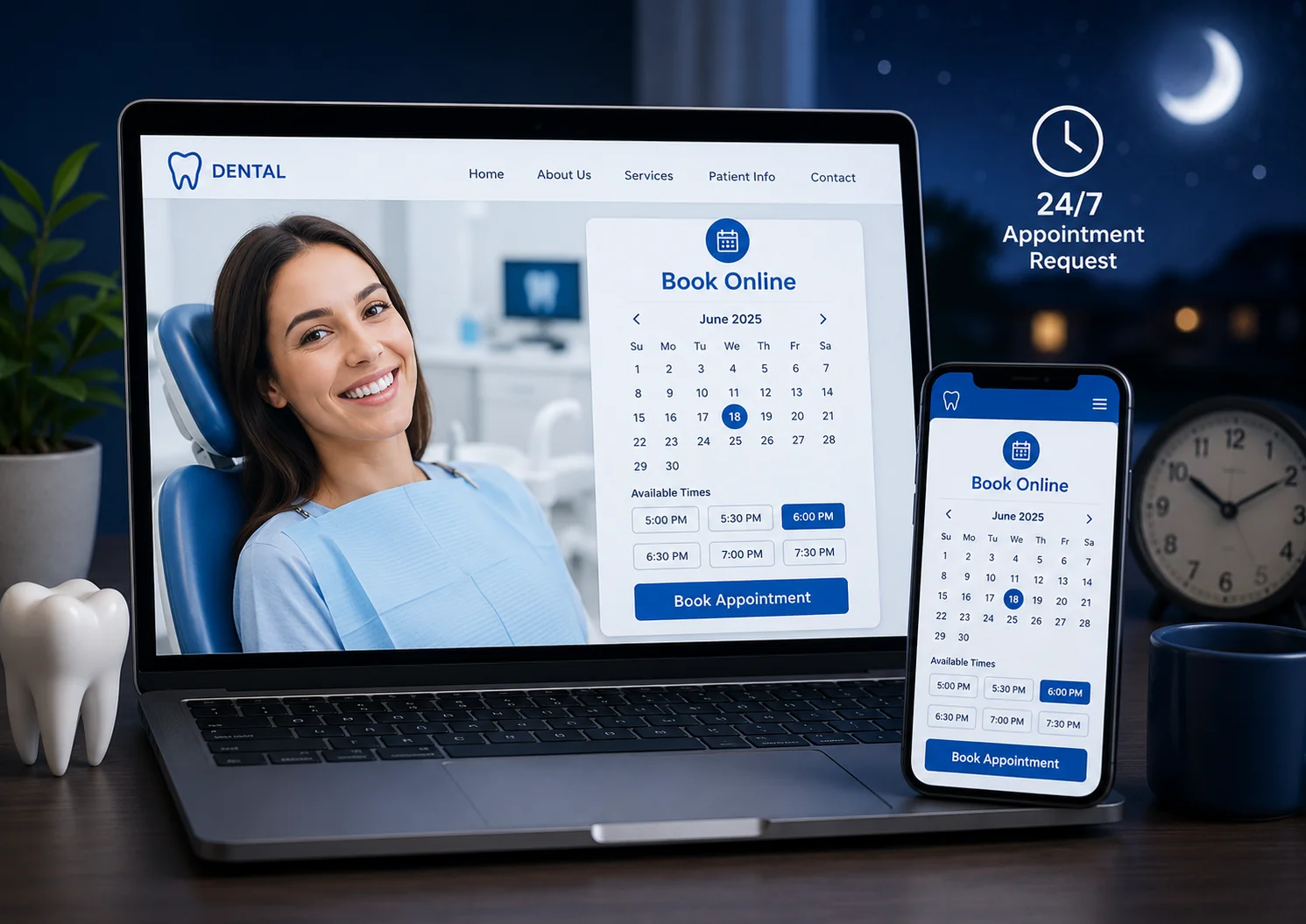 Adding online booking to your dental website lets your dental practice capture appointment requests around the clock—including the evenings and weekends when your front desk is closed—but it only grows your schedule if you connect it to your practice management system, keep patient information private, and build in the confirmations and reminders that stop no-shows before they start. Adding online booking to your dental website lets your dental practice capture appointment requests around the clock—including the evenings and weekends when your front desk is closed—but it only grows your schedule if you connect it to your practice management system, keep patient information private, and build in the confirmations and reminders that stop no-shows before they start.
A booking button by itself is not the win. The win is a path a first-time visitor can finish in under a minute on a phone, that lands a real appointment in the right column of your schedule, and that the patient actually keeps.
Most practices that add online booking and see disappointing results made one of a few avoidable mistakes: they routed requests into an inbox no one watches, exposed slots their providers could not actually accommodate, or bolted a generic web form onto a healthcare site without thinking about privacy. The difference between booking that fills your schedule and booking that creates work is in the details below.
Already getting steady website traffic? This guide is about converting it. If your problem is too few visitors in the first place, start with patient acquisition and local visibility before optimizing the booking flow.
Below, you’ll learn how to choose the right booking model for your practice management system, design a flow patients actually finish, prevent no-shows, stay compliant with privacy and accessibility rules, get found where patients search, and measure whether any of it is working.
Written for: dental practice owners, office managers, and marketing teams who want online booking that adds real, kept appointments—not just a button.
TL;DR
If you only do five things, do these:
| 1. |
Choose your model deliberately - real-time scheduling that writes back to your practice management system converts best; request-to-book adds a human checkpoint but only works if you answer fast
|
| 2. |
Make the path finishable on a phone - few fields, plain-language visit types, and a visible near-term opening so a first-time patient completes in about a minute
|
| 3. |
Build no-show controls in from day one - instant confirmation, reminders a few days out and the day before, and a one-tap way to reschedule instead of ghosting
|
| 4. |
Treat the booking page as protected health information - sign a business associate agreement with every vendor that touches it, collect only what you need, and keep advertising pixels off booking and intake pages
|
| 5. |
Measure starts and completions as key events - track where patients begin and finish so you know whether booking actually adds appointments instead of just moving them off the phone |
Table of Contents
What adding online booking actually does for your practice
Online booking does three things a phone line cannot. It captures demand when no one is at the desk, it removes the friction that makes a hesitant new patient close the tab, and it gives you a written, trackable record of every request. In our work with dental practices, the single biggest source of lost new patients is rarely bad marketing—it is demand that arrives when the office is closed or the line is busy, and then quietly evaporates.
After-hours capture is the headline benefit. A meaningful share of booking activity happens in the evenings, on weekends, and over lunch—exactly when most dental front desks are unstaffed or slammed. A patient researching a cracked tooth at 9 p.m. will either leave a request waiting for you in the morning or move on to the next practice that lets them book right then. Online booking turns that moment into a captured appointment instead of a missed call.
It also lowers the effort it takes to say yes. Phone calls require a patient to be free, willing to talk, and able to reach you during open hours—three conditions that fail constantly. Self-scheduling lets an anxious or busy patient act the instant they decide, which is when intent is highest and hesitation is lowest.
What online booking will not do on its own: it will not fix thin demand, and it will not help your schedule if it dumps requests into an unwatched inbox or books visit types your providers cannot accommodate. The rest of this guide is about building the version that works.
> Back to Table of Contents
Real-time scheduling vs. appointment requests
Before you pick a widget or a vendor, decide how booking will connect to your schedule. This single choice shapes the patient experience, your front-desk workload, and your no-show rate. There are three common models, and they behave very differently.
Real-time scheduling that writes back to your practice management system
With real-time scheduling, the patient sees actual open slots pulled from your practice management system (PMS) and the booking writes directly back into it. This is the smoothest experience—the patient gets an instant, confirmed time—and it eliminates double-booking. The tradeoff is control: you have to define exactly which slots, providers, and visit types are exposed, or you risk a new patient booking a short slot for a procedure that needs far longer. Real-time works best when your PMS supports a reliable two-way integration and your scheduling templates are disciplined.
Appointment requests (request-to-book)
A request-to-book flow collects the patient’s preferred times and details, then a team member confirms the actual appointment. It gives you a human checkpoint—useful for verifying insurance, triaging urgency, or matching a complex case to the right provider and block—but it reintroduces the very delay online booking is meant to remove. If you use this model, the request is a promise: it has to be answered fast, ideally the same business day, with a named owner and a backup. A request that sits unanswered for two days is worse than a phone number, because the patient already feels they did their part.
Third-party marketplaces and embedded widgets
Marketplaces and standalone scheduling tools can add booking quickly and may bring their own audience, but read the fine print on two things: whether the booking writes back to your PMS or creates a second calendar your team has to reconcile by hand, and where the patient actually completes the booking. A widget that sends patients off your own domain to a third-party site can dilute the trust your website worked to build and can complicate both analytics and privacy. Owning the booking experience on your own site is usually the stronger long-term position.
Our general guidance: if your PMS supports a dependable real-time integration and your templates are clean, real-time booking converts best. If your cases or insurance verification genuinely require a human checkpoint, a fast, well-owned request flow can work—but treat speed of response as the whole game.
> Back to Table of Contents
How to add online booking to your dental website
Adding online booking is less about installing software and more about deciding what you will let patients book. Most practices can go live in a few weeks if they prepare the schedule first. Here is the sequence we recommend.
| 1. |
Map your bookable visit types - start with the two or three appointments you actually want to promote (new-patient exam, emergency or limited exam, hygiene) and define duration, provider, and prep for each
|
| 2. |
Set availability rules - decide which providers, days, and time blocks are exposed, and hold back buffer and complex cases so the booking tool cannot create a scheduling problem
|
| 3. |
Choose your model and vendor - confirm whether the tool writes back to your PMS in real time or creates a request, and verify it will sign a business associate agreement before any patient data flows
|
| 4. |
Place the entry points - put a booking button in your header, on your homepage, on every service page, and in your Google Business Profile so patients can start from wherever they are
|
| 5. |
Test on a phone first - most dental traffic is mobile, so complete a real booking on a small screen and time it; if it takes more than about a minute or needs pinching and zooming, simplify before launch |
Where the button lives matters as much as that it exists. A single link buried in the navigation underperforms a persistent, high-contrast button that follows the patient down the page on mobile. Service pages are especially valuable: a visitor reading about emergency care or implants is already in a decision, and a booking option in that context converts far better than one available only on the homepage.
> Back to Table of Contents
Designing a booking flow patients actually finish
Every extra field and every extra step costs you completed bookings. The goal of the flow is a first-time visitor finishing on a phone without calling for help. A few principles do most of the work.
| • |
Ask only what you need to hold the slot - name, a contact method, visit type, and time are usually enough; collect full medical history and insurance later, in your secure intake, not in the booking widget
|
| • |
Lead with visit type in plain language - patients do not always know whether they need a comprehensive exam or a limited exam, so use everyday descriptions and a short helper line
|
| • |
Separate new from returning patients early - the two paths need different information, and forcing everyone through one form frustrates both
|
| • |
Show the soonest real availability - a visible near-term opening is one of the strongest reasons a patient completes rather than abandons
|
| • |
Confirm on screen immediately - the moment of booking is when uncertainty is highest, so show a clear confirmation with date, time, location, and what to bring |
Insurance is the most common dental booking blocker. Patients hesitate when they cannot tell whether you take their plan. You do not need to solve eligibility inside the widget—and you should not collect plan details there—but a plain statement that your team will review coverage and follow up removes the hesitation without creating a privacy problem. Anxious patients also respond to small reassurances near the booking button: a sentence about gentle care, easy parking, or what the first visit involves can be the difference between a start and a completion.
> Back to Table of Contents
How to prevent no-shows from online bookings
Online bookings can no-show at higher rates than phone bookings if you do nothing—and at lower rates if you build the right follow-through. A patient who booked at midnight without ever speaking to your office has less of a commitment anchor than one who had a conversation. You replace that missing anchor with confirmation, reminders, and an easy way to reschedule rather than disappear.
| • |
Confirm instantly - an immediate on-screen confirmation plus an emailed or texted one turns a tentative click into a real plan
|
| • |
Remind on a schedule - a reminder a few days out plus one the day before catches the forgotten and the over-committed; always include a one-tap way to confirm, reschedule, or cancel
|
| • |
Make rescheduling easier than not showing - if changing an appointment is harder than skipping it, patients skip; a simple reschedule link recovers visits you would otherwise lose
|
| • |
Verify high-value and new-patient slots - a brief human touch before a long new-patient or treatment appointment protects your most expensive chair time
|
| • |
Consider a hold or policy for long appointments - for lengthy treatment visits, a clear cancellation window or a card on file can reduce no-shows, applied transparently and within your compliance obligations |
One caution on reminders: automated text and email reminders are governed by privacy and consent rules. Collect clear permission to contact the patient at the point of booking, keep the message content minimal (a first name and an appointment time, not procedure details), and always honor opt-outs. This keeps you aligned with both patient-privacy expectations and the rules that govern automated messaging.
> Back to Table of Contents
HIPAA, accessibility, and tracking: how to do it right
A dental booking page collects protected health information, so it has to be built to a healthcare standard—not a generic web-form standard. Three areas matter most.
HIPAA and business associate agreements
Under HIPAA, information that identifies a patient and relates to their care is protected health information (PHI)—and that includes an appointment request tied to a name and contact details. Any vendor that creates, receives, stores, or transmits that data on your behalf, including your scheduling tool, form provider, and hosting, generally needs to sign a business associate agreement (BAA) before patient data flows through it. Apply the minimum-necessary principle in the booking flow: collect only what you need to hold the slot, and gather medical history and insurance later in a secure intake system.
Tracking pixels and analytics on booking pages
This is the gap we see most often. Advertising pixels and some analytics configurations can transmit what a patient did on a page to third parties—and on a booking or intake page, that can mean disclosing PHI without authorization. Be deliberate about what runs on pages where patients enter health information: avoid advertising pixels and session-replay tools on those pages, segregate your analytics, and confirm any vendor that can see PHI is covered by a BAA. Measuring conversions matters, but it has to be done in a privacy-safe way.
Accessibility under the ADA and WCAG
Your website, including the booking flow, is expected to be usable by people with disabilities. The widely used benchmark is the Web Content Accessibility Guidelines (WCAG) at Level AA—currently WCAG 2.2, with WCAG 2.1 AA being the version most often referenced in U.S. accessibility matters. For private dental practices, the Americans with Disabilities Act does not name a specific technical version, but courts and settlements have consistently treated WCAG AA as the practical standard, and website accessibility complaints remain common. In practice, that means a booking flow that works with a keyboard and a screen reader, has labeled fields, sufficient color contrast, and large enough tap targets—most of which also improve completion for everyone.
This is general guidance, not legal advice. Privacy and accessibility obligations vary by situation and change over time, so confirm your specific setup with your own compliance advisor.
> Back to Table of Contents
Getting found: local SEO, AI search, and Google booking surfaces
Adding booking is also a discoverability play—if you connect it to the places patients actually search. A booking flow that lives only on a page no one finds will not move your numbers.
Google Business Profile and the booking button
Most patients who are ready to act find you through Google—your Business Profile and the map results, not just your website. Google can surface a booking option directly on your profile through supported scheduling partners, letting a patient start from the search result itself. If your scheduling provider integrates with Google’s appointment features, enabling that connection puts a booking path in front of patients at the moment of highest intent.
One thing to watch: some practices have found unfamiliar third-party booking buttons appearing on their Google profiles through scheduling partners they never signed up with, routing patients through a process the office does not control. Check your Business Profile periodically, confirm any booking link points to your own intended flow, and remove links you did not authorize.
On-page structure for search and AI answers
Clear, well-structured pages help both traditional search and AI-driven answers. Use descriptive page content and accurate local-business and dentist structured data so search engines understand who you are, where you are, and that you accept appointments. Keep in mind how AI search currently behaves: for informational and treatment-research questions like how long a root canal takes or what a dental implant involves, AI Overviews are prominent, so answer-first content earns visibility there. For local provider searches—someone looking for a dentist near them—AI Overviews have largely receded, which means your Google Business Profile, reviews, and local relevance do the heavy lifting for those high-intent, ready-to-book queries.
> Back to Table of Contents
How to know whether online booking is working
If you cannot see where bookings start and where they finish, you cannot tell whether the feature is working or quietly leaking. Treat the booking funnel like any other conversion path.
| • |
Mark booking starts and completions as key events - in Google Analytics 4, the action formerly called a conversion is now a key event; track both the moment a patient opens the booking flow and the moment they complete it
|
| • |
Watch the gap between start and finish - a high start rate with low completion points to a flow problem, such as too many fields, no near-term availability, or a confusing visit-type step
|
| • |
Keep online and phone bookings visible side by side - online booking should add appointments, not just move them off the phone, so track both to see true incremental volume
|
| • |
Tie bookings back to source - connect completed bookings to the channel that drove them so you know whether organic search, ads, or your profile is producing real appointments
|
| • |
Reconcile booked against kept - a booking is only valuable if the patient shows, so close the loop by comparing completed bookings with kept appointments |
Measure in a privacy-safe way. As covered above, conversion tracking on pages that handle patient information has to respect HIPAA, so configure analytics so it does not capture PHI and keep advertising pixels off your intake and booking steps.
> Back to Table of Contents
Add online booking with a team that knows dental
Online booking only pays off when the model, the flow, the compliance, and the measurement all line up—and that is exactly where most do-it-yourself setups fall short. WEO Media - Dental Marketing builds and integrates online booking as part of dental websites designed to turn visitors into booked, kept patients. If you want help choosing the right model for your practice management system, designing a flow patients finish, and doing it in a privacy-safe, accessible way, our team can help. Call 888-246-6906 to talk through what would work best for your practice.
> Back to Table of Contents
FAQs
Is online booking HIPAA compliant for a dental website?
It can be, but it is not automatic. An appointment request tied to a patient’s name and contact information is protected health information, so any scheduling or form vendor that handles it generally needs to sign a business associate agreement with your practice. Collect only the minimum information needed to hold the slot, keep advertising pixels and session-replay tools off pages where patients enter health details, and gather medical history and insurance through a secure intake rather than the booking widget.
Should I use real-time scheduling or appointment requests?
Real-time scheduling, which shows actual open slots and writes the booking back into your practice management system, usually converts best because the patient gets an instant confirmed time. Appointment requests, where a team member confirms the time afterward, give you a human checkpoint for insurance or complex cases but reintroduce delay. If you choose requests, treat speed of response as essential, ideally the same business day with a named owner, because an unanswered request frustrates a patient who already did their part.
Will online booking increase no-shows?
It can if you add a booking button and nothing else, because a patient who booked without speaking to anyone has a weaker commitment. You offset that with an instant confirmation, reminders a few days out and the day before, and a one-tap way to reschedule rather than simply not show. Verifying longer new-patient and treatment appointments with a brief human touch protects your most valuable chair time.
Where should the booking button go on my dental website?
Put a clear, high-contrast booking button in your site header, on your homepage, and on every service page, plus your Google Business Profile. Service pages matter most, because a visitor reading about emergency care or implants is already in a decision. On mobile, a persistent button that stays visible as the patient scrolls outperforms a single link buried in the menu.
Does online booking help my SEO?
Indirectly, yes. Booking itself is a conversion feature, but connecting it to your Google Business Profile and using accurate local-business and dentist structured data helps patients act at the moment of highest intent and helps search engines understand that you accept appointments. For local searches where someone is looking for a nearby dentist, your Business Profile, reviews, and local relevance drive visibility more than any single on-page element.
Do patients actually prefer to book online?
Many do, especially for the convenience of acting outside business hours. A large share of booking activity happens in evenings and on weekends, when most front desks are closed, so self-scheduling captures intent that a phone-only practice loses. Offering online booking does not remove the phone option; it adds a channel for the patients who would rather not call.
What information should the booking form collect?
Ask only what you need to reserve the appointment: name, a contact method, the visit type, and a time. Detailed medical history and insurance information should be collected later through a secure intake system, both to reduce friction and to limit how much protected health information passes through the booking step. Every additional field lowers the share of patients who finish.
How long does it take to add online booking to a dental website?
Most practices can go live within a few weeks, and the software setup is rarely the bottleneck. The real work is preparing your schedule first, defining which visit types, providers, and time blocks to expose, and confirming your vendor will sign a business associate agreement before any patient data flows. Practices with clean scheduling templates and a practice management system that supports real-time integration move fastest. |
|





