Prosthodontist Website Design That Converts: How to Build a Site That Books More Restorative Consultations
Posted on 5/20/2026 by WEO Media |
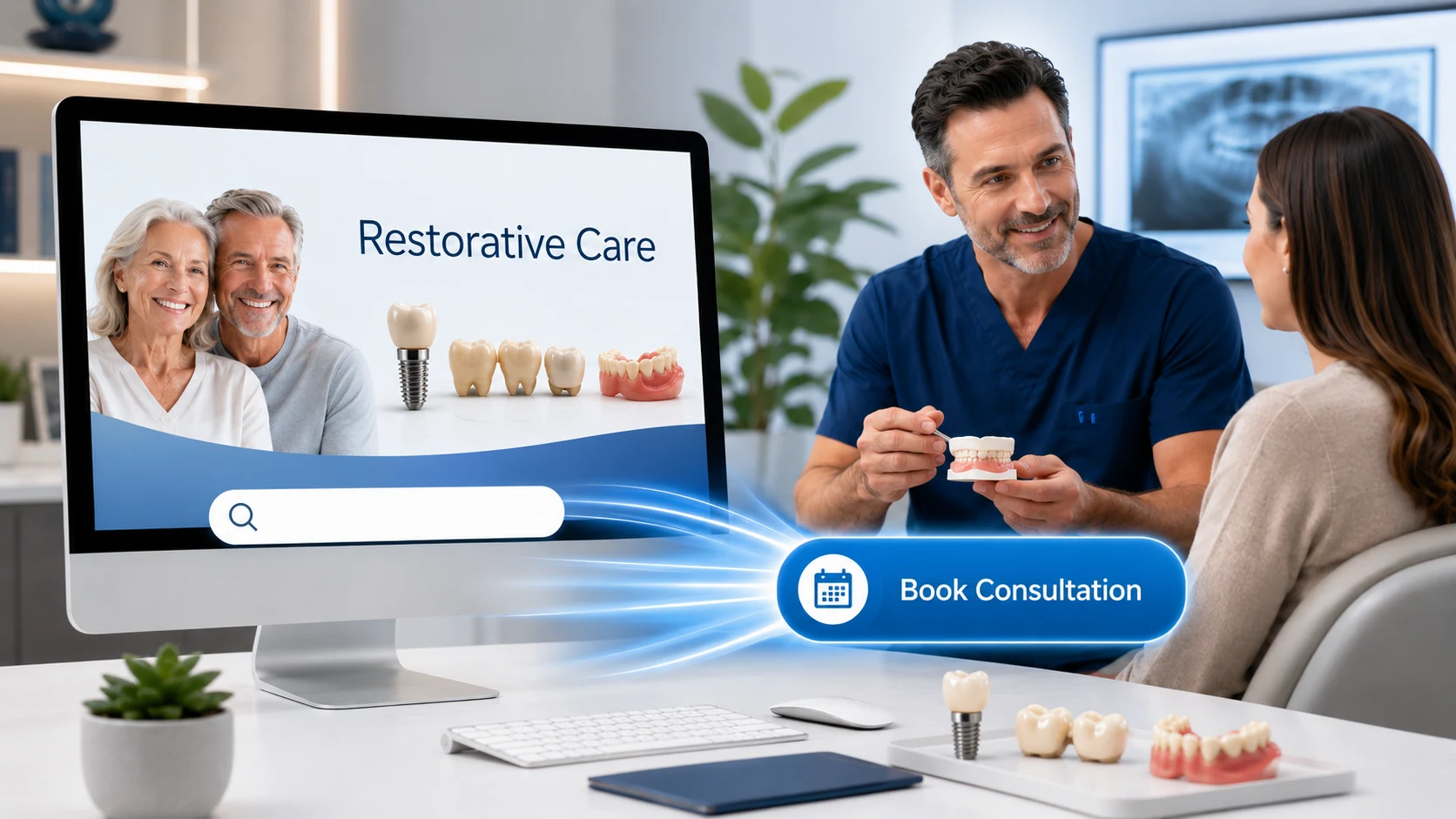 To build a prosthodontist website that converts visitors into booked restorative consultations, lead with clear specialty positioning, prove outcomes with real before-and-after case work, and design every page around what complex-case patients are actually asking: can this team handle my situation? To build a prosthodontist website that converts visitors into booked restorative consultations, lead with clear specialty positioning, prove outcomes with real before-and-after case work, and design every page around what complex-case patients are actually asking: can this team handle my situation?
Here’s the pattern we see: prosthodontic practices invest in beautiful photography and a clean layout, then watch traffic come in without a meaningful lift in booked consultations. The site looks like a general dentist’s site with a different word in the header. For a specialty practice handling full-mouth reconstruction, complex implant cases, and patients who’ve already seen one or two other providers, that’s a conversion problem disguised as a design problem.
The fix isn’t a redesign for its own sake. It’s rebuilding the site around how restorative patients actually decide—through repeated visits, careful comparison, and a search for proof that this team has handled their specific situation before.
Already getting traffic but not consultations? Skip ahead to conversion paths and case galleries. If traffic is the issue, start with dental SEO and patient acquisition first.
Below, you’ll find the five elements that distinguish a converting prosthodontist site from a generic dental site, the service-page structure that helps complex-case searches find you, the trust signals that move careful patients off the fence, and the measurement model that tells you whether the site is actually working.
Written for: prosthodontists, practice owners, and marketing coordinators at restorative-focused practices who want a website that earns consultation requests, not just compliments on its design.
TL;DR
If you only do five things, do these:
| • |
Position the specialty above the fold - tell visitors in one sentence what you do that a general dentist doesn’t, who you treat, and how to start
|
| • |
Build service pages around the case, not the procedure - patients search by their problem (“I need to replace my failing crowns”), not by procedure names they don’t know
|
| • |
Show real cases with consent - before-and-after work, written treatment narratives, and outcomes earn trust no stock photo can match
|
| • |
Make multiple conversion paths obvious - phone, form, online scheduling, and chat, each visible on every page without scrolling
|
| • |
Measure consultations, not clicks - track key events from inquiry to consult-kept to treatment-started, so the site is judged by what it actually produces |
Table of Contents
Why prosthodontist websites convert differently
A prosthodontist isn’t a general dentist with a longer treatment list, and the website shouldn’t look like one. The audience, the decision process, the case values, and the questions patients arrive with are all different—and a site built on a general-dentistry template tends to flatten those differences into generic “family-friendly care” messaging that doesn’t earn the trust complex-case patients need.
What makes the audience different:
| • |
They’ve usually been somewhere else first - many prosthodontic patients are second or third opinions, or have had restorations fail and are looking for someone to fix the previous work
|
| • |
They’re researching for weeks or months - large cases involve longer consideration cycles than a cleaning or single crown; the site is visited repeatedly
|
| • |
They skew older and more cautious - decisions involve significant time and investment, and patients want evidence that the team has handled cases like theirs before
|
| • |
They don’t always know the word “prosthodontist” - they search for problems (“all my crowns are old”) and outcomes (“permanent teeth in a day”), not specialty labels |
That last point matters more than most prosthodontic sites acknowledge. Many high-intent visitors arrive having searched for a symptom or a treatment—not for a credential they don’t recognize. If your homepage leads with “Welcome to Prosthodontics of [City]” and assumes the visitor knows what that means, you’ve lost a meaningful share of the audience before they scroll. Building pages around the keywords prosthodontic patients actually search is half the work of a converting site.
A converting site speaks to the case first, then introduces the credential as the reason this team is the right choice for that case.
> Back to Table of Contents
The five elements of a high-converting prosthodontist website
Across the prosthodontic practices we work with, the sites that consistently produce consultation requests share five elements. None of them is unique to prosthodontics in isolation—but the combination, executed for a restorative audience, is what separates a converting site from a generic one.
| 1. |
Specialty-first positioning - the home page and every service page make the prosthodontic difference clear without requiring the visitor to already know the term
|
| 2. |
Case-based service architecture - pages organized around the patient’s situation (failing dental work, missing teeth, worn dentition) as well as the procedures that solve them
|
| 3. |
Verified case work - before-and-after galleries, treatment narratives, and patient outcomes that demonstrate the team has handled cases like the visitor’s
|
| 4. |
Multiple, low-friction conversion paths - phone, form, scheduling, and chat, each clearly accessible on mobile and desktop without scrolling or hunting
|
| 5. |
Trust scaffolding throughout - board certification, specialty training, lab and technology details, and patient stories woven across the site, not buried on an “About” page |
A practice with strong work and clear specialty positioning can underperform online for years simply because one or two of these elements is missing. The good news is that none of them require a full redesign—most can be added or strengthened within the existing site framework.
> Back to Table of Contents
Above-the-fold messaging that turns visitors into consultations
Above the fold is the part of the page visible without scrolling. On a prosthodontist site, it has to do four things in roughly five seconds: tell the visitor what kind of practice this is, who it treats, what makes it different, and how to start. A generic “Beautiful smiles for the whole family” headline does none of these—and for a specialty audience, it actively works against conversion.
What strong above-the-fold messaging includes:
| • |
A specialty headline - names what the practice does in patient-friendly language (“Full-mouth restoration, dental implants, and complex restorative care”) rather than relying on the word “prosthodontist” alone
|
| • |
An audience cue - a subhead or supporting line that signals who this is for (“For patients with missing teeth, failing dental work, or smiles they want to rebuild”)
|
| • |
A trust marker - one credential or proof point visible immediately (board certification, years of specialty practice, a number of cases completed, or a brief patient quote)
|
| • |
A primary call to action - one prominent button or path (“Request a Consultation”), with secondary options (phone, scheduling) clearly available
|
| • |
A relevant visual - a real patient outcome, the team, or the technology, not a generic stock photo of a model with a perfect smile that has nothing to do with the practice |
What to avoid above the fold:
| • |
Slideshows that rotate before the visitor can read them - they hide your strongest message and slow the page
|
| • |
Vague value claims - “Exceptional care” or “State-of-the-art technology” say nothing a competitor doesn’t also say
|
| • |
Multiple competing CTAs - more than two visible primary actions splits attention and reduces conversions on the most important one
|
| • |
Stock smile photography - patients and search engines both recognize it; it signals the practice isn’t showing its own work |
The fastest way to test your current above-the-fold section is to load your homepage on a phone, screenshot what’s visible without scrolling, and ask a non-dental friend three questions: What does this practice do? Who is it for? What would you do next if you needed their help? If they can’t answer all three quickly and correctly, the messaging needs work—regardless of how the page looks.
> Back to Table of Contents
Service pages that convert complex restorative cases
On most prosthodontist sites, the service pages do the heaviest conversion lifting. They’re where patients land from search, where they verify the practice handles their specific case, and where the consultation request is most often made. A weak service page—short, generic, or focused on procedure mechanics rather than patient outcomes—quietly suppresses conversion on the practice’s most valuable traffic.
Build pages around the case, not just the procedure
Patients searching for “all my crowns are failing” or “permanent teeth in a day” aren’t looking for a clinical description of porcelain-fused-to-metal or All-on-X protocols. They’re looking for confirmation that someone treats people in their situation and gets predictable outcomes. The strongest service pages mirror that language and lead with the case before the procedure.
Pages we typically recommend prosthodontic practices build or strengthen:
| • |
Full-mouth reconstruction and rehabilitation - the flagship page for complex restorative work
|
| • |
Dental implants - a parent page plus dedicated pages for single implants, multiple-tooth replacement, and implant-supported full-arch (All-on-4 or All-on-X) solutions
|
| • |
Dentures - conventional, immediate, overdentures, and implant-supported, each with its own page
|
| • |
Crowns, bridges, and replacement of failing restorations - a meaningful share of prosthodontic visitors arrive specifically because previous dental work is failing
|
| • |
Veneers and smile makeovers - distinct from cosmetic-only positioning; veneers and smile makeover pages should connect to the prosthodontic approach to occlusion and longevity
|
| • |
TMJ, occlusion, and full-mouth wear - underserved on most dental sites and frequently searched
|
| • |
Maxillofacial prosthetics - if the practice offers them, a dedicated page is essential because these patients almost never find generic dental sites |
What each service page should include:
| • |
A patient-language headline - the problem or outcome, not the procedure code
|
| • |
A short, snippet-ready definition - 40–60 words that directly answer “what is this and who is it for” and gives the page a shot at a featured snippet
|
| • |
Case examples - at least one before-and-after with a brief treatment narrative, where consent allows
|
| • |
Process overview - what the patient should expect, in plain language, including realistic timeframes
|
| • |
The prosthodontic difference - why specialty training matters for this particular case type
|
| • |
Trust elements - relevant credentials, technology, lab partnerships, or warranty information
|
| • |
A clear next step - a consultation request specific to this service, not just a generic site-wide CTA |
A useful rule of thumb: if your service page could be copy-pasted onto a general dentist’s site without anyone noticing it had moved, it isn’t converting at its potential. The specialty perspective should be visible on every page.
> Back to Table of Contents
Case galleries that show real work the right way
For a prosthodontic practice, before-and-after case galleries are not a nice-to-have—they are often the single most influential element on the site. Patients who have seen failed dental work or who have been told their case is too complex elsewhere are looking for evidence that this team can handle what they’ve been through. Photography, narrative, and outcome together do what no amount of marketing copy can.
What strong case galleries include:
| • |
Real patients with written consent - HIPAA-aware authorization for use of identifiable images, ideally with a defined scope (website, social, internal education)
|
| • |
Consistent photography - matched angles, lighting, and exposure between before and after; inconsistencies make outcomes look manipulated
|
| • |
Treatment narratives - 100–200 words on what the patient came in with, what was done, and what changed, without making medical or guarantee claims
|
| • |
Case categorization - filters by case type (full-mouth, implants, veneers, denture-to-implant transition) so visitors can find work like theirs
|
| • |
Multiple views per case - not just the smile; full-face and clinical views add credibility |
What to avoid in case presentation:
| • |
Identifiable patient images without written consent - HIPAA treats facial images as protected health information when combined with treatment context
|
| • |
Stock before-and-after images - patients and search engines both recognize them; stock photography undermines credibility instantly
|
| • |
Outcome claims that read as guarantees - words like “permanent” or “forever,” or specific longevity promises, can expose the practice to regulatory and liability risk
|
| • |
Heavily retouched photography - light correction is fine; smoothing, whitening, or contouring beyond what was clinically done crosses into misleading territory |
A practical pattern that works well: a rotating featured-case section on the homepage, a full searchable gallery with filters, and case-specific examples embedded within each relevant service page. The same case can appear in multiple places when context is appropriate—a full-mouth reconstruction case belongs on the full-mouth page, the implants page, and possibly the veneers page.
> Back to Table of Contents
Trust signals and specialty credentials that move patients to act
Trust is the variable that converts cautious researchers into consultation requests, and it’s built through repeated, specific signals across the site, not through a single “About” page. Prosthodontic patients are deciding whether to invest meaningful time and money in a treatment plan, often after a previous experience that didn’t work out. Generic trust language doesn’t move them. Specifics do.
Trust signals that earn their weight on a prosthodontist site:
| • |
Specialty credentials, in plain language - board certification (American Board of Prosthodontics), specialty residency training, and what those mean for the patient, not just the acronyms
|
| • |
Professional affiliations - American College of Prosthodontists, Academy of Osseointegration, and similar organizations, with brief context on why they matter
|
| • |
Continuing education and teaching - faculty appointments, lectures, and ongoing training signal current expertise
|
| • |
Lab partnerships and technology - the lab is half the outcome on most restorative cases; naming it (with permission) and describing the in-house technology builds confidence
|
| • |
Verified patient reviews - aggregated and recent, with a meaningful number of Google reviews and feedback on other relevant platforms; old or thin review profiles work against the practice
|
| • |
Patient stories with context - longer-form patient narratives that describe a real treatment journey, not pull-quote testimonials stripped of detail
|
| • |
Long-term follow-up - five- or ten-year case follow-ups demonstrate that the restorations actually last, which is what restorative patients want to know
|
| • |
Transparent process information - clear explanations of consultations, planning, and what patients can expect at each stage |
One element worth emphasizing: review quality matters more than review count past a certain point. Twenty thoughtful, recent reviews that describe specific treatments are more persuasive than two hundred two-word ratings. For prosthodontic practices, encourage reviewers (where allowed by platform rules) to mention the type of treatment they received, so future visitors can find feedback relevant to their own case.
Trust also accrues through what the site doesn’t do. Sites that overpromise (“permanent results,” “painless dentistry,” “guaranteed satisfaction”) read as marketing-heavy to careful patients. The most converting prosthodontic sites we’ve seen are confident without being aggressive, and let credentials and case work carry the claim.
> Back to Table of Contents
Conversion paths: making it effortless to inquire
Even patients who’ve made up their minds will leave a site if the conversion path is slow, hidden, or asks for too much before establishing why. The goal isn’t to add more CTAs—it’s to make the few you have impossible to miss and effortless to use.
The conversion paths that consistently work on prosthodontic sites:
| • |
Phone, prominently and tap-to-call - the prosthodontic audience skews older and more comfortable on the phone; a tap-to-call number in the header, footer, and on every service page is essential
|
| • |
A consultation request form - 4–6 fields maximum, with optional case-detail or upload fields for patients who want to share more
|
| • |
Online scheduling for consultations only - direct booking works well for consults; surgical and complex appointments are scheduled after the consultation rather than online
|
| • |
Live chat or text-to-message - live chat is particularly effective for the “I’m not ready to call but I have a question” visitor
|
| • |
Case-specific inquiry options - on full-mouth, implant, and denture pages, an option to upload a recent dental photo or describe the situation in advance helps the consultation feel productive |
Form design that converts:
| • |
Ask only what the front desk truly needs - name, phone, email, reason for visit, and preferred contact method; everything else can wait for the consultation
|
| • |
Make optional fields obviously optional - long forms with required fields cause abandonment
|
| • |
Confirm receipt clearly - a meaningful thank-you page (not just “Thanks!”) that explains when the patient will hear back and from whom
|
| • |
Route forms to a named person with a backup - missed-form follow-up is one of the most common conversion leaks we find
|
| • |
Track every submission to outcome - did it become a consult? Did the consult happen? Without conversion tracking in place, you can’t tell which conversion paths are actually producing patients |
A pattern we commonly see: practices add a third or fourth CTA hoping to lift conversions, and conversions actually go down because attention is diluted. One primary path (“Request a Consultation”) supported by clear secondary options (phone, schedule, chat) outperforms a busier menu almost every time.
> Back to Table of Contents
Technical performance, mobile, and Core Web Vitals
A beautifully written site that loads slowly, shifts as it renders, or feels broken on a phone will lose conversions regardless of how strong the messaging is. For prosthodontic practices, where image-heavy galleries and detailed service pages are part of the value, technical performance has to be planned for, not added at the end.
The performance baseline:
| • |
Core Web Vitals within Google’s recommended thresholds - Largest Contentful Paint (LCP) under 2.5 seconds, Interaction to Next Paint (INP) under 200 milliseconds, and Cumulative Layout Shift (CLS) under 0.1
|
| • |
Compressed, properly sized images - WebP format, responsive sizing, and lazy loading for below-the-fold images, especially in galleries
|
| • |
Mobile-first design - Google indexes the mobile version of your site; if the desktop site is strong but the mobile experience is cramped or slow, rankings and conversions suffer together
|
| • |
Accessible by default - sufficient color contrast, readable body type (16px or larger), clear tap targets, and proper heading structure benefit older users and align with WCAG guidance
|
| • |
Reliable on slower connections - many patients still browse on older devices or weaker networks; a site that only works well on high-end phones is leaving traffic behind |
A specific note on imagery: case galleries are valuable, but they’re also where most prosthodontic sites lose page-speed scores. Galleries that load full-resolution images on entry, or that don’t use modern formats and lazy loading, can push LCP well past the 2.5-second threshold even on otherwise strong sites. The fix is technical, not editorial—you keep the images, you just deliver them properly.
The other technical foundation worth getting right: structured data. Dentist and MedicalBusiness schema, combined with FAQ schema where appropriate, helps search engines understand the practice and supports AI-generated overview features that increasingly drive visibility for specialty queries.
> Back to Table of Contents
Local SEO essentials for prosthodontists
Most prosthodontic practices draw from a wider geographic area than a general dentist—patients are willing to travel further for complex restorative care—but local SEO still does the heaviest lifting for new-patient discovery. A converting site has to be findable, and findability for specialty practices has a few specific levers.
The essentials:
| • |
A complete, accurate Google Business Profile - correct primary category (Prosthodontist), service list, hours, photos, and consistent NAP (name, address, phone) across the site and directories
|
| • |
Specialty-specific service pages - one URL per major service, optimized for both procedure terms and patient-language searches
|
| • |
Location pages if the practice has multiple offices - one page per location, each with distinct content, addresses, and team information; never a single “Locations” page with all addresses lumped together
|
| • |
Reviews on Google and relevant healthcare platforms - volume, recency, and response rate all factor into local rankings and into patient decisions
|
| • |
Schema markup for the practice and key services - properly implemented, this helps with both local pack visibility and AI Overview citations
|
| • |
Local content that demonstrates community presence - case work, team news, and educational articles that situate the practice in its market |
A useful frame: think of the website not as a brochure but as a network of pages, each capable of ranking and converting for a different patient need. The home page introduces the practice; the service pages do the heavy lifting on search and conversion; the case gallery builds the trust that closes the consultation request. Each part has a job, and the local SEO foundation is what makes the network discoverable in the first place.
> Back to Table of Contents
How to measure prosthodontist website conversion
A converting prosthodontist site is judged by what it produces, not by how it looks or how much traffic it receives. The measurement model that matters tracks the path from visit to treatment, and exposes where the drop happens so improvements can be targeted rather than guessed at.
The metrics worth tracking weekly:
| • |
Sessions and source - where traffic is coming from and how it’s trending; useful as a denominator, not as a success metric on its own
|
| • |
Key event completions in GA4 - form submissions, phone calls (where tracked), scheduling completions, and chat engagements (note: GA4 calls these “key events,” not “conversion events”)
|
| • |
Inquiry-to-consultation rate - of the inquiries the site produced, how many became scheduled consultations; this is a front-desk and intake question as much as a site one
|
| • |
Consultation-show rate - of scheduled consultations, how many were kept; a leading indicator of intake and reminder quality
|
| • |
Consultation-to-treatment rate - of consultations kept, how many resulted in a treatment plan started; the ultimate measure of fit between site traffic and practice capabilities |
What this exposes: a site can produce many inquiries that don’t convert to consultations (an intake problem), or strong consultations that don’t convert to treatment (a fit, financing, or case-presentation problem), or thin traffic that converts at a high rate (an SEO and traffic problem). Each pattern points to a different fix, and without the full funnel you’re likely to spend effort in the wrong place.
A pattern we often see when practices first instrument this carefully: the website is doing more than they thought, and the leak is downstream—at intake, at the consultation, or at financing. The site doesn’t need rebuilding; the next step in the funnel does.
> Back to Table of Contents
Common conversion killers (and how to fix them)
Most underperforming prosthodontist sites aren’t failing because of one big problem. They’re failing because of a handful of small issues that compound. These are the ones we encounter most often.
Conversion killers to audit for:
| • |
Generic home page that could be any dental practice - no specialty positioning, no case-based language, no clear audience cue
|
| • |
Stock photography everywhere - signals to careful patients that they’re not seeing the actual work; replace with real team, real cases, and real facility imagery
|
| • |
Buried or missing phone number - tap-to-call should be visible in the header on every page, especially on mobile
|
| • |
Forms with too many fields - every required field reduces submission rate; cut to the essentials and make the rest optional
|
| • |
Slow page speed and oversized images - especially on case galleries; modern formats and lazy loading are non-negotiable
|
| • |
Outdated or thin service pages - 200-word service pages don’t rank or convert for complex specialty searches; build them out with case-based depth
|
| • |
No clear differentiator - if the site doesn’t explain why this practice over the prosthodontist down the street (or the general dentist offering implants), the visitor defaults to price or proximity
|
| • |
Missing or weak case galleries - the single biggest conversion lever on most prosthodontic sites; if yours isn’t there or isn’t strong, prioritize it
|
| • |
No measurement - if you can’t see which pages produce inquiries and which ones don’t, you can’t improve the site systematically |
The fastest audit you can run: open your site on a phone, click your own consultation CTA, and complete the form. Note every place you hesitated, every field that felt invasive, and every step that felt slow. The friction you experienced is the friction your patients are experiencing, multiplied by their lower motivation to push through it.
> Back to Table of Contents
Ready to build a prosthodontist website that converts?
A converting prosthodontist website is built on specialty positioning, case-based service pages, real before-and-after work, and conversion paths that respect the patient’s research process. It can be designed beautifully, but the design is in service of the conversion, not the other way around.
If you’d like a second set of eyes on your current site, or you’re planning a rebuild and want to start from a foundation built for restorative case work, the team at WEO Media - Dental Marketing has worked with prosthodontic practices across the country on exactly this. We’d be glad to take a look. Call 888-246-6906 or request a consultation to start the conversation.
> Back to Table of Contents
FAQs
What makes a prosthodontist website different from a general dentist website?
A prosthodontist website is built around complex restorative cases, longer decision cycles, and an audience that often arrives after seeing other providers. It leads with specialty positioning, organizes content around the patient’s case (full-mouth, implants, failing dental work) as well as procedures, and uses real before-and-after work as a primary trust signal. A general dentist website typically emphasizes family care, convenience, and broad service coverage, none of which signals the specialty depth a complex-case patient is looking for.
How long should a prosthodontist service page be?
There is no single ideal length, but specialty service pages typically need substantial depth to rank and convert. The page should answer the patient’s likely questions, include at least one case example with a brief treatment narrative, explain the prosthodontic approach to the case, and provide trust elements like credentials, technology, and process details. Thin 200-word service pages rarely perform well for complex restorative searches; pages that comprehensively address the topic tend to rank better and convert at a higher rate.
Do I need consent to post before-and-after photos on my website?
Yes. When photos can identify a patient or are combined with treatment information, they are protected health information under HIPAA, and written authorization is required before publication. Strong practices use a dedicated photo and case-study consent form that specifies where images may be used (website, social media, internal education) and allows the patient to revoke consent. Talk to a healthcare attorney about your specific consent language; this is general information, not legal advice.
How many calls to action should a prosthodontist website have on each page?
One primary call to action per page, supported by clearly visible secondary options. A typical pattern is one prominent “Request a Consultation” button along with a tap-to-call phone number, a link to online scheduling, and a chat option. Adding more than two competing primary actions tends to dilute attention and reduce conversion on the most important one.
What Core Web Vitals targets should a prosthodontist website meet?
Google’s recommended thresholds are Largest Contentful Paint (LCP) under 2.5 seconds, Interaction to Next Paint (INP) under 200 milliseconds, and Cumulative Layout Shift (CLS) under 0.1. INP replaced First Input Delay (FID) as a Core Web Vital in March 2024. Image-heavy specialty sites can struggle with LCP in particular, so modern image formats, responsive sizing, and lazy loading on case galleries are typically required to stay within the thresholds.
Should a prosthodontist offer online scheduling on the website?
Online scheduling works well for consultations, where the appointment is informational and standardized. It works less well for surgical or complex restorative appointments, which require case-specific planning before scheduling. The most effective pattern for prosthodontic practices is offering online scheduling for the initial consultation while routing complex treatment appointments through the consultation itself.
How do I measure whether my prosthodontist website is actually converting?
Track the full funnel from inquiry to treatment, not just form submissions. In GA4, configure key events for form submissions, tracked phone calls, scheduling completions, and chat engagements. Then map those inquiries through to scheduled consultations, kept consultations, and treatment plans started. The drop between any two stages tells you where to focus improvement—sometimes the site is doing more than it gets credit for, and the leak is at intake or consultation, not on the page.
How often should a prosthodontist website be updated?
Treat the website as a living asset rather than a project that ends at launch. Case galleries should be refreshed with new work on a regular cadence (monthly or quarterly), service pages should be reviewed and expanded as the practice evolves or as ranking opportunities emerge, and technical performance should be monitored continuously. A full redesign is typically needed every four to six years, but the most successful prosthodontic sites improve continuously in between. |
|





