Endodontist Website Design for Anxious Patients
Posted on 6/17/2026 by WEO Media |
How to Turn Root Canal Fear Into Booked Appointments
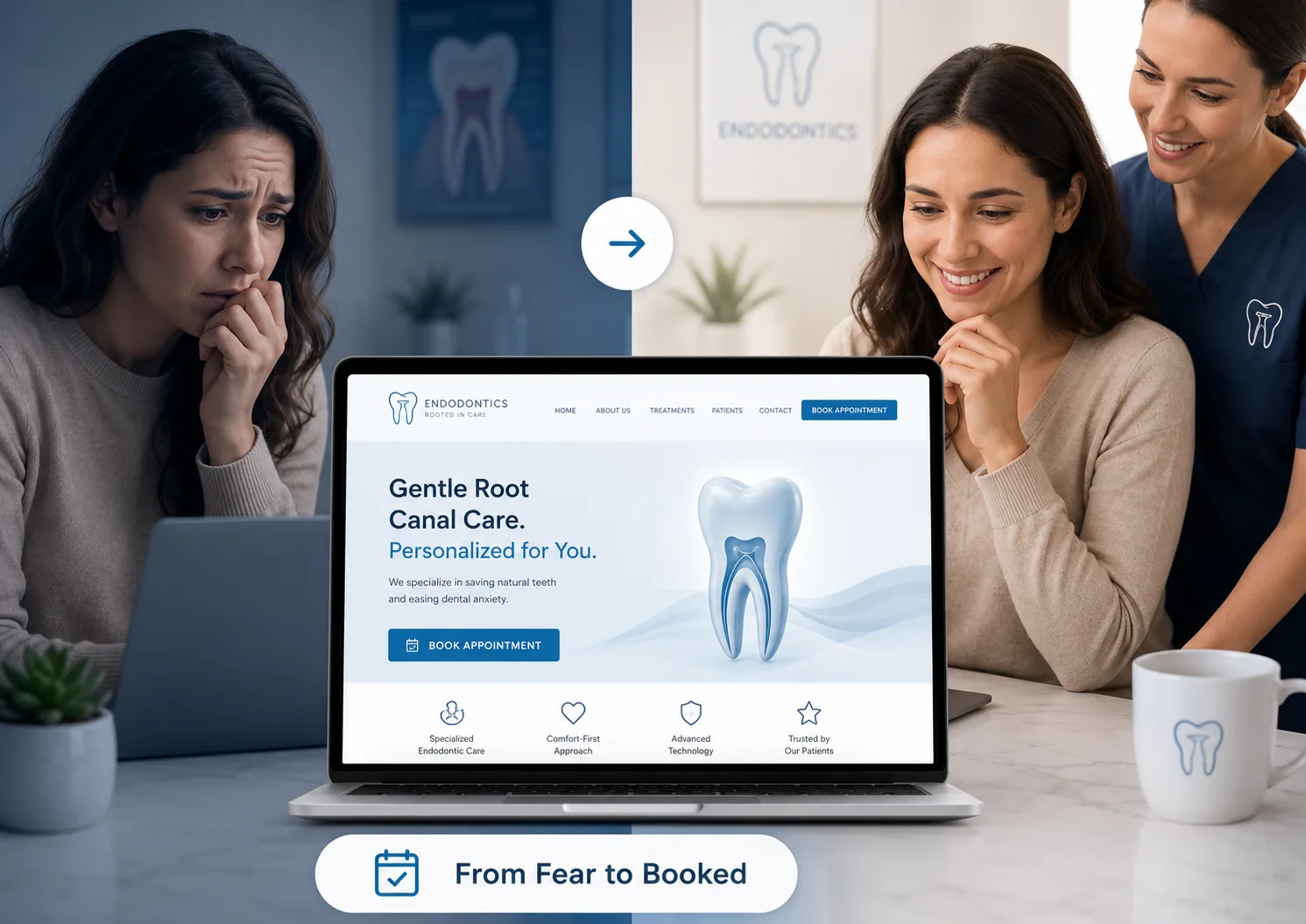 Endodontist website design for anxious patients works best when the site is built to ease root canal fear and turn frightened searchers into booked appointments — functioning as an anxiety-reduction tool, not a digital brochure. Endodontist website design for anxious patients works best when the site is built to ease root canal fear and turn frightened searchers into booked appointments — functioning as an anxiety-reduction tool, not a digital brochure.
Because most root canal fear is built from myths and secondhand horror stories rather than real experience, your website is frequently the first — and best — chance to replace that dread with trust before the patient ever calls.
The stakes are unusually high in endodontics. Research consistently finds that meaningful dental fear or anxiety affects roughly one in seven adults, and it runs higher among women and younger patients. Root canals carry an outsized reputation on top of that: in surveys commissioned by the American Association of Endodontists, many adults said they would rather face activities like public speaking than undergo a root canal. The crucial detail for anyone designing a website is where that fear comes from. Studies of endodontic fear point to “cognitive conditioning” — beliefs absorbed from other people’s stories and online misinformation — rather than a patient’s own past experience. In the AAE’s own research, nearly a third of adults admitted their dental fear was based on someone else’s experience, not their own.
That single fact reframes the entire project. If fear is learned from hearsay, then accurate, reassuring information can unlearn it — and your website is the most controllable place to deliver that information at the exact moment a scared patient is looking for answers. This guide walks through the design, content, conversion, accessibility, trust, compliance, and discovery decisions that lower anxiety and book more cases, grounded in how anxious endodontic patients actually behave online.
Already have a site? Use the sections below as an audit checklist and fix the highest-impact gaps first.
Written for: endodontists, multi-specialty and DSO marketing teams, and practice owners who want their website to calm anxious patients and convert more root canal cases without leaning on pressure or hype.
TL;DR
If you only change a handful of things, start here:
| • |
Lead with reassurance, not credentials - the first screen should answer “will this hurt?” and “what happens next?” before it lists degrees
|
| • |
Replace myths with facts - directly address the pain myth, the “root canals cause illness” myth, and the “just pull it” myth in language patients can trust
|
| • |
Make the next step effortless - one-tap calling, texting, online scheduling, and a callback option, plus a clear path for someone in pain right now
|
| • |
Design to calm - real team photos, plain language, generous white space, and no autoplaying sound or jarring motion
|
| • |
Build accessible, accountable pages - meeting WCAG 2.2 AA lowers cognitive load for anxious users and reduces legal exposure for the practice
|
| • |
Earn trust the way health content demands - real bios, board credentials, genuine reviews, a secure site, and honest, non-superlative claims
|
| • |
Get found where fear forms - local search still owns “near me” queries, while AI answers increasingly shape what patients believe before they ever look for a provider |
Table of Contents
Why anxious endodontic patients behave differently online
Endodontic patients are not a typical web audience. Many arrive at your site while in real discomfort — a cracked tooth, an abscess, or throbbing pain that has kept them up at night — and they are scared at the same time. That combination creates a specific, unstable state: they are motivated to act because it hurts, but primed to avoid because they are afraid. Your website’s job is to lower the fear fast enough that the urgency wins.
Because endodontic fear is largely learned from stories rather than experience, anxious patients scan for threat cues. A close-up photo of a drill, a wall of clinical jargon, a slow or glitchy page, or a pushy pop-up can all confirm the dread they walked in with and send them back to the search results. The same patient will linger on a page that feels calm, answers the scary question first, and makes the next step obvious.
A few patterns shape how these visitors behave:
| • |
Low friction tolerance - every extra click, unanswered fear, or confusing layout raises the odds they leave before contacting you
|
| • |
Threat scanning - they read emotionally first, looking for reassurance or red flags before they read details
|
| • |
Mobile and after-hours - pain does not keep business hours, so much of this traffic is on a phone, late at night, sometimes mid-panic
|
| • |
Seeking predictability - uncertainty fuels anxiety, so “what will happen to me” matters as much as “how qualified are you” |
In our work with specialty practices, the endodontic sites that convert best are rarely the flashiest. They are the ones that feel steady and human, answer the frightened question before the marketing message, and never make a nervous person hunt for help.
> Back to Table of Contents
What anxious patients need in the first 10 seconds
A scared visitor decides whether to stay almost instantly. The first screen they see — before any scrolling — should do four things in order of emotional priority: reassure them about comfort and what to expect, show a low-pressure way to get help, signal that this is a specialist who treats teeth like theirs every day, and offer a small piece of proof that other nervous patients were glad they came. Credentials matter, but for an anxious patient they reassure best when they come after the human reassurance, not in place of it.
Speed is part of the message. Anxious users will not wait for a slow page, and a sluggish or visually unstable site reads as careless to someone who is already worried. Aim to pass Google’s Core Web Vitals: Largest Contentful Paint under 2.5 seconds, Interaction to Next Paint under 200 milliseconds (the metric that replaced First Input Delay in 2024), and Cumulative Layout Shift under 0.1. Because the majority of web traffic — and most in-pain searches — happens on mobile, treat the phone experience as the primary design, not an afterthought. Research has long linked slow loads to higher abandonment, and a frightened visitor is the least patient visitor you have.
Clarity beats cleverness. The headline a nervous patient sees first should answer their fear in plain words, not perform a marketing slogan. Keep the phone number visible, do not gate basic information behind a form, and make sure the single most important next step is impossible to miss.
> Back to Table of Contents
Design and tone that calm rather than alarm
Visual design either soothes a nervous system or activates it. The good news is that the choices that calm anxious patients are also simply good design, and many of them overlap with accessibility.
Show real people and places. Anxious patients want to see the actual team and the actual office before they commit. Genuine photos of your clinicians and your space build more trust than polished stock imagery, which can feel generic or evasive. Faces reduce fear; empty marketing graphics do not.
Choose imagery that reassures, not imagery that triggers. Avoid clinical close-ups of needles, drills, isolated “scary tooth” diagrams, or anything that looks painful. Warm, human, well-lit images of people and the environment do far more work than procedure photography.
Use space, not density. Generous white space, short paragraphs, and an uncluttered layout lower cognitive load for a stressed reader. Walls of text feel overwhelming; breathing room feels safe.
Respect motion and sound. Honor the “reduced motion” preference some visitors set, avoid video that autoplays with sound, and skip animations or pop-ups that startle. A chat window that suddenly appears with a chime can spike anxiety in exactly the person you are trying to reassure.
Write like a calm human. Acknowledge the feeling directly — a simple line like “It is completely normal to feel nervous about a root canal” can disarm fear faster than any credential. Use plain language, avoid jargon, and do not minimize (“just a quick procedure” can read as dismissive to someone who is frightened). Predictable navigation and clear labels matter too, because for an anxious person, not knowing where to click is its own small stress.
> Back to Table of Contents
Content that replaces myths with facts
This is the highest-leverage section of an endodontic site. If fear is built from myths, then content that calmly corrects those myths is your most powerful anxiety reducer. The three myths below are the ones the American Association of Endodontists works hardest to dispel, and they are the same ones your nervous patients have almost certainly encountered online. Address each one in plain, accurate, attributable language.
Myth 1: a root canal is excruciating. According to the AAE, modern root canal treatment is generally no more uncomfortable than having a filling placed, and endodontists are specialists in pain management with advanced anesthetics and technology. The procedure is designed to relieve the pain of an infected or inflamed tooth, not to cause it. Patients who have actually had a root canal are far more likely to describe it as painless than those who have not — a gap worth making explicit on the page.
Myth 2: root canals cause illness. The AAE is clear that there is no valid, scientific evidence linking root canal treatment to disease elsewhere in the body. This claim traces back to discredited, century-old research and continues to circulate online, so an anxious patient researching their symptoms is likely to run into it. Correcting it directly — and pointing to the authority behind the correction — removes a fear many patients are too embarrassed to ask about.
Myth 3: it is better to just pull the tooth. Saving the natural tooth is generally the preferable outcome, and extraction carries its own costs and consequences. Framing endodontic treatment as tooth-preservation, not just pain relief, reframes the whole decision for a frightened patient.
Beyond myth correction, give patients predictability. A plain-language, step-by-step walkthrough of a visit — consultation, numbing, the treatment itself, and aftercare — reduces fear because the unknown is most of what they dread. Describe comfort and sedation options honestly and without guarantees, set realistic recovery expectations, and structure the content as clear questions with concise answers. That format helps skimming patients and, as the discovery section explains, helps AI engines surface your answers too. For the underlying clinical facts, it is worth grounding your content in primary authority such as the American Association of Endodontists’ resources on root canal myths. The most common gap we see on endodontic sites is strong credentials paired with zero myth-busting, which leaves the patient’s loudest fear completely unanswered.
> Back to Table of Contents
Make booking effortless (and meet patients in pain)
Once a patient feels calmer, the path to acting has to be frictionless. Anxious people are easily stopped by small obstacles, so reduce the number of steps and decisions between “I think I’m ready” and “I’ve reached out.”
Offer several low-pressure ways to connect. Some patients will tap to call, but others are too anxious to talk on the phone, so give them alternatives: text or SMS, live chat, online scheduling, and a simple “request a callback” option. Meeting people in the channel they are comfortable with converts more nervous patients than forcing everyone through a single door.
Build a clear path for patients in pain right now. Endodontic problems are often urgent — severe pain, swelling, or a knocked-out tooth — and a meaningful share of searches happen after hours. A visible “in pain right now?” pathway with same-day or emergency guidance tells a frightened, hurting person that help is available, which is often the deciding factor.
Remove the uncertainties that quietly block booking. Anxious patients hesitate over unknowns, so address them up front: which insurance you accept, that financing options exist, whether a referral is needed, how long a visit takes, and what to bring. You can answer all of this without listing specific prices.
Keep forms short and reassuring. Ask only for what you truly need, and reassure visitors that their information is handled securely. A scared person confronted with a long, demanding form will often abandon it. Finally, keep your calls to action invitational rather than aggressive — “Have a question before you book? Call or text us” lands better with this audience than a shouting “BOOK NOW.”
> Back to Table of Contents
Earn trust the way health content demands
Endodontic content is health information, which means trust signals are not optional decoration — they are what makes a nervous patient believe you. Search engines evaluate this kind of content for experience, expertise, authoritativeness, and trustworthiness, and so, instinctively, do anxious patients.
Make the clinicians real and credentialed. Publish genuine bios with real photos, board certification, AAE membership, and training. Explain in plain terms what makes an endodontist a specialist — the additional years of focused training beyond dental school — so a layperson understands why a root canal in your hands is different.
Use reviews that speak to comfort. Testimonials are especially persuasive for frightened patients, particularly reviews from people who admit they were terrified and found the experience manageable. Encourage satisfied patients to mention comfort and gentleness specifically. One important caveat: patient testimonials require proper written authorization and must not disclose protected health information, so handle consent carefully and in line with HIPAA and your state’s rules.
Signal security and transparency. Serve the site over HTTPS, publish a clear privacy policy, and make your location, hours, and contact details easy to find. A non-secure site or hidden basic information erodes trust quickly for someone who is already wary.
Keep claims honest. Avoid superlatives and guarantees such as “painless,” “best,” or “number one.” Beyond the compliance concerns covered next, absolute promises can actually undermine trust with a skeptical, anxious reader. “Designed for your comfort” and “most patients tell us it was easier than they expected” are both more credible and safer than a guarantee.
> Back to Table of Contents
Accessibility and compliance: lower cognitive load and legal risk
Accessibility and compliance are often treated as a separate, grudging checklist. For an endodontic practice they are better understood as two more ways to reduce anxiety and protect the business at the same time.
Accessibility is anxiety reduction. The practices behind WCAG 2.2 at the AA level — sufficient color contrast, keyboard navigation, visible focus states, descriptive alt text, captioned video, clearly labeled forms, no information conveyed by color alone, and resizable text — make a site easier to use for everyone, including stressed and distracted visitors. Lower cognitive load helps an anxious patient as much as it helps someone using assistive technology. WCAG 2.2 is the current standard; WCAG 3 is still in draft.
Know your real legal exposure. This is general information, not legal advice, so confirm specifics with your own counsel. Healthcare provider offices are treated as “public accommodations” under Title III of the Americans with Disabilities Act, and website-accessibility lawsuits against private practices have become common, with WCAG 2.1 or 2.2 AA serving as the standard courts typically reference. The U.S. Department of Justice’s 2024 rule that set WCAG 2.1 AA applies to state and local government entities under Title II, not to private practices, and its compliance deadlines were recently extended — so it is not a private-practice deadline, though it does signal where expectations are heading. Practices that accept Medicaid may also have obligations under Section 504. The practical takeaway is simple: build to WCAG 2.2 AA and document your efforts.
Protect patient privacy in every form and tracker. Any contact form, chat tool, or online scheduler that collects health information must be handled securely, which usually means a signed business associate agreement with the vendor and proper encryption. Be especially careful with marketing and analytics tracking: third-party advertising pixels on healthcare sites have created real HIPAA exposure when they transmit patient information, an issue federal regulators have flagged. Audit what your tags and pixels actually send, and never let protected health information flow into an unsecured form or a third-party tracker.
Mind advertising rules. Dental boards regulate how practices advertise, and guarantees or misleading superlatives can create problems. Using “endodontist” and “specialist” is legitimate because it is a recognized specialty, but comfort claims should be framed carefully rather than promised absolutely.
> Back to Table of Contents
Get found: local SEO and AI search for anxious patients
A calming, trustworthy site only helps the patients who find it, and the way anxious endodontic patients search now splits into two very different behaviors. Designing for both is what turns the site into a reliable source of new cases.
Local provider searches still run on traditional local SEO. When a patient searches “endodontist near me” or “root canal specialist” in your city, Google removed AI Overviews from local healthcare provider queries in late 2025, dropping that coverage to essentially zero. That means new-patient discovery for local intent still runs on the traditional signals: an optimized Google Business Profile, the local map pack, consistent name-address-phone information, real reviews, well-built location and service pages, and appropriate local business schema. For an endodontist who relies on referrals, the website also validates the referral — patients still look you up before they call.
Informational searches now run through AI — and that is where fear forms. When the same patient searches “does a root canal hurt,” “root canal recovery time,” or “signs I need a root canal,” they are very likely to get an AI-generated answer. AI Overviews now appear on the overwhelming majority of clinical and informational healthcare queries, and a fast-growing share of patients ask tools like ChatGPT, Perplexity, Copilot, and Apple Intelligence directly. Those answers shape what a patient believes before they ever search for a provider. So your myth-busting and what-to-expect content needs to be accurate, clearly structured, and citable, so AI engines surface your practice as the trustworthy source rather than the misinformation it replaces.
Structure content so AI can use it. Clear question-and-answer formatting, concise factual answers, FAQ-style sections, and visible author and credential signals all help AI engines quote you. A useful nuance: Google fully deprecated its FAQ rich results (the expandable question-and-answer panel that once appeared beneath a listing) in 2026, but FAQ-structured content still earns value in AI answers and featured snippets, so keep writing it — just do not expect the legacy rich result. Accuracy now carries real weight, because both Google and AI tools have grown more cautious about medical content, even pulling AI summaries from some health queries over accuracy concerns. The same honest, well-sourced content that calms patients on your site is what wins the upstream AI and search battle. One content investment, two payoffs.
> Back to Table of Contents
Partner with WEO Media
WEO Media helps dental and specialty practices, including endodontists, build websites that put nervous patients at ease and turn searches into booked appointments. From anxiety-aware design and myth-correcting content to accessibility, local SEO, and AI-ready structure, we handle the full picture so your site does the reassuring for you. If you would like a website that helps anxious patients say yes, call us at 888-246-6906 or reach out through our site to start the conversation.
> Back to Table of Contents
FAQs
What makes an endodontist’s website different from a general dentist’s?
An endodontist’s site serves patients who are often in pain and unusually anxious, frequently arriving on a referral. It has to do more reassurance work than a general dental site: defusing root canal myths, explaining what to expect, validating the referral with clear specialist credentials, and making urgent contact easy for someone who may be hurting right now.
How does website design actually reduce patient anxiety?
Because endodontic fear is mostly learned from myths and other people’s stories, a website can reduce it with accurate information delivered calmly. Plain language, real team photos, a clear step-by-step of what to expect, reassuring tone, fast load times, and an easy next step all lower the emotional temperature and make a nervous patient more willing to book.
What content reassures anxious root canal patients the most?
Three things consistently help: honest myth correction (especially about pain and the debunked “root canals cause illness” claim), a plain-language walkthrough of a visit from numbing through aftercare, and reviews from patients who admit they were scared and found it manageable. Predictability and social proof do more for fear than a list of credentials alone.
Does an endodontist’s website need to meet ADA accessibility standards?
This is general information, not legal advice. Private healthcare offices are widely treated as public accommodations under ADA Title III, and accessibility lawsuits against practices are common, with WCAG 2.1 or 2.2 AA as the standard courts reference. The 2024 federal rule setting WCAG 2.1 AA applies to government entities, not private practices, but building to WCAG 2.2 AA is the prudent course. Confirm specifics with your own counsel.
Should we put patient reviews and testimonials on the site?
Yes — for anxious patients, genuine reviews are among the most persuasive elements on the page, especially ones that mention comfort and gentleness. The key requirement is consent: patient testimonials need proper written authorization and must not reveal protected health information, so collect and display them in line with HIPAA and your state’s rules.
How fast should an endodontist’s website load?
Aim to pass Google’s Core Web Vitals: Largest Contentful Paint under 2.5 seconds, Interaction to Next Paint under 200 milliseconds, and Cumulative Layout Shift under 0.1. Speed matters more for this audience because anxious, in-pain patients are usually on mobile and have very little patience for a slow or unstable page.
Will our practice show up in Google’s AI Overviews for “endodontist near me”?
Not currently. Google removed AI Overviews from local healthcare provider searches in late 2025, so “near me” queries are answered by traditional local results — the map pack, Google Business Profile, reviews, and organic listings. AI answers do dominate informational questions like “does a root canal hurt,” which is why your educational content should be accurate and structured for AI to cite.
How many root canal myths should the website address?
At minimum, address the three the American Association of Endodontists works hardest to dispel: that root canals are excruciating, that they cause illness elsewhere in the body, and that extraction is better than saving the tooth. These are the fears patients meet online, so correcting them directly and accurately removes the biggest barriers to booking. |
|





