How Dental Practices with Multiple Locations Have a Unique Marketing Advantage
Posted on 1/26/2026 by WEO Media |
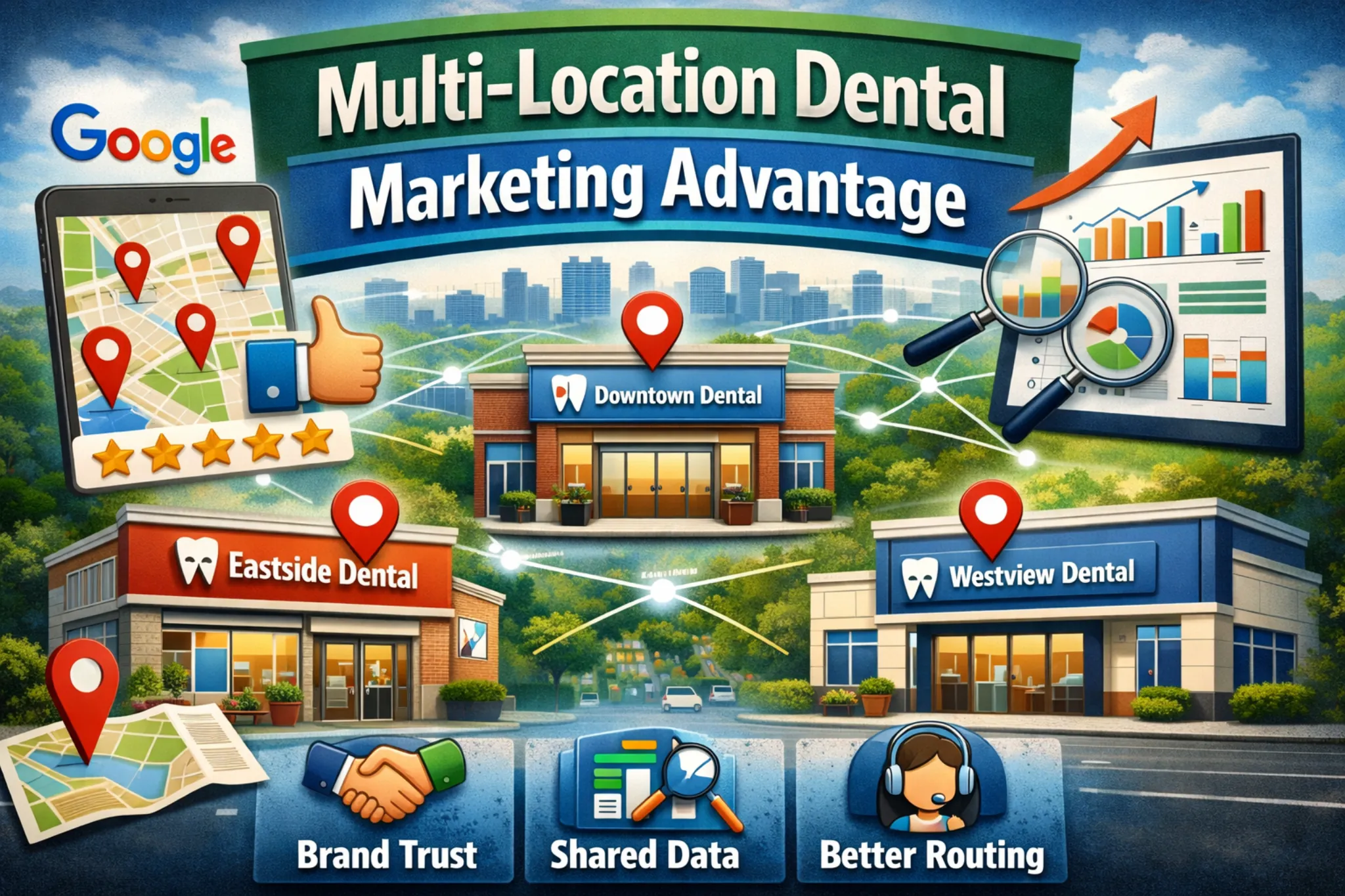 Multi-location dental practices have a unique marketing advantage because each office adds local visibility (Google Maps + localized organic), brand trust transfers across locations, and shared performance data improves decisions across markets. This advantage compounds only when listings, location pages, and intake routing are governed so patients reliably reach the correct location. Multi-location dental practices have a unique marketing advantage because each office adds local visibility (Google Maps + localized organic), brand trust transfers across locations, and shared performance data improves decisions across markets. This advantage compounds only when listings, location pages, and intake routing are governed so patients reliably reach the correct location.
What this playbook does: You’ll get a governed system for Google Business Profiles (GBPs), location pages, routing, reviews, paid targeting, and measurement—so nearby offices don’t cannibalize each other or create wrong-location inquiries.
Who this is for: dental groups with 2+ locations where calls, bookings, or reviews show “wrong-location” issues—or where growth is creating operational drift.
TL;DR
| • |
Scale is the advantage - more local visibility, faster trust transfer, faster learning from combined demand signals.
|
| • |
Govern changes to protect revenue - approve, log, and retest high-risk edits (hours, phones, links) so routing doesn’t silently break.
|
| • |
Fix intake before scaling demand - inconsistent coverage turns marketing into missed bookings and review risk.
|
| • |
Separate nearby locations intentionally - geo boundaries + intent-based pages reduce cannibalization.
|
| • |
Measure outcomes by location - qualified inquiries → booked → kept, plus wrong-location rate and missed-call exposure. |
Table of Contents
Start Here
Pick the path that matches your location count so you can reduce wrong-location inquiries and bookings quickly.
| • |
If you have 2–3 locations - Fix routing and location confirmation first, then rebuild your top two most-trafficked location pages and stabilize high-risk GBP fields.
|
| • |
If you have 4–9 locations - Resolve duplicates and overlap, standardize scripts and dispositions, and separate nearby locations in SEO and paid.
|
| • |
If you have 10+ locations - Start with permissions, change logs, and verification tests so bulk edits don’t spread mistakes. |
Common reasons you’re here: locations feel like they’re competing, patients reach the wrong location, reviews are uneven, directories keep reverting addresses, or marketing reports show “leads up” while booked and kept are flat.
Next: Here’s what this looks like when governance is applied to a real multi-location system.
> Back to Table of Contents
Proof Box (Anonymized Example)
This is an anonymized operational example to show what “governed” looks like. Outcomes vary by staffing, hours, competition, and service mix.
These ranges reflect one audited group’s tracking definitions and should be treated as an example—not a benchmark or guarantee.
| • |
What was broken - a 7-location group had duplicate GBPs, inconsistent appointment links, and frequent misrouting (wrong-location inquiries and bookings) between two nearby locations.
|
| • |
What changed - tightened GBP permissions, introduced weekly routing tests across channels, added a location confirmation module above the fold on priority location pages, and standardized front-desk dispositions.
|
| • |
What improved (measured ranges) - wrong-location rate decreased from ~12–18% to ~4–7% after governance and intake-path fixes (measured via disposition tags + weekly routing test log); missed-call exposure decreased after callbacks were logged and verified weekly; booked → kept reporting stabilized enough to throttle or scale by location without internal disputes. |
Why this matters internally: when partners see the same scorecard definitions and the same routing tests, it’s easier to separate marketing performance from staffing coverage and scheduling rules.
> Back to Table of Contents
What the “Marketing Advantage” Means
In multi-location dental marketing, “advantage” doesn’t mean gimmicks or bigger ad budgets. It means you can stack benefits that single locations can’t replicate easily:
| • |
More visibility surface area - each office is a local search opportunity in maps and localized organic results.
|
| • |
Transferable trust - a shared brand reduces hesitation and improves conversion across locations.
|
| • |
Faster learning loops - aggregated demand signals help you target, message, and prioritize service lines faster. |
Where multi-location tactics break down is not strategy. It’s execution drift: one office updates hours, another changes a phone number, a third swaps an appointment link, and patients start landing in the wrong place.
> Back to Table of Contents
Definitions and Measurement
Clear definitions prevent the most common internal conflict: owners blame marketing when the real issue is coverage, routing, or scheduling rules.
| • |
Qualified inquiry - a call, form, chat, or text that matches services you offer, is in-area, and can realistically be scheduled.
|
| • |
New-patient call - a call from someone not currently established in your system, tracked separately when possible.
|
| • |
Wrong-location rate - wrong-location inquiries divided by total qualified inquiries for the period, tagged by reason.
|
| • |
Missed-call exposure - missed new-patient calls during staffed hours divided by total new-patient calls during staffed hours, plus whether a callback attempt happened within your defined response window. |
Plain-English rule: if traffic is up but booked and kept are flat, test coverage, callbacks, location confirmation, and scheduling rules before assuming the channel “stopped working.”
> Back to Table of Contents
Governance (Plain-English)
Governance isn’t bureaucracy. It’s revenue protection.
Operational definition: a governed system means someone approves, the change is logged, and the patient path is retested so the right location remains reachable.
Use this framing to reduce internal pushback:
| • |
It prevents silent breakage - appointment links and phone routing fail more often than teams realize.
|
| • |
It protects staff bandwidth - fewer transfers, fewer wrong-location arrivals, fewer repeated explanations.
|
| • |
It protects reviews - fewer “no one answered” and “I drove to the wrong address” complaints.
|
| • |
It reduces internal blame - when the weekly tests and definitions are shared, issues become operational, not political. |
> Back to Table of Contents
Multi-Location Dental Marketing Checklist
This is the minimum weekly rhythm that keeps multiple locations aligned.
| 1. |
Assign ownership for approvals, execution, and verification tests.
|
| 2. |
Stabilize the location asset stack for each office: GBP + location page + citations + routing paths.
|
| 3. |
Confirm location before conversion on mobile (above the fold) and inside booking confirmations.
|
| 4. |
Separate nearby locations so they don’t bid against each other or swap rankings weekly.
|
| 5. |
Track outcomes weekly: qualified inquiries → booked → kept, plus wrong-location rate and missed-call exposure. |
Minimum viable setup (20% rule): weekly routing test + location confirmation module on your top-trafficked location pages. Those two steps reduce misrouting quickly and create a baseline you can scale.
> Back to Table of Contents
Multi-Location Dental SEO Checklist
Local visibility is often described using relevance, distance, and prominence.
Practical checklist:
| • |
Locations hub - one page that helps patients choose the right office fast and links to every location page.
|
| • |
Location pages - unique local modules, accurate NAP and hours, and a clear “you are booking this location” line.
|
| • |
Service hubs - explain each service once, then route only to eligible locations to prevent confusion.
|
| • |
Provider pages - route dentist-name searches to the correct location(s) so patients don’t book the wrong location.
|
| • |
Citation stability
- consistent NAP across major directories, with a process to prevent reverts and duplicates. |
Bridge note: SEO visibility only converts when the patient’s next step routes correctly. That’s why the GBP checklist and routing test matter as much as keywords.
> Back to Table of Contents
Recommended Site Architecture
A clean structure prevents duplication and reduces cannibalization.
| • |
Locations hub → location pages - supports “which office is closest” intent and reduces misrouting.
|
| • |
Service hub pages → eligible locations - “available at these locations” modules prevent misroutes when services vary.
|
| • |
Provider pages → correct locations - helps when patients search by dentist name instead of office name. |
> Back to Table of Contents
Service Area Pages vs Location Pages
This is one of the most common multi-location misunderstandings.
| • |
Location pages - for staffed, patient-facing offices where patients need directions, parking, accessibility, and office-specific details.
|
| • |
Service area content - can support education, but it should not replace office pages or create a “near me everywhere” footprint.
|
| • |
Patient clarity wins - interchangeable pages increase anxiety and misrouting, especially for urgent intent. |
Patient anxiety note: when someone is stressed or in pain, even small ambiguity (“which location is this?”) can feel unsafe. Clear confirmation reduces hesitation and complaints.
> Back to Table of Contents
Location Page Blueprint (What “Good” Looks Like)
A high-quality location page is not a city-name swap. It’s a patient decision page with local proof.
Required modules (and why they matter):
| • |
Location confirmation above the fold - “You are booking our [Neighborhood] location” plus address and hours on mobile.
|
| • |
Primary action - one clear booking action that routes to the correct location and appointment type.
|
| • |
Secondary action - a fallback path for questions or scheduling constraints, also location-specific.
|
| • |
Local proof - office photos, team presence, local review themes, and credibility signals without exaggerated claims.
|
| • |
Getting-here clarity - parking, transit notes, landmarks, entrance guidance, and accessibility notes when accurate.
|
| • |
Services offered at this location - reflect real availability and route to service hubs where appropriate.
|
| • |
Office-specific FAQs - the questions that prevent cancellations and wrong-location arrivals. |
Example “location confirmation” copy (swap in your neighborhood):
| • |
Headline line - “You’re scheduling with our [Neighborhood] dental office.”
|
| • |
Confirmation line - “Address and hours below are for this location. If you meant a different office, choose a location from our Locations page.” |
> Back to Table of Contents
Managing Multiple Google Business Profiles
A GBP should answer three questions quickly: Are you open? Do you offer what I need? Can I reach the right location?
| • |
Generally, one profile per staffed office - avoid multiple profiles for the same physical office unless an edge case truly applies.
|
| • |
Test on mobile - hours, call button, directions, and appointment link should reliably route to the correct location.
|
| • |
Monitor suggested edits - treat address, hours, phone, primary category, and appointment link as high-risk fields.
|
| • |
Use real photos - exterior and entrance images reduce wrong-address arrivals. |
> Back to Table of Contents
High-Risk GBP Fields (Edit Rules)
These fields are where “one small change” can break routing and create reputation damage.
| • |
Name - keep consistent with real-world branding and signage.
|
| • |
Address and suite - format consistently and update “getting here” details immediately after changes.
|
| • |
Hours - inaccurate hours create immediate drop-off and negative reviews.
|
| • |
Primary category
- treat category changes as high-risk and retest patient paths after edits.
|
| • |
Phone and appointment link - any routing change requires verification tests across devices and after-hours. |
Governance rule: high-risk field changes should have an approver, a change log entry, and a post-change routing test.
> Back to Table of Contents
GBP Edge Cases (Step-by-Step)
Edge cases are where multi-location groups lose the most time and trust.
Duplicate listings and merges
Signals: reviews split across profiles, calls route inconsistently, rankings swing between two listings.
| 1. |
Confirm the correct NAP and suite format for the real office and signage.
|
| 2. |
Determine whether the second listing is a true duplicate or a practitioner listing that needs a different approach.
|
| 3. |
If uncertain, escalate internally before requesting merges or removals.
|
| 4. |
Test patient paths from each listing on mobile (call, directions, appointment link).
|
| 5. |
Use official processes and avoid many rapid edits across multiple fields at once.
|
| 6. |
Retest the same paths and monitor for reappearance from upstream directory feeds. |
Same building, suite changes, relocations
Signals: patients arrive at the old suite, directions send people to the wrong entrance, or directories display old details.
| 1. |
Update the website location page first and treat it as the controlled reference.
|
| 2. |
Update GBP and retest directions from multiple devices.
|
| 3. |
Refresh exterior and entrance photos and “getting here” notes immediately.
|
| 4. |
Correct top directories and watch for reverts over the next few weeks.
|
| 5. |
Increase routing tests during the transition window. |
Patients search by dentist name, not office
Signals: callers request a dentist by name, then book the wrong location.
| 1. |
Keep provider pages current with active locations and location-specific scheduling rules.
|
| 2. |
Assign one ops owner for “who works where” and one marketing owner for implementation.
|
| 3. |
Trigger updates for hiring, departures, rotating schedules, and location changes.
|
| 4. |
Route provider pages to the correct location page(s) with clear confirmation language. |
> Back to Table of Contents
Verification and Suspensions
Verification and reinstatement issues often show up during moves, rebrands, or holiday hours changes.
Verification basics for new locations
| • |
Website-first readiness - publish a complete location page before broad promotion.
|
| • |
Naming consistency - align public naming with real-world branding and signage.
|
| • |
Documentation readiness - keep legitimacy documentation organized for verification needs.
|
| • |
Avoid rapid edits - too many changes during setup can create delays and confusion. |
If a GBP is suspended or edits are blocked
| 1. |
Confirm primary access and restore admin ownership clarity.
|
| 2. |
Document the issue with screenshots and timestamps and pause non-essential edits.
|
| 3. |
Verify the website location page is accurate and patient-ready.
|
| 4. |
Use a temporary patient-facing routing plan so calls and bookings still reach the correct location.
|
| 5. |
Resume changes only after you can retest and verify stability. |
> Back to Table of Contents
Bulk Management Basics
Bulk tools save time, but they can also spread mistakes fast if permissions are loose.
| • |
Permission control - protect high-risk fields (name, address, hours, phone, appointment link, primary category).
|
| • |
Change logging - every bulk edit has a reason, an owner, and a verification step.
|
| • |
Rollback readiness - if routing breaks, restore the last known stable state quickly. |
> Back to Table of Contents
Advantage: Brand Trust That Compounds
Patients choose trust. A unified brand helps every office convert faster, but only when the experience feels consistent.
Consistency that matters most:
| • |
Same promise, local proof - shared standards with location-specific credibility signals.
|
| • |
Consistent booking path - the same steps everywhere, with clear location confirmation.
|
| • |
Honest expectation setting - no bait-and-switch specials, no absolute claims, no guaranteed timing. |
How to communicate differences without making a location feel “second-rate”:
| • |
Highlight strengths without comparison - focus on what that office does well (hours, access, technology, comfort options) without ranking locations.
|
| • |
Localize the “getting here” clarity - reduce anxiety with practical details, not hype.
|
| • |
Standardize the tone - one voice, one set of policies, fewer surprises. |
> Back to Table of Contents
Advantage: Shared Data and Smarter Messaging
More locations mean more demand signals. That helps you learn faster, but only if you segment by location and intent.
What to track (privacy-safe and operational):
| • |
Inquiry intent - urgent, hygiene, elective consult, general question.
|
| • |
Disposition - booked, not reached, scheduled callback, spam, duplicate, wrong-location, insurance mismatch.
|
| • |
Booked and kept - outcomes by location and intent type, without sensitive details. |
Common misreads that create bad decisions:
| • |
Aggregating hides failures - one location’s routing issues can be masked by another location’s strong conversion.
|
| • |
Leads are not capacity - if front desk coverage is thin, demand should be throttled before it hurts experience and reviews.
|
| • |
Reviews are a feedback system - themes usually map to operational issues (hours confusion, wait time, communication), not “marketing.” |
> Back to Table of Contents
Advantage: Paid Media Efficiency
Multi-location groups can test faster because they generate more impressions and leads. The risk is paid overlap that makes locations bid against each other.
What “good structure” looks like:
| • |
Geo separation - mutually exclusive boundaries for nearby offices when possible.
|
| • |
Intent separation - urgent, hygiene, and elective consult campaigns should route to matching pages and scheduling rules.
|
| • |
Location-ready landing pages - one proven framework with office-specific modules and correct phone and booking paths. |
Most common failure mode: all traffic goes to a generic page, patients choose the wrong location, and the front desk spends the day transferring calls.
> Back to Table of Contents
Advantage: Reviews, Referrals, Community
Multiple locations can create review velocity and regional credibility, but uneven experiences can also amplify brand risk.
What not to do:
| • |
Don’t gate reviews - avoid filtering “happy” patients to one link and others elsewhere.
|
| • |
Don’t incentivize reviews - incentives can conflict with platform rules and may require disclosure under FTC guidance.
|
| • |
Don’t confirm patient status publicly - keep review responses privacy-safe and process-oriented. |
> Back to Table of Contents
Advantage: Content and Authority at Scale
Multi-location sites can build topical authority without duplicating content by separating what is universal from what is local.
| • |
Service hubs - own the core service explanation and intent matching.
|
| • |
Supporting articles - answer high-intent questions without stuffing city names.
|
| • |
Location pages - prove local availability, local access, and local credibility. |
If you’re adding AI-assisted writing workflows, the risk is “swap-the-city-name” footprints. Your safeguard is a location page blueprint with required unique modules and an editor who rejects thin pages.
> Back to Table of Contents
Routing and Intake Reliability
The fastest way to lose the multi-location advantage is to create more demand than intake can handle.
Reliability standards that reduce misrouting:
| • |
Location confirmation - the patient hears and sees which location they’re contacting.
|
| • |
Intent routing - urgent, hygiene, and elective consults follow different scripts and scheduling rules.
|
| • |
Callback discipline - missed calls are logged and attempted within a defined window.
|
| • |
Channel consistency - calls, forms, chat, text, and scheduling all route correctly. |
> Back to Table of Contents
Front Desk Scripts (Location Confirmation)
These openers reduce wrong-location errors and improve booking completion. Adapt them to your scheduling reality.
Front desk new inquiry script:
| • |
Confirm location - “You reached our [Neighborhood] location. Is that the office you’re looking for?”
|
| • |
Confirm intent - “Is this urgent, a cleaning and exam, or a consult for a specific service?”
|
| • |
Confirm next step - “I’ll schedule the correct appointment type for that.”
|
| • |
Confirm window - “If we get disconnected or need a callback, what’s the best number and time window today?” |
Callback script:
| • |
Confirm location - “This is a callback from our [Neighborhood] location.”
|
| • |
Confirm need - “Are you still looking to schedule for [intent type]?”
|
| • |
Confirm constraints - “Do mornings or afternoons work best?”
|
| • |
Confirm action - “I’ll reserve the correct appointment type and send confirmation for this location.” |
> Back to Table of Contents
Weekly Routing Test (Calls, Forms, Chat, Text, Scheduling)
A weekly routing test catches failures early, especially when tools update, staff changes, or hours shift.
| 1. |
Call test during business hours and confirm the greeting identifies the correct location.
|
| 2. |
Call test after hours and confirm voicemail or answering rules and the expected response window.
|
| 3. |
Submit the main contact form and confirm confirmation message, internal notification, and correct location tagging.
|
| 4. |
Test chat and confirm it captures location and intent without requesting sensitive details.
|
| 5. |
Test text/SMS if used and confirm consent language and correct location assignment.
|
| 6. |
Test online scheduling and confirm location selection, confirmation language, and correct routing.
|
| 7. |
Test the GBP appointment link on mobile and confirm it resolves to the correct location path. |
Pass/fail rule: it’s a fail if a patient can reasonably reach the wrong location, receive unclear next steps, or be prompted to share sensitive details through marketing channels.
> Back to Table of Contents
Two Locations Close Together (Anti-Cannibalization Rules)
Nearby offices can compete in organic and paid results unless you intentionally separate them.
Signals you’re cannibalizing:
| • |
Ranking swaps - the same query flips between two location pages week to week.
|
| • |
Paid overlap - both locations match the same terms in the same geography.
|
| • |
Misrouting rises - transfers and wrong-location reasons increase even when traffic is stable. |
Rule set (simple and enforceable):
| 1. |
Each location page targets its neighborhood, directions, and proof, not “city-wide dentist” intent.
|
| 2. |
Service hubs own broad service intent and route only to eligible locations.
|
| 3. |
Paid geo boundaries should be mutually exclusive for nearby offices unless one is intentionally throttled.
|
| 4. |
If two pages swap rankings weekly, consolidate intent: hub owns broad, locations own local. |
> Back to Table of Contents
Service Differences Without Harming SEO
If a service is offered at only some locations, clarity prevents confusion and review risk.
| • |
Use service hubs - explain the service once, then route to eligible locations.
|
| • |
Route only to eligible locations - “available at these locations” modules prevent misroutes.
|
| • |
Avoid implied availability - don’t suggest every location offers the same procedures if they don’t.
|
| • |
Protect other locations - focus their pages on what they actually offer and prove locally. |
> Back to Table of Contents
If One Location Has Weaker Reviews: Fix Before You Scale
If one office has weaker reviews, scaling demand into it can amplify complaints. Protect the brand by fixing the experience first.
5-step plan:
| 1. |
Identify themes (routing, wait time, communication, billing clarity, scheduling).
|
| 2. |
Fix the operational root cause first (coverage windows, callbacks, expectation setting).
|
| 3. |
Standardize responses (privacy-safe, calm, process-oriented).
|
| 4. |
Throttle temporarily if needed (reduce broad acquisition until routing and intake are stable).
|
| 5. |
Retest weekly and scale only after outcomes stabilize. |
One explicit rule: do not confirm in public replies that someone is a patient, and do not discuss specifics in public replies.
> Back to Table of Contents
Call Tracking Without NAP Damage
The priority is consistent, patient-reachable numbers across the web. Measurement should not create a trail of conflicting phone numbers.
| • |
Safe starting point - keep directory and GBP numbers stable and use website-only tracking (DNI) where appropriate.
|
| • |
Keep UTMs stable - use consistent UTM patterns and log changes so attribution doesn’t drift.
|
| • |
Failover plan - if tracking breaks routing, revert to the known stable number immediately, then retest. |
Nuance note: if you use tracking numbers beyond website DNI, prioritize patient-facing consistency and document where numbers appear to reduce confusion and citation drift.
> Back to Table of Contents
Compliance and Risk Guardrails
This section is general information, not legal advice. Requirements vary by jurisdiction and by how your workflows handle patient data.
Scope boundary: marketing teams can reduce PHI exposure by design (minimize fields, avoid sensitive tracking, keep routing clear). Compliance ownership remains with the practice.
Where PHI can appear:
| • |
Call recordings and transcripts - callers may share sensitive details without prompting.
|
| • |
Chat and text logs - conversations can become clinical without controlled scripts.
|
| • |
Forms - open text boxes often capture more than needed.
|
| • |
Notes and exports - ensure internal notes don’t flow into ad platforms or analytics events. |
Safe defaults (marketing-side):
| • |
Avoid open-text medical fields on forms whenever possible.
|
| • |
Don’t send transcripts into ad platforms and keep conversion events high-level (booked, kept).
|
| • |
Use privacy-safe chat prompts focused on location and intent, not symptoms.
|
| • |
Restrict access to logs, recordings, and dashboards when roles change. |
BAA considerations: whether you need BAAs with vendors depends on what data is captured and where it flows. Document your data types, storage, access, and transmission paths, then align requirements with your compliance leadership.
> Back to Table of Contents
Tools and Realistic Costs (Time, Staff, Tools)
The biggest “cost” in multi-location marketing is usually not ad spend. It’s the operational time required to stop drift and keep routing reliable.
Common cost buckets:
| • |
Foundation fixes - duplicates cleanup, location page rebuilds, routing corrections, tracking definitions.
|
| • |
Ongoing governance - weekly tests, monthly citation drift checks, review response consistency.
|
| • |
Tools - listings management, inquiry logging, call tracking where appropriate, reporting dashboards.
|
| • |
Staff time - front desk scripts and dispositions, office manager checks, approvals for high-risk edits. |
What to prioritize if the front desk is short-staffed:
| • |
Fix leakage first - missed calls, unclear booking paths, and misrouting before scaling demand.
|
| • |
Throttle ethically - reduce broad acquisition when response reliability is unstable to protect experience and reviews.
|
| • |
Use intent routing - emergencies, hygiene, and elective consults should not compete for the same time blocks. |
> Back to Table of Contents
Weekly Cadence and Ownership
Multi-location systems decay when ownership is vague. A weekly cadence prevents drift and catches routing failures early.
Weekly cadence (minimum):
| • |
Verifier - runs the weekly routing test and logs pass/fail and failure reasons.
|
| • |
Approver - approves high-risk edits (hours, phone, appointment links, address/suite, category).
|
| • |
Executor - implements approved changes and confirms the retest is completed.
|
| • |
Office manager - ensures scripts and dispositions are followed and reports capacity constraints without guesswork.
|
How to keep partners from blaming marketing when ops is the constraint:
| • |
Use shared definitions - qualified inquiry, wrong-location rate, missed-call exposure, booked, kept.
|
| • |
Show the routing test log - if paths fail, fix the path before increasing demand.
|
| • |
Report capacity plainly - hours covered, appointment availability windows, and whether callbacks are consistently completed. |
> Back to Table of Contents
Templates (Including Filled Examples)
These are copy-pastable starters. The goal is not perfect documentation. The goal is repeatability.
Weekly routing test log (fields)
| • |
Location - the location tested.
|
| • |
Channel - calls, form, chat, text, online scheduling, GBP appointment link.
|
| • |
Test time - during hours or after hours.
|
| • |
Result - pass or fail.
|
| • |
Failure reason - what a patient would experience.
|
| • |
Owner - who fixes it.
|
| • |
Fix - what changed.
|
| • |
Retest date - when it was confirmed. |
Filled example (redacted, text-only):
| • |
Location - Midtown
|
| • |
Channel - GBP appointment link (mobile)
|
| • |
Test time - after hours
|
| • |
Result - fail
|
| • |
Failure reason - link routed to a generic booking page with no location confirmation
|
| • |
Owner - ops manager
|
| • |
Fix - updated deep link and added location confirmation above the fold on Midtown location page
|
| • |
Retest date - pass confirmed after update across two devices |
GBP change log (fields)
| • |
Location - the GBP edited.
|
| • |
Field changed - hours, phone, appointment link, address/suite, category, name.
|
| • |
Reason - why the edit was necessary.
|
| • |
Approver - who approved it.
|
| • |
Executor - who made the edit.
|
| • |
Verification test - what was tested afterward (call, directions, appointment link).
|
| • |
Notes - any downstream issues found (directories, website, routing). |
Filled example (redacted, text-only):
| • |
Location - Northside
|
| • |
Field changed - hours
|
| • |
Reason - holiday schedule update to prevent wrong arrivals
|
| • |
Approver - regional manager
|
| • |
Executor - marketing coordinator
|
| • |
Verification test - mobile GBP hours display, call button, directions link
|
| • |
Notes - updated website location page hours to match and retested after-hours voicemail message |
Disposition tags (starter set)
| • |
Wrong location - caller meant a different location, booked wrong location, arrived at the wrong address.
|
| • |
Not reached - no answer, voicemail left, callback attempted.
|
| • |
Callback scheduled - time window agreed.
|
| • |
Spam - non-patient or automated lead.
|
| • |
Insurance mismatch - plan not accepted at that location (logged without detailed benefit data).
|
| • |
Duplicate inquiry - repeated call or form submission.
|
| • |
Existing patient - routed to patient support workflow. |
> Back to Table of Contents
FAQs
What is the minimum viable system for multi-location dental marketing?
Minimum viable is a weekly routing test plus a location confirmation module on priority location pages. These two steps reduce misrouting quickly and create stable measurement definitions for qualified inquiries, wrong-location rate, and missed-call exposure.
How do we stop locations from “competing” for the same patients and budget?
Use shared definitions and shared governance: geo separation for nearby locations, service hubs that route only to eligible locations, and a weekly routing test log that makes routing failures visible. When outcomes are compared by location capacity and intent type, budget decisions become operational rather than political.
How do we measure wrong-location rate and missed-call exposure?
Wrong-location rate is wrong-location inquiries divided by total qualified inquiries for the period, tracked with reason tags. Missed-call exposure is missed new-patient calls during staffed hours divided by total new-patient calls during staffed hours, plus whether a callback attempt happened within your defined response window.
How do we fix duplicate Google Business Profiles for the same dental office?
Confirm the correct NAP and suite formatting, determine whether the second listing is a true duplicate versus a practitioner listing, test calls, directions, and appointment links on mobile, then use official processes to resolve duplicates. Retest patient paths after changes to confirm stability.
Should we hide our address or use service-area settings?
Most patient-facing dental offices benefit from showing an accurate address because patients need directions and consistent validation across listings and pages. Service-area settings are typically used when a business travels to customers rather than serving them at a staffed location. If you are unsure what is appropriate for a specific location type, verify current guidance in Google’s Business Profile documentation. |
|





