Dentist Service Area SEO: Build GEO Pages That Rank in Nearby Cities and Convert Patients
Posted on 1/21/2026 by WEO Media |
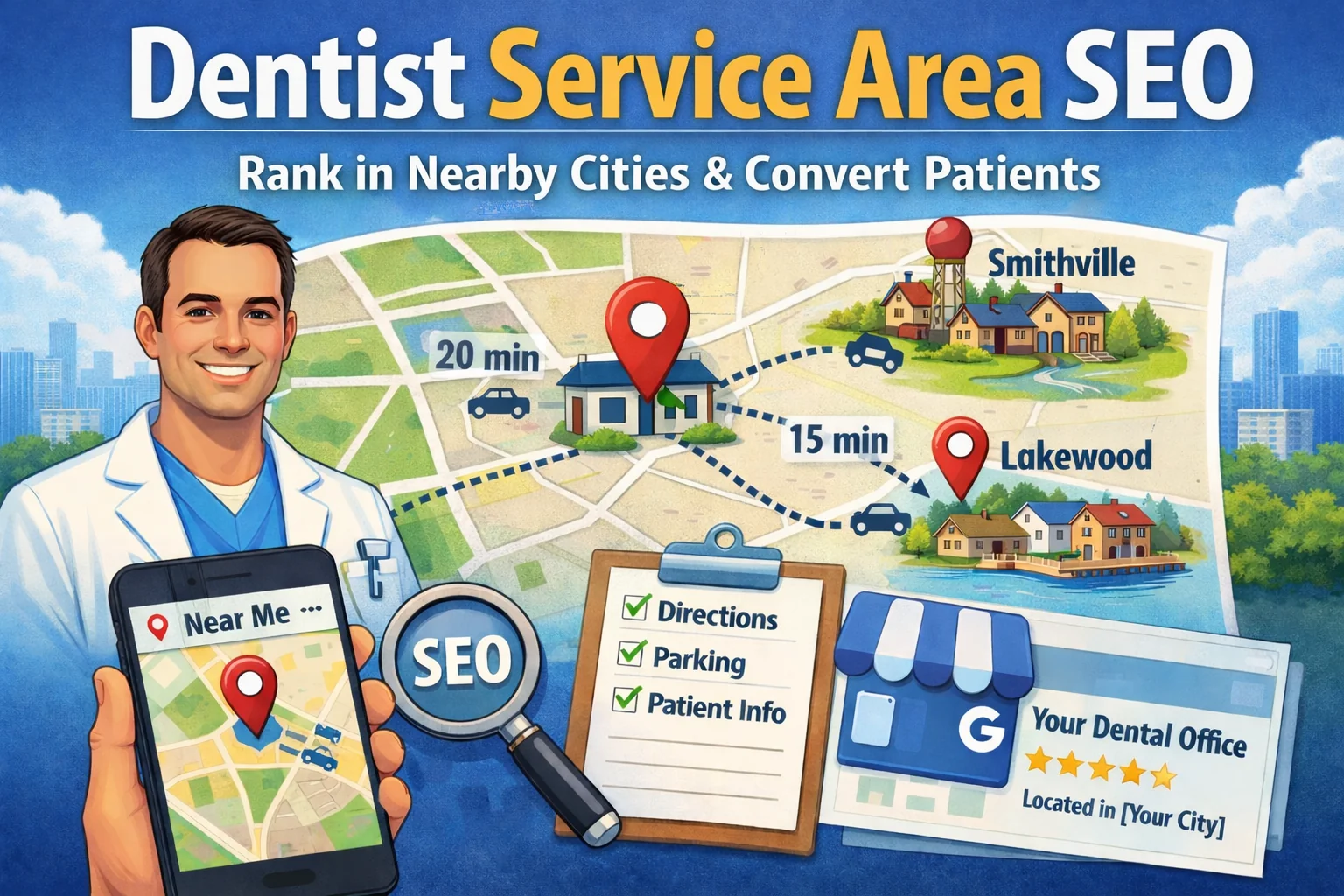 Expanding visibility into nearby towns, neighborhoods, and “near me” searches is less about shortcuts and more about credible location signals. Dentist service area SEO works when your website, your Google Business Profile (GBP), and off-site signals all tell the same story: where you’re located, who you serve, and why patients will travel for care. Expanding visibility into nearby towns, neighborhoods, and “near me” searches is less about shortcuts and more about credible location signals. Dentist service area SEO works when your website, your Google Business Profile (GBP), and off-site signals all tell the same story: where you’re located, who you serve, and why patients will travel for care.
At WEO Media - Dental Marketing, nearby community growth is usually a logistics-and-trust problem first, not a “publish more pages” problem. As travel friction increases, patients start asking unspoken questions about directions, parking, timing, estimate and cost clarity, and what happens if they’re anxious. A service-area strategy is strongest when it answers those questions honestly, without implying an office exists in a town where it doesn’t.
For single-location practices, the biggest mistake is trying to “rank everywhere” by publishing thin pages for every town. That approach often creates duplication, confuses patients about where the office actually is, and can resemble doorway patterns. A better approach is gradual expansion based on outcomes—direction requests, qualified calls, and booked patients—from the next realistic drive-time ring.
For multi-location practices and DSOs (dental service organizations)
, structure matters even more. Service-area targeting should be organized per physical office, mapped to the correct address/phone/scheduling flow, and written so patients never have to guess which location a page represents.
Table of Contents
What are GEO Pages?
A GEO Page (also called a service-area page or city page in local SEO) targets one nearby city, town, or neighborhood (for example, “dentist near [City]”). A GEO Page is not a second-location page.
It should clearly state the practice is physically located in [Your City], welcome patients from [City], and include planning details (drive time, parking, first visit, estimate process) that reduce travel hesitation.
For multi-location practices/DSOs, GEO Pages should be built per physical office and route to the correct address, phone, directions, and scheduling so location signals stay unambiguous.
> Back to Table of Contents
Target Keyword Set and Page Goals
Service-area SEO performs best when targeting matches how patients search and choose, not how many towns you can publish. The goal isn’t “more keywords”—it’s attracting the right patients from nearby communities and helping them take the next step with realistic expectations.
Before you select towns or neighborhoods, define two things:
| 1. |
What care you want more of - Family, emergency, implants, Invisalign, cosmetic, sedation, and other offerings you can reliably support.
|
| 2. |
What patient fit you want more of - Insurance mix, case complexity, anxious patients, scheduling capacity, and day/time availability. |
Once those are clear, map keywords to the right page type:
| • |
Service pages - The main authority pages that can rank across your region (implants, Invisalign, emergency dentistry, and more).
|
| • |
Location pages - Pages for real physical offices (one per address/office identity).
|
| • |
GEO Pages - Service-area pages targeting one nearby community, routing patients to the correct real office with travel and logistics clarity. |
3 Types of Search Intent
Intent determines what the page must answer and how quickly it needs to help someone act.
| 1. |
Comparison intent (choosing a dentist) - “dentist near [City],” “family dentist near me,” “gentle dentist,” “accepting new patients.” These pages must build trust and remove uncertainty.
|
| 2. |
Urgency intent (pain/time pressure) - “emergency dentist near me,” “toothache,” “broken tooth,” “swelling,” “lost filling.” These visitors need fast next steps, calm triage language, and clear contact paths.
|
| 3. |
High-consideration intent (multi-visit decisions) - Implants, Invisalign, cosmetic, sedation, and complex restorative care. These need expectations about visit cadence, estimate workflow, and travel planning. |
How to Choose Keywords Without Creating Doorway Risk
The safest approach keeps pages specialized by role so GEO Pages add value beyond swapping a city name.
| • |
Build the best service page first, then localize - Make your implants/Invisalign/emergency page strong enough to compete region-wide, then use GEO Pages to add travel and planning value for specific nearby communities.
|
| • |
Pick towns based on evidence - Start where direction requests, calls, referrals, or patient-origin summaries already show demand.
|
| • |
Avoid swapped-city-name templates - If the only difference is the city name, you risk thin value for patients and confusing signals for search engines. |
Page Goals: What “Success” Should Look Like
Clear goals prevent page sprawl and keep the strategy tied to patient outcomes.
| • |
Qualified visibility - You show up for the right searches in nearby communities without implying extra locations.
|
| • |
Lower travel friction - Directions, parking, timing buffers, first-visit expectations, and estimate and cost clarity are easy to find.
|
| • |
Booked outcomes by target area - Calls that convert and appointments that can be attributed to the GEO Page set, not just impressions. |
Key takeaway: A strong keyword plan is intent-first, page-type-aware, and measured by booked outcomes—not “publish a page for every town.”
> Back to Table of Contents
Service Areas for Dentists
“Service area” is often used loosely, which is how practices accidentally imply extra locations or build pages that do not convert. This section clarifies how to separate what’s true today from what you want to grow next.
Your service-area plan should separate three concepts:
| 1. |
Your physical location - The office address that anchors many local results and patient trust cues.
|
| 2. |
Your true service area - Where patients already come from (scheduled visits, inquiries, referral patterns).
|
| 3. |
Your target communities - Nearby towns/neighborhoods you want to grow in without implying an office exists there. |
In other words: your true service area is what patients already prove; your GEO targets are where you’re earning that proof next.
Google publicly describes local visibility using relevance, distance, and prominence. For storefront dental practices, distance remains a real constraint in map results, while organic results often provide more room for depth and authority to earn region-wide visibility.
Key takeaway: Expansion works when you build relevance and prominence while staying honest about distance limits.
> Back to Table of Contents
Map Pack and “Near Me” Behavior
The map pack (local pack) is the set of map results that often appears near the top of local searches (often a “3-pack,” though formats can vary). This section sets realistic expectations: GEO Pages can support map visibility, but proximity and personalization still shape what people see.
“Near me” queries tend to lean heavily on distance and personalization, which is why two people can see different map pack results within the same city, sometimes just a few blocks apart.
What you can influence most consistently
These levers can help across towns, even when proximity is working against you.
| • |
Relevance - Whether your website and GBP match the intent (family, emergency, cosmetic, implants).
|
| • |
Prominence - Whether your business information and reputation are consistently confirmed across sources and reflected in reputation/visibility signals.
|
| • |
Friction reduction - Whether pages remove uncertainty for out-of-town patients (directions, parking, first visit, estimate process). |
What you usually cannot override is the searcher’s distance from your office for proximity-heavy searches.
Key takeaway: “Near me” is often a proximity filter first, so the practical path is clearer relevance, stronger prominence, and lower friction for patients willing to travel.
> Back to Table of Contents
Choosing Towns With Evidence
A service-area strategy fails when it creates impressions without creating booked patients. This section keeps selection tied to signals that translate into real appointments, especially since people often choose closer options even if they like your practice.
Start with evidence that reflects real demand and real operational capacity.
Outcomes-focused evidence
Use data tied to patient behavior, not just clicks.
| • |
Patient-origin summaries - City/ZIP patterns from scheduled patients, not individual addresses.
|
| • |
Lead-to-appointment outcomes - Separate inquiries from booked visits to avoid optimizing for low-intent leads.
|
| • |
Service-line mix - Identify which services draw from which areas (routine, urgent, implants, orthodontics, cosmetic). |
Privacy note: patient-origin insights should remain aggregated and non-identifiable when used for marketing decisions.
Define a useful term: "daypart" means time-of-day traffic patterns (rush hour vs off-peak). Drive time should be measured in minutes, not miles.
Drive-time tiering that reflects real behavior
Tiering works best when it reflects when patients actually travel, not an average commute time.
| 1. |
Model off-peak and peak - Estimate travel times during typical appointment windows, not only mid-day averages.
|
| 2. |
Build tier rings - Common rings are 10/15/20 minutes off-peak, then adjust for congestion patterns.
|
| 3. |
Set a capacity gate - If new patients are booking far out, expand slowly so wait times don’t undermine trust in new towns.
|
| 4. |
Account for distance friction - Longer drive times can increase reschedules and no-shows, so reminders and policies matter.
|
| 5. |
Use “too far” as a conversion question - If people click but don’t take next steps, the town may be outside a believable tier. |
Town viability checklist
Use this list to pick towns you can win and serve without creating operational strain.
| • |
Proximity reality - Is the town within a believable drive-time tier for your patient base?
|
| • |
Competitor trust strength - Are incumbents dominating review recency and volume?
|
| • |
Intent fit - Does demand match your strongest services and schedule capacity?
|
| • |
Conversion fit - Does your insurance participation and fee approach match the audience you’re targeting?
|
| • |
Access constraints - Mobility, transit, parking, or language needs you must address clearly?
|
| • |
Brand demand signals - Referrals or branded searches emerging from that town already? |
How far is too far?
Drive time affects both willingness to book and the odds of reschedules.
| • |
Use drive time, not miles - Congestion can turn short distances into long trips.
|
| • |
Treat boundaries as guidelines - Longer drives can work, but friction must be addressed on-page.
|
| • |
Let booked outcomes decide - If a town produces impressions but not qualified calls/bookings, tiering or intent is off. |
Key takeaway: Pick towns you can serve operationally and measure accurately, then scale only when booked outcomes validate the next ring.
> Back to Table of Contents
Google Guidelines and Spam-Safe Expansion
Service-area expansion becomes risky when it looks like manipulation—either by implying locations you don’t have or by publishing near-duplicate pages that add little value. This section focuses on the patterns that can create both visibility risk and patient distrust.
A common risk pattern is creating pages primarily to rank for place-name queries without adding unique value for patients. These are often referred to as “doorway pages,” commonly described as pages created mainly to rank for similar searches that funnel users to the same destination while offering little to no added value.
A practical alternative is to publish fewer GEO Pages and make each one materially different with community-specific travel guidance, office access details, and intent-matched modules.
Patterns to avoid
Avoiding these patterns protects both visibility and patient trust.
| • |
Near-duplicate city pages - Swapping only the city name while reusing the same blocks.
|
| • |
Misleading locations - Addresses implying separate staffed clinics when they don’t exist.
|
| • |
Geo-stuffing - Over-repeating towns in headings/footers until readability suffers.
|
| • |
Business name manipulation - Adding city or service keywords to the GBP business name.
|
| • |
Auto-generated location blocks - “Nearby areas” sections that quietly expand over time and create thin patterns. |
If GEO Pages exist primarily to rank—and do not reduce travel, logistics, or decision uncertainty—they become difficult to defend as unique value for patients.
A practical “in vs near” rule
This simple rule prevents most accidental misleading claims: Use "near" language when you are not physically located in that town. If you use "in" for a common search term, clarify the true office location immediately at the top of the page so patients aren’t misled.
Compliant wording examples that reduce confusion
These examples keep pages human-first while still matching common search language.
| • |
Title Tag example - “Dentist Near [City] — Directions, Parking, New Patient Info.”
|
| • |
Title Tag example - “[City] Dentist — Located in [Your City] (Drive-Time and Routes).”
|
| • |
H1 opener example - “Welcoming patients from [City]. Our office is located in [Your City], with drive-time and parking guidance below.” |
Key takeaway: Safe expansion is built on usefulness and honesty, not on the number of towns you publish.
> Back to Table of Contents
Google Business Profile Optimization
Many practices try to use GBP settings to “extend reach,” but steadier wins come from accuracy, intent alignment, and consistent trust signals. This section clarifies what GBP can support—and what it cannot replace.
For dentists, GBP is typically a storefront listing anchored to the physical office address. Service-area documentation is primarily written for service-area and hybrid businesses; a dental practice generally should not behave like a service-area business by hiding its address when patients come to the office. If an address is presented as customer-facing, the location should be staffed and able to receive patients during stated hours.
Service-area settings can help clarify where you serve, but proximity still heavily influences map pack visibility, so do not treat service areas as a guaranteed reach lever for storefront practices. For most dental offices, address visibility and category accuracy matter more than service-area fields.
Service-area settings and limitations
Use these constraints to avoid over-editing and false expectations.
| • |
Limit - Up to 20 service areas can be added.
|
| • |
Format - Enter as cities, postal codes, or regions (not a radius).
|
| • |
Timing - Edits can take time to display, so measure over days/weeks, not hour-by-hour.
|
| • |
Distance guidance - “About 2 hours driving time” is a practical boundary guideline, not a ranking threshold. |
A short “how to” that matches common implementation questions
This workflow reduces churn and keeps location signals stable.
| 1. |
Open your GBP manager - Choose the correct profile and access profile settings.
|
| 2. |
Edit service areas - Add only cities/postal codes you truly serve and can support operationally.
|
| 3. |
Save and allow changes to propagate - Avoid repeated edits in short intervals.
|
| 4. |
Validate consistency - Ensure GBP language matches the website and doesn’t imply extra locations. |
Category and service signals that support relevance
Categories and services clarify intent, but they do not override distance.
| • |
Primary category
- Choose the closest match to your core offering; this is typically the strongest category signal.
|
| • |
Secondary categories - Use only if they reflect real services and patient expectations.
|
| • |
Services and attributes - Helpful for relevance and clarity, but they do not erase proximity constraints. |
Eligibility reminders that reduce risk
These reminders help prevent avoidable listing instability.
| • |
One profile per real location - Don’t create multiple profiles to rank in nearby cities unless there are genuinely separate, staffed locations that meet eligibility requirements.
|
| • |
Avoid ineligible addresses - Addresses that are not true staffed, customer-facing clinics create risk and confusion. |
A commonly missed detail is to keep the business description informational and avoid URLs or promotional language; use the website and appointment fields for links.
Key takeaway: Use GBP as an accuracy and relevance foundation; treat service areas as a clarifying detail and keep the storefront identity unambiguous.
> Back to Table of Contents
Areas We Serve Hub Page
The hub page is where many practices either create clarity—or accidentally build a keyword directory. This section shows how to structure a hub as a curated navigation tool that routes patients (and search engines) to the right next page.
What a hub page should include
A strong hub helps people self-qualify quickly and reduces travel hesitation.
| • |
Location clarity - Plain statement of where the office is physically located.
|
| • |
Drive-time tiers - Primary/secondary/tertiary coverage by minutes, with daypart variability noted.
|
| • |
Curated links - A limited set of pages that meet a high usefulness standard, not a long town list.
|
| • |
Patient logistics - Parking, accessibility notes, first-visit expectations for out-of-town patients.
|
| • |
Spam avoidance - Avoid keyword-heavy blocks and auto-generated lists that grow over time. |
Key takeaway: A hub page should help people decide and navigate, not look like a directory of keywords.
> Back to Table of Contents
GEO Pages That Rank and Convert
GEO Pages work when they answer the questions people are hesitant to ask out loud: “Is the drive worth it?” “Will I get lost?” “Will parking be stressful?” The goal is simple: reduce uncertainty so out-of-town patients can make a confident decision.
Out-of-town patients often have the same unasked questions: “Is the drive worth it?” “Will parking be stressful?” “Will I be late?” “Will cost feel unclear?” “What happens if I’m anxious?” “How many visits will this take?” GEO Pages convert best when they answer those questions directly and calmly.
Must-include modules for GEO Pages
Use these modules to reduce friction without implying a second location.
| • |
Clear location statement - “Located in [Your City], welcoming patients from [Target Area].”
|
| • |
Drive-time guidance - Ranges by daypart, major routes, landmark-based directions.
|
| • |
Directions, parking, entrance notes - What to look for upon arrival and where to enter.
|
| • |
Hours and after-hours handling - What urgent care means at your office and what to do when closed.
|
| • |
New patient process - What to bring, flow, and typical timing.
|
| • |
Insurance/payment process - Verification + written estimates; don’t guarantee coverage.
|
| • |
Comfort/anxiety support - Accurate options only if actually offered.
|
| • |
Multi-visit planning - Realistic cadence for longer treatments, including what travel repetition may look like.
|
| • |
Accessibility/language support - Only what you can reliably provide, with practical details.
|
| • |
Trust modules - Credentials, technology, privacy-safe review excerpts; avoid superlatives. |
“What makes it worth the drive” elements
These elements add confidence without sounding salesy or making claims you cannot support.
| • |
Predictability - Directions, parking, and timing reduce fear of being late or lost.
|
| • |
Process clarity - First-visit expectations and estimate workflow reduce cost anxiety.
|
| • |
Convenience planning - Notes for parents and realistic buffers reduce stress around schedules.
|
| • |
Trust signals
- Calm, experience-based proof helps unfamiliar searchers. |
Emergency intent note: this information is general educational guidance and not medical advice. If you believe the situation is life-threatening, call 911.
Key takeaway: The best GEO Pages are logistics-first and expectation-clear, reducing “worth the drive” anxiety without hype.
> Back to Table of Contents
On-Page Checklist
On-page optimization should match intent without implying a second location. GEO Pages should include real local substance—not just a swapped place name—and technical hygiene should prevent accidental duplication and internal competition.
A duplication safeguard that prevents common mistakes is to avoid publishing multiple URL variants for the same page through parameters, print-friendly versions, tag archives, or copied templates.
URL and duplication controls
Use these controls to prevent indexing bloat and cannibalization.
| • |
Consistent URL pattern - Example: /areas-we-serve/[city]/
|
| • |
Avoid multiple variants - Don’t publish multiple URLs for the same community unless intent differs.
|
| • |
Prefer consolidation - One stronger page beats many near-duplicates. |
Title and H1 patterns
These patterns keep relevance while avoiding misleading “we’re in that town” implications.
| • |
Safer Title Tag pattern - “Dentist Near [City] — Directions, Parking, New Patient Info.”
|
| • |
Conditional Title Tag pattern - “[City] Dentist — Located in [Your City] with Drive-Time Info.”
|
| • |
Avoid - Multiple cities stuffed into one title tag.
|
| • |
H1 clarity rule - If H1 includes “[City] Dentist,” clarify the true location immediately in the first lines, and keep the real address above the fold. |
Meta description templates
Use these templates to keep descriptions helpful and conversion-oriented without stuffing.
| • |
City page - “Located in [Your City], welcoming patients from [City]. See drive-time ranges, parking/entrance info, and first-visit expectations.”
|
| • |
Hub page - “Explore nearby communities we commonly serve. View drive-time tiers, directions, accessibility notes, and curated local pages.”
|
| • |
Urgent-intent page - “For urgent dental concerns near [City], review next steps, how triage works, and how to find the office quickly.” |
Internal linking rules that prevent cannibalization
This linking hierarchy keeps page roles clear and reduces internal competition.
| • |
Hub → GEO Pages - Curate links to top communities; avoid long town directories.
|
| • |
Service pages → GEO Pages - Link selectively using natural anchors that match intent.
|
| • |
GEO Pages → service pages - Route to the relevant service page for depth and decision support. |
For multi-location practices and DSOs: GEO Pages should link to the correct location page and consistent contact details to prevent cross-location confusion and cannibalization.
Cannibalization checks
Use these checks to diagnose drops before you add more pages.
| • |
Service pages drop after GEO Pages publish - Check duplicated service copy across GEO Pages; fix by centralizing service depth on service pages and keeping GEO Pages logistics-focused.
|
| • |
Two pages compete for the same query - Check near-identical titles/modules; fix by merging or re-scoping by intent/community.
|
| • |
Page ranks but doesn’t convert - Check missing parking/arrival/estimate-process clarity; fix by adding modules and tightening expectation language. |
Indexing safety
This keeps city-page sprawl from creeping in through accidental duplicates.
| • |
Quarterly indexing audit
- Confirm only intended pages are indexable.
|
| • |
Watch for accidental duplicates - Parameters, copied templates, and auto-generated variants. |
Multilingual note
Multilingual GEO Pages can work well, but only if each language version has enough unique, human-quality content to avoid thin duplication.
If indexing multiple languages, consistent language targeting (such as hreflang) helps avoid duplicate competition. Avoid indexing thin, machine-translated service-area pages that resemble doorway patterns.
Key takeaway: Safe on-page SEO is clear intent, unique modules, and a linking hierarchy that prevents duplication and cannibalization.
> Back to Table of Contents
Sitewide Signals and Accessibility
GEO Pages perform better when the rest of the site reinforces the same identity and makes visiting feel predictable. This section focuses on the sitewide details patients check before they call or book, especially when they’re traveling from a nearby town.
"NAP" stands for Name, Address, Phone. Consistent NAP across your website and listings helps reduce confusion for search engines and patients.
Sitewide credibility signals
These signals reduce both visibility instability and patient hesitation.
| • |
Consistent NAP - One canonical business name, address format, and phone format across footer, contact page, and listings.
|
| • |
Contact page clarity - Written directions and parking notes so maps aren’t the only navigation method.
|
| • |
Mobile usability - Clear tap targets, readable fonts, and fast loading pages.
|
| • |
Accessibility basics - Written directions as a map alternative, clear form labels, captions/transcripts for video. |
Recommended images and alt text that reduce “finding the office” anxiety
These images reduce cancellations and late arrivals from out-of-town patients.
| • |
Exterior signage photo - Alt text: “Dental office exterior with visible signage on [Street Name].”
|
| • |
Parking entrance photo - Alt text: “Parking entrance and landmark for arrival guidance.”
|
| • |
Main entrance photo - Alt text: “Main entrance location and accessibility route.”
|
| • |
Written-directions graphic - Alt text: “Step-by-step directions from [Highway or Landmark] to the office.” |
Key takeaway: Trust in a new town often comes from predictability—especially when arrival and accessibility details are easy to understand.
> Back to Table of Contents
Authority and Proof
If you want GEO Pages to hold up over time, you need proof signals that match the story your pages tell. This section focuses on identity consistency, reputation signals, and local prominence that can support nearby visibility without pushing you into city-page sprawl.
Schema markup guidance
Schema supports clarity and eligibility, but it does not guarantee rankings.
| • |
Use schema for clarity - Structured data can support understanding; it does not guarantee visibility outcomes.
|
| • |
One practice entity - Avoid generating separate business entities on each GEO Page.
|
| • |
Practitioner representation - Avoid duplicate “business” entities for associates unless required and correctly connected. |
Local citations and directory consistency
These basics reduce duplicates and reinforce the same identity across the web.
| • |
Canonical details - One official name, one address format, one phone format, one primary URL.
|
| • |
Duplicate control - Inconsistent suites and old phone numbers commonly trigger duplicates. |
Reviews and trust (including mixed feedback)
The goal is credibility and responsiveness, not perfection.
| • |
No incentives - Avoid offering rewards or discounts for reviews.
|
| • |
Avoid review gating - Don’t filter unhappy patients away from public feedback.
|
| • |
Privacy-safe responses - Avoid confirming treatment details or patient identity.
|
| • |
Mixed reviews reality - Clarity and responsiveness matter more than forcing location mentions in reviews. |
Local prominence signals through partnerships
Treat these as long-term reputation signals, not quick fixes.
| • |
Community involvement - Schools, nonprofits, chambers, and local news tied to real participation.
|
| • |
Avoid schemes - Paid link networks and low-quality directory blasts can create risk. |
Key takeaway: Authority grows from consistent identity and real trust signals, not from publishing more GEO Pages.
> Back to Table of Contents
Tracking and Measurement
Local visibility is hard to judge without separating outcomes by town and intent. This section keeps measurement grounded in behavior and bookings, so you can expand when evidence supports it and pause when it does not.
The most reliable view combines website conversions, GBP actions, and booked outcomes.
Baseline measurement points
Use these points to compare towns and identify where the funnel breaks.
| • |
GBP actions - Calls, direction requests, and website visits from the profile.
|
| • |
Website conversions - Calls, forms, and scheduling events segmented by city/ZIP when possible.
|
| • |
Search query patterns - Which town + service phrases generate impressions and clicks.
|
| • |
Booked outcomes - Which inquiries become appointments, not just leads. |
UTM parameters
are tags added to links so analytics can distinguish traffic sources. In local measurement, UTMs are often used to differentiate GBP-driven sessions from organic website sessions.
UTM tagging for cleaner attribution
This keeps “GBP vs organic” from blending together.
Call tracking and NAP cautions
This protects identity while still supporting measurement.
| • |
Keep identity consistent - Avoid frequent changes to the primary phone number across listings.
|
| • |
Track without breaking trust signals - If call tracking is used, implement it so public identity remains consistent. |
Neighborhood-level map visibility checks
Treat this as context and pattern-finding, not a daily scoreboard.
| • |
Expect variability - Map visibility can differ by neighborhood and daypart.
|
| • |
Validate with outcomes - Confirm changes using direction requests, qualified calls, and booked outcomes. |
Key takeaway: Measurement should connect visibility to booked outcomes and explain variability without guessing.
> Back to Table of Contents
Rollout Plan and Governance
A structured rollout reduces volatility, protects patient experience, and prevents page sprawl. This section focuses on sequencing, ownership, and routing rules that keep location signals clear as you expand.
One simple rule reduces confusion in almost every implementation: one GEO Page should route to one primary office destination (one address identity, one phone, one scheduling flow).
A safer change order
Follow this order to learn what actually changed and why outcomes moved.
| 1. |
Capture baselines - Record current GBP fields, listing consistency, key queries, and conversion outcomes.
|
| 2. |
Fix identity consistency - Align NAP and resolve duplicates before expanding.
|
| 3. |
Strengthen core service pages - Build strong service pages that can rank region-wide.
|
| 4. |
Publish a small Tier 2 set - Add a hub + limited GEO Pages with strong modules.
|
| 5. |
Stabilize and measure - Evaluate outcomes by town before adding more pages.
|
| 6. |
Expand only after validation - Add the next tier when booked outcomes support it. |
Role clarity
Clear ownership prevents inaccurate claims and inconsistent messaging.
| • |
Dentist/owner decisions - Clinical expectations, emergency language, comparative claims.
|
| • |
Office manager decisions - Scheduling templates, insurance verification workflow, reminder cadence, no-show mitigation.
|
| • |
Marketing decisions - Keyword mapping, page templates, internal linking, listing consistency work, reporting tied to outcomes. |
Multi-location practices and DSOs: routing and separation
Use this structure to keep each office’s GEO Page set tied to the correct real-world destination.
| • |
Build GEO Pages per office - Each physical location should have its own GEO Page set, mapped to the correct address and contact details.
|
| • |
Align page-to-profile relationships - GEO Pages should reinforce one location identity at a time so Google and patients are not forced to guess.
|
| • |
Prevent cross-location cannibalization - Avoid targeting the same town with multiple offices unless content is clearly separated by proximity, routing, and intent. |
Front-desk script patterns for out-of-area callers
Consistent scripts reduce friction and improve conversion without overpromising.
| • |
Location and directions - Confirm location, offer landmarks, set an arrival buffer for parking.
|
| • |
Expectations - Explain what happens first and typical timing without overpromising availability.
|
| • |
Insurance verification - Use consistent “verification + written estimates” language without guarantees.
|
| • |
Urgency triage - Clarify availability depends on schedule and triage determines next steps. |
Key takeaway: Sustainable expansion is a measured rollout with clear ownership, consistent routing, and a quality gate for every GEO Page.
> Back to Table of Contents
Common Failure Modes
Service-area expansion is rarely linear. The goal here is to avoid “panic publishing”—adding more pages when the real issue is messaging, intent mismatch, routing confusion, or conversion friction.
Diagnose the bottleneck and improve the specific part of the system that is underperforming.
Common failure patterns
Use these as diagnostics for what to adjust next.
| • |
Impressions rise but booked patients don’t - Improve logistics modules, clarify first-visit expectations, tighten intent alignment, and make next steps obvious.
|
| • |
A page ranks but leads are low quality - Add estimate-process clarity, refine intent cues, remove ambiguity about services offered.
|
| • |
Map pack visibility doesn’t improve in a target town - Re-check proximity reality, strengthen prominence over time, keep GBP categories/services accurate, avoid frequent high-impact edits.
|
| • |
Sitewide rankings drop after GEO Pages publish - Look for duplicated service copy, over-optimized titles, too many near-duplicates; consolidate and refocus on unique logistics.
|
| • |
Visibility varies sharply by neighborhood - Treat it as proximity + competition reality; focus on closer tiers and validate with outcomes rather than screenshots.
|
| • |
Duplicate entities appear - Standardize NAP formatting and monitor for duplicates that can reappear via third-party sources.
|
| • |
Two offices target the same town - If GEO Pages compete across locations, clarify routing and separation so each office targets distinct intent areas and sends patients to the correct destination. |
Key takeaway: When results stall, scale back to fewer, stronger pages, tighten intent alignment, and validate changes with booked outcomes instead of assumptions.
> Back to Table of Contents
Final Takeaway
GEO Pages work when they reduce travel friction and reinforce one clear location identity. Start with evidence-based towns, publish a small high-quality set, route every GEO Page to one real office destination, and measure success by booked outcomes—not impressions. For multi-location practices and DSOs, keep GEO Pages separated per physical office so pages do not compete and patients always land on the correct address, phone, and scheduling flow.
> Back to Table of Contents
FAQs
Can one dental office rank in multiple cities?
Yes. A single-location dental practice can earn visibility in nearby cities by building relevance (intent-matched content and useful GEO Pages), strengthening prominence through consistent listings and reputation signals, and providing clear access information. Distance still matters, so results are usually strongest in closer drive-time tiers, especially in the map pack.
What is the difference between GEO Pages and location pages?
A location page represents a real physical office and should match one staffed address identity. A GEO Page targets a nearby city, town, or neighborhood while clearly stating the practice is located in [Your City] and providing logistics that help patients plan the visit. GEO Pages should not imply an office exists in the target community unless it truly does.
Should a storefront dental practice hide its address in Google Business Profile?
In most cases, no. If patients come to the office for care, the profile should reflect a real, staffed, customer-facing location and the address should remain visible. Hiding the address is typically associated with businesses that do not serve customers at the address.
Do dentists need to add service areas in Google Business Profile?
Not necessarily. If patients come to your address, the address remains the primary location anchor. Service-area settings can help clarify where you serve, but proximity still heavily influences map pack visibility for many searches.
What is the safest “in vs near” wording for GEO Pages?
Use “near” language when you are not physically located in that town. If you use “in” for a common search term, clarify the true office location immediately at the top of the page so patients are not misled about where the practice is located.
What does NAP mean in local SEO?
NAP stands for Name, Address, Phone. Keeping the same business name, address format, and phone number consistently across your website and listings helps reduce confusion for search engines and patients and can reduce the risk of duplicate entities.
Can a practice create multiple Google Business Profiles to rank in nearby cities?
In most cases, no. Multiple profiles should not be created to rank in nearby cities unless there are genuinely separate, staffed locations that meet eligibility requirements. Extra profiles for the same office can create policy and visibility risk.
What should a GEO Page include to reduce out-of-town hesitation?
Strong GEO Pages include a clear location statement, drive-time guidance, directions and parking, first-visit expectations, and an insurance and estimate workflow description. These elements reduce uncertainty and help patients decide if the drive is worth it. |
|





