AI Receptionist for Dental Offices: A Practical Review and Guide
Posted on 7/4/2026 by WEO Media |
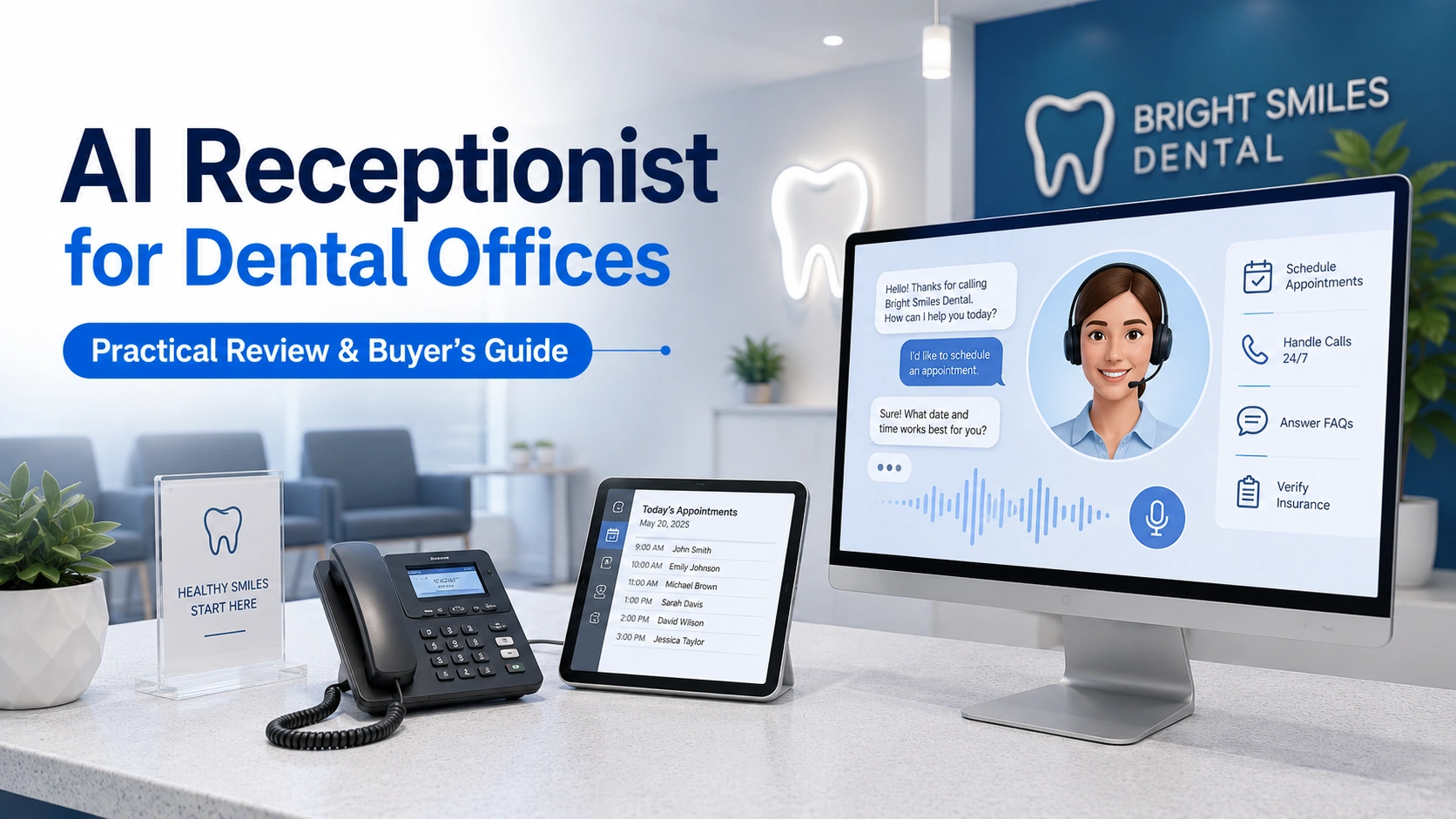 An AI receptionist for a dental office is voice AI software that answers patient calls and books appointments, and for dental practices that lose calls during lunch, after hours, or the morning rush, it can be well worth it—but only when it books directly into your practice management software, tells callers it is AI, and handles patient information under a signed HIPAA agreement. An AI receptionist for a dental office is voice AI software that answers patient calls and books appointments, and for dental practices that lose calls during lunch, after hours, or the morning rush, it can be well worth it—but only when it books directly into your practice management software, tells callers it is AI, and handles patient information under a signed HIPAA agreement.
The category has matured fast. Two years ago almost no dental office had heard of a voice AI answering the phone; today a practice owner may get pitched by two or three vendors a month. This review explains what these tools actually do, how the options differ, how to tell a real solution from a slick demo, and—the part most roundups skip—the compliance rules that apply the moment an AI answers or dials a patient.
Here is the honest summary: the best AI receptionists solve a real, expensive problem, which is missed calls quietly draining new patients from an otherwise healthy schedule. The weaker ones simply take messages, which does not reduce front-desk workload at all. The difference between those two outcomes comes down to a handful of specific questions you can ask before you sign anything.
Written for: dental practice owners, office managers, specialty-practice teams, and DSO operations leaders deciding whether an AI receptionist is worth it—and how to choose one without getting burned.
TL;DR
If you read nothing else, take these five points:
| 1. |
The value is answered calls, not answered messages - a tool that only takes a message and notifies staff does not cut front-desk workload; insist it books directly into your practice management system in real time
|
| 2. |
Integration depth is the whole game - confirm it reads live availability and writes appointments into your specific system (Dentrix, Eaglesoft, Open Dental, Curve, Denticon, or your orthodontic platform), not a generic calendar
|
| 3. |
Test it like a patient, not a buyer - call the live line from your cell, give it a hard-to-spell name, change your mind mid-call, and ask an insurance question before you trust the demo
|
| 4. |
Compliance is not optional - any tool touching patient data needs a signed HIPAA business associate agreement, and outbound AI calls plus call recording trigger federal and state rules most vendors gloss over
|
| 5. |
It captures demand; it does not create it - an AI receptionist only pays off if your marketing is generating calls in the first place, so treat it as an intake upgrade, not a growth strategy on its own |
Table of Contents
What an AI dental receptionist actually does
An AI dental receptionist is software that answers your phone with a natural-sounding voice, understands what the caller needs, and takes action the way a trained front-desk person would. The strongest tools work on both sides of the phone: inbound, they answer and book; outbound, they call and text patients to fill and protect the schedule.
In our work helping dental practices measure where their marketing spend leaks, the front desk is almost always the biggest hidden drain. Calls ring out at lunch, pile up after close, and stack up during the Monday morning rush—and by some industry estimates a third or more of inbound calls can go unanswered during peak windows. A capable AI receptionist is built to catch exactly those calls. Here is what one can handle:
| • |
Answers every inbound call instantly - around the clock, with no hold time, and handles several calls at once during peak windows
|
| • |
Books, reschedules, and cancels appointments - the capable ones write directly into your practice management system in real time, not into a separate calendar
|
| • |
Answers common questions - hours, location, directions, accepted insurance, and new-patient details, pulled from a knowledge base you control
|
| • |
Triages emergencies - asks screening questions you define, then transfers to an on-call line or offers the next available urgent slot
|
| • |
Handles outbound recall and reactivation - calls or texts patients overdue for cleanings, confirms upcoming visits, and fills cancellations from a waitlist
|
| • |
Works in multiple languages - detects and switches languages so a monolingual office can still serve a diverse patient base |
The single most important distinction is whether the tool books directly into your system or merely takes a message. That one difference decides whether you are reducing front-desk work or just relocating it.
> Back to Table of Contents
The current landscape: three kinds of tools
The field is crowded—well over a dozen platforms now market AI reception to dental and specialty practices—but almost all of them fall into three buckets. Knowing which bucket you are shopping in makes the options far easier to compare.
Pure-play voice agents
These do one thing: answer the phone and book appointments. They usually carry flat monthly pricing and are purpose-built to replace or supplement a traditional answering service. They tend to be the most focused and the fastest to stand up, but they do not bring marketing, analytics, or a broader communication suite with them.
All-in-one platforms with an AI module
Here, AI answering is one feature inside a larger product that also handles phones, texting, reviews, payments, and scheduling. The clearest sign of how mainstream this has become: Weave, a publicly traded dental communications company, acquired the AI scheduling platform TrueLark in 2025, folding AI answering into a system tens of thousands of practices already run. The appeal is consolidation; the caution is that AI booking depth can vary by plan and add-on, so the module is worth testing as rigorously as a standalone tool.
Specialty-specific tools
A smaller group is built for a particular practice type—for example, orthodontic platforms that integrate with systems like Cloud 9, Dolphin, and Ortho2 and understand ortho-specific scheduling and benefit logic natively. If your workflows are unusual, a specialty tool can fit better than a general dental one.
Which bucket is right depends on what you already run and what you want. If you need a focused answering upgrade, a pure-play agent may be the cleanest path; if you want fewer vendors, an all-in-one platform can make sense—provided its AI actually books.
> Back to Table of Contents
What separates a real solution from a demo
Every vendor says the same thing: answers calls 24/7, books appointments, reduces missed calls. The differences that decide whether a tool works in your office are in the details, and the discipline is the same one you would bring to evaluating any AI dental tool. Get written answers to these before you sign:
| • |
Does it write to your exact system in real time? - the single most important question; confirm it books into your specific platform, not a generic calendar
|
| • |
Does it read live availability? - a tool that books without seeing your real schedule creates double-bookings and cleanup work
|
| • |
Does it create or update the patient record? - or does it just leave a message for staff to re-key, which defeats the purpose
|
| • |
How does it handle scheduling logic? - provider selection, appointment types, visit-length rules, and operatory or column assignments trip up generic tools
|
| • |
Where do insurance answers come from? - they should draw from information you maintain, not from guesswork
|
| • |
Can you configure escalation? - a clean handoff to a human the moment a call is out of scope prevents frustrated patients
|
| • |
What does it show you afterward? - look for reporting on what it booked, missed, and transferred so you can verify it is working
|
| • |
What is the setup and maintenance burden? - who builds the knowledge base, who updates it, and how fast can you change a rule |
If a vendor is vague on the first question—direct, real-time write access to your specific practice management system—treat every other claim with caution.
> Back to Table of Contents
How to test one before you commit
The fastest way to evaluate an AI receptionist is to call one like a patient would—the same way you would grade any front-desk call. A polished web demo tells you almost nothing, because real phone audio is far lower quality and exposes weaknesses a demo hides. Run this simple mystery-shopper test:
| 1. |
Call the live number from your own cell phone - use the real production line, not the web demo
|
| 2. |
Do not tell it you are testing - behave like a first-time patient so you see the real experience
|
| 3. |
Give it a hard-to-spell name - then ask it to repeat the spelling back to check accuracy
|
| 4. |
Change your mind mid-call - book a time, then switch to a different one, and see whether it keeps up
|
| 5. |
Ask a real insurance question - something a patient would actually ask about coverage or a specific plan
|
| 6. |
Call again at an odd hour - try 9 p.m. on a Saturday to test after-hours and overflow behavior
|
| 7. |
Simulate an emergency - describe pain or swelling and see how it triages and escalates
|
| 8. |
Check the schedule afterward - confirm the appointment actually landed correctly in your system, because that is the whole point |
If the tool sounds great but the appointment never shows up in your schedule correctly, you have your answer.
> Back to Table of Contents
Where AI receptionists still fall short
A fair review has to name the limits, because they are real and they matter for how you deploy the tool.
| • |
The voice is still detectable to many patients - phone-line compression makes synthetic voices more noticeable than they sound in a demo, though quality keeps improving
|
| • |
Emotional and complex calls need a human - a frightened patient, a billing dispute, or a nuanced clinical question is not where AI shines
|
| • |
Message-only setups do not save time - if the tool just takes a message and pings staff, you have bought a fancier voicemail
|
| • |
Integration gaps break the value - if it cannot write to your exact system, the appointment never really gets booked
|
| • |
It is only as good as what you feed it - weak knowledge-base setup and vague rules produce weak answers
|
| • |
It cannot fix a demand problem - if the phone is not ringing, there is nothing for it to answer |
The useful way to frame all of this is not “human versus AI.” It is whether the caller gets their problem solved. A natural-sounding AI that books an appointment in under a minute beats a long hold that ends in voicemail—and a human beats an AI that stumbles on the basics. Match the tool to the calls it handles well, and route the rest to a person.
> Back to Table of Contents
The compliance layer most reviews skip
This is the part most AI receptionist roundups leave out, and it is where a marketing partner earns its keep. The moment an AI answers or dials a patient, several rules apply. What follows is general information, not legal advice—confirm the specifics with counsel familiar with the states where you operate.
HIPAA and the business associate agreement
Any vendor whose system handles patient information is a business associate under HIPAA. A signed business associate agreement (BAA) is therefore non-negotiable, along with encryption of data in transit and at rest, role-based access controls, and audit logging. If a vendor will not sign a BAA, stop there.
Call recording consent
Most AI receptionists record calls for quality and training. Federal law follows a one-party-consent standard, but roughly a dozen states—including California, Florida, Illinois, Pennsylvania, and Washington—require all-party consent before a call can be recorded. A clear notice at the start of the call, letting the caller know it may be recorded, generally satisfies the notice-based states when the caller continues. Your tool should adjust its disclosure based on where the caller is.
AI voice disclosure laws
States are starting to require that businesses tell people when they are talking to AI. California’s AB 2905, effective January 1, 2025, requires disclosing an artificial voice on automated calls, and a companion law, AB 3030, adds disclosure when generative AI is used in communications about a patient’s clinical information in a healthcare setting unless a licensed provider reviews the message. Expect more states to follow. The practical takeaway is simple: your AI should identify itself as an automated assistant at the start of the call.
The TCPA trap on outbound calls
This is the one that surprises practices. The FCC confirmed in early 2024 that AI-generated voices count as artificial or prerecorded under the TCPA. In plain terms, the outbound AI calls vendors love to demo—recall reminders, reactivation campaigns, and confirmations placed to mobile numbers—generally require the patient’s prior express consent, with prior express written consent for anything promotional, plus caller identification and a way to opt out. The proactive-calling feature is genuinely useful, but it carries the most legal risk if your consent process is not already in order.
The pattern across all four is the same: put the obligation on the vendor in writing, and confirm your own consent process before you switch on outbound calling.
> Back to Table of Contents
Where it fits in your growth strategy
Here is the reframe that matters most, and the one vendors rarely mention: an AI receptionist is an intake tool. It answers and books the calls you are already getting. It does not, by itself, make the phone ring.
| • |
Marketing fills the top of the funnel - local search, your Google Business Profile, SEO, paid ads, and reputation are what make the phone ring
|
| • |
Intake converts it - your front desk, an AI receptionist, or both turn those calls into booked, kept appointments
|
| • |
Growth needs both - a great intake tool answering an empty phone produces nothing, and heavy call volume leaking at the front desk wastes marketing spend |
The common failure we see is a practice pouring budget into marketing and then losing a large share of the resulting calls at the front desk. An AI receptionist can plug that leak—but so can better coverage, staffing, and simple call-handling SOPs. Before you buy anything, diagnose which leak you actually have. If your phone rings constantly and calls slip through at lunch and after close, an intake tool is a strong move. If the phone rarely rings, no receptionist—human or AI—will fix that, and the better first investment is lead generation.
> Back to Table of Contents
Deciding your next move
An AI receptionist is worth serious consideration if you are missing real calls and the tool books directly into your system. If you are not sure whether your practice has a demand problem, an intake problem, or both, that is exactly the diagnosis WEO Media - Dental Marketing helps dental practices work through—so your investment goes where it will actually move new-patient numbers. To talk it through, call 888-246-6906 or schedule a consultation.
> Back to Table of Contents
FAQs
What is an AI receptionist for a dental office?
An AI receptionist is software that answers a dental practice’s phone with a natural-sounding voice, understands what the caller needs, and takes action—booking appointments, answering common questions, and collecting information—the way a trained front-desk person would. It runs around the clock, handles several calls at once, and the capable tools connect directly to your practice management system.
Do AI dental receptionists actually book appointments or just take messages?
It depends entirely on the tool. The best platforms book directly into your practice management system in real time during the call. Others only take a message and notify staff, who then call the patient back and enter everything by hand. Message-taking does not reduce front-desk workload, so confirm which one you are actually buying before you sign.
Will patients know they are talking to AI?
Often, yes. On a real phone line, audio compression makes synthetic voices more noticeable than they sound in a polished web demo, and many patients pick up on it, though quality is improving quickly. What matters more to most callers is whether the AI resolves their request—patients care more about getting an appointment than about who answered.
Is an AI dental receptionist HIPAA compliant?
It can be, but compliance is on you to verify. Any vendor handling patient information is a business associate under HIPAA and must sign a business associate agreement, encrypt data in transit and at rest, limit access, and keep audit logs. If a vendor will not sign a business associate agreement, do not use it for patient calls.
Do I have to tell callers they are speaking with AI?
Increasingly, yes. Some states now require businesses to disclose when a caller is interacting with AI, and California law requires disclosing an artificial voice on automated calls. The simplest approach is to have the AI identify itself as an automated assistant at the start of every call. This is general information rather than legal advice, so confirm the rules for your states.
Can an AI receptionist replace my front desk staff?
For most practices, no—and that is not the goal. The strongest setup uses AI to handle phone overflow and after-hours calls while your team focuses on in-office care, check-in, and the calls that need a human touch. Think of it as a phone-handling upgrade. Some very small or solo practices do run it as their only receptionist with good results.
Will an AI receptionist work with my practice management software?
Only if it integrates with your specific system, so verify this before anything else. Ask whether it reads live availability and writes appointments directly into your exact platform—such as Dentrix, Eaglesoft, Open Dental, Curve, Denticon, or an orthodontic system—rather than a generic calendar. Without a real, direct integration, you end up with a more expensive voicemail.
How much does an AI dental receptionist cost?
Pricing usually follows one of a few models. Pure-play voice agents tend to charge a flat monthly fee. All-in-one platforms bundle AI answering into a broader subscription that also covers texting, reviews, and payments. Some tools charge by usage or per minute. Whatever the model, factor in setup and integration time, and weigh the total against what missed calls are costing you.
Is an AI receptionist worth it for a small dental practice?
It can be, if two things are true. First, you are actually missing calls—during lunch, after close, or in the morning rush—so there is a real leak to plug. Second, the tool integrates with your system and books rather than just messaging. If your phone rarely rings, the better investment is usually marketing to generate demand first. |
|