Oral Surgery Website Design That Converts: How to Win Consultations and Referrals
Posted on 5/16/2026 by WEO Media |
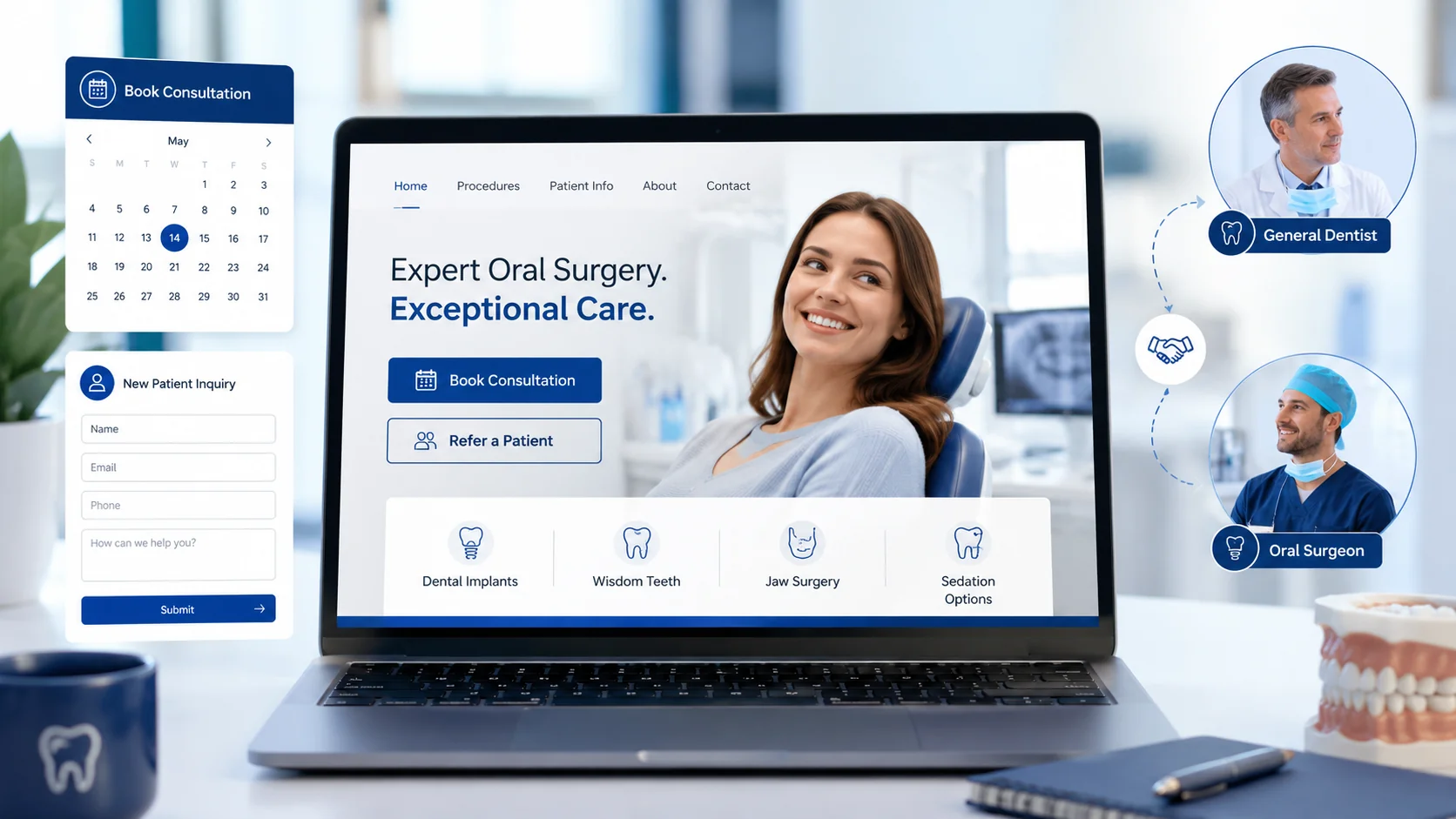 Oral surgery website design that converts is the practice of building an oral and maxillofacial surgery site that wins consultations from anxious patients and earns referrals from general dentists—by earning clinical trust, reducing surgical anxiety, and making booking effortless on mobile. If your site looks polished but isn’t generating consultations or referral submissions, the problem usually isn’t traffic—it’s design choices that don’t match how oral surgery patients and referring offices actually behave. Oral surgery website design that converts is the practice of building an oral and maxillofacial surgery site that wins consultations from anxious patients and earns referrals from general dentists—by earning clinical trust, reducing surgical anxiety, and making booking effortless on mobile. If your site looks polished but isn’t generating consultations or referral submissions, the problem usually isn’t traffic—it’s design choices that don’t match how oral surgery patients and referring offices actually behave.
Oral surgery is a referral-heavy specialty with unique patient psychology. People arriving on your site are often anxious, in pain, or weighing a significant surgical decision. At the same time, a substantial share of your new cases comes through general dentists who need to vet your practice quickly. A converting website has to serve both audiences without confusing either one.
If you’re still building qualified lead volume, start with SEO for oral surgeons first—design optimization only pays off when there’s traffic to convert.
Below, you’ll learn the five conversion elements every oral surgery website needs, how to structure procedure pages, which trust signals actually move surgical patients, how to design for referring dentists, and how to measure whether your site is converting visitors into booked consultations.
Written for: oral and maxillofacial surgeons, oral surgery practice owners, practice administrators, and marketing coordinators evaluating or redesigning their practice website.
TL;DR
If you only fix five things on your oral surgery website, fix these:
| • |
Make consultation requests effortless on mobile - single-screen forms, click-to-call above the fold, and a clear next step on every procedure page
|
| • |
Build dedicated procedure pages - one page each for your highest-volume procedures (wisdom teeth, dental implants, corrective jaw surgery, bone grafting) instead of a single “Services” page
|
| • |
Design for referring dentists - online case submission, downloadable Rx pad, post-op instruction PDFs, and direct clinical staff contact
|
| • |
Surface trust signals that matter - board certification, hospital affiliations, sedation credentials, anesthesia team, and real (not stock) patient stories
|
| • |
Measure consultation requests by source and procedure - track which pages, channels, and procedures actually book—not just total form submissions |
Table of Contents
What makes oral surgery website design different
General dentistry websites are built around hygiene, family care, and elective cosmetic work. Oral surgery is different. Your visitors fall into two very distinct groups, and a converting site has to speak to both without watering down either.
Patients arrive after a referral, a Google search for “wisdom teeth removal near me,” or an urgent need. They want to know whether the procedure will hurt, what sedation options exist, what recovery looks like, and what it will cost. Many are anxious. Some are in active pain. Most are making the decision quickly.
Referring general dentists arrive when they need to evaluate a specialist for the first time, find your case submission process, or grab a post-op instruction sheet for a patient. They want clinical credibility, easy communication with your team, and confidence you’ll send their patient back happy.
The implications for design:
| • |
Procedure pages matter more than they do in general dentistry - patients search by procedure, not by practice
|
| • |
The referral pathway needs its own visible section - not buried under “About”
|
| • |
Trust signals carry more weight - surgical risk raises the bar for credentials and reassurance
|
| • |
Insurance gets complicated - oral surgery often crosses medical and dental coverage, and your site should acknowledge that
|
| • |
HIPAA matters at every form - case submissions and patient inquiries both require compliant handling |
A pattern we commonly see in oral surgery website audits is a beautiful homepage with a generic “Contact Us” form, no procedure-level pages, and a referring-dentist section three clicks deep. The site looks professional. It just doesn’t convert either audience.
> Back to Table of Contents
Five elements of an oral surgery website that converts
Across high-performing oral surgery sites we’ve built and audited, five elements show up consistently. None are optional if conversion is the goal.
1. Procedure-specific landing pages
Patients search by procedure: “wisdom teeth removal,” “dental implant consultation,” “corrective jaw surgery,” “bone graft.” A single “Services” page bundling everything together loses on both SEO and conversion. Build a dedicated page for each high-volume procedure, with structure tailored to what that specific patient needs to know.
2. A visible, mobile-first consultation request
The primary CTA should be above the fold on every device. Click-to-call should appear prominently on mobile. Forms should be short—name, contact, procedure of interest, preferred contact method—not exhaustive intake. Save the full medical history for after the consultation is booked.
3. A referring dentist section that feels intentional
A dedicated “For Referring Doctors” or “Professionals” section in primary navigation. Inside: online case submission with secure file upload, downloadable Rx pad or referral form, post-op instruction PDFs, direct clinical staff contact, and educational content where appropriate.
4. A clearly stacked trust block
Board certification logos and language, hospital affiliations, anesthesia credentials, team bios with credentials, technology you actually use (CBCT, surgical navigation, IV sedation), and integrated reviews. These should appear on procedure pages too—not just “About.”
5. Fast, accessible technical performance
Core Web Vitals in the “good” range, Largest Contentful Paint under 2.5 seconds, click-to-call working on mobile, accessible color contrast and focus states, and clean structured data. Slow sites kill consultation requests before the visitor reads a single sentence.
> Back to Table of Contents
How to design procedure pages that drive consultations
Procedure pages do the heaviest conversion work on an oral surgery website. They’re where search traffic lands, where anxious patients decide whether to call, and where referring offices send patients who need more information before the consultation. Like other service pages built to rank and convert, they should be organized around the questions patients actually have, in the order they ask them.
The structure that consistently performs:
| 1. |
What the procedure is, in plain language, in the first paragraph—answer the patient’s question before they have to scroll
|
| 2. |
Will it hurt and what sedation options are available—this is the question most patients have first, and burying it costs conversions
|
| 3. |
What to expect at the consultation—remove uncertainty about the first visit
|
| 4. |
Recovery timeline and what’s normal—concrete day-by-day expectations
|
| 5. |
Insurance, financing, and out-of-pocket reality—general transparency, not specific prices
|
| 6. |
When to seek care urgently—helpful for the patient and a trust signal
|
| 7. |
Clear next step—a procedure-specific consultation request, not a generic “Contact Us” |
Page-level details that matter
Use real patient photos where consent allows, never stock photography of unrelated faces. Embed short explainer videos when budget permits—under two minutes, captioned, with the surgeon explaining what to expect. Add a procedure-specific FAQ section with schema markup; these earn featured snippet and AI Overview placements for long-tail queries. Link laterally to related procedures (a wisdom teeth page should link to sedation options and post-op instructions, not back to the homepage).
Avoid one common trap
Don’t write procedure pages that sound like medical textbook entries. The patient isn’t studying for a board exam—they’re deciding whether to trust you with a scalpel. Clinical depth signals expertise, but it should sit alongside reassurance and clarity, not replace them.
> Back to Table of Contents
Trust signals that matter most for oral surgery patients
Surgical decisions trigger higher scrutiny than routine dental care. Trust signals on an oral surgery website carry disproportionate weight, and a few specific signals consistently outperform generic ones.
The signals patients respond to:
| • |
Board certification - American Board of Oral and Maxillofacial Surgery (ABOMS) or equivalent, with the language explained for patients who don’t know what board certification means
|
| • |
Hospital affiliations and operating privileges - signals both clinical credibility and emergency capability
|
| • |
Anesthesia and sedation credentials - specifically what level of sedation the practice offers (nitrous, oral, IV, general), who administers it, and what monitoring is in place
|
| • |
Anesthesia team transparency - a separately credentialed anesthesiologist or CRNA on staff is a meaningful differentiator
|
| • |
Years in practice and case volume - “more than 10,000 wisdom teeth removed” signals experience more concretely than “experienced team”
|
| • |
Real patient stories - HIPAA-compliant testimonials with first name and case type, ideally with patient consent for photos
|
| • |
Technology that affects outcomes - cone beam CT (CBCT), surgical guides, piezoelectric instruments—named and briefly explained |
Where to place trust signals
Trust signals belong on procedure pages, not buried on “About.” A patient reading about wisdom teeth removal wants to see your sedation credentials right there, not after navigating away. A modest, persistent trust strip—board certification, hospital affiliation, years in practice—in the footer or sidebar reinforces credibility without feeling cluttered.
What hurts trust
Stock photos of generic dental teams, exaggerated “painless” or “100% safe” language, missing or unverifiable credentials, no real names or photos of the surgeons, and unprofessional review handling. Surgical patients notice all of it.
> Back to Table of Contents
Designing for referring dentists, not just patients
Referring general dentists are a major case source for most oral surgery practices, and building, measuring, and sustaining GP referral relationships is one of the highest-leverage activities a surgical practice can invest in. Owners frequently underinvest in the referring-doctor experience on their website—assuming relationships are built offline. Relationships are built offline, but they’re vetted, maintained, and expanded online. A weak referring-doctor section quietly costs referrals to specialists with better-designed sites.
Elements of a referring-dentist section that actually gets used:
| • |
Visible navigation - “For Referring Doctors,” “Professionals,” or “Refer a Patient” in primary navigation, not nested under “About”
|
| • |
Online case submission with secure upload - panoramic radiographs, CBCT scans, and clinical notes uploaded through a HIPAA-compliant form, not emailed as attachments
|
| • |
Downloadable referral pad or Rx - a PDF that GP offices can print and use
|
| • |
Post-operative instruction sheets - downloadable PDFs by procedure that referring offices can hand to patients
|
| • |
Direct clinical staff contact - phone and email for the surgical coordinator or referral coordinator, not just the main front desk
|
| • |
Educational content for GPs - case discussions, CE event listings, or clinical commentary where appropriate |
HIPAA considerations on the referral side
Case submission forms handling protected health information need server-side encryption, signed Business Associate Agreements with any form provider, and TLS in transit—all part of broader HIPAA compliance for dental marketing. This is the HIPAA “addressable” encryption standard—TLS in transit plus encrypted server-side storage is distinct from true end-to-end encryption, and your privacy notice should reflect what you actually do.
How to measure referring-doctor engagement
Track referral-section traffic separately from patient traffic. Monitor case submission form completions, downloads of referral PDFs, and direct contact form submissions from professionals. These numbers tell you whether your referring-doctor section is doing its job or sitting unused.
> Back to Table of Contents
Mobile, speed, and technical conversion factors
Most oral surgery patient research happens on mobile. Most referring-doctor case submissions happen on desktop. A converting site has to perform on both, with strong mobile UX and passing Core Web Vitals so technical fundamentals don’t leak conversions to slow load times or broken click-to-call.
Benchmarks worth hitting:
| • |
Largest Contentful Paint (LCP) under 2.5 seconds on mobile, measured with real user data, not just lab tests
|
| • |
Cumulative Layout Shift (CLS) under 0.1 so buttons don’t move under a patient’s thumb
|
| • |
Interaction to Next Paint (INP) under 200ms - the metric that replaced First Input Delay in Core Web Vitals
|
| • |
Click-to-call working on every page, tested on real devices, not only in browser DevTools
|
| • |
Forms that work without JavaScript fails—graceful degradation when scripts hiccup
|
| • |
Image optimization - WebP format, properly sized, lazy-loaded below the fold |
Accessibility isn’t optional
A meaningful share of oral surgery patients are older adults or people managing pain—both groups benefit from larger tap targets, high color contrast, and screen-reader-friendly markup. Accessibility also matters legally; ADA-related complaints against healthcare websites have risen meaningfully over the past several years. Build to WCAG 2.1 AA at minimum.
Common technical conversion killers
Aggressive mobile pop-ups that block the consultation request, chat widgets that delay LCP by several seconds, autoplay video with sound, and forms that require fields a patient can’t reasonably answer before the consultation. Each of these quietly costs conversions every day.
> Back to Table of Contents
Local SEO and Google Business Profile for oral surgery
A website that converts well still needs the local search infrastructure that drives qualified traffic to it. For oral surgery, this means a properly categorized Google Business Profile, location pages built for multi-office practices, and a deliberate review strategy.
Foundational moves:
| • |
Primary GBP category - select “Oral Surgeon” for surgeons who limit practice to oral and maxillofacial surgery, and revisit how you optimize your GBP categories periodically since Google’s taxonomy updates
|
| • |
Secondary categories - add specific procedure-aligned categories where Google offers them
|
| • |
NAP consistency - name, address, and phone identical across the website, GBP, and major directories; an NAP audit and fix workflow should run at least annually
|
| • |
Service-area handling - oral surgery is typically practice-location-based, not service-area-based; set up GBP as a storefront with hours
|
| • |
Location pages for multi-office practices - each office gets its own page with unique content, embedded map, hours, photos, and reviews—not duplicated content swapped by city name
|
| • |
Review velocity and response - steady, recent reviews matter more than total volume; respond to every review, including negative ones, in HIPAA-compliant language |
What changed in local healthcare search
Google AI Overviews were removed from local healthcare queries by December 2025, which means local pack visibility and traditional organic results carry more weight again for oral surgery searches. Sites with strong GBP signals, on-page service depth, and integrated review schema have benefited. This is another reason procedure pages matter so much—they capture the specific queries (“wisdom teeth removal [city]”) that drive local intent.
> Back to Table of Contents
How to measure if your oral surgery website is converting
A site that “feels” like it’s working often isn’t. Measurement separates real performance from polished appearances, and the framework for oral surgery is more specific than “count the contact form submissions.”
The four numbers to track:
| 1. |
Consultation requests by procedure - how many wisdom teeth requests, implant consultations, and jaw surgery inquiries each month, and from which pages
|
| 2. |
Referring-doctor submissions - case submissions and professional contact requests, tracked separately
|
| 3. |
Call volume by source - measured through HIPAA-compliant call tracking that respects medical privacy
|
| 4. |
Consultation-to-booked-appointment rate - of the requests you receive, how many become scheduled consultations |
Set this up correctly in GA4
Conversion tracking in GA4 uses “key events” (renamed from “conversion events” in March 2024). Set up key events for: each procedure-specific consultation request, the referring-doctor case submission form, click-to-call events on mobile, and PDF downloads of referral or post-op materials. Tag each key event with the procedure or page source so you can see which pages drive which actions.
Benchmarks worth measuring against
Conversion rate benchmarks for oral surgery websites vary widely by traffic source. Referral and direct traffic typically convert at higher rates than organic search; paid traffic depends heavily on landing page alignment. Rather than chasing a universal number, measure your own baseline, then improve specific pages and watch the rate move. A pattern we typically find: procedure pages with clear sedation and consultation copy convert two to three times better than generic service pages.
What measurement won’t tell you
Form submissions don’t tell you whether the patient was a fit for your practice, whether they kept the consultation, or whether they accepted the case. Close the loop between front-desk records and website data—at least quarterly—so design decisions are based on cases won, not just leads collected. This is also where structuring your dental marketing funnel becomes valuable, since most oral surgery patients touch your brand more than once before they convert.
> Back to Table of Contents
Conversion-killing mistakes to avoid
A handful of design and content patterns show up repeatedly on oral surgery websites that underperform. Each looks reasonable in isolation. Together, they explain most of the gap between “our site looks nice” and “our site books cases.”
The patterns to fix:
| • |
One generic “Contact Us” form instead of procedure-specific consultation requests—patients are forced to convert without procedural context, which lowers booking quality
|
| • |
No procedure pages, only a Services list—you lose both organic search and on-site conversion
|
| • |
Referring-doctor section hidden in the footer or under “About”—signals to GPs that the relationship isn’t valued
|
| • |
No sedation explanation—the question patients ask first goes unanswered
|
| • |
Stock photos of unrelated faces instead of real surgeons, staff, and consented patients
|
| • |
Aggressive pop-ups on mobile blocking the consultation CTA
|
| • |
Slow page speed from oversized images, heavy scripts, or chat widgets that delay LCP
|
| • |
Generic testimonials with no first name, no procedure context, no specifics
|
| • |
No real photos of the office, technology, or operatories—visual reassurance matters for surgical environments
|
| • |
Outdated information - retired surgeons still listed, old credentials, broken procedure links
|
| • |
Treating the website as a brochure rather than a conversion system with measurable goals |
> Back to Table of Contents
Ready to upgrade your oral surgery website?
WEO Media handles oral surgery marketing for practices nationwide. Our team builds and optimizes dental website design, drives qualified traffic through dental SEO and paid search, and refines the patient and referring-doctor experience that turns traffic into consultations. If your current site looks good but isn’t booking enough cases, that’s usually a fixable problem—and one we’ve solved for oral surgery practices across the country. Call 888-246-6906 or request a website evaluation to talk through where your current site is leaking conversions and what a focused redesign would change.
> Back to Table of Contents
FAQs
What is a good conversion rate for an oral surgery website?
Conversion rates for oral surgery websites vary widely by traffic source and procedure mix. Referral and direct traffic typically convert at higher rates than organic or paid search, and procedure-specific pages convert meaningfully better than generic service pages. Rather than chasing a universal number, establish your own baseline, then optimize one element at a time and watch your procedure-specific rates move.
Should an oral surgery website have a separate page for each procedure?
Yes. Patients search by procedure, not by practice. A dedicated page for wisdom teeth removal, dental implants, corrective jaw surgery, bone grafting, and other high-volume procedures captures the search traffic those queries generate and converts visitors at higher rates than a bundled services page. Each page should answer procedure-specific questions about sedation, recovery, insurance, and what to expect at the consultation.
How important is a referring dentist section on an oral surgery website?
For most oral surgery practices, very important. Referring general dentists are a major case source, and they vet your practice, find your case submission process, and grab post-op instruction sheets through your site. A dedicated, visible section in primary navigation with online case submission, downloadable referral forms, post-op PDFs, and direct clinical contact signals that the referral relationship is valued and supported operationally.
What is the best CTA for an oral surgery website?
The strongest CTA is a procedure-specific consultation request paired with click-to-call, both visible above the fold. Generic “Contact Us” CTAs underperform procedure-aligned ones because they force the patient to convert without context. On a wisdom teeth page, the CTA should say something like “Request a Wisdom Teeth Consultation,” not “Contact Our Office.”
How do I make my oral surgery website HIPAA-compliant for online forms?
Forms that collect protected health information need server-side encryption, TLS in transit, signed Business Associate Agreements with any third-party form or hosting provider, and clear privacy notices reflecting how data is handled. HIPAA encryption is an “addressable” standard, meaning TLS in transit plus encrypted storage is distinct from true end-to-end encryption—your privacy notice should describe what your setup actually does.
What credentials should I display on my oral surgery website?
Board certification (American Board of Oral and Maxillofacial Surgery or equivalent), hospital affiliations and operating privileges, sedation and anesthesia credentials, the credentials of any separately credentialed anesthesiologist or CRNA on staff, years in practice, case volume, and meaningful technology such as CBCT, surgical guides, and IV sedation. Display these on procedure pages too—not just “About”—since patients evaluate trust at the point of decision.
How long does an oral surgery website redesign typically take?
A focused oral surgery website redesign with new design, custom procedure pages, a referring-doctor section, and proper technical setup typically runs 10 to 16 weeks from kickoff to launch, depending on content readiness, photography, and review cycles. Tight timelines are possible but usually trade depth in procedure content or photography for speed. Plan for content creation as the most time-consuming step. |
|





