How to Protect SEO Rankings During a Dental Practice Sale or Acquisition
Posted on 4/11/2026 by WEO Media |
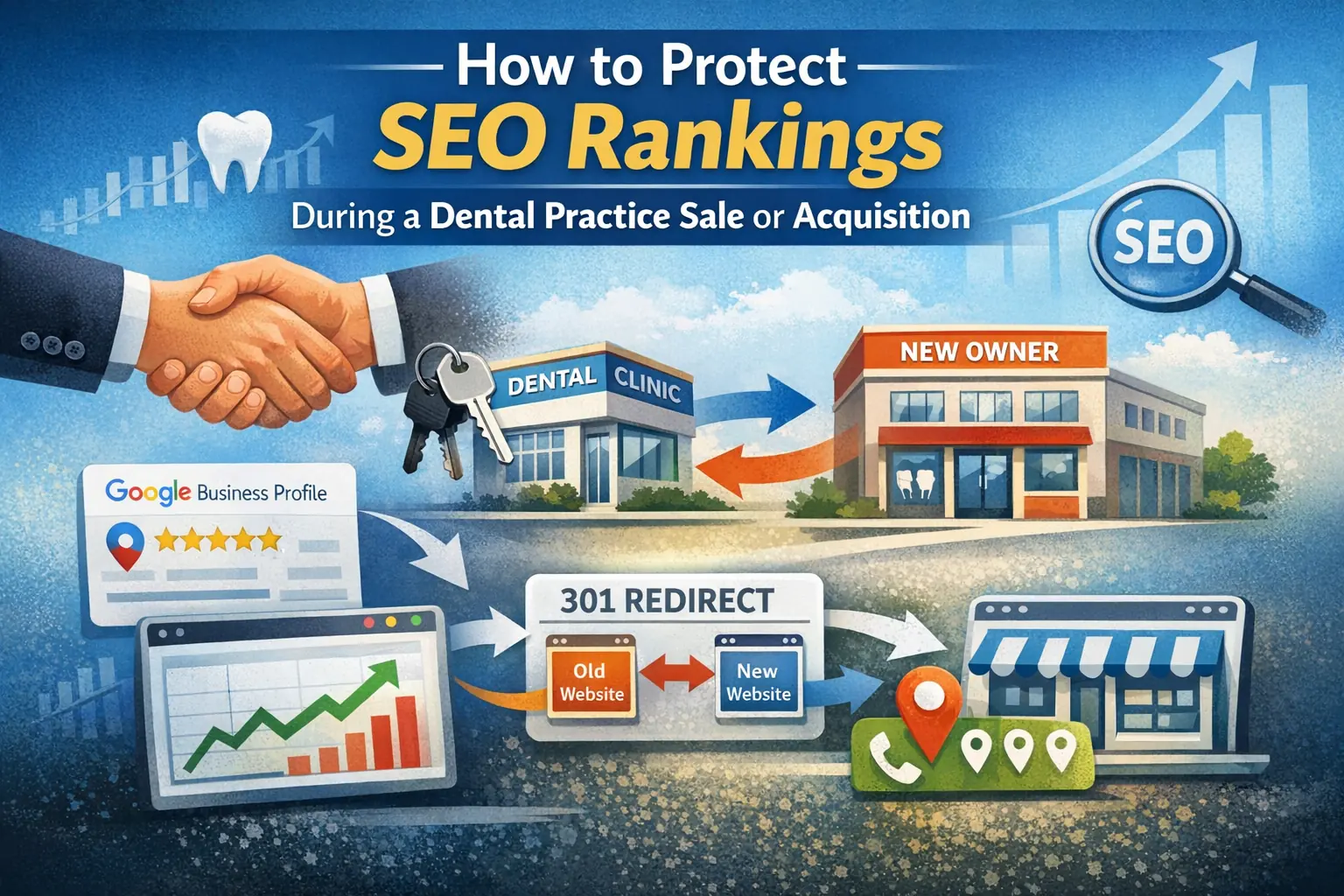 This guide shows dental practices how to protect their SEO rankings, Google Business Profile visibility, and organic traffic during a practice sale or acquisition. This guide shows dental practices how to protect their SEO rankings, Google Business Profile visibility, and organic traffic during a practice sale or acquisition.
A practice sale introduces real risks to the online presence you’ve spent years building—domain ownership gaps, broken redirects, lost reviews, and NAP inconsistencies can quietly erase ranking positions before anyone notices the damage.
The good news: most ranking losses during a practice transition are preventable. The bad news: they’re rarely discussed during the sale negotiation, which means the digital assets that drive patient acquisition often fall through the cracks between the letter of intent and closing day.
Whether you’re a selling dentist preparing an exit, a buyer stepping into an established practice, or a DSO integrating an acquisition, the steps below cover how to audit, transfer, and monitor every SEO asset that matters—so the patient pipeline keeps flowing through the transition.
This guide covers the digital marketing side of a practice sale. For the patient-facing side, start with how to communicate with patients during a practice transition.
Written for: dental practice owners preparing to sell, buyers acquiring a practice, DSO integration teams, and dental marketing managers overseeing transitions.
TL;DR
If you only remember five things, remember these:
| 1. |
Audit digital assets before the sale closes — document domain registrar credentials, hosting access, Google Business Profile ownership, Google Analytics, Search Console, and every third-party directory listing tied to the practice
|
| 2. |
Transfer the Google Business Profile correctly — use the primary owner transfer process (not a new listing) so reviews, photos, and ranking history stay intact
|
| 3. |
Keep the domain and URL structure — if the practice name stays the same, keep the existing domain active; if rebranding is necessary, implement page-by-page 301 redirects mapped to equivalent content
|
| 4. |
Update NAP consistently everywhere — name, address, and phone number changes must be synchronized across the website, Google Business Profile, and every citation source on the same timeline
|
| 5. |
Monitor rankings and traffic weekly for 90 days post-close — use Search Console and analytics to catch indexing errors, 404 spikes, and traffic drops early enough to fix them |
Table of Contents
Why practice sales put SEO at risk
Search rankings aren’t tied to a practice’s physical address or legal entity—they’re tied to digital signals that Google associates with specific domains, Business Profile listings, backlinks, and consistent business data across the web. When ownership changes, those signals can break in multiple places at once.
A pattern we commonly see: a seller’s IT person or former marketing agency controls the domain registrar account, the Google Business Profile is verified under the seller’s personal Gmail, and nobody documented the login credentials for Healthgrades, Yelp, or the dozens of dental directories where the practice is listed. The sale closes, someone changes the phone number on the website but not in the directories, and within weeks the practice starts slipping in local search results.
The most common ranking-damaging mistakes during a practice sale include:
| • |
Creating a new Google Business Profile instead of transferring the existing one — this abandons years of reviews, photos, and local ranking signals
|
| • |
Letting the old domain expire or immediately redirecting it to a completely different site — Google treats the new site as a brand-new property with no ranking history
|
| • |
Changing the practice name, phone number, and address on the website without updating directory citations — conflicting NAP data confuses Google’s local algorithm
|
| • |
Deleting or heavily rewriting existing page content before the new site is indexed — the pages that rank today are ranking because of their current content, internal links, and backlink profiles
|
| • |
Failing to set up 301 redirects when URLs change — without redirects, every old URL returns a 404 error, and the SEO value associated with those pages disappears |
Each of these mistakes is preventable with the right pre-sale planning. The sections below walk through exactly how.
> Back to Table of Contents
Pre-sale SEO asset audit
Before any ownership paperwork is signed, both the buyer and seller should inventory every digital asset that contributes to the practice’s online visibility. This audit belongs in the due diligence phase—not as an afterthought during the first week of new ownership.
What to document
| • |
Domain name(s) — registrar, expiration date, auto-renewal status, and the account credentials needed to transfer ownership
|
| • |
Website hosting — hosting provider, account login, CMS admin credentials, and whether the hosting contract is in the seller’s name or a third party’s
|
| • |
Google Business Profile — which Google account is the primary owner, how many reviews exist, and whether the profile is verified
|
| • |
Google Analytics and Search Console — account access, property configuration, and historical data (request at least 12 months of traffic data as part of due diligence)
|
| • |
Directory listings and citations — a comprehensive list of every site where the practice is listed (Healthgrades, Yelp, Zocdoc, WebMD, Yellow Pages, local dental society directories, and others)
|
| • |
Social media accounts — Facebook, Instagram, and any other platforms with login credentials and admin access details
|
| • |
Reputation management tools — any automated review request systems, and which email or phone number they send from
|
| • |
Backlink profile — export the current backlink report from a tool like Ahrefs, Semrush, or Moz so the buyer has a baseline to monitor against |
Why the buyer needs this before closing
The buyer’s ability to maintain rankings depends on continuity. If any of these assets are lost, locked behind inaccessible accounts, or controlled by a vendor who no longer has a contract, the new owner starts at a disadvantage. Including digital asset transfer as a line item in the purchase agreement—with specific deliverables and a timeline—protects both parties.
A practical tip from our experience working with practices in transition: create a shared spreadsheet during due diligence with columns for asset name, current owner/controller, login credentials, transfer method, and transfer deadline. Assign responsibility for each item and review it weekly until every asset is confirmed transferred.
> Back to Table of Contents
Transferring the Google Business Profile
The Google Business Profile is often the single most valuable digital asset in a dental practice sale. It holds the practice’s review history, local ranking signals, photos, posts, and the data Google uses to determine Map Pack placement. Losing it—or starting a new one—can set local SEO back by months or years.
How to transfer ownership correctly
Google provides a built-in ownership transfer process. The current primary owner adds the new owner’s Google account as an “Owner” role, then transfers primary ownership through the People and Access settings. The new owner must wait seven days before they have full management access. During that waiting period, certain changes (like removing other users) will trigger an error.
Step-by-step transfer process:
| 1. |
Seller adds the buyer’s Google account as an Owner — go to the Business Profile, select Business Profile Settings → People and Access, and invite the buyer’s Google account with the Owner role
|
| 2. |
Buyer accepts the invitation — the buyer clicks the link in the invitation email to confirm
|
| 3. |
Seller transfers primary ownership — in People and Access, select the buyer’s name, edit the role to Primary Owner, and save
|
| 4. |
Wait seven days — Google enforces a seven-day waiting period before the new primary owner can manage all features
|
| 5. |
Seller removes their own access (optional) — after the waiting period, the new primary owner can remove the seller’s account if the sale is complete |
What not to do
Never create a new Google Business Profile for the same location. A new listing starts with zero reviews, no ranking history, and no local authority. Google may also flag duplicate listings and suppress one or both. If the existing profile is verified under a personal Gmail that the seller won’t share, use Google’s ownership request process to claim it—the current owner has three days to respond before the request can proceed without their approval.
If the practice name is changing as part of the sale, update the name on the existing profile rather than creating a new one. Google allows business name changes, and the profile retains its review history and ranking signals.
> Back to Table of Contents
Domain, hosting, and website decisions
The practice’s domain name carries accumulated authority from years of content, backlinks, and search engine indexing. How you handle the domain during a sale has an outsized impact on whether rankings survive the transition.
Scenario 1: same name, same domain
This is the simplest path. If the buyer is keeping the practice name and the existing domain, the primary task is transferring domain registration and hosting access to the buyer’s accounts. Update the registrant contact information, verify auto-renewal is active, and confirm DNS settings remain unchanged. The website continues functioning as-is, and Google sees no disruption.
Scenario 2: new name, existing domain redirected
If the buyer is rebranding, you’ll need to build a new website on a new domain and redirect the old domain’s pages to the new site. This is where most ranking losses happen. The redirect strategy (covered in the next section) determines whether the old domain’s SEO value transfers to the new one or evaporates.
Key decisions for this scenario:
| • |
Keep the old domain active with 301 redirects for at least 12 months — Google recommends maintaining redirects long enough for full reindexing, and high-traffic legacy domains should redirect indefinitely
|
| • |
Build equivalent content on the new site before redirecting — each old URL should redirect to a page with similar content on the new domain; redirecting everything to the homepage wastes the old pages’ topical authority
|
| • |
Transfer or replicate the old site’s content structure — if the old site had 40 service pages and the new site launches with 10, you’ve eliminated 30 pages’ worth of ranking potential |
Scenario 3: DSO integration with a parent domain
Some DSOs move acquired practices onto a centralized domain (e.g., dsoname.com/city-practice). Others maintain the practice’s original domain as a standalone property. From an SEO perspective, keeping the original domain is almost always better for preserving local rankings. If the DSO requires migration to a parent domain, treat it as a full site migration with page-level 301 redirects and equivalent content on the new URL structure.
> Back to Table of Contents
301 redirects and URL mapping
When URLs change during a practice sale—whether from a domain switch, a CMS migration, or a site redesign—301 redirects are the mechanism that tells search engines where the old content now lives. Without them, every old URL returns a 404 error, backlinks lose their value, and indexed pages disappear from search results.
How to build a redirect map
A redirect map is a document that pairs every old URL with its corresponding new URL. For a typical dental practice site with 30–80 pages, this is a manageable spreadsheet exercise:
| 1. |
Crawl the existing site — use a tool like Screaming Frog or Sitebulb to export every URL on the current site
|
| 2. |
Identify the top-performing pages — cross-reference the URL list with Google Analytics and Search Console data to flag pages that drive organic traffic or rank for valuable keywords
|
| 3. |
Map each old URL to a new URL — match each page to the most relevant equivalent on the new site; if no equivalent exists, either create one or redirect to the closest topically relevant page
|
| 4. |
Implement 301 redirects at the server level — configure the redirects in the web server (via .htaccess on Apache or server configuration on other platforms) rather than relying on JavaScript or meta-refresh redirects
|
| 5. |
Test every redirect — after implementation, verify that each old URL correctly resolves to the intended new URL with no redirect chains or loops |
Common redirect mistakes to avoid
| • |
Redirecting all pages to the homepage — this tells Google that 50 different pages are now one page, destroying the topical authority each page built individually
|
| • |
Using 302 (temporary) redirects instead of 301 (permanent) — 302 redirects signal a temporary move and do not pass full ranking authority to the new URL
|
| • |
Creating redirect chains — if URL A redirects to URL B, which redirects to URL C, each hop dilutes SEO value and slows page load; always redirect directly to the final destination
|
| • |
Removing redirects too soon — keep 301 redirects active for at least 12 months; for high-authority pages, keep them active indefinitely |
> Back to Table of Contents
NAP consistency during the transition
NAP stands for Name, Address, and Phone number—the three data points Google uses most heavily to verify a local business’s identity and determine local search rankings. During a practice sale, one or more of these may change, and the timing of those changes matters enormously.
The rule is simple: update everywhere at the same time. If the practice name changes on the website but the old name still appears on Healthgrades, Yelp, and 40 other directory listings, Google sees conflicting information and may reduce confidence in the listing’s accuracy—which directly impacts local rankings.
How to manage NAP changes
| 1. |
Create a master list of every citation source — include Google Business Profile, Bing Places, Apple Maps, Yelp, Healthgrades, Zocdoc, WebMD, Yellow Pages, local dental society directories, insurance provider directories, and any niche dental directories where the practice is listed
|
| 2. |
Decide on a single “go-live” date for NAP changes — coordinate the website update, Google Business Profile update, and directory updates to happen within the same one-to-two-week window
|
| 3. |
Update high-priority sources first — Google Business Profile, Apple Maps, Bing Places, and the practice website should be updated on day one; remaining directories follow immediately after
|
| 4. |
Use a citation management tool or service — for practices listed in 40 or more directories, manual updates are time-consuming and error-prone; tools that push updates to multiple directories simultaneously reduce the risk of inconsistencies
|
| 5. |
Verify updates after 30 days — some directories are slow to process changes; re-check each listing a month after submission to confirm the new NAP data is live |
If the practice is keeping the same name, address, and phone number under new ownership, NAP consistency isn’t a concern—but you should still verify that every listing reflects accurate hours, website URL, and category information.
> Back to Table of Contents
Content and backlink preservation
The pages on your current website rank because of a combination of content quality, internal link structure, and external backlinks pointing to those pages. During a practice sale, all three can be disrupted if the transition isn’t managed carefully.
Preserve the content that ranks
Before making any changes to the website, identify which pages drive organic traffic. Pull a report from Google Search Console showing pages sorted by clicks over the last 12 months. These are the pages you cannot afford to lose during the transition. If the buyer plans to redesign the site, the content on these pages should be migrated to equivalent URLs on the new site—not rewritten from scratch on day one.
A common misstep: the new owner hires a web designer who builds a beautiful new site with completely different page structure, titles, and content. The old site is taken down, no redirects are configured, and within weeks the practice drops out of the top results for its most valuable keywords. The new site then needs months of SEO work to recover ground that was already won.
Protect the backlink profile
Backlinks—links from other websites pointing to your practice’s site—are one of the strongest ranking factors in Google’s algorithm. During a practice sale, backlinks are at risk if the domain changes, URLs change without redirects, or linked-to pages are deleted.
Steps to protect backlinks during a transition:
| • |
Export the current backlink profile — use Ahrefs, Semrush, or Moz to create a baseline report of all domains linking to the practice’s website
|
| • |
Identify high-value backlinks — links from dental associations, local news outlets, health directories, and educational institutions carry the most authority
|
| • |
Ensure redirects cover every backlinked URL — cross-reference the backlink report with the redirect map to confirm that every externally linked page redirects to an equivalent page on the new site
|
| • |
Reach out to key referring sites if the domain changes — for the highest-value backlinks (dental associations, local chambers of commerce, sponsorship pages), contact the site owner to update the link to the new domain directly |
> Back to Table of Contents
DSO and multi-location considerations
Dental support organization acquisitions add layers of complexity because the acquiring entity often has existing brand guidelines, a centralized website platform, and a marketing team that may not be deeply familiar with the acquired practice’s local SEO history.
Keeping vs. consolidating the practice domain
Some DSOs operate as “invisible” partners, allowing acquired practices to keep their original branding and domain. Others consolidate all practices onto a single parent domain with location-specific subpages. From a local SEO perspective, keeping the original domain is the safer choice because the domain retains its full history of rankings, backlinks, and indexed content.
If consolidation to a parent domain is required, treat it as a full site migration:
| • |
Build location-specific pages on the parent domain before migrating — each service page and location page from the old site needs a one-to-one equivalent on the new domain
|
| • |
Implement page-level 301 redirects from the old domain to the parent domain — old-domain.com/dental-implants should redirect to parent-domain.com/city/dental-implants, not to the parent domain homepage
|
| • |
Maintain the old domain’s redirects for at least 12 months — this gives Google time to reindex and transfer authority to the new URLs
|
| • |
Keep the Google Business Profile linked to the practice’s specific location page — the GBP website link should point to the location-specific landing page, not the DSO’s corporate homepage |
Coordinating across the DSO marketing team
The biggest risk in DSO transitions is the gap between the acquisition closing date and the marketing team’s involvement. In our work with practices navigating these transitions, we’ve found that SEO planning should begin during the letter-of-intent phase—not after closing. When the marketing team is brought in late, critical assets like domain access, Search Console data, and citation ownership are often already lost or difficult to recover.
> Back to Table of Contents
Post-close monitoring checklist
The first 90 days after a practice sale closes are the highest-risk window for SEO disruptions. Active monitoring during this period catches problems while they’re still fixable.
Weekly monitoring tasks
| • |
Check Google Search Console for indexing errors — look for spikes in 404 errors, crawl issues, or pages dropping out of the index
|
| • |
Monitor organic traffic in Google Analytics — compare week-over-week traffic to the same period in the prior year to identify unexpected drops
|
| • |
Track keyword rankings for priority terms — use a rank tracking tool to monitor the practice’s top 20–30 keywords; flag any terms that drop more than five positions
|
| • |
Verify the Google Business Profile is active and accurate — confirm that hours, phone number, website link, and categories are correct; check for any “suggest an edit” changes from Google users
|
| • |
Scan for new 404 errors — old bookmarks, external links, and cached search results will continue sending traffic to old URLs; catch and redirect any that return errors |
Monthly monitoring tasks
| • |
Audit citation consistency — spot-check 10–15 directories each month to confirm NAP data matches the current practice information
|
| • |
Review the backlink profile — compare the current backlink count to the pre-sale baseline; investigate any significant drops that could indicate lost links from the domain change
|
| • |
Check local pack rankings — search for the practice’s primary service keywords from the practice’s geographic area and confirm the listing still appears in the Map Pack results
|
| • |
Review Google Business Profile insights — track search queries, direction requests, and phone calls month-over-month to identify trends |
If any of these checks reveal a problem, address it immediately. Ranking losses that go unnoticed for weeks compound quickly, and recovering lost positions takes significantly longer than preventing the loss in the first place.
> Back to Table of Contents
Talk to WEO Media
Navigating a practice sale without losing your search visibility takes careful planning and hands-on SEO expertise. WEO Media works with dental practices and DSOs to manage digital transitions—from pre-sale audits and 301 redirect mapping to Google Business Profile transfers and post-close monitoring. If you’re preparing to buy or sell a practice, call 888-246-6906 or schedule a consultation to talk with our team about protecting your rankings through the transition. Current WEO clients navigating a change of ownership can submit the practice change of ownership form to start the process.
> Back to Table of Contents
FAQs
Will I lose my Google reviews if I sell my dental practice?
Not if you transfer the Google Business Profile correctly. Reviews are tied to the Business Profile listing, not to the owner’s personal Google account. By transferring primary ownership of the existing profile to the buyer—rather than creating a new listing—all reviews, photos, and ranking history remain intact.
How long does it take for SEO to recover after a practice sale?
If the domain, content, and Google Business Profile are preserved with proper redirects and NAP consistency, most practices see minimal ranking disruption—typically a few weeks of minor fluctuations as Google reindexes updated information. If a domain change or site rebuild is involved without redirects, recovery can take three to six months or longer depending on the competitive landscape.
Should I keep the old practice domain or start fresh with a new one?
Keep the existing domain whenever possible. It carries accumulated authority from backlinks, indexed content, and years of search engine trust. If rebranding requires a new domain, maintain the old domain with active 301 redirects for at least 12 months to transfer as much SEO value as possible to the new site.
What is a 301 redirect and why does it matter during a practice sale?
A 301 redirect is a permanent server-side instruction that sends visitors and search engines from an old URL to a new one. It transfers nearly all of the original page’s ranking authority to the destination page. During a practice sale, 301 redirects prevent 404 errors, preserve backlink value, and ensure patients searching for the old site reach the new one without interruption.
How do I update my dental practice listings after a sale?
Start with the highest-priority listings: Google Business Profile, Apple Maps, Bing Places, and the practice website. Then update remaining directories including Healthgrades, Yelp, Zocdoc, WebMD, and local dental society listings. Coordinate all updates to go live within the same one-to-two-week window to minimize NAP inconsistencies that can hurt local rankings.
Does a DSO acquisition affect local SEO differently than a private sale?
DSO acquisitions can introduce additional complexity if the acquiring organization consolidates the practice onto a parent domain or rebrands under a corporate identity. Keeping the original practice domain and branding is the lowest-risk option for local SEO. If migration to a centralized DSO domain is required, page-level 301 redirects and location-specific landing pages are essential to preserving local search visibility.
Can I change my dental practice name and keep my SEO rankings?
Yes, but it requires careful execution. Update the name on the existing Google Business Profile rather than creating a new listing. Keep the same domain with 301 redirects if the URL structure changes. Update NAP data across all directories simultaneously. Expect minor short-term fluctuations as Google reindexes the updated information, but rankings should stabilize within a few weeks if all other SEO signals remain consistent.
What should be included in the digital asset section of a practice purchase agreement?
The purchase agreement should specify the transfer of domain registration, website hosting, Google Business Profile primary ownership, Google Analytics and Search Console access, all social media accounts, and login credentials for every directory listing and reputation management tool. Include a transfer timeline and assign responsibility for completing each item before or immediately after closing.
|
|





