Google Ads for Prosthodontists: How to Build a PPC Strategy That Converts
Posted on 4/20/2026 by WEO Media |
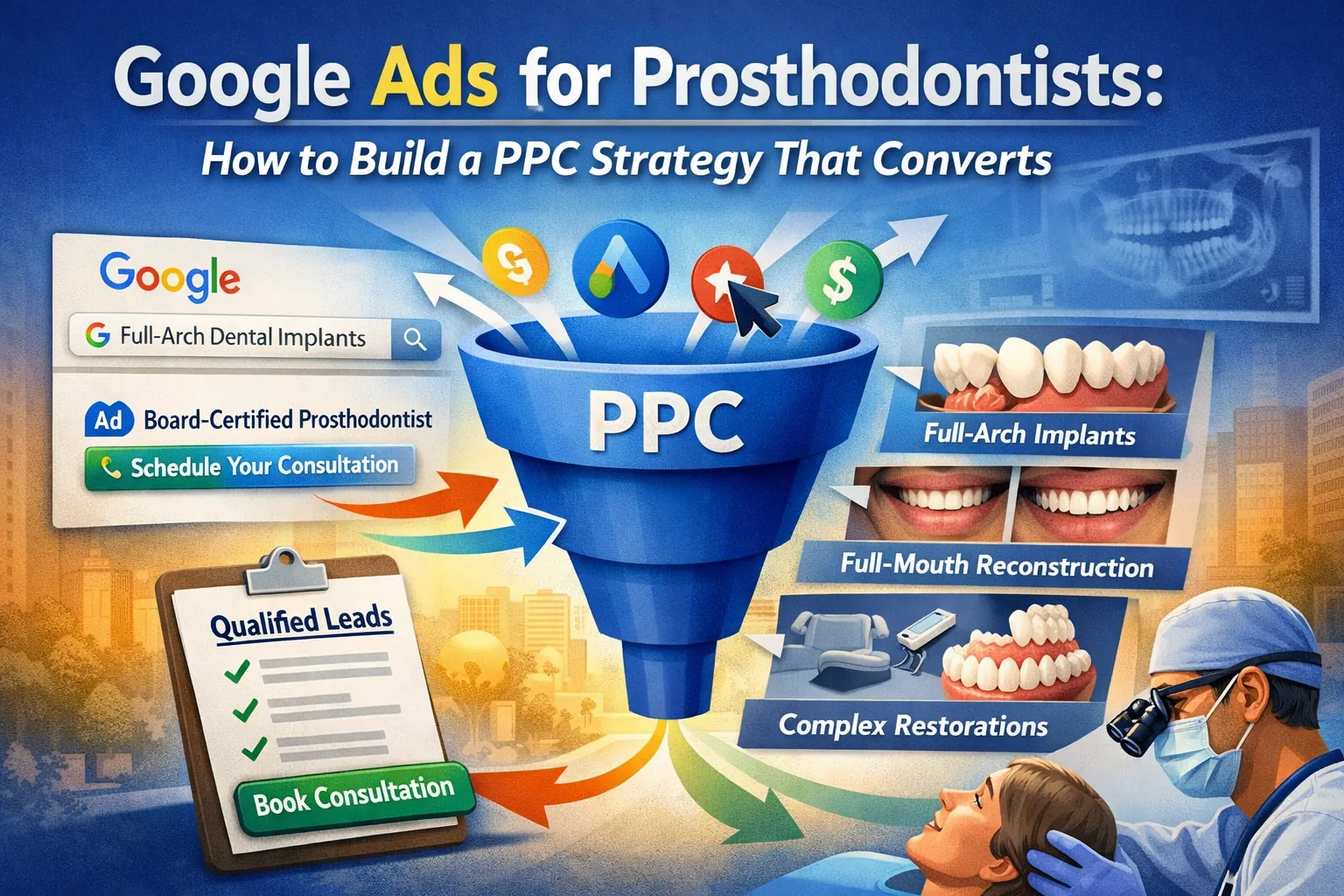 This guide shows prosthodontists how to build a Google Ads (PPC) strategy that converts high-value cases—full-arch implants, full-mouth reconstruction, and complex restorations—instead of burning budget on traffic that was never going to book a consultation. Prosthodontic PPC is not general-dentist PPC with bigger keywords. The economics, the search intent, and the buying cycle are all different, and the account needs to be built around that. This guide shows prosthodontists how to build a Google Ads (PPC) strategy that converts high-value cases—full-arch implants, full-mouth reconstruction, and complex restorations—instead of burning budget on traffic that was never going to book a consultation. Prosthodontic PPC is not general-dentist PPC with bigger keywords. The economics, the search intent, and the buying cycle are all different, and the account needs to be built around that.
The core problem: a prosthodontist who runs Google Ads like a general practice usually ends up paying general-dentist click prices for traffic that was never going to convert into a full-arch case. Broad keywords pull in cleanings shoppers, insurance-only searchers, and students. Generic ad copy doesn’t signal specialist credentials. Weak landing pages bury the consultation offer. Smart Bidding starves for conversion data because forms and calls aren’t tracked properly. The budget burns, the leads are thin, and the campaign gets blamed for being “a bad fit for specialty.”
If you’re not yet running PPC, or you’re evaluating whether it belongs in your marketing mix alongside dental SEO and dental referral marketing, this guide will still help you decide. If you already have campaigns running and the phone isn’t producing qualified case calls, use the structure below to audit what’s happening.
Below, you’ll see how to segment campaigns by procedure value, build keyword lists around buyer-intent searches, write ad copy that pre-qualifies prospects, design landing pages that convert consultations, and set up conversion tracking that feeds Smart Bidding the signal it needs to find high-value cases—not clicks.
Written for: prosthodontists, specialty practice owners, practice managers, and marketing leads running paid search in-house or overseeing an agency relationship.
TL;DR
If you only do six things, do these:
| • |
Segment campaigns by procedure value - build separate campaigns for full-arch implants, full-mouth reconstruction, crowns/bridges, dentures, and veneers so bidding and budget reflect case economics
|
| • |
Use exact and phrase match for high-intent terms - broad match without a conversion-rich signal will waste budget on general-dentist traffic
|
| • |
Write ad copy that pre-qualifies - lead with “prosthodontist,” name the specific procedure, and reference consultation—not “gentle, affordable dentistry”
|
| • |
Build one landing page per major procedure - no shared “services” page; each campaign needs a dedicated, mobile-fast landing page with a single conversion action
|
| • |
Track offline conversions and call outcomes - with low monthly lead volume and high case value, Smart Bidding needs value signals (consult booked, consult kept, case accepted) to optimize properly
|
| • |
Run a comprehensive negative keyword list from day one - “cheap,” “school,” “DIY,” “near me free,” and competitor non-specialist terms burn prosthodontic budgets fastest |
Table of Contents
Why Google Ads works differently for prosthodontists
Before you touch a single campaign setting, understand the economic and behavioral reality of prosthodontic search. The math of a prosthodontic PPC account is almost inverted from a general-practice account.
High case value, low lead volume. A prosthodontist’s average case can exceed a general dentist’s annual patient revenue by a wide margin. That means you can afford higher cost-per-click and higher cost-per-lead than a GP can—but only if you track and optimize around case value, not click volume. A prosthodontic account with ten qualified consults a month can outperform a GP account with two hundred.
Long, researched decision cycles. A patient considering full-arch implants or full-mouth reconstruction often researches for weeks or months. They visit multiple sites, compare specialists, read reviews, watch videos, and often see two or three consultations before committing. Your ads intercept them at different points in that journey, and last-click attribution alone underreports how PPC actually contributes.
Geographic willingness to travel. For complex cases, patients will drive an hour, two hours, or fly in for a consultation—especially for full-mouth reconstruction or advanced implant work. That expands your practical service radius beyond what a general-dentist account would target, and it changes how you build location targeting.
Referral overlap. A meaningful share of prosthodontic patients arrive via GP referral. Those patients often search your name plus the procedure before they even call. If your branded search is neglected or a competitor is running on your name, you’re paying to lose referred patients who were already sent to you.
Smart Bidding needs enough signal to work. Google’s automated bidding models need a steady stream of conversions to optimize. A prosthodontic campaign producing five to fifteen form fills a month will starve Smart Bidding unless you feed it additional signals (call conversions, offline conversions for consults kept and cases accepted) and consolidate campaign structure so each campaign has enough data.
A pattern we commonly see: a specialty practice inherits a campaign structure from a general-practice template—one catch-all campaign, broad match, a generic homepage as landing page, and conversion tracking that fires on any page view. Thirty days in, the spend is gone, the lead quality is poor, and the account looks broken. The campaigns aren’t broken. They were never built for a specialist in the first place.
> Back to Table of Contents
How to structure a Google Ads account for a prosthodontic practice
Account structure determines whether your budget flows to high-value case types or gets averaged across everything you offer. The general framework for structuring dental PPC campaigns for high-value cases applies here; for prosthodontists specifically, the clearest approach is campaign-per-procedure-tier.
Recommended campaign segmentation
| • |
Full-arch implants (All-on-X, zirconia, fixed full-arch) - highest case value, longest consideration cycle, most researched terms; deserves its own campaign, ad groups, landing pages, and budget (see our All-on-4 marketing guide for the procedure-specific playbook)
|
| • |
Full-mouth reconstruction - separate from full-arch because search terms and patient concerns differ (TMJ, worn dentition, bite collapse)
|
| • |
Single and multi-tooth implants - mid-tier value; separate from full-arch because intent and keywords diverge sharply
|
| • |
Crowns, bridges, and advanced fixed prosthetics - moderate value; keep separate so bids don’t inflate from higher-value campaigns
|
| • |
Dentures and implant-supported overdentures - distinct patient demographic and search language; often overlaps with senior-focused creative
|
| • |
Veneers and cosmetic prosthodontics - highly visual, cosmetic-intent searchers; often warrants Performance Max or Demand Gen secondary campaigns
|
| • |
Branded campaign - your practice name, specialist names, and common misspellings; protects referral traffic at low CPC |
Match types and ad group granularity
Each campaign should have a small number of tightly themed ad groups. For a full-arch campaign, you might have one ad group for “all on 4” variant searches, one for “all on 6,” one for “full arch implants,” one for “fixed teeth in a day,” and one for problem-state terms like “failing teeth replacement.” Each ad group gets its own ad copy matched to the specific term cluster.
Start exact and phrase match only. Broad match is seductive—it expands reach, and Google’s reps will push it—but for a low-conversion-volume specialist account, broad match typically pulls in a long tail of low-intent searches before Smart Bidding has enough data to prune them. Once you have three months of consistent conversion data and a mature negative keyword list, you can test broad match carefully in a limited-budget sandbox.
Search vs. Performance Max vs. other formats
Search should be the backbone of a prosthodontic account. Performance Max can work as a secondary channel, particularly for cosmetic and veneer-focused traffic, but it trades transparency for automation—you won’t see which placements, audiences, or search terms are driving results at the granular level you’d want for a high-ticket specialty. If you run PMax, run it alongside (not instead of) Search, exclude your branded terms, and watch asset group performance weekly.
> Back to Table of Contents
Keyword strategy for high-intent prosthodontic searches
The goal of prosthodontic keyword research isn’t to find the most searches. It’s to find the searches most likely to become cases. That shifts where you spend attention.
The four keyword intent tiers
| • |
Procedure + location (highest intent) - “all on 4 dental implants [city],” “full mouth reconstruction [city],” “prosthodontist near me”—these are the money terms; bid aggressively and send to procedure-specific landing pages
|
| • |
Procedure + qualifier (high intent) - “best full arch implants,” “same day dental implants,” “zirconia vs acrylic all on 4”—researching but close to decision; ad copy should address the qualifier directly
|
| • |
Problem state (variable intent) - “failing teeth replacement,” “teeth falling out,” “worn down teeth fix”—emotional, often urgent; ad copy and landing page must handle the anxiety without being pushy
|
| • |
Informational (low direct intent, high indirect value) - “what is a prosthodontist,” “how long do dental implants last”—usually better served by SEO for prosthodontists than paid traffic; if you bid, bid conservatively and use remarketing |
Terms to include that most accounts miss
Branded competitor terms (legal and ethical where permitted by Google’s policies), procedure-plus-concern terms (“dental implants failed redo,” “implant retreatment”), and specialist-seeking language (“implant specialist,” “prosthodontist vs general dentist”). Patients who search specialist language already self-qualify as higher-value leads.
Terms to exclude or handle cautiously
“Cheap dental implants,” “affordable dentures,” “Medicaid dentist” (unless you accept), “free consultation” (unless you offer one), and generic “dentist near me” (too broad, mostly GP intent). These either signal wrong fit or drain budget without consultation yield.
What we typically find in keyword audits: accounts are spending 40–60% of budget on terms that will never produce a full-arch or reconstruction case, because those terms were added by a default build and never pruned. The first budget-efficiency win in most prosthodontic accounts is killing, not adding.
> Back to Table of Contents
Ad copy and assets that pre-qualify high-value cases
Your ad is the first filter. Good ad copy attracts the patient you want and quietly discourages the one you don’t. For prosthodontists, that means leading with specialist signals and specific procedures—not the generic “gentle, caring, affordable” language that saturates general-dentist ads.
What high-converting prosthodontic ads do
| • |
Name the credential - “Board-Certified Prosthodontist,” “Prosthodontic Specialist,” “Advanced Training in Full-Arch Implants”; patients searching for this care level are looking for credentials
|
| • |
Name the procedure specifically - “All-on-4 Dental Implants,” “Full-Mouth Reconstruction,” “Implant-Supported Dentures”—not “complete dental solutions”
|
| • |
Reference the consultation format - “Comprehensive Consultation,” “3D CT Evaluation,” “Virtual Second Opinion”; this sets expectations and signals clinical depth
|
| • |
Use site-specific headlines for problem states - “Failing Dentures? Fixed-Implant Alternatives” will outperform “New Dentures Available Today” for the right audience
|
| • |
Include trust signals - years in practice, specialist training, technology (CBCT, guided surgery, in-house lab) |
Ad assets to configure
Call assets with phone number 888-246-6906 set to practice hours; location assets linked to a verified Google Business Profile for every location; sitelink assets pointing to procedure pages, consultation request, and new-patient information; callout assets highlighting specialty credentials, technology, and years of experience; structured snippets listing services; and lead form assets only if you have the follow-up capacity to call them back within the hour. (Google rebranded ad extensions to “assets” in 2022; the functionality is the same, and many PPC professionals still use both terms interchangeably.)
Copy frameworks that work
A reliable three-headline structure for a full-arch ad group: Headline 1 names the procedure (“All-on-4 Dental Implants”), Headline 2 names the credential or differentiator (“Board-Certified Prosthodontist”), Headline 3 presents the offer or next step (“Schedule Your Consultation”). Descriptions elaborate on the technology, experience, and consultation process. Our broader reference on dental PPC ad copy that converts pairs well with this framework for variation ideas.
What to avoid: pricing claims you can’t substantiate, “lowest price” framing that attracts the wrong audience, before-and-after claims without appropriate context, and ad copy written at a general-dentist level that makes a specialist look like any other practice.
> Back to Table of Contents
Landing pages built for consultation conversions
The dental landing page is where most prosthodontic PPC budgets die. Sending paid traffic to a homepage or a shared services page is the single most common—and costly—mistake in specialty accounts.
One landing page per major procedure campaign
Full-arch implant traffic should land on a dedicated full-arch implant landing page. Full-mouth reconstruction traffic should land on a full-mouth reconstruction page. Denture traffic should land on a denture-and-overdenture page. Each page exists to do one thing: convert a researched, high-intent visitor into a booked consultation for that specific procedure.
Page elements that convert
| • |
Headline that matches the ad - if the ad said “All-on-4 Dental Implants,” the headline says “All-on-4 Dental Implants”; message match reduces bounce
|
| • |
Clinical credibility signals above the fold - specialist credential, years of experience, technology used, board certification
|
| • |
Visual case examples - before-and-after photography of actual cases (with appropriate consent and context), or illustrative graphics of the procedure
|
| • |
A short explanation of the process - consultation, diagnostic workup, treatment plan, procedure steps; patients researching this level of care want to see the path
|
| • |
Patient stories or testimonials - video or written, focused on the problem state and the outcome
|
| • |
A clear consultation offer - what the consultation includes (exam, 3D imaging, treatment options, questions answered), how long it takes, what happens next
|
| • |
A short form and a prominent phone number - name, phone, email, brief message field; no long intake forms at this stage
|
| • |
FAQ content addressing top concerns - healing, timeline, comparison to alternatives, what happens if a case isn’t a candidate for the procedure |
Technical requirements
Mobile-first and fast. The majority of prosthodontic PPC traffic arrives on mobile devices—our reference on dental website mobile UX covers the conversion essentials. Largest Contentful Paint under 2.5 seconds is the standard; anything slower measurably hurts conversion. Images should be optimized and served in WebP or AVIF. Tap targets should meet accessibility standards. Forms should work on a thumb without pinch-zoom.
Tracking installed correctly. Form submissions fire a conversion event. Phone clicks fire a conversion event. Call assets track call duration and outcome. Without clean tracking, none of the rest of the account can optimize.
> Back to Table of Contents
Conversion tracking for low-volume, high-value leads
Smart Bidding is the engine of modern Google Ads. It’s also the single biggest reason specialty accounts underperform: the engine gets fed the wrong fuel, or not enough fuel, and it runs badly.
What to track as a conversion
| • |
Form submission on a procedure landing page - primary conversion, value-weighted by procedure
|
| • |
Phone call longer than 60 seconds from a landing page or call asset - strong consultation-intent signal
|
| • |
Consultation booked (offline conversion) - imported from your practice management system or call tracking platform
|
| • |
Consultation kept (offline conversion) - fires when the patient actually arrives
|
| • |
Case accepted or treatment started (offline conversion) - the closest signal to revenue |
Why offline conversions matter for prosthodontists
A prosthodontic account might produce twenty leads a month. Of those, maybe twelve book a consultation, eight keep it, and three accept a full-arch case. If Smart Bidding only sees “twenty form fills,” it optimizes for form fills—it can’t tell which sources produced the three cases versus the seventeen tire-kickers. Uploading offline conversions (consult booked, consult kept, case accepted), ideally with value data, lets the bidding model learn which keywords, ads, and audiences produce actual cases.
Google Ads supports offline conversion imports through Google Ads Conversion Tracking, Enhanced Conversions for Leads, and direct integrations with many dental call tracking and practice management platforms. The specific setup depends on your stack, but the principle is non-negotiable for a high-ticket specialty: feed the bidder value data, not just lead data.
Bidding strategies for low-volume accounts
Maximize Conversions with a target CPA setting is a reasonable default once you have consistent conversion data. In 2022, Google reorganized Search bidding so the standalone Target CPA strategy was bundled into Maximize Conversions as an optional target field; the underlying algorithm behavior is identical, but the setup path is now through Maximize Conversions. Maximize Conversion Value with a target ROAS setting is stronger once you have offline conversions with value data. Manual CPC is worth considering in the first 30–60 days of a new campaign to gather data without Smart Bidding swinging wildly on thin signal.
> Back to Table of Contents
Negative keywords and budget protection
Negative keywords are the fence around your budget. For a prosthodontic account, they’re the difference between a campaign that produces case-qualified leads and one that produces a noisy stream of clicks that go nowhere.
Starter negative keyword categories
| • |
Cost and discount language - “cheap,” “cheapest,” “discount,” “deals,” “coupon,” “free” (unless you actually offer a free consultation, and even then handle carefully)
|
| • |
DIY and home remedies - “DIY dentures,” “glue teeth,” “at home”; these searchers will not convert
|
| • |
School and training - “dental school,” “student,” “residency,” “clinic” (when paired with school); these are people looking for low-cost care at teaching institutions
|
| • |
Insurance-only searches - “Medicaid,” specific Medicaid state names, “Medicare” (dental services), and specific insurance carriers if you don’t accept them
|
| • |
Irrelevant procedures - “orthodontist,” “braces,” “invisalign,” “wisdom teeth,” “root canal” (unless you market these)
|
| • |
Job and career searches - “jobs,” “salary,” “how to become,” “career”
|
| • |
Veterinary and non-human - “dog,” “pet,” “cat,” “veterinary” |
Building your list from search term data
Every two weeks, pull the search terms report for each campaign, sort by cost descending, and review the top 50 terms. Anything that spent money without producing a conversion and isn’t clearly aligned with a high-value procedure goes on the negative list. Our broader reference on dental PPC keywords that waste budget vs. drive ROI pairs well with this review process. This is the single most leveraged 30-minute task in a prosthodontic PPC account.
Campaign-level vs. shared negative lists
Use a shared negative keyword list for universal negatives (cost language, veterinary, jobs, irrelevant procedures) applied to every campaign. Use campaign-level negatives for cross-campaign protection: add your denture terms as negatives in the full-arch campaign and vice versa, so each campaign only serves on its own intent bucket.
> Back to Table of Contents
Common mistakes and how to fix them
After reviewing many specialty accounts, the same failure modes show up repeatedly—several of them overlap with broader Google Ads mistakes that waste the most money in general-practice accounts. If any of these describe your account, they’re usually the fastest fixes.
Mistake 1: One campaign covering everything
The symptom: a single “Dental Implants” or “Prosthodontics” campaign with ad groups for every procedure and a single shared budget. The fix: break into procedure-tier campaigns so each high-value case type has its own budget, bidding, ad copy, and landing page.
Mistake 2: Homepage as landing page
The symptom: all ads point to the homepage or a generic “Services” page. The fix: build one landing page per major procedure. Expect conversion rates to improve measurably within the first 30 days of launch.
Mistake 3: Conversion tracking that fires on anything
The symptom: the conversion count is high, but the phone isn’t ringing with qualified consults. Often a page view, a scroll, or a non-qualified action is counting as a conversion. The fix: audit every conversion action. Only true lead actions (form submission with valid contact info, call longer than 60 seconds, consultation request) should be primary conversions. Everything else is a secondary signal at most.
Mistake 4: Ignoring branded search
The symptom: you assume patients searching your practice name will find you organically, so you don’t bid. The fix: run a branded campaign. It’s cheap, it protects you from competitors bidding on your name, and for a referral-heavy specialty, it captures GP-referred patients who search you before calling.
Mistake 5: Letting Google’s auto-recommendations run the account
The symptom: “Apply recommendations” is on, auto-applied broad match is active, and the account structure drifts toward whatever Google’s system nudges it toward. The fix: turn off auto-apply for anything that changes match types, expands keywords, or raises budgets. Review recommendations manually. Google’s recommendations optimize for Google’s business model; you’re optimizing for case acquisition.
Mistake 6: No weekly review cadence
The symptom: the account is checked monthly or quarterly, and budget is wasted in between. The fix: 30 minutes a week. Review search terms, add negatives, check pacing, check conversion volume, flag anything unusual. This single habit produces most of the efficiency gains in a specialty account.
> Back to Table of Contents
Your 30-day Google Ads action plan
If you want a sequenced way to apply what’s above—whether starting fresh or auditing an existing account—use this as a month-one plan.
Week 1: Audit and structure
| 1. |
Pull the last 90 days of data: impressions, clicks, conversions, cost per conversion, cost by campaign
|
| 2. |
Identify which procedures drive existing cases in your practice and map current campaign spend to those procedures
|
| 3. |
Draft the new campaign structure: one campaign per procedure tier, plus branded
|
| 4. |
List every procedure-specific landing page you need; identify which exist and which need to be built
|
| 5. |
Audit current conversion tracking; list what’s firing and whether it represents a real lead |
Week 2: Keywords, copy, and negatives
| 1. |
Build keyword lists by procedure tier, starting exact and phrase match only
|
| 2. |
Write ad copy for each ad group, applying specialist-credential and specific-procedure framing
|
| 3. |
Configure ad assets: call, location, sitelinks, callouts, structured snippets
|
| 4. |
Build your shared and campaign-level negative keyword lists
|
| 5. |
Set up bidding: Manual CPC or Maximize Conversions depending on conversion history |
Week 3: Landing pages and tracking
| 1. |
Build or refine one landing page per major procedure campaign
|
| 2. |
Install form-submission and phone-call conversion tracking; verify each fires correctly with test submissions
|
| 3. |
Configure offline conversion import from your call tracking platform and/or practice management system
|
| 4. |
Add Enhanced Conversions for Leads if available in your setup
|
| 5. |
Run the full path as a test patient: search, click, land, submit form, verify tracking |
Week 4: Launch and establish review cadence
| 1. |
Launch the campaigns with daily budget caps for the first two weeks
|
| 2. |
Check the account daily in week one: search terms, conversion data, budget pacing
|
| 3. |
Shift to a 30-minute weekly review from week two forward
|
| 4. |
Hold a monthly strategic review: which campaigns produced cases, which to expand, which to cut
|
| 5. |
Plan a 90-day retrospective: what Smart Bidding has learned, when to test broad match, when to add PMax |
Results timeline to expect: consultation-qualified leads typically show within 2–4 weeks of a properly structured launch, but Smart Bidding optimization takes 6–12 weeks to mature on low-volume specialty accounts. Case acceptance data compounds from there. Treat month one as foundation, months two and three as optimization, and month four onward as scale.
> Back to Table of Contents
Contact our dental marketing team
If you’re a prosthodontist evaluating whether to start Google Ads, trying to audit a campaign that isn’t producing, or looking for a marketing partner that understands how specialty economics change PPC strategy, our team at WEO Media specializes in prosthodontist marketing for practices across the country. Call us at 888-246-6906 or request a consultation through our website.
> Back to Table of Contents
FAQs
Is Google Ads worth it for a prosthodontist?
For most prosthodontic practices, yes—but only with a campaign structure built around case value, not click volume. A well-built account producing a small number of qualified full-arch or reconstruction consultations per month can return substantially more than a high-volume general-dentist account. A poorly built account using general-dentist templates typically burns budget without producing cases. The deciding factor is account structure, conversion tracking, and landing page quality, not the channel itself.
How much should a prosthodontist budget for Google Ads?
Budgets vary widely based on market competitiveness, the procedures you target, and your conversion economics. A useful planning approach is to work backward from case value: decide how many qualified consultations per month would move the practice, estimate a realistic cost per qualified lead in your market, and build the budget from there. For most single-location specialty practices, a meaningful test budget allows enough spend to generate a statistically useful volume of conversion data within 60 to 90 days.
How long before Google Ads produces results for a prosthodontic practice?
Initial consultation-qualified leads typically appear within 2 to 4 weeks of a properly structured launch. Smart Bidding optimization matures over 6 to 12 weeks as the system accumulates conversion data. Because prosthodontic decision cycles are long, case acceptance data from PPC leads often continues to develop for several months after initial contact, meaning the true return on a campaign isn’t fully visible until 90 to 120 days in.
Should prosthodontists bid on their own practice name?
Yes, in most cases. Branded search is inexpensive, protects against competitors bidding on your practice name, and captures referred patients who search for you before calling. For a referral-heavy specialty like prosthodontics, neglecting branded search often means paying a competitor’s ad cost to lose a patient your referring GP already sent.
What’s the difference between running Google Ads for a general dentist and a prosthodontist?
The economics are inverted. General-dentist accounts optimize for high volume at low cost per lead. Prosthodontic accounts optimize for low volume of high-value qualified leads. That changes keyword strategy (fewer, more specific terms), match types (exact and phrase over broad), conversion tracking (offline conversions and case value, not just form fills), bidding strategy (value-based where possible), and landing page design (procedure-specific pages, not shared service pages).
Should prosthodontists run Performance Max campaigns?
Performance Max can play a supporting role in a prosthodontic account, particularly for cosmetic and veneer-focused traffic, but it shouldn’t replace Search. PMax trades transparency for automation, which is a difficult trade-off for a low-conversion-volume specialty where every signal matters. If you run PMax, run it alongside Search, exclude branded terms, and watch asset group performance closely. Search should remain the backbone of the account.
How do I track offline conversions from Google Ads in a prosthodontic practice?
The core workflow is to capture a Google Click ID (GCLID) at the time of the initial form submission or phone call, associate it with the patient record in your call tracking platform or practice management system, and import the offline conversion event (consultation booked, consultation kept, case accepted) back to Google Ads once the outcome is known. Most modern call tracking platforms and several practice management integrations support this natively, and Enhanced Conversions for Leads can simplify the process where available.
What negative keywords should prosthodontists add first?
The highest-impact starting list includes cost and discount language (cheap, cheapest, discount, coupon), DIY and home-remedy terms (DIY, at home, glue teeth), dental school and training terms (school, student, residency, clinic in that context), insurance-specific terms you don’t accept (specific Medicaid state names, Medicare dental), irrelevant procedures (orthodontist, braces, wisdom teeth, root canal), and job-related searches (jobs, salary, career). From there, build your ongoing list from your search terms report every two weeks. |
|





