Dental PPC Ad Copy for Dentists: Convert Patients Online in 2026
Posted on 1/9/2026 by WEO Media |
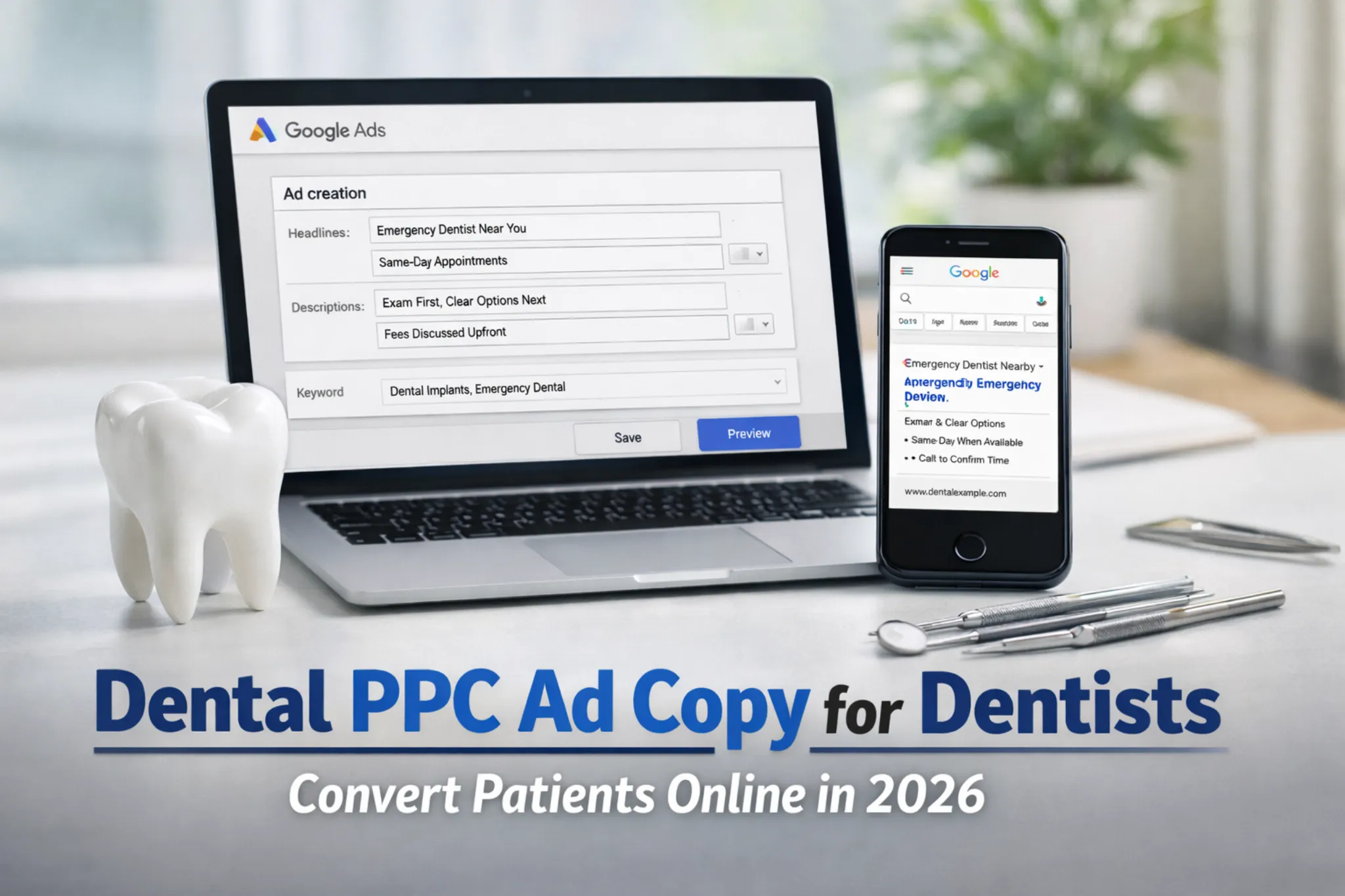 Dental PPC ad copy converts when it does two jobs at once: it signals relevance to Google Ads, and it reduces patient hesitation enough to take the next step. In dentistry, hesitation often comes from fear of being pressured into expensive work, embarrassment about gaps in care, anxiety about discomfort, and concern about surprise charges or insurance confusion. Dental PPC ad copy converts when it does two jobs at once: it signals relevance to Google Ads, and it reduces patient hesitation enough to take the next step. In dentistry, hesitation often comes from fear of being pressured into expensive work, embarrassment about gaps in care, anxiety about discomfort, and concern about surprise charges or insurance confusion.
This guide uses a trust-first “operational truth” approach: your ads should sound like a calm, accurate preview of what happens first—so the practice can keep the promise on the phone and in the chair. In our campaign reviews at WEO Media - Dental Marketing, the most stable improvements usually come from tighter intent segmentation and clearer scope language, not from louder urgency.
TL;DR
| • |
Segment by intent, then write scope, sequence, qualifier, and routing so expectations match reality.
|
| • |
RSAs are modular - Headlines and descriptions can show in different orders and layouts, so every line must be safe in combination.
|
| • |
Use Assets (not “extensions”) - Callout assets, sitelink assets, call assets, location assets, and image assets reinforce trust when they match the same promise.
|
| • |
Insurance wording needs guardrails - Verification language prevents “you said you take my plan” misunderstandings.
|
| • |
Measure outcomes - Track qualified, booked, and showed outcomes to avoid CTR-only false wins. |
Key takeaway: The best-performing dental ads are accurate promises your schedule and front desk can keep.
Table of Contents
Keyword Targets and Intent Mapping
A keyword plan is less about collecting every phrase and more about preventing one ad group from trying to answer five different patient mindsets. The goal is: one intent per ad group, one promise, one next step.
| • |
Primary target - Dental PPC ad copy.
|
| • |
Secondary targets - Dental Google Ads copy; Google Ads dental ad copy examples; dental ad headlines; dental ad descriptions; RSA headlines; responsive search ads for dentists; dental PPC ad templates; ad assets; callout assets; sitelink assets; emergency dentist ad copy; dental implants ad copy; orthodontic ad copy; cosmetic dentist ad copy; insurance intent dental ads. |
Key takeaway: On-page keywords should match how people search, while ads should match how people decide.
How to Choose Primary vs Secondary Keywords
| • |
Primary keyword - The umbrella term that matches the page’s main promise and broadest reader intent.
|
| • |
Secondary keywords - The “mid-build lookups” searchers use while writing ads (RSA rules, headline examples, asset limits, insurance wording).
|
| • |
Intent keywords - If the first visit expectation changes, it’s a new segment (and usually a new landing page). |
Key takeaway: Segment by “what happens first,” not just by procedure label.
Sample Keyword Clusters by Intent
| • |
Emergency - emergency dentist; toothache dentist; broken tooth dentist; urgent dental care.
|
| • |
Hygiene/New patient - dental cleaning; new patient dentist; family dentist; dentist near me.
|
| • |
Implants - dental implants consultation; replace missing teeth; implant dentist.
|
| • |
Ortho - braces consultation; clear aligners; orthodontic consult.
|
| • |
Cosmetic - teeth whitening; veneers consultation; cosmetic dentist.
|
| • |
Insurance intent - dentist that takes [plan]; PPO dentist; no insurance dentist. |
Key takeaway: If search terms regularly drift into the wrong “first visit,” tighten match types, negatives, and scope language.
RSA Cheat Sheet: Rules, Limits, and “What Shows”
RSAs (Responsive Search Ads) are built from multiple headlines and descriptions that Google can assemble in different combinations. One point of terminology helps prevent confusion: Google uses the word asset for RSA components (headlines/descriptions) and also uses Assets for what used to be called extensions (callouts, sitelinks, and more).
RSA “hard rules” (commonly referenced)
| • |
Headlines: minimum 3, maximum 15
|
| • |
Descriptions: minimum 2, maximum 4
|
| • |
Headline limit: 30 characters each
|
| • |
Description limit: 90 characters each
|
| • |
Display path fields: 15 characters each (Path 1 / Path 2) |
What shows vs what’s optional (practical reality)
| • |
RSAs can show up to 3 headlines and up to 2 descriptions, but not always.
|
| • |
Not every headline or description shows every time.
|
| • |
Text may be shortened depending on device and layout.
|
| • |
Headlines and descriptions can appear in placements that change how a line is interpreted. |
Key takeaway: Write each headline as a standalone, policy-safe statement, because it may be displayed in a context you didn’t anticipate.
RSA Recombination Risks: Bad Combinations and Safer Rewrites
RSA issues often come from “floating claims,” meaning a phrase that looks fine alone but becomes misleading when paired. A practical test is to read any two headlines out loud back-to-back. If the combination sounds like a guarantee, tighten the language.
| • |
Risky combination - “Same-Day Available” + “Walk-Ins Welcome.” Why it fails - It implies guaranteed access and invites mismatch. Safer rewrite - “Same-Day When Available” + “Call to Confirm Time.”
|
| • |
Risky combination - “Pain-Free Dentistry” + “Guaranteed Comfort.” Why it fails - It reads like a medical guarantee. Safer rewrite - “Comfort-Focused Care” + “Clear Check-Ins.”
|
| • |
Risky combination - “We Take Your Insurance” + “Low Cost Visit.” Why it fails - It implies plan acceptance and pricing certainty. Safer rewrite - “Benefits Check If Possible” + “Fees Discussed Upfront.” |
Key takeaway: If a line can be misread as a guarantee, remove or rewrite it. Pinning is not a reliable substitute for asset hygiene.
Assets Cheat Sheet: Types, Limits, and Dynamic Asset Warnings
Google commonly refers to what used to be called “extensions” as Assets. Assets can improve performance, but they can also create mismatch if they introduce new promises or if automated versions generate unexpected wording.
Common limits people look up (high-frequency)
| • |
Callout assets: 25 characters (typical)
|
| • |
Sitelink text: 25 characters (typical)
|
| • |
Sitelink descriptions: optional lines; keep them short and scope-aligned |
Dynamic/automated asset warning - Automated sitelinks, callouts, snippets, and other assets can appear depending on settings and predicted performance.
Why it matters - Automated assets can introduce “floating claims,” route to the wrong page, or expand into services you do not want emphasized.
Key takeaway: Treat Assets as reinforcement of the same scope and qualifiers, not as a separate place to create bigger promises.
When Assets Show: Troubleshooting and Checks
Assets do not show on every impression. A useful mental model is: Assets show when they are eligible and predicted to improve performance, and visibility can be impacted by Ad Rank and competitiveness.
| • |
Check approval and eligibility - Confirm assets are approved and applicable to the campaign or ad group, and not limited by policy.
|
| • |
Check Ad Rank conditions - Some assets show more consistently when competitiveness and predicted performance support them.
|
| • |
Check device and layout - Mobile layouts can shorten text and change which assets appear.
|
| • |
Check relevance - Assets that don’t match the query intent are less likely to appear and can harm trust if they do.
|
| • |
Check automation settings - Automated assets can override or compete with manual ones; audit what’s actually showing. |
Key takeaway: If an asset isn’t showing, the fix is rarely “write more.” It’s usually eligibility, rank, relevance, or automation settings.
Dynamic/Automated Assets: Weekly Audit Checklist
A short audit prevents automated assets from drifting into claims or routes that don’t match your trust-first promise.
| 1. |
Review what is actually showing - Look for automated sitelinks or callouts that add new promises or new services.
|
| 2. |
Filter by source - In the Assets view, filter Source to Automatically created so you can review what Google generated.
|
| 3. |
Check destination URLs - Confirm sitelinks point to pages that match the intent and include the promised scope and terms.
|
| 4. |
Scan for floating claims - Remove or rewrite absolutes, guarantees, and vague “free/lowest” language.
|
| 5. |
Confirm routing accuracy - Ensure call assets and call-first routing match coverage and answer rate.
|
| 6. |
Spot mismatch patterns - Cross-check call outcomes and “not fit” reasons against asset language. |
Key takeaway: Automation can help scale coverage, but it needs governance so it doesn’t scale mismatch.
Insurance Intent Ads: Micro-Glossary + Safe Templates
Insurance-intent searches are high volume, but they’re also where misunderstandings happen fastest. Most mismatch comes from wording that implies plan acceptance or guaranteed coverage.
Insurance Micro-Glossary (Common Patient Misreads)
| • |
“Accepts my insurance” - Often interpreted as “in-network”; use verification language unless network status is certain.
|
| • |
“We file claims” - Administrative help, not a promise of coverage.
|
| • |
“Deductible” - Patient-paid amount before plan contributions; avoid quoting patient totals in ads.
|
| • |
“Annual maximum” - Plan limit that can change what the patient owes mid-year.
|
| • |
“Waiting period” - Some plans restrict certain services early on.
|
| • |
“Frequency limits” - Cleanings/exams may have timing rules that vary by plan.
|
| • |
“Pre-authorization” - Sometimes required for larger procedures; avoid implying instant approval.
|
| • |
“Out-of-network benefits” - Can exist, but patient cost share varies widely. |
Key takeaway: Insurance wording should reduce uncertainty without creating a “you promised my plan is covered” interpretation.
Safe Insurance Intent Templates (Headlines + Descriptions)
| • |
Headline options - “Insurance Questions Welcome”; “Benefits Check If Possible”; “Coverage Varies by Plan”; “PPO Plans Reviewed”.
|
| • |
Description options - “Benefits reviewed when possible; coverage varies by plan.”; “We can review benefits and confirm plan acceptance when possible.”; “We file claims and explain options based on your benefits.” |
Key takeaway: If you name a specific plan in ads, the landing page should clearly confirm acceptance and limitations.
No Insurance, Membership, Financing, and HSA/FSA Paths
| • |
No insurance intent - Frame around clarity and options, not “cheap”: “fees discussed upfront” and “phased options discussed when appropriate.”
|
| • |
Membership plans - Mention only if offered, and clarify scope on-page (what’s included and what’s excluded).
|
| • |
Financing - Use conditional language: “Financing options may be available; terms vary by approval.” Avoid implying universal approval.
|
| • |
HSA/FSA - If accepted, it is often best placed on the landing page or FAQs so it can be explained accurately. |
Key takeaway: Alternative payment paths can reduce friction, but only when terms are explained clearly on the page.
Trust-First PPC POV (Hype vs Trust Examples)
Dental patients often decide based on whether the experience will feel safe, respectful, and predictable. Trust-first copy reduces fear without using pressure, shame, or medical guarantees.
| • |
Hype version - “Best Dentist! Limited-Time Deal!”
|
| • |
Trust-first version - “Exam first, then options explained. Fees discussed upfront.”
|
| • |
Why trust-first wins - It reduces fear of pressure and surprise charges. |
| • |
Hype version - “Pain-Free Dentistry Guaranteed”
|
| • |
Trust-first version - “Comfort-focused care and clear check-ins.”
|
| • |
Why trust-first wins - It reassures without making clinical guarantees. |
| • |
Hype version - “Same-Day Always Available”
|
| • |
Trust-first version - “Same-day when available. Confirmed before arrival.”
|
| • |
Why trust-first wins - It prevents the most common emergency mismatch. |
Key takeaway: Trust-first messaging is usually more compliance-stable because it narrows interpretation to what the practice can deliver.
Start Here: Build Your Dental Ad in 5 Steps
| 1. |
Pick one intent segment (emergency, hygiene/new patient, implants, ortho, cosmetic, insurance intent).
|
| 2. |
Choose one friction block (pressure, judgment, cost uncertainty, billing confusion, comfort fear, imaging concern).
|
| 3. |
Write scope + sequence (“exam → explain → decide”).
|
| 4. |
Add a realistic qualifier (“when available,” “varies by case,” “confirmed before arrival”).
|
| 5. |
Choose routing (call, book, callback) that your coverage can fulfill. |
Key takeaway: This build order prevents the common failure mode: high CTR and lead volume with low booked rate.
Dental PPC Ad Copy Checklist (10 Items)
| 1. |
Intent match (service + local cue).
|
| 2. |
First-visit scope (exam, evaluation, consult).
|
| 3. |
Sequence cue (“exam first, then options explained”).
|
| 4. |
Autonomy cue (“options discussed before decisions”).
|
| 5. |
Non-judgment cue (especially for return-to-care).
|
| 6. |
Cost clarity cue (“fees discussed upfront” or “costs explained first”).
|
| 7. |
Billing clarity cue (“benefits reviewed when possible,” “coverage varies”).
|
| 8. |
Comfort language focused on pacing and communication, not guarantees.
|
| 9. |
Availability qualifier (“confirmed before arrival,” “when available”).
|
| 10. |
Routing next step that matches coverage (call, book, callback). |
Key takeaway: If the front desk needs to add disclaimers to make the ad true, the ad needs a qualifier.
Friction Blocks: Patient Fears and Copy That Helps
Friction blocks address common worries like “I’ll be pressured,” “I’ll be judged,” or “I’ll get surprise charges,” without sounding defensive.
| • |
Fear: “They’ll tell me I need expensive work today.” - “Exam first, then options explained.” “Fees discussed upfront.”
|
| • |
Fear: “I’ll be pressured into treatment.” - “Options discussed before decisions.” “Pros and cons explained first.”
|
| • |
Fear: “I’ll be judged for gaps in care.” - “Supportive care for patients returning after time away.”
|
| • |
Fear: “I’ll be upsold cosmetic upgrades.” - “Preventive visit focused on oral health needs.” “Cosmetic options discussed if you ask.”
|
| • |
Fear: “Needles, numbness, or discomfort.” - “Comfort-focused care and clear check-ins.”
|
| • |
Fear: “X-rays and imaging.” - “Imaging recommended based on exam needs. We explain before proceeding.”
|
| • |
Fear: “Surprise charges or insurance confusion.” - “Coverage varies by plan; benefits reviewed when possible.” |
Key takeaway: One friction block that matches the patient’s fear can improve lead quality more than adding more offers.
Pricing and “Free Consult” Language That Stays Defensible
Pricing can increase clicks, but it can also increase complaints if scope is unclear. Cost clarity works best when you define what the number includes and what it doesn’t.
| • |
Scoped price range patterns - “New patient exam: $X–$Y (based on needs).”; “Exam + X-rays: $X–$Y (if imaging is needed).”; “Emergency exam: $X–$Y (treatment discussed separately).”
|
| • |
When pricing should be omitted - High variability cases, multi-step totals, or when estimates are commonly misheard as promises.
|
| • |
Safer “free consult” phrasing - “Complimentary consultation for discussion and evaluation; imaging may be additional if needed.”
|
| • |
Where terms belong - Put inclusions, exclusions, and offer terms on the landing page so they can be read in full. |
Key takeaway: Pricing language should reduce uncertainty without creating a “guaranteed total” impression.
CTA Routing by Coverage: Call vs Book vs Callback
Routing is a promise about what happens next. A great ad can still lose money if routing implies speed or availability the practice cannot deliver.
| • |
Call-first - Best for staffed emergency intent with strong answer rates.
|
| • |
Book online - Best for elective consults and hygiene when scheduling rules reduce mismatch.
|
| • |
Callback request - Only when you can consistently return calls within a defined response window.
|
| • |
After-hours - Use ad scheduling to reduce waste, or route to next-business-day expectations stated plainly. |
Key takeaway: Routing should be chosen by coverage reality, not by what sounds most persuasive.
Google Ads Dental Ad Copy Examples (Full RSA Sets)
Each intent below includes a full RSA set (12–15 headlines + 4 descriptions) plus a do/don’t list to reduce mismatch. All headlines shown are written to fit typical RSA headline limits.
Emergency Dentist RSA Set
| • |
Headlines - “Emergency Dentist [City]”; “Toothache Exam When Available”; “Broken Tooth? Options First”; “Exam First, Then Options”; “Fees Discussed Upfront”; “Same-Day When Available”; “Confirmed Before Arrival”; “Comfort-Focused Communication”; “Clear Next Steps Today”; “Call to Confirm Next Opening”; “Urgent Visits, Calm Approach”; “Non-Judgment Urgent Care”; “Transparent First-Visit”; “Evenings When Available”; “Weekend Hours When Available”.
|
| • |
Descriptions - “Start with an exam and clear options. Availability is confirmed before arrival.”; “Fees discussed upfront. We focus on priorities and realistic next steps.”; “Comfort-focused care with clear check-ins during visits.”; “Same-day when available. Call to confirm the next time.”
|
| • |
Do - Define exam-first scope; qualify availability; separate evaluation from treatment.
|
| • |
Don’t - Promise guaranteed same-day; imply walk-ins if scheduling is required; claim “pain-free.” |
Key takeaway: Emergency ads convert best when they reduce uncertainty without creating guaranteed availability expectations.
Hygiene/New Patient RSA Set
| • |
Headlines - “New Patient Dentist [City]”; “Dental Cleaning Appointments”; “Supportive Care, No Judgment”; “Exam First, Then Options”; “Options Discussed, Not Pushed”; “Costs Explained First”; “Benefits Check If Possible”; “Coverage Varies by Plan”; “Need-Based Imaging Explained”; “Clear First-Visit Process”; “Family Dentist [City]”; “Return After Time Away”; “Transparent Next Steps”; “Online Booking When Available”; “Appointments Vary by Provider”.
|
| • |
Descriptions - “Supportive care for patients returning after time away. Clear next steps.”; “Start with an exam; options explained before decisions.”; “Benefits reviewed when possible; coverage varies by plan.”; “Need-based imaging explained before proceeding. Comfort-focused care.”
|
| • |
Do - Normalize return-to-care; protect autonomy; clarify verification limits.
|
| • |
Don’t - Use shame-based language; imply every plan is accepted; hide scope behind vague “specials.” |
Key takeaway: Hygiene and new patient ads convert when they lower judgment and clarify scope and billing expectations.
Dental Implants RSA Set
| • |
Headlines - “Implant Consult [City]”; “Replace Missing Teeth Options”; “Evaluation First, Then Plan”; “Candidacy Varies by Case”; “Timeline Explained Clearly”; “Costs Before You Decide”; “Options, Not Pressure”; “Implants vs Dentures Explained”; “Phased Options Discussed”; “Financing Options”; “Terms Vary by Approval”; “Clear Next Steps After Consult”; “Private Consult Available”; “Technology-Assisted Planning”; “Results Vary by Case”.
|
| • |
Descriptions - “Consult focuses on evaluation and options. Candidacy and timelines vary.”; “Costs explained first, then you decide what’s next.”; “Financing options may be available; terms vary by approval.”; “We explain steps and options clearly. Comfort-focused care.”
|
| • |
Do - Emphasize consult scope; state “varies by case”; use conditional financing language.
|
| • |
Don’t - Promise instant timelines or approvals; imply guaranteed outcomes. |
Key takeaway: Implant ads win when they sound like education first and commitment later.
Orthodontics RSA Set
| • |
Headlines - “Orthodontic Consult [City]”; “Braces or Aligners Consult”; “Options Explained First”; “Timeline Varies by Case”; “What’s Included Explained”; “Costs Before You Choose”; “Patient-Led Treatment Plan”; “Clear Next Steps After Consult”; “Comfort-Focused Communication”; “Benefits Check If Possible”; “Coverage Varies by Plan”; “Evenings When Available”; “Scheduling Varies Weekly”; “Pros and Cons Explained”; “Results Vary by Case”.
|
| • |
Descriptions - “Consult focuses on options and realistic expectations. Timelines vary.”; “Scope explained early, including what may be additional.”; “Fees discussed upfront, then you decide what’s next.”; “Routing matches coverage: call, book, or callback by availability.”
|
| • |
Do - Normalize timeline variability; define consult scope; avoid hard promises.
|
| • |
Don’t - Guarantee timelines or results; imply every patient is eligible for every option. |
Key takeaway: Ortho copy converts when it balances clarity with realistic variability.
Cosmetic Dentistry RSA Set
| • |
Headlines - “Cosmetic Dentist [City]”; “Whitening Options Explained”; “Veneers Consultation Available”; “Smile Goals, Clear Options”; “Pros and Cons Explained”; “Patient-Led Cosmetic Plan”; “Scope Explained Upfront”; “Costs Before You Choose”; “Results Vary by Case”; “Timeline Varies by Case”; “Comfort-Focused Communication”; “Private Consult Available”; “Natural-Looking Options”; “Clear Next Steps After Consult”; “Examples With Permission”.
|
| • |
Descriptions - “Consult focuses on goals and options. Changes are optional and patient-led.”; “Scope and fees clarified early to reduce surprise expectations.”; “Results and timelines vary by case. Details explained on the page.”; “Respectful, non-judgment approach with clear communication.”
|
| • |
Do - Use respectful wording; emphasize optionality; include “results vary” framing.
|
| • |
Don’t - Use shame triggers; imply typical outcomes from before/after content; promise perfection. |
Key takeaway: Cosmetic ads convert best when they avoid shame language and protect autonomy.
RSA Pin Guidance: What Pinning Can and Can’t Do
Pinning can help prevent misleading combinations, but it is often misunderstood and overused.
| • |
What pinning can help keep consistent - If scope or a critical qualifier must appear whenever that slot is shown, pin it to primary slots (Headline 1, Headline 2, or Description 1).
|
| • |
What pinning cannot ensure - If Google serves fewer lines, Headline 3 and additional description positions may not show, even if pinned.
|
| • |
Rotation within a pinned slot - If multiple assets are pinned to the same position, Google can rotate which one appears in that position.
|
| • |
Why over-pinning backfires - It reduces combinations, can weaken learning, and may lead to stale ads.
|
| • |
What to pin first - Scope accuracy (exam/consult) and the highest-risk qualifier (availability or “varies by case”). |
Key takeaway: Pin only what prevents misleading combinations, and rewrite or remove risky fragments so they cannot recombine into overpromises.
Assets by Type: Callouts, Sitelinks, Call, Location, Image, and More
Assets should reinforce the same scope, qualifiers, and routing rules used in the RSA. Think of assets as “supporting evidence” for the promise, not a new promise.
Callout Assets
| • |
Emergency callouts - “Options Explained First”; “Fees Discussed Upfront”; “Confirmed Before Arrival”; “Calm Communication”; “Non-Judgment Care”; “Clear Next Steps”; “Same-Day When Available”; “Exam First”; “Call to Confirm Time”.
|
| • |
Hygiene/new patient callouts - “Supportive, No Judgment”; “Options Not Pressure”; “Insurance Help Available”; “Coverage Varies by Plan”; “Clear First-Visit Process”; “Need-Based Imaging”; “Comfort-Focused Care”; “Transparent Next Steps”.
|
| • |
Implants callouts - “Candidacy Varies”; “Steps Explained Clearly”; “Phased Options”; “Costs Explained First”; “Financing Options”; “Terms Vary by Approval”; “Options, Not Pressure”; “Results Vary”. |
Key takeaway: Callouts work best when they repeat the same scope and qualifiers in shorter language.
Sitelink Assets
Google commonly recommends adding multiple sitelinks, and a practical standard is to include at least 4 sitelinks per campaign or major ad group when possible.
| • |
Emergency sitelinks - “What Happens First”; “Emergency Scope”; “Hours & Directions”; “After-Hours Expectations”.
|
| • |
Hygiene sitelinks - “New Patient Process”; “Insurance & Billing”; “Paperwork & Arrival”; “Comfort Approach”.
|
| • |
Implants sitelinks - “Candidacy & Steps”; “Implants vs Dentures”; “Costs & Financing”; “Timeline FAQ”. |
Key takeaway: A sitelink is only as strong as the destination page’s clarity and scope alignment.
Structured Snippet Assets
Structured snippets are useful when a practice has multiple services and you want to list them without writing a new promise.
| • |
Good uses in dentistry - Services lists such as Exams; Cleanings; Emergency Visits; Implant Consults; Ortho Consults; Cosmetic Consults.
|
| • |
Wrong use example - Listing services you do not prioritize or do not offer consistently, which can drive mismatch and complaints. |
Key takeaway: Structured snippets should act like a service directory, not like a claim.
Call Assets
| • |
Use when - Phone coverage is strong and fast response is realistic, especially for emergency intent.
|
| • |
Wrong use example - Running call-first routing when calls are frequently missed, creating wasted spend and frustrated patients. |
Key takeaway: Call assets can improve conversion efficiency or amplify waste; answer rate decides which.
Location Assets
Location assets typically rely on accurate, consistent location data so Google can show address, directions, and distance when relevant.
| • |
Use when - You want stronger “near me” credibility and your location details are accurate and consistent.
|
| • |
Wrong use example - Using proximity claims that the address and service area do not support, leading to wrong-location calls. |
Key takeaway: Location accuracy reduces wrong-location calls and protects trust.
Image Assets
Image assets for Search can require account eligibility factors (such as account history and policy compliance), so they may not be available in newer accounts. In some setups, dynamic image selection may also pull images from landing pages if permitted, which makes image governance part of “operational truth.”
| • |
Use when - You have permission-safe visuals that match intent and do not imply typical results.
|
| • |
Wrong use example - Before/after imagery without clear permissions and “results vary” context on the landing page. |
Key takeaway: Images should support clarity and comfort, not create outcome expectations.
Business Name and Logo (Business Information)
Business information can appear in ads depending on setup and eligibility. Consistency matters because small naming differences can create brand confusion.
| • |
Use well - Keep naming consistent with the practice’s public-facing identity and location details.
|
| • |
Wrong use example - Using inconsistent abbreviations across locations that make patients unsure they reached the right office. |
Key takeaway: Brand clarity reduces accidental misroutes, especially in multi-location markets.
Reviews and Ratings Assets (Availability Varies)
Some review-related assets can appear when eligible. The safest posture is to avoid assuming availability and to keep review language factual and non-absolute.
| • |
Use well - Use neutral trust cues like “Patient reviews available” only if your landing page supports it without implying typical outcomes.
|
| • |
Wrong use example - “Top-rated” or “#1” language without substantiation, which can create policy risk and skepticism. |
Key takeaway: Reviews should support trust, not replace scope and sequence clarity.
Promotion Assets (If You Use Offers)
If you use offers like consults or new-patient specials, promotion-style assets should match the landing page terms exactly.
| • |
Use well - Keep offer scope narrow and clear (what is included, what may be additional).
|
| • |
Wrong use example - Promoting a “free” item while the landing page introduces exclusions that feel like bait-and-switch. |
Key takeaway: The most defensible offers are the ones that are easiest to explain clearly on-page.
Landing Page Module Checklists by Intent
Condensed checklists help each intent section stand alone and reduce message mismatch.
| • |
Emergency landing checklist - Exam-first hero; availability qualifier; triage and scope FAQ; evaluation vs treatment cost clarity; call-first routing with coverage details; after-hours expectations when applicable.
|
| • |
Hygiene/new patient landing checklist - Supportive return-to-care hero; scope of first visit; autonomy and non-judgment language; insurance verification wording; arrival time and paperwork expectations; booking or call routing that matches staffing.
|
| • |
Implants landing checklist - Consult scope; “varies by case” framing; step-by-step process; inclusions vs additional items; financing conditions; phased options; clear next steps.
|
| • |
Ortho landing checklist - Consult scope; options explained (braces vs aligners if applicable); timeline as case-by-case; what is included vs additional; insurance verification language; scheduling expectations; clear next steps after consult.
|
| • |
Cosmetic landing checklist - Goals-first language; optionality and autonomy; scope and pricing clarity; “results vary” context; permission-safe examples; timelines framed as case-by-case.
|
| • |
Insurance and no-insurance landing checklist - Plan verification wording; “coverage varies by plan” clarity; what “file claims” means; common cost variables (deductible/annual max); membership plan scope if offered; financing language with approval conditions. |
Key takeaway: Landing pages convert best when they answer the same unasked questions your ads quietly promise to answer.
Measurement: Minimum Viable Tracking + KPI Ladder
“Better copy” should be judged by outcomes, not only by ad platform metrics.
Minimum Viable Tracking Setup
| • |
Call tracking - Track calls from ads and log outcomes (answered, qualified, booked, not fit).
|
| • |
Standard definitions - Define qualified, booked, showed, and not fit in one sentence each.
|
| • |
Reason codes - Insurance mismatch, location mismatch, service mismatch, pricing expectation, availability mismatch.
|
| • |
Simple recording location - One shared place to record outcomes consistently (CRM tags, spreadsheet, or intake notes).
|
| • |
Weekly feedback loop - Front desk notes become copy edits: what confused callers and what they expected first. |
Key takeaway: If you only track leads, you will optimize toward lead volume, not toward booked and showed outcomes.
KPI Ladder
1. Impressions and clicks (relevance).
2. Leads (calls, forms, bookings).
3. Answered calls (coverage).
4. Qualified leads (fit).
5. Booked appointments.
6. Showed appointments.
Key takeaway: The KPI ladder reveals false wins, like higher CTR paired with lower booked rate.
Compliance and Precision Notes
This is marketing guidance and should be reviewed against current platform policies and applicable dental board advertising rules.
| • |
Sensitive categories and personalization - Sensitive categories (including health) can have audience and remarketing restrictions; avoid assuming every retargeting tactic will be allowed.
|
| • |
Avoid - Guarantees (“pain-free,” “results guaranteed”), absolutes (“always same-day”), and implied personal attributes (“you have gum disease”).
|
| • |
Trademarks - Terms like Invisalign® and All-on-4® are registered trademarks and should be used only when accurate and appropriately authorized.
|
| • |
Before/after and testimonials - Use written permissions, avoid implying typical results, and include “results vary” context where shown. |
Key takeaway: Compliance-safe copy is usually clearer copy, and clarity is what patients trust.
Landing-page-ready microcopy (availability)
| • |
“Same-day appointments may be available when scheduling allows.”
|
| • |
“Availability is confirmed before arrival.” |
Landing-page-ready microcopy (plan verification)
| • |
“Benefits reviewed when possible; coverage varies by plan.”
|
| • |
“We can review benefits and confirm plan acceptance when possible.” |
Landing-page-ready microcopy (results vary / permissions)
| • |
“Results vary by case and goals.”
|
| • |
“Patient examples shown with permission.” |
Key takeaway: Microcopy protects trust by narrowing interpretation to what you can actually deliver.
Fill-in-the-Blank Ad Worksheet
Intent segment:
- (Emergency / Hygiene-New Patient / Implants / Ortho / Cosmetic / Insurance Intent)
Keyword theme:
- (Example: toothache dentist, emergency dental exam)
Friction line (choose one):
- “Options discussed before decisions.”
- “Supportive care for patients returning after time away.”
- “Fees discussed upfront.”
- “Comfort-focused care and clear check-ins.”
Scope line:
- “Start with an exam and a clear explanation of options.”
- “Consult focuses on evaluation and choices.”
Sequence line:
- “Exam first, then options explained.”
Qualifier line:
- “Same-day when available.”
- “Confirmed before arrival.”
- “Timelines vary by case.”
- “Benefits reviewed when possible.”
Routing line:
- “Call to confirm the next available time.”
- “Book online when available.”
- “Request a callback during business hours.”
Key takeaway: Templates reduce drift and keep RSAs safer because every line is written to be compatible.
SEO Packaging for Publishing
These options are written in a final-ready style that typically fits common character limits.
| • |
SEO title options - “Dental PPC Ad Copy: Google Ads Examples”; “Dental Google Ads Copy: Templates + Assets”; “Dental PPC Ad Templates for Google Ads”.
|
| • |
Meta description options - “Dental PPC ad copy templates for Google Ads: RSA headlines, descriptions, Assets, routing, compliance, and tracking.”; “Write dental Google Ads copy that reduces mismatch: intent mapping, friction blocks, RSA rules, Assets, and KPIs.”
|
| • |
URL example - “/dental-ppc-ad-copy”.
|
| • |
OG preview ideas - Title: “Dental PPC Ad Copy Templates + Examples”. Description: “Headlines, descriptions, Assets, routing, and landing modules built for qualified, booked, and showed outcomes.” |
Key takeaway: Strong packaging improves SERP click-through by accurately describing what the page contains.
Conclusion
High-converting dental PPC ad copy is less about clever wording and more about precision: one intent per ad group, one friction block that reduces hesitation, clear scope and sequence for the first visit, qualifiers that match real availability, and routing your team can fulfill. When those pieces align, you tend to get fewer mismatches, fewer frustrated calls, and more appointments that actually show.
Recap build order:
1. Intent →
2. friction block →
3. scope/sequence →
4. qualifier →
5. routing →
6. landing match →
7. outcome KPIs.
Key takeaway: The best dental ads are accurate promises that the schedule and front desk can keep.
FAQs
Why do my RSA headlines look fine individually but perform poorly together?
Because RSAs can assemble headlines and descriptions in different combinations and layouts, a “floating claim” can become misleading when paired with another line. Writing compatible assets and removing guarantee-like phrases reduces mismatch and improves lead quality.
How many sitelink assets should a dental campaign include?
A practical baseline is at least four sitelink assets per campaign or major intent segment. This helps cover common questions like process, insurance and billing, hours and directions, and service-specific scope without forcing extra claims into headlines.
Why aren’t my callout or sitelink assets showing on every impression?
Assets may not show every time due to eligibility, device and layout constraints, predicted performance, Ad Rank conditions, and automated assets settings. Auditing what actually displays and keeping assets tightly relevant improves consistency.
What’s the safest insurance wording for dental PPC ads?
Use verification language such as “benefits reviewed when possible” and “coverage varies by plan,” and avoid implying universal plan acceptance. If you reference a specific plan, the landing page should confirm acceptance and limitations clearly. |
|





