New Dental Practice Website: How to Build and Launch Before Opening Day
Posted on 6/1/2026 by WEO Media |
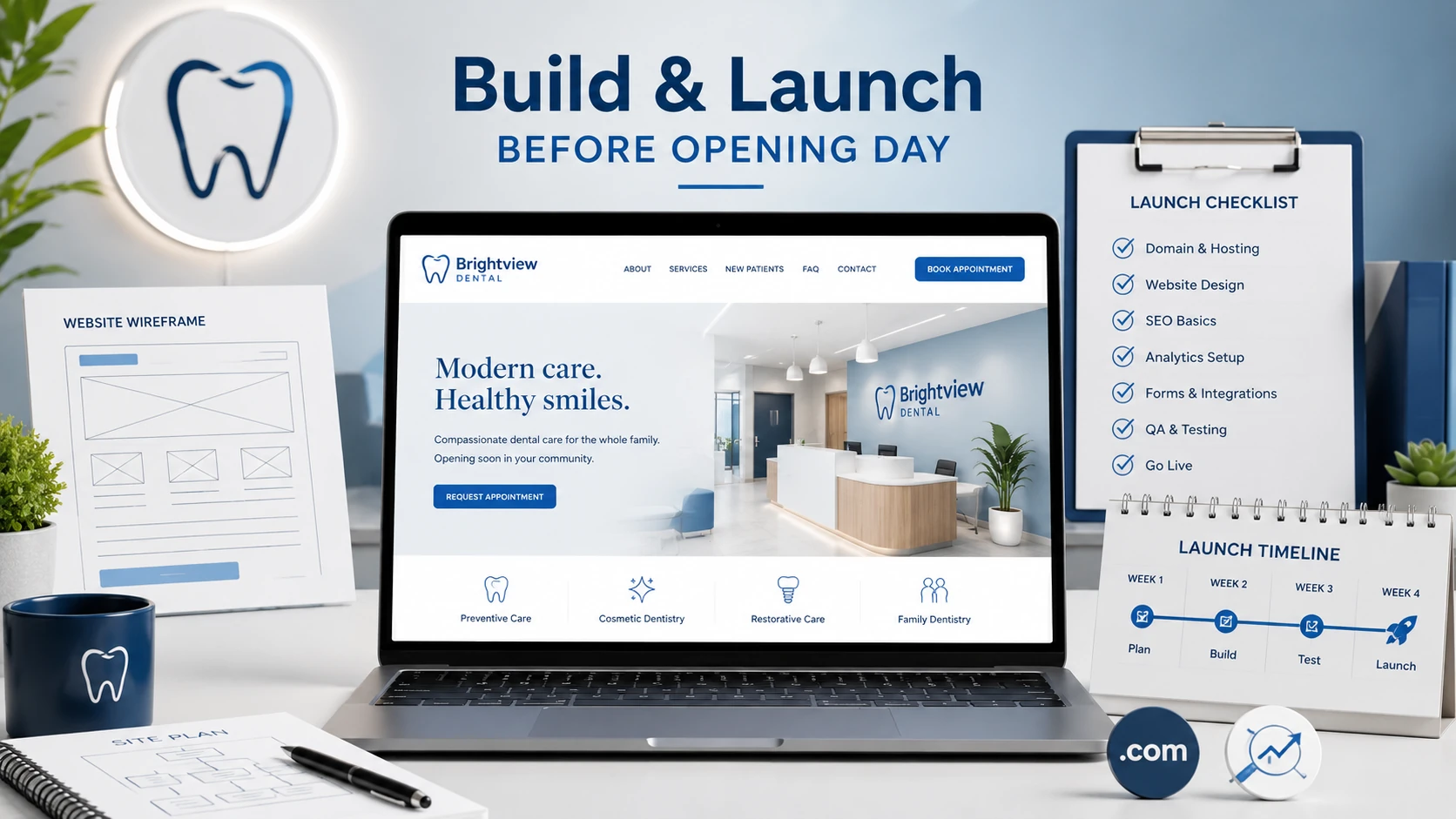 Build and launch your new dental practice website before opening day—not after. Getting your site live weeks ahead of opening gives your new office a working patient-acquisition engine the moment you unlock the doors. Build and launch your new dental practice website before opening day—not after. Getting your site live weeks ahead of opening gives your new office a working patient-acquisition engine the moment you unlock the doors.
For dental practices preparing to open, the website should go live early so it can start earning local search visibility, collecting new-patient inquiries, and building trust during the weeks competitors assume you don’t exist yet. This guide shows dental practice owners and office managers what to build, when to launch, and how to sequence the work so your website is booking appointments on day one.
The mistake most new practices make is treating the website as a grand-opening task instead of a pre-opening asset. A site that goes live the same week you open starts from zero: no search history, no reviews, no early bookings. A site that launches 8–12 weeks early has time to get indexed by Google, link up with your Google Business Profile, and capture patients who are already searching for a new dentist in your area.
The good news is you don’t need a finished, fully polished site to launch. You need the right pages, the right local-SEO foundation, and a working way to book—sequenced in the right order. Below, we break the build into a clear timeline, a must-have page list, the SEO setup that earns early visibility, and a pre-launch checklist you can hand to your web team.
Already open and working backward from a weak site? Most of this still applies—treat it as a relaunch checklist and prioritize the SEO foundation and booking flow first.
Written for: dentists opening a new practice, office managers, and marketing coordinators who want a website that earns patients from day one—not one that starts from scratch after the doors are already open.
TL;DR
If you only do five things before launch, do these:
| 1. |
Launch early - get the site live 8–12 weeks before opening so Google can index it and your local presence can mature
|
| 2. |
Build the pages that convert - homepage, services, new-patient info, and a location/contact page, plus an about page that builds trust
|
| 3. |
Lay the local-SEO foundation - claim and complete your Google Business Profile and keep name, address, and phone consistent everywhere
|
| 4. |
Make booking work on day one - a visible phone number, an online request form, and a scheduling path that actually reaches a real person
|
| 5. |
Plan for proof - set up review collection and add real office photos as soon as you can so trust signals start building before opening |
Table of Contents
Why your dental website should launch before opening day
A new dental website doesn’t rank the day it goes live. Google needs time to crawl it, index the pages, and develop enough confidence to show your practice for local searches like “dentist near me” or “new patient dentist” in your city. That lead time is exactly why the site should launch well before you open—so the slow work of building visibility happens before you actually need the phone to ring.
Three things start the moment your site is live:
| • |
Indexing and early rankings - Google discovers your pages and begins associating your practice with your city and services, a process that takes weeks, not days
|
| • |
Local presence alignment - your website, Google Business Profile, and directory listings start reinforcing the same name, address, and phone, which builds the consistency local search rewards
|
| • |
Pre-opening demand capture - patients researching a new dentist can find you, join a waitlist, or request an opening-week appointment before a single competitor knows you exist |
In our work with new and relocating practices, the offices that launch early almost always open with a head start: a few appointments already on the books, a Google Business Profile that has been verified and active, and a site that has begun climbing for its target searches. The offices that wait until opening week spend their first months playing catch-up.
> Back to Table of Contents
When to start building your dental practice website
Start sooner than feels necessary. A realistic pre-opening website timeline runs 3–4 months, because the technical build, the content, and the local-SEO setup each need their own runway—and they overlap. Here is a working sequence you can adapt to your opening date.
12–16 weeks before opening: foundation
Lock in your practice name, domain, and brand basics, then create your Google Business Profile listing (you can set it up before opening and add an opening date; your profile becomes visible on Google about 90 days before that date). Map out your core pages and start writing content. This is also when to choose a platform and hosting that won’t need to be rebuilt as you grow.
8–12 weeks before opening: build and launch
Get the site live with your essential pages, even if a few details are still placeholders you will refine. Launching now gives Google time to index everything. Connect your domain, install analytics, and submit your sitemap so search engines can find every page.
4–8 weeks before opening: optimize and prove
Add real photos of the office and team as they become available, publish location-specific service content, and start gathering your first reviews from anyone who has experienced your care, such as colleagues or early soft-opening visitors. Verify your Google Business Profile so it can appear in the map results.
Opening week and beyond: convert and refine
Turn on any paid campaigns you have planned, confirm every booking path works, and review your analytics weekly. The site is never truly “done”—but by opening day it should already be working for you, not waiting to be finished.
> Back to Table of Contents
What your pre-opening dental website must include
You don’t need dozens of pages to launch—you need the right ones, built well. These are the core pages that earn search visibility and turn visitors into booked patients. Everything else can come later.
The pages that matter most before you open:
| • |
Homepage - clearly states who you are, where you are, and that you are accepting new patients, with an obvious way to book
|
| • |
Services pages - a page for each major service you offer (general, cosmetic, implants, and so on), since these are what patients actually search for
|
| • |
New patient information - what to expect, insurance and payment options in general terms, and how to schedule a first visit
|
| • |
About and meet the team - the human trust signal that helps nervous patients choose a brand-new office over an established one
|
| • |
Location and contact - address, map, hours, phone, and parking or accessibility notes, all consistent with your Google Business Profile |
Each services page is a ranking opportunity. A single “Services” page that lists everything in one paragraph competes for almost nothing; individual pages built around the terms patients search—like dental implants or teeth whitening in your city—give you far more ways to be found.
Quality over quantity
A brand-new site with five strong, locally focused pages will outperform a bloated site full of thin, generic content. Write each page for a real patient question, name your city naturally, and make the next step—calling or booking—impossible to miss.
> Back to Table of Contents
How to set up your new dental site to rank before you open
Ranking for local searches is the whole point of launching early. For a new practice, local SEO matters more than almost anything else, because nearly every patient is searching for a dentist near them. The setup below gives Google what it needs to connect your site to your city.
The foundation every new dental site needs:
| • |
Google Business Profile - create it, fill it out completely, choose accurate categories, and verify it; this single listing drives much of your early local visibility
|
| • |
Consistent NAP - keep your name, address, and phone number identical on your site, your profile, and every directory, because inconsistency confuses search engines
|
| • |
Local, page-level optimization - work your city and service terms naturally into page titles, headings, and copy instead of stuffing keywords
|
| • |
Technical basics - fast load times, mobile-friendly design, an installed analytics tool, and a submitted sitemap so every page gets found
|
| • |
Schema markup - structured data that tells search engines you are a dental practice, where you are, and what you offer |
The earlier these are in place, the more time Google has to trust your site before opening day. Local rankings rarely appear overnight, so the practices that set this up months ahead are the ones showing up in the map results when patients start searching.
Don’t wait for “perfect” to launch
A live site that is 80% finished beats a perfect site that is still in development, because only a live site earns search history. Launch with solid core pages, then improve continuously. Search engines reward sites that are live, indexed, and steadily updated over those that appear fully formed the week before opening.
> Back to Table of Contents
How to turn early visitors into booked patients
Visibility only pays off if visitors can easily become patients. A new practice cannot afford to lose the patients its early marketing works so hard to attract, so every page should make booking obvious and frictionless. Conversion is where a lot of new-practice websites quietly leak demand.
Make it effortless to become a patient:
| • |
A phone number that is always visible - in the header, on every page, and tappable on mobile, with someone (or a service) ready to answer before you are fully staffed
|
| • |
An online appointment request - a short form or scheduler so patients can reach out around the clock, even before your phones are live
|
| • |
Clear new-patient guidance - tell visitors exactly what to do next and what their first visit will look like
|
| • |
A waitlist or opening-soon signup - capture interest before you open so you launch with appointments already booked
|
| • |
Fast, mobile-first design - most patients will find you on a phone, and a slow or clumsy mobile site sends them to a competitor |
Before launch, test every booking path yourself. Submit your own form and confirm the notification reaches a real person with a backup. Call your own number during the hours you will advertise. The most common pre-opening conversion failure is not a bad website—it is a working website whose form emails go to an inbox nobody is watching yet.
> Back to Table of Contents
Your pre-launch dental website checklist
Use this as a final pass before you flip the site live. Work top to bottom; each item is something you can verify yourself or confirm with your web team.
Before you launch, confirm:
| 1. |
Core pages are published - homepage, services, new-patient info, about, and location/contact are all live and readable
|
| 2. |
Google Business Profile is created and verified - with accurate categories, hours, and an opening date set
|
| 3. |
Name, address, and phone match everywhere - on the site, the profile, and any directory listings
|
| 4. |
The site is mobile-friendly and fast - tested on a real phone, with quick load times
|
| 5. |
Analytics and a sitemap are installed - so you can measure traffic and search engines can find every page
|
| 6. |
Every booking path works - phone answered, form submitted and received, scheduler tested end to end
|
| 7. |
Trust signals are in place or planned - real photos scheduled and review collection ready to start
|
| 8. |
Service terms and city are used naturally - in titles, headings, and copy, without keyword stuffing |
If you can check every box, your site is ready to start working for you. If a few are still open, prioritize the booking paths and the Google Business Profile first—those have the biggest impact on whether early searchers actually become patients.
> Back to Table of Contents
Common pre-opening website mistakes (and how to avoid them)
Most new-practice website problems are predictable, which means they are preventable. These are the patterns we see most often when offices rush the build or treat the site as an afterthought.
The mistakes that cost new practices patients:
| • |
Launching the same week you open - this gives Google no time to index or rank your site, so your first weeks generate almost no organic visibility
|
| • |
Treating the site as a brochure - a website that only describes the practice, with no clear booking path, wastes every visitor it attracts
|
| • |
Ignoring the Google Business Profile - for a local practice this listing is often the first thing patients see, and an unclaimed or incomplete profile is a missed opportunity
|
| • |
Building one giant services page - lumping everything together gives you almost nothing to rank for, while separate pages capture far more searches
|
| • |
Forgetting mobile - a site that looks fine on a desktop but breaks on a phone loses the majority of patients before they ever call |
The fix for nearly all of these is the same: start early and sequence the work so the SEO foundation and booking flow are solid before the cosmetic details. A new practice gets one chance at a first impression in local search—an early, well-structured launch protects it.
> Back to Table of Contents
Build your pre-opening dental website with WEO Media
Opening a practice is enough work without becoming a web developer and SEO specialist on top of it. WEO Media - Dental Marketing builds and launches dental websites designed to rank, convert, and grow—so your site is earning patients before your doors open. If you want a pre-opening launch plan tailored to your timeline, call us at 888-246-6906 or request a consultation through our site.
> Back to Table of Contents
FAQs
How far before opening should I build my dental practice website?
Aim to have your site live 8 to 12 weeks before opening day, with planning and content work starting a few weeks earlier. Search engines need time to index a new site and build enough confidence to show it for local searches, so an early launch lets that slow ranking process happen before you actually need new patients calling.
Can I launch my dental website before I have professional photos?
Yes. It is better to launch early with high-quality temporary or stock images and swap in real office and team photos as they become available. Waiting for a perfect photo shoot only delays indexing and costs you weeks of search visibility. Plan the real photos for the weeks before opening and update the site as soon as you have them.
Do I need a Google Business Profile before my practice opens?
Yes, and you can create it before opening. Google lets you set an opening date and verify the listing ahead of time. For a local dental practice this profile is one of the biggest drivers of early visibility, so completing and verifying it early is one of the highest-impact things you can do before launch.
How many pages does a new dental practice website need to launch?
You can launch with a small, focused set: a homepage, a page for each major service, a new-patient information page, an about or team page, and a location and contact page. A handful of strong, locally focused pages will outperform a large site full of thin, generic content, and you can always add more pages over time.
Will my new dental website rank right away?
Usually not immediately. Local rankings for a brand-new site tend to develop over weeks and months as Google indexes your pages, sees consistent information across your listings, and gathers early signals like reviews. This lag is exactly why launching early matters: it lets the ranking process start before you depend on it.
What is the most important part of a pre-opening dental website?
Two things tie for first: a solid local-SEO foundation and a booking path that works. The SEO foundation gets you found, and a visible phone number plus a working appointment request turns that visibility into booked patients. A site that ranks but cannot convert, or converts but cannot be found, leaves money on the table.
Should I run paid ads before my practice opens?
Paid ads can be useful in the final weeks before opening to capture immediate demand while your organic rankings are still developing, but only after your site and booking paths are fully working. Send paid traffic to a site that converts, with a way to join a waitlist or book opening-week appointments, or the ad spend is wasted. |
|





