Online Scheduling Cuts Dental No-Shows: How to Use the Data to Reduce Missed Appointments
Posted on 5/24/2026 by WEO Media |
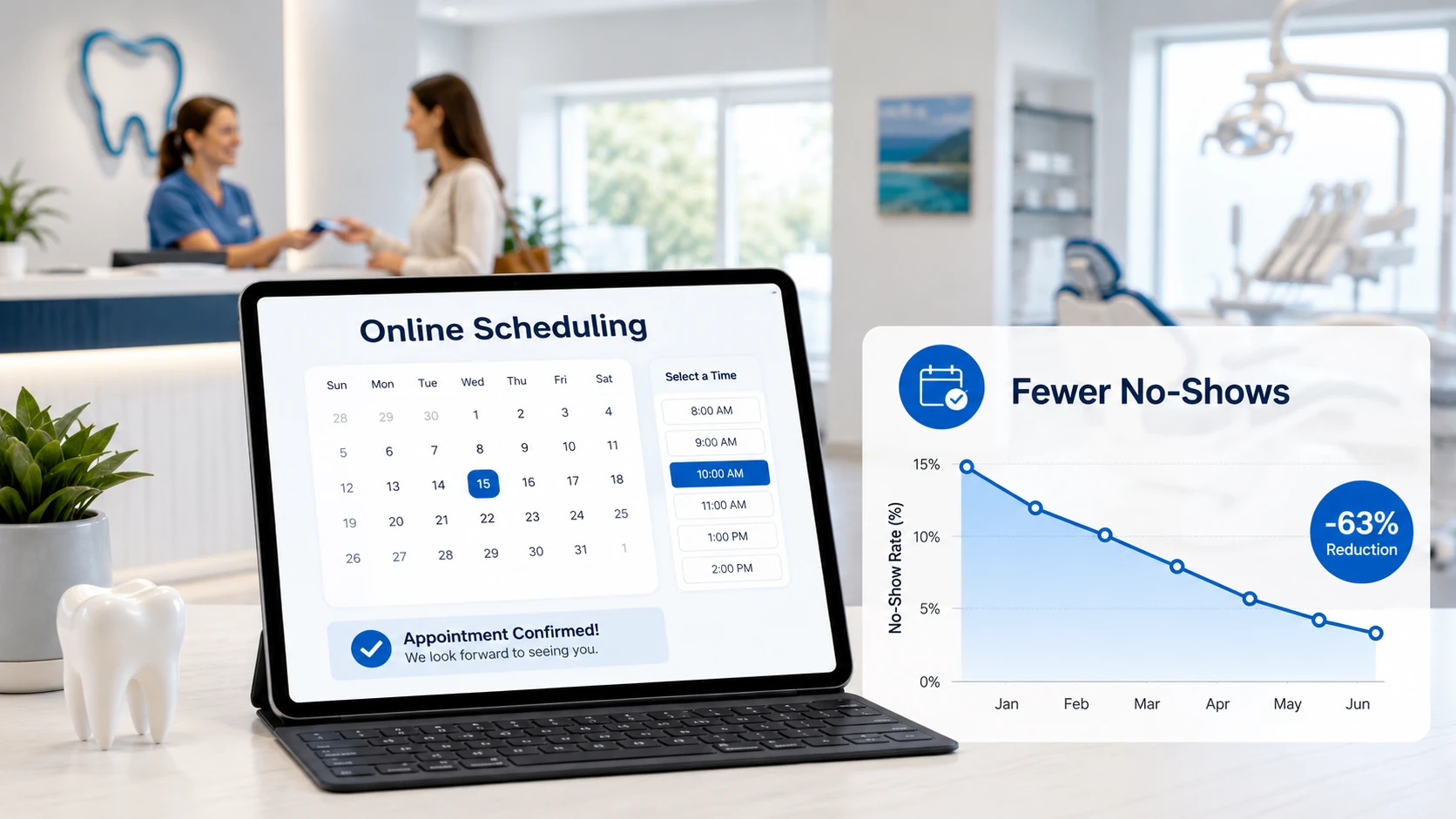 Online scheduling cuts dental no-shows when dental practices configure it with the right rules, hours, and confirmation workflow—peer-reviewed data shows online-booked appointments are missed at less than a third the rate of phone-booked appointments. Giving patients a 24/7 self-serve booking path reduces missed appointments when it’s paired with automated reminders, two-way confirmations, and a real-time view of your schedule. The opposite is also true: online booking that’s misconfigured can quietly increase no-shows by attracting low-commitment bookings without the friction that filters them out. Online scheduling cuts dental no-shows when dental practices configure it with the right rules, hours, and confirmation workflow—peer-reviewed data shows online-booked appointments are missed at less than a third the rate of phone-booked appointments. Giving patients a 24/7 self-serve booking path reduces missed appointments when it’s paired with automated reminders, two-way confirmations, and a real-time view of your schedule. The opposite is also true: online booking that’s misconfigured can quietly increase no-shows by attracting low-commitment bookings without the friction that filters them out.
The mechanism is straightforward: a significant share of dental no-shows trace back to forgetfulness, not anxiety or low interest. Online scheduling addresses that root cause two ways. It lets patients pick a time they’ve actually checked against their own calendar, and it triggers an automated confirmation and reminder sequence the moment the booking is made. The catch is configuration. The same booking widget can produce dramatically different no-show outcomes depending on hours offered, lead-time rules, deposit policy, required intake fields, and how deeply the widget integrates with your practice management system.
Already running online scheduling? Skip to the data section and the 90-day measurement framework below to benchmark your current performance.
Below, you’ll learn what the research and industry data actually show about online scheduling and dental no-shows, how the mechanism works, how to configure a booking system that cuts (not feeds) no-shows, how to pair it with confirmation workflows, how to measure the impact at your practice, and the common implementation mistakes that erase the gains.
Written for: dental practice owners, office managers, and marketing coordinators who want missed-appointment numbers to move—measurably—in the next 90 days.
TL;DR
If you only do five things, do these:
| • |
Turn on real-time online scheduling—but only for the visit types you want filled - hygiene recare, new patient exam bundles, and limited-emergency slots; not complex restorative or sedation consults
|
| • |
Pair every online booking with a layered reminder cadence - immediate confirmation, 72-hour reminder, 24-hour reminder, and a 2–3 hour day-of text, all with one-tap reply options
|
| • |
Set lead-time and cancellation rules that protect the schedule - 24–48 hour minimum lead time, clear cancellation window, and an optional refundable hold for high-value new patient visits
|
| • |
Track no-show rate by booking channel - compare online vs phone separately for 90 days; if online runs higher, the configuration is the problem
|
| • |
Audit configuration monthly - visit-type mapping, provider availability, and reminder cadence all drift the moment your team makes operational changes |
Table of Contents
The real cost of dental no-shows
Industry benchmarks for dental no-show rates vary widely, but the cost pattern is consistent. Every missed appointment represents already-spent staff time, lost production, and a downstream cascade that affects the rest of the day’s schedule—and the rest of the week if rescheduling has to absorb the gap.
What the benchmarks show:
| • |
General practices - widely cited averages range from 4% to 15%, with some sources reporting rates as high as 30% in struggling practices
|
| • |
Specialty practices - typically see 10–15% no-show rates due to longer advance scheduling windows and higher appointment value, both of which correlate with elevated no-show risk
|
| • |
Top-decile practices - have driven no-show rates to roughly 1%, almost entirely through systematic confirmation and reminder workflows paired with online self-scheduling
|
| • |
The confirmation gap - Henry Schein One’s 2024 Industry Report, which analyzed performance data from more than 2,500 U.S. dental practices, found average practices confirm only 44% of scheduled appointments while top performers confirm 87%—a 43-point gap that maps directly to no-show rate disparity |
The hidden cost beyond lost production: a missed appointment doesn’t just remove that slot’s revenue. It absorbs the time already spent on insurance verification, intake preparation, hygienist setup, and reminder calls. It blocks another patient who would have kept that slot. And it consumes administrative time on rescheduling. A pattern we commonly see in practices we audit is that the true cost runs 40–60% above the direct production loss once these absorbed costs are counted.
Why the “forgetfulness” finding matters: a large share of missed dental appointments come from simple forgetfulness rather than anxiety, dissatisfaction, or low commitment. This is the single most important insight for understanding why online scheduling helps. The dominant failure mode is a calendar problem, not a desire problem. Patients want the appointment—they just forget, or they schedule it during a moment of optimism that doesn’t survive the actual week. Online scheduling lets them pick a time they’ll actually keep, and the integrated reminder stack catches the rest.
> Back to Table of Contents
How online scheduling actually cuts no-shows
The mechanism isn’t magic, and it isn’t about the booking widget itself. It’s about how online scheduling changes who books, when they book, and what happens between the booking and the appointment.
Self-selection of a workable time: when a patient picks their own slot in real time, they’ve already checked it against their calendar before they commit. Phone booking happens during your business hours, which usually means during their working hours, when they’re distracted or stealing time at lunch. The result is a higher rate of “I’ll figure it out” appointments that fall apart when the actual day arrives.
After-hours capture of high-intent patients: a peer-reviewed Journal of Medical Internet Research study found that nearly 30% of patient self-scheduling actions occur outside standard business hours, compared to less than 1% of staff-scheduled actions. These are patients who would otherwise have left a voicemail, sent a contact form, or moved on entirely. Captured demand that would have been lost is now booked appointments—and because the patient acted in their own window, the booking tends to be more durable.
The three changes that drive the no-show reduction
| 1. |
Time alignment - patients book when they have their actual calendar in front of them, not under phone-call pressure with a receptionist waiting on the other end
|
| 2. |
Immediate confirmation - online bookings trigger instant email and SMS confirmations with calendar attachments, so the appointment exists in the patient’s system from minute one rather than as a verbal commitment they have to remember to write down
|
| 3. |
Automated reminder cadence - online booking platforms integrate with reminder workflows by default; phone-booked appointments often miss the cadence because manual reminder setup is inconsistent and staff-dependent |
What online scheduling does not fix on its own: it doesn’t address dental anxiety, financial hesitation, or the high-acuity case that needs a conversation before a booking. These are why your online booking should be limited to specific visit types (hygiene recare, new patient exams, limited emergencies) rather than your entire menu. Complex consults still benefit from a human conversation—and forcing them through a self-service widget creates the “booked but won’t show” problem that critics of online scheduling cite.
> Back to Table of Contents
What the data shows about online scheduling and no-shows
The strongest evidence comes from a 2025 peer-reviewed study published in Frontiers in Digital Health that compared appointment utilization before and after implementing online appointment scheduling in an ophthalmology practice and a university hospital over 20 months. While the study isn’t dental-specific, the practice-setting findings translate directly to outpatient specialty care, including dentistry: the no-show rate for online-booked appointments was less than a third the rate for phone-booked appointments.
Peer-reviewed findings from the practice setting
| • |
Online-booked appointments were missed at 1.8% vs 5.9% for phone-booked appointments (p < 0.0001)—online bookings were missed at less than a third the rate
|
| • |
Unused appointments dropped from 22.7% to 10.3% (p < 0.0001) after online appointment scheduling was implemented
|
| • |
Never-booked appointments fell from 8.6% to 1.6% (p < 0.0001), meaning more total appointments were actually scheduled into available slots
|
| • |
Appointment utilization rose significantly overall, demonstrating that online scheduling improves resource use, not just patient convenience
|
| • |
SMS reminders independently reduced no-show risk in the hospital arm of the same study—reinforcing that the booking channel and the reminder channel work together, not independently |
Industry-level data from dental practices
Henry Schein One’s 2024 Industry Report documented average no-show rates dropping from 7% in 2022 to 4% in 2023 across the more than 2,500 U.S. dental practices it tracks. The report attributes much of the improvement to wider adoption of online scheduling, automated confirmations, and post-visit follow-up automation. It also notes that top-performing practices, which have nearly eliminated no-shows, consistently use online scheduling as part of a layered intake stack rather than as a standalone widget.
Patient preference data
Survey research consistently shows that 67–79% of patients prefer online booking over phone scheduling for healthcare appointments. A dental-specific DentaVox survey found 79% of respondents rated online scheduling as “better” or “significantly better” than calling. Preference alone doesn’t prove kept-appointment outcomes, but it explains the underlying mechanism: patients route themselves to a method they’re more committed to using, and commitment correlates with attendance.
What the data does not say
The research isn’t universally positive, and it’s worth being honest about that. Some practice-management commentators have observed higher no-show rates on online-booked appointments when the booking process lacks confirmation friction—essentially, when patients can book in 30 seconds without entering full contact details or receiving an immediate reminder. This is a configuration failure, not a verdict on online scheduling. Practices that experience this pattern almost always lack:
| • |
Required fields that ensure reachable contact info (verified mobile, email)
|
| • |
An immediate confirmation message with one-tap confirm or cancel
|
| • |
A 24-hour reminder paired with a same-day text
|
| • |
Clear visit-type limits that route complex cases to a human conversation |
When those four elements are in place, the data converges: online scheduling reduces no-shows. When they’re missing, online scheduling can underperform phone booking. The system matters more than the channel.
> Back to Table of Contents
How to set up online scheduling that reduces no-shows
The single biggest predictor of whether online scheduling will help or hurt your no-show numbers is configuration. A booking widget plugged into your site without rules is a lead-intake form, not a scheduling system. Here’s the configuration that consistently produces measurable no-show reduction.
Visit-type mapping
Not every appointment type belongs on a self-serve widget. The visit types that should be online-bookable are the ones where the patient knows what they need and the practice knows the time required.
Recommended for online booking:
| • |
Hygiene recare - adult and pediatric prophy at standard intervals
|
| • |
New patient exam and cleaning bundle - a single defined visit type rather than two stacked appointments
|
| • |
Limited emergency or same-day pain visits - routed to a held emergency block rather than the general schedule
|
| • |
Whitening consults and simple cosmetic intake visits
|
| • |
Hygiene re-exams for active perio maintenance patients on a confirmed interval |
Keep off online booking:
| • |
Complex restorative consults - full-mouth rehab, large-case treatment planning
|
| • |
Implant surgical or sedation visits - require medical history review before scheduling
|
| • |
Specialty consults - where a human conversation drives correct routing
|
| • |
Multi-provider sequenced visits - depend on real-time chair coordination |
Lead-time and cancellation rules
The two rules that protect schedule integrity without scaring off real patients are minimum lead time and cancellation window.
Lead-time recommendations:
| • |
Hygiene recare - minimum 24-hour lead time so the team can verify insurance and prepare
|
| • |
New patient exam - minimum 24–48 hours for the same reason, plus intake form completion time
|
| • |
Limited emergency - same-day allowed, but routed into a held emergency block rather than the general schedule |
Cancellation window: 24 hours is the standard. Some practices add a refundable hold (typically $25–$50) for high-value visits like new patient comprehensive exams, applied toward the visit cost. A small refundable hold substantially reduces no-shows on high-acuity slots without meaningfully reducing booking volume—the patients who decline to leave a refundable hold are usually the same patients who wouldn’t have shown up.
Required intake fields
The temptation is to minimize the booking form to maximize conversions. The data argues the opposite for no-show reduction. A slightly longer form filters out the lowest-commitment bookings and ensures you can actually reach the patient before the appointment.
Minimum required fields:
| • |
Full legal name - for insurance verification
|
| • |
Verified mobile phone - with SMS opt-in confirmation
|
| • |
Email address - backup channel for reminders
|
| • |
Reason for visit - short pick list rather than free-text
|
| • |
Insurance carrier - if accepted; skip for self-pay flows
|
| • |
HIPAA-compliant intake forms - auto-sent after booking with a clear deadline |
Hours and availability rules
Show only the time blocks your team can actually verify and prepare for. Two patterns we commonly see fail:
| • |
Showing the full schedule when 30% of slots are held for emergencies or active treatment patients, creating overbooking conflicts staff have to resolve manually with phone calls patients hate
|
| • |
Showing the same slot to multiple patients when the system polls infrequently, leading to double-bookings and the cancellations that follow |
A real-time, two-way sync between your booking widget and your practice management system isn’t optional—it’s what separates online scheduling from online lead-collection.
> Back to Table of Contents
Pairing online scheduling with confirmation and reminder workflows
Online scheduling and reminder workflows are sometimes treated as separate decisions. They’re not. The reduction in no-shows comes from the combination, and missing either piece leaves significant value on the table.
The minimum confirmation and reminder cadence
| 1. |
Immediate confirmation (within 60 seconds of booking) - SMS plus email, including appointment date and time, provider, location, calendar attachment, and a one-tap confirm or cancel button
|
| 2. |
Intake form delivery (within 5 minutes) - HIPAA-compliant intake forms sent automatically with a clear deadline
|
| 3. |
72-hour pre-appointment reminder - SMS with one-tap confirm or reschedule; this catches schedule conflicts early enough to refill the slot from a waitlist
|
| 4. |
24-hour reminder - SMS first, email backup, with directions and any pre-visit instructions
|
| 5. |
2–3 hour day-of reminder - short SMS only; this catches the “I forgot” failure mode that drives most no-shows
|
| 6. |
Post-visit confirmation and rebook prompt - same-day thank-you with a link to schedule the next recare appointment |
Why a layered cadence works better than a single reminder
A single 24-hour reminder catches the patient who needs a final nudge to confirm, but it doesn’t catch the patient whose schedule has changed earlier in the week and who simply wouldn’t have shown up regardless. The 72-hour reminder gives you a chance to refill the slot if they need to reschedule. The 2–3 hour reminder catches the day-of forgetfulness that accounts for the largest share of no-shows. SMS-first because text open rates run substantially higher than email open rates. Email as backup because some patients reliably use only one channel and you don’t always know which.
Two-way messaging is the unlock
Reminders that allow a patient to reply with “C” to confirm, “R” to request reschedule, or that route a free-text reply to a staff member do significantly better than one-way reminders. A common pattern we see in audits: practices using one-way reminders measure their reminder system as “working” because the messages send successfully, while patients try to reply to schedule changes and get auto-responses telling them to call back during office hours. Two-way SMS with consent-first reply handling catches those reschedules; one-way blasts let them die. Calls that don’t happen during office hours become no-shows the following morning.
> Back to Table of Contents
How to measure online scheduling’s impact at your practice
Most practices that implement online scheduling never measure its impact on no-shows specifically. They measure total bookings, total online bookings, or overall no-show rate, and they miss the channel-level comparison that tells the real story about whether the change actually worked.
The four numbers to track
| 1. |
No-show rate by booking channel - online-booked appointments vs phone-booked appointments, measured separately over a rolling 90-day window
|
| 2. |
Cancellation lead time by channel - if online bookings cancel earlier (giving you time to refill), that’s a feature; if they cancel same-day at higher rates, that’s a configuration problem
|
| 3. |
Reschedule-vs-no-show ratio - a healthy system has more reschedules than no-shows because patients are using the reminder reply path; an unhealthy system shows the inverse
|
| 4. |
Fill rate of cancelled slots - a cancellation that gets refilled isn’t the same as a no-show; track how often cancelled online slots get rebooked within 48 hours from a waitlist |
A simple 90-day measurement framework
Set a baseline before changing anything. Run 30 days of data with your current configuration. Then change one variable at a time so you can attribute any movement to the right cause:
| 1. |
Days 1–30: Baseline - record no-show rate, by channel, by visit type, with no operational changes
|
| 2. |
Days 31–60: Reminder change - implement the layered cadence (or whatever’s missing); measure delta against the baseline
|
| 3. |
Days 61–90: Configuration change - tighten visit-type rules, lead time, or deposit policy; measure delta against days 31–60 |
The point of changing one variable at a time is that if no-shows drop, you know which change caused it. A pattern we commonly see is practices that overhaul their full intake stack at once, see improvement, and never know which piece mattered—which leaves them unable to defend the change if leadership pushes back on cost six months later.
What “good” looks like after 90 days
Practices that implement online scheduling correctly typically see their overall no-show rate drop by 30–50% from baseline within 90 days, with the online-channel no-show rate sitting at or below the phone-channel rate. If your online-channel rate is significantly higher than your phone rate after 90 days, configuration is the issue. Return to the setup section and audit visit-type mapping, required fields, and the reminder cadence—the answer is almost always in one of those three places.
> Back to Table of Contents
Common implementation mistakes that erase the gains
Most of the “online scheduling doesn’t work” takes we hear from dental practices trace back to the same handful of configuration mistakes. None of them are mysterious, and all of them are fixable in a single working session if you know where to look.
Mistake 1: One-way reminders only. Patients can’t confirm or reschedule by reply, so they either call (during office hours, which is when they’re busy) or they don’t. The slot dies on the day of the appointment. The fix is to enable two-way SMS with reply handling routed to a staff member or AI-assisted phone and message triage during open hours.
Mistake 2: No deposit or hold on high-value new patient slots. Online booking lowers friction deliberately, which means it captures both your highest-intent and lowest-intent prospects in the same flow. For comprehensive exam slots that block 60–90 minutes of provider time, a small refundable hold separates the two without meaningfully reducing booked volume.
Mistake 3: Showing all available slots instead of curated availability. If your team holds certain blocks for emergencies, active-treatment patients, or specific provider preferences, those blocks shouldn’t appear in the online widget. Showing them creates the “I booked but you called to move me” experience patients hate, and the rescheduled appointment carries a higher no-show rate than the original would have.
Mistake 4: Treating the booking widget as a marketing tool rather than an operations tool. Marketing teams want to maximize bookings. Operations teams want to maximize kept appointments. These goals diverge: maximum bookings without configuration discipline produces the no-show problem online scheduling is supposed to solve. Successful implementations are owned by operations with marketing input, not the reverse.
Mistake 5: Skipping the monthly configuration audit. Visit-type rules drift. Provider availability changes. Reminder cadences get accidentally disabled during practice management system updates. Practices that don’t do a monthly audit discover quarter-over-quarter no-show creep that they can’t explain. The root cause is usually a configuration change made by someone who didn’t realize what it touched.
Mistake 6: Treating “does it integrate with our PMS?” as a yes/no question. The answer is almost always yes, but the depth of integration varies enormously. A widget that only writes to your practice management system one-way will create double-booking and slot-mismatch problems that staff resolve by calling patients to move appointments. Those moved appointments carry higher no-show rates than originally-booked ones. Insist on real-time, two-way sync as a non-negotiable requirement.
> Back to Table of Contents
Get help implementing online scheduling at your practice
Online scheduling cuts dental no-shows when it’s configured as part of a complete intake and reminder system—not bolted on as a standalone widget. WEO Media - Dental Marketing helps dental practices design, install, and tune online scheduling integrations that produce measurable no-show reduction within 90 days, with the visit-type mapping, layered reminder cadence, and practice management system integration depth that determine whether the change actually moves the number.
If you’re evaluating online scheduling for your practice—or you have it and the no-show numbers haven’t moved—call 888-246-6906 to talk through your current setup and what a measurement-driven implementation would look like.
> Back to Table of Contents
FAQs
Does online scheduling actually reduce no-shows in dental practices?
Yes, when it’s configured correctly. A 2025 peer-reviewed study published in Frontiers in Digital Health found that in an ophthalmology practice setting, the no-show rate for online-booked appointments was 1.8% versus 5.9% for phone-booked appointments (p < 0.0001)—and unused appointments fell from 22.7% to 10.3% after implementation. Henry Schein One’s 2024 Industry Report documented dental no-show rates dropping from 7% to 4% across more than 2,500 tracked practices using online scheduling combined with automated confirmations. The reduction depends on three things working together: real-time online booking, a layered SMS and email reminder cadence, and visit-type rules that route complex cases to a human conversation.
Can online scheduling increase no-shows instead of reducing them?
Yes, when configuration is wrong. Online scheduling can underperform phone booking when the booking form has minimal required fields, no immediate confirmation message, only a single one-way reminder, and no visit-type limits. These configurations produce low-commitment bookings without the friction needed to filter them. Practices that experience higher online no-show rates than phone no-show rates almost always have one or more of these gaps—it’s rarely a problem with online scheduling itself.
What visit types should dental patients be allowed to book online?
Limit online booking to predictable visit types where the patient knows what they need and the team knows the time required: hygiene recare, new patient exam and cleaning bundles, limited emergency or same-day pain visits routed to a held emergency block, and whitening or simple cosmetic consults. Keep complex restorative consults, implant surgical visits, sedation appointments, and multi-provider sequenced visits off online booking. These benefit from a human conversation that routes the patient correctly and prevents the “booked but won’t show” pattern that critics of online scheduling cite.
What is a normal no-show rate for a dental practice?
Industry benchmarks vary by source and methodology. General dental practices commonly report no-show rates ranging from 4% to 15%, with some practices experiencing rates up to 30%. Specialty practices typically run higher (10–15%) due to longer scheduling lead times and higher appointment value. Top-performing practices have driven no-show rates to roughly 1% through systematic confirmation and reminder workflows paired with online self-scheduling. Most practices should target a no-show rate at or below 5% within 90–180 days of implementing a layered intake system.
How long does it take to see no-show reduction after adding online scheduling?
Measurable reduction typically appears within 60–90 days, assuming the implementation includes a layered reminder cadence and accurate visit-type mapping. The first 30 days are usually a baseline period as patients learn the system and online booking volume ramps. Days 31–90 show the no-show rate by channel diverging from baseline, with online bookings typically meeting or beating phone bookings on kept-appointment rate. Practices that don’t see movement by day 90 usually have a configuration issue—most often a one-way reminder system or visit-type rules that route complex cases through self-service.
Should dental practices require a deposit for online bookings?
Not for routine hygiene recare or established-patient visits. For high-value new patient comprehensive exams that block 60–90 minutes of provider time, a small refundable hold (typically $25–$50, applied toward the visit cost) substantially reduces no-shows without meaningfully reducing booking volume. The patients who decline a refundable hold are usually the same patients who wouldn’t have shown up. Skip deposits for emergency or pain visits, where the friction would deter legitimate urgent care.
What reminder cadence reduces dental no-shows the most?
A layered cadence works better than a single reminder. The pattern with the strongest practical evidence: immediate confirmation within 60 seconds of booking, intake form delivery within 5 minutes, a 72-hour reminder, a 24-hour reminder, and a 2–3 hour day-of reminder. SMS first with email backup. Two-way messaging is the unlock—allowing patients to reply with one tap to confirm or reschedule catches the schedule-conflict reschedules that one-way reminders miss entirely.
What percentage of dental patients want to book online?
Survey research consistently shows that 67–79% of patients prefer online booking over phone scheduling for healthcare appointments. A dental-specific DentaVox survey found 79% of respondents rated online scheduling as “better” or “significantly better” than calling. A peer-reviewed Journal of Medical Internet Research study also found that nearly 30% of patient self-scheduling actions happen outside standard business hours, compared to less than 1% of staff-scheduled actions—capturing demand that would otherwise be lost to voicemail or unanswered contact forms.
Does online scheduling work for specialty dental practices?
Yes, with tighter visit-type rules than general practice. Specialty practices (periodontics, endodontics, oral surgery, orthodontics, pediatric dentistry) typically run higher baseline no-show rates (10–15%) because of longer lead times and higher appointment value, which makes the upside of online scheduling proportionally larger. The configuration shift is to allow online booking only for predictable follow-up visits, recare, and clearly defined consultations—and to require human-handled scheduling for surgical, sedation, and multi-stage treatment visits. With those rules and a layered reminder cadence, specialty practices typically see no-show reductions in line with general practice. |
|