Dental Website Redesign: How to Protect SEO Rankings
Posted on 4/15/2026 by WEO Media
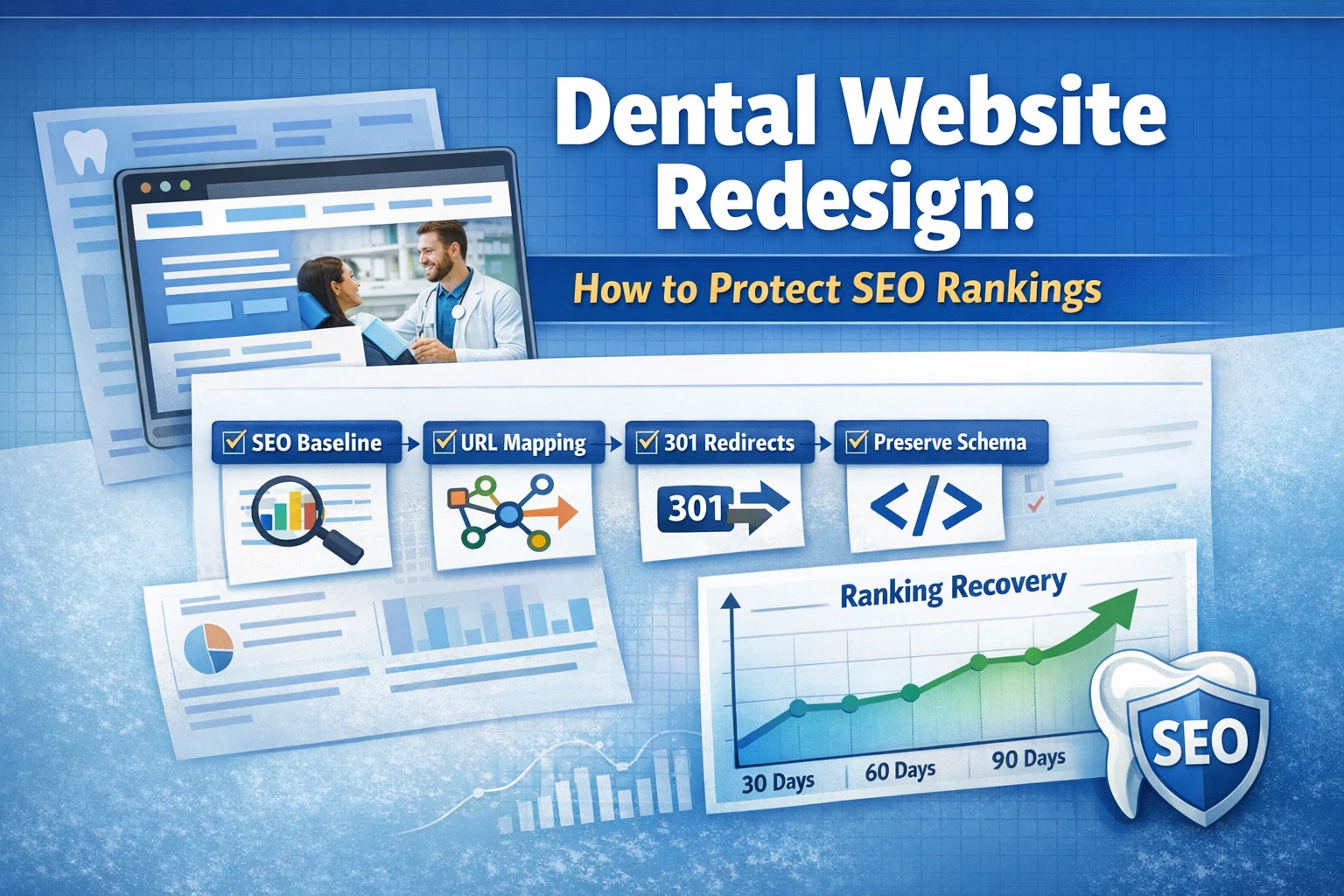
To protect SEO rankings during a dental website redesign, dental practices must follow a specific migration protocol across three phases: pre-launch baseline capture, launch-day execution, and 30/60/90-day post-launch monitoring.
This SEO-safe checklist shows dental practices exactly how to redesign a website without the 40–70% organic traffic drops that commonly hit offices who treat a redesign as a design project rather than a migration project.
The pattern is predictable: a practice invests in a beautiful new site, launches it, and watches organic traffic collapse within 30–60 days. The root cause is almost never the visual design—it’s the migration. Old URLs break, redirects are missing or wrong, body content is thinned, schema is dropped, and Google effectively treats the new site like a stranger. The rankings a practice spent months or years building get thrown away in a single weekend.
Already redesigning and watching traffic slide? Skip to the 30/60/90-day monitoring section for triage steps. If you haven’t started yet, work through this checklist before your agency writes a single line of code.
Below, you’ll learn how to capture a full SEO baseline before anything changes, build a URL map a developer can execute against, preserve the on-page and technical signals Google uses to rank you, run a launch-day protocol that catches the most common errors, and monitor for ranking recovery over the first 90 days.
Written for: dental practice owners, office managers, and marketing decision-makers planning a website redesign—or evaluating whether an agency’s migration plan actually protects SEO.
TL;DR
If you only do eight things, do these:
1.
Capture a full SEO baseline before anything changes - Search Console, analytics, site crawl, backlinks, and rankings
2.
Build a 1:1 URL map from every old URL to a new URL before design begins
3.
Use 301 redirects only - never 302s, never meta refreshes, never mass redirects to the homepage
4.
Preserve on-page signals on ranking pages - title tags, H1s, body content, internal links, image alt text
5.
Migrate all schema markup - Dentist/LocalBusiness, FAQ, Review, and BlogPosting
6.
Verify Core Web Vitals on staging - LCP under 2.5s, CLS under 0.1, INP under 200ms
7.
Run a launch-day protocol - crawl staging, remove noindex tags, submit the new sitemap to Search Console
8.
Monitor for 90 days - daily checks in week one, red-flag thresholds at day 30, 60, and 90
Why dental website redesigns tank SEO (and how to prevent it)
Most dental practices assume a website redesign is a design project. The web designer shows mockups, the practice approves the look, development begins, and at some point the new site goes live. The problem: to Google, what was just delivered can look like a brand-new website with different URLs, different content, different schema, and different technical signals. Without a deliberate migration plan, the ranking authority the old site accumulated over years gets left behind.
The most common causes of post-redesign traffic loss:
•
Missing or broken redirects - old URLs return 404s instead of routing to the new equivalent page
•
URL structure changes without mapping - every old URL becomes a dead end, and link equity is lost
•
Content thinning - new pages are shorter or merged, and no longer match the search intent the old pages ranked for
•
Schema dropped in the rebuild - Dentist, FAQ, and Review schema that supported rich results disappears
•
Slower site speed - heavier page builders, uncompressed images, and render-blocking scripts fail Core Web Vitals
•
Mixed content or HTTPS issues - a subset of pages fall back to HTTP and trigger browser warnings and indexing problems
•
Stray “noindex” tags - the staging site’s block on search engines accidentally ships to production
Each of these is preventable. The difference between a redesign that preserves SEO and one that destroys it is almost entirely about process—not design talent, and not budget.
How to capture a dental SEO baseline before redesign
Before a single pixel changes, document what you currently have. You cannot protect what you haven’t measured, and you cannot diagnose a post-launch traffic drop without a clear “before” picture. This baseline typically takes 2–4 hours and is the single highest-leverage step in the entire checklist.
Baseline capture checklist:
•
Google Search Console export - download 16 months of performance data (clicks, impressions, CTR, average position) segmented by query and by page
•
Google Analytics 4 export - pull organic sessions, top landing pages, and key events for the last 12 months
•
Full site crawl - use Screaming Frog or a comparable crawler to export every URL, title tag, meta description, H1, word count, internal link count, and schema type
•
Backlink profile - export referring domains from Ahrefs, Semrush, or Moz; flag pages with the most backlinks as “never lose these URLs”
•
Keyword ranking snapshot - document current positions for your top 25–50 target keywords
•
Google Business Profile audit - screenshot current GBP data, reviews, posts, photos, and the website URL field
•
Local citation list - export your citation profile (Yelp, Healthgrades, Zocdoc, NPI directories) so you know where the website URL must be updated post-launch
•
Schema inventory - document every page running Dentist, LocalBusiness, FAQ, Review, or BlogPosting schema
Save all of this in a single folder labeled with the capture date. When you’re troubleshooting a traffic drop at day 45, this folder is the difference between a 30-minute fix and a three-week investigation.
URL mapping and 301 redirects: the most critical step
If you get nothing else right, get this right. A URL map tells your developer exactly which old URL should redirect to which new URL on launch day. Every ranking page, every backlinked page, every indexed page needs a destination. No page gets to become a 404.
Building the URL map:
1.
Export every URL from your crawl, Search Console, and analytics - combine all three sources because each misses URLs the others catch
2.
Classify each URL - keep as-is, redirect to new equivalent, redirect to consolidated page, or retire
3.
Match each old URL to a new URL in a spreadsheet with columns for old path, new path, redirect type, and notes
4.
Prefer 1:1 redirects when possible - one old URL to one new URL that serves the same intent
5.
Avoid aggressive consolidation - if five service pages become one, the four pages that redirect away lose their specific ranking signals
6.
Never mass-redirect to the homepage - Google treats this as a soft 404 and drops the URLs from the index
7.
Hand off the final map to your developer as a CSV for implementation in .htaccess, Nginx config, or the CMS redirect module
301 vs. 302 vs. meta refresh: use 301
A 301 is a permanent redirect and passes ranking authority from the old URL to the new URL. A 302 is a temporary redirect and does not pass authority reliably. A meta refresh is a client-side redirect that Google may not follow at all. When a developer says “we set up redirects,” ask specifically: are they 301s, server-side, with no redirect chains? If the answer is anything else, the job is not done.
Avoid redirect chains
A redirect chain is when old URL A redirects to old URL B which redirects to new URL C. Each hop loses a small amount of authority, slows page load, and can cause Google to stop following the chain entirely. Every redirect should be a single hop: old URL directly to final new URL. Pull the URL map after launch and verify with a crawler that every redirect resolves in one step to a 200 status code.
On-page SEO preservation checklist for dental practices
The on-page signals your current site uses to rank—title tags, H1s, body content, internal links, and image alt text—need to be migrated deliberately. The temptation during a redesign is to rewrite everything because it’s “fresh.” For pages that already rank well, this is the fastest way to lose rankings.
On-page preservation checklist:
•
Title tags - keep identical on pages ranking in positions 1–20; only optimize titles on pages ranking 21+ or not ranking at all
•
Meta descriptions - preserve or improve; don’t blank them and let the CMS auto-generate
•
H1 tags - match the old H1 on ranking pages unless there’s a specific reason to change
•
Body content - preserve the full word count and topical coverage on ranking pages; do not let a designer shorten a 1,200-word service page to 300 words “for cleaner visual flow”
•
Image filenames and alt text - migrate descriptive filenames (“dental-implant-consultation.webp” not “IMG_4829.webp”) and keep alt text on every content image
•
Internal linking - map your existing internal link structure and replicate it; the redesign is an opportunity to strengthen internal links, not remove them
•
Canonical tags - every page needs a self-referencing canonical pointing to the final new URL
A pattern we commonly see: a practice’s top-performing blog post runs 1,800 words and ranks on page one. The new site’s blog template has a “clean, modern” layout that caps posts at 600 words. That post drops to page three within 60 days. The fix is boring but essential: preserve the word count and topical depth on every page that currently earns traffic.
Technical and local SEO migration for dental websites
Technical SEO during a redesign splits into two categories: preserving what Google already trusts, and meeting the current performance bar. For dental practices, local SEO is a third layer that’s easy to mishandle.
Core Web Vitals and site performance
Google’s current Core Web Vitals thresholds: Largest Contentful Paint (LCP) under 2.5 seconds, Cumulative Layout Shift (CLS) under 0.1, and Interaction to Next Paint (INP) under 200 milliseconds. Run PageSpeed Insights on staging for your five most important pages before launch. If any fail, the fix belongs in the build—not the “we’ll optimize later” pile. Common slow dental website issues: uncompressed hero images, unused JavaScript from page builders, render-blocking CSS, and third-party chat widgets that load before content.
Schema markup migration
Dental practices typically run Dentist or LocalBusiness schema sitewide, FAQ schema on pages with FAQ sections, and Review schema where testimonials appear. Each of these needs to move to the new site with the same data and the same placement. Validate every schema type in Google’s Rich Results Test before launch and again after launch. FAQ schema no longer produces traditional rich results for most sites following Google’s August 2023 restriction, but it still contributes to AI Overview extraction, voice search responses, and featured snippet candidacy—so keep it.
Local SEO and Google Business Profile
If the website URL is changing, update it in Google Business Profile the same day the new site goes live—not before, not a week later. NAP consistency (name, address, phone) across schema, website footer, and GBP must be exact. If the practice name is changing (adding “Family Dentistry,” removing a location suffix), recognize that this can temporarily affect local rankings and plan accordingly. Major citation sources (Yelp, Healthgrades, Zocdoc, state dental association directories) should have the URL updated within 30 days; tier-two citations can follow over 60–90 days.
Robots.txt, sitemap, and indexing controls
The staging site almost certainly had a robots.txt blocking crawlers or meta robots “noindex” tags across every page. These cannot ship to production. The single most common launch-day disaster is a new site that ships with “noindex” live for 3–7 days before anyone notices. Verify the live site’s robots.txt permits crawling, verify no page template carries a “noindex” tag, and submit the new XML sitemap to Google Search Console on launch day.
Most SEO recovery follows a predictable curve. Knowing what’s normal prevents panic at day 20 and prevents complacency at day 45. Results vary by site size, authority, and how cleanly the migration was executed; the ranges below describe what we commonly see on well-executed dental redesigns.
Day 1–7: expect a 0–15% short-term organic traffic dip as Google re-crawls and re-processes URLs. Focus daily on catching errors in Search Console and comparing live-site crawls against the URL map.
Day 8–30: traffic often dips 10–20% from baseline as Google processes the redirect map and re-evaluates relevance signals. Rankings fluctuate. Watch for: pages dropping more than 20 positions (indicates a migration problem on that specific URL), sustained 404 errors, or crawl budget issues on larger sites.
Day 31–60: the majority of redirect authority has transferred. Rankings stabilize. Traffic should be within 5–10% of pre-launch baseline. If you’re still 25%+ down, something specific is broken—usually a redirect error, a content gap, or a technical issue like canonical conflicts or mobile rendering problems.
Day 61–90: traffic should be at or above pre-launch baseline. A well-executed redesign often shows a 10–25% traffic lift by day 90 because of improved site speed, stronger internal linking, and fixes to technical issues the old site had been carrying.
Red-flag thresholds that require immediate investigation:
•
30%+ sustained organic traffic drop at day 30 with no recovery trend
•
Any top-10 ranking keyword that drops out of the top 50 and doesn’t recover within 14 days
•
De-indexation of key landing pages - especially primary service pages and location pages
•
Core Web Vitals trending to “Poor” on mobile for more than 28 days
•
GBP impressions or clicks dropping 25%+ after the URL change
When to bring in outside SEO help during a redesign
Not every dental practice needs a dedicated SEO migration specialist. Many redesigns go smoothly with a capable in-house marketing manager working through this checklist. Some situations, however, raise the stakes enough that outside help pays for itself many times over.
Signs you should bring in SEO migration support:
•
Your current site ranks in positions 1–10 for competitive keywords - the downside of a bad migration is losing rankings that took years to earn
•
Your site has 100+ indexed pages - manual URL mapping and verification scales non-linearly with page count
You rely heavily on organic traffic for new patient flow - if 40%+ of new patients find you through organic search, protect that revenue stream
•
Your web design agency doesn’t have a written SEO migration plan - if you ask for one and they send a paragraph or a vague “we handle SEO,” that’s your answer
•
You’re consolidating multiple sites - merging two or more sites into one has the highest risk profile of any redesign scenario
Questions to ask a redesign agency before signing:
1.
“Who builds the URL map, and when do I see it?” - the answer should be “before design starts”
2.
“What’s your redirect verification process?” - look for “crawl-based verification against the URL map, pre-launch and post-launch”
3.
“How do you preserve ranking pages’ content during design?” - look for a specific answer, not “we review content together”
4.
“What’s your Core Web Vitals benchmark for launch?” - they should know the current thresholds and design to them
5.
“What’s your rollback plan if traffic drops 40%+ at day 30?” - if they don’t have one, they haven’t thought through the risk
Contact WEO Media about your dental website redesign
If you’re planning a dental website design project and want a migration plan that protects your SEO—or you’ve already redesigned and organic traffic has dropped—WEO Media can audit the situation and build a prevention or recovery roadmap. Call 888-246-6906 or submit a contact form to start the conversation.
How long does a dental website redesign typically take without hurting SEO?
A standard dental website redesign with proper SEO protection usually takes 10–16 weeks from baseline capture through launch. Faster timelines often skip URL mapping, redirect verification, or content preservation and show up as traffic losses 30–60 days later. The migration work itself does not add significant time when built into the project from day one, but it does add significant time if bolted on after design is complete.
Will my dental practice lose rankings during a website redesign?
Short-term fluctuation of 10–20% is common during the first 30 days as Google processes redirects and re-evaluates the new site. Sustained drops larger than that signal a migration problem—usually missing redirects, content thinning on ranking pages, or technical issues like stray noindex tags. A well-executed redesign typically returns to baseline by day 60 and can exceed prior traffic by day 90 thanks to improvements in site speed and content depth.
What is the biggest SEO mistake dental practices make during a redesign?
Failing to build a 1:1 URL map and implement 301 redirects for every old URL. When old URLs return 404 errors instead of routing to their new equivalents, the ranking authority tied to those URLs is lost and the pages drop out of Google’s index. This is the single most common cause of severe traffic drops after a dental website redesign.
Should I keep my old URLs or create new ones during a redesign?
Keep existing URLs whenever possible, especially for pages ranking in the top 20 search results or carrying backlinks. Changing URL structure forces every redirect to transfer authority, and each transfer has small losses. Only change URLs when the new structure meaningfully improves user experience or site architecture, and always implement 301 redirects from old to new.
How do I know if my web design agency is handling SEO properly during a redesign?
Ask for a written SEO migration plan before signing. The plan should cover baseline capture, a URL mapping deliverable with a date, redirect implementation specifics (301 server-side, no chains), content preservation standards for ranking pages, Core Web Vitals targets, schema migration, and a launch-day protocol. If the agency cannot produce this document or gives vague answers, they are not equipped to protect your SEO during the rebuild.
How soon after launch should organic traffic recover?
Most dental website redesigns see traffic return to within 10% of baseline between day 30 and day 60. By day 90, traffic should be at or above the pre-launch level. If organic traffic is still down 25% or more at day 30, something specific is broken and needs investigation—typically a redirect error, a content gap, or a technical issue like a canonical conflict or mobile rendering problem.
Do I need to update my Google Business Profile after a website redesign?
Yes, if the website URL changed. Update the GBP website field the same day the new site launches so the redirect processes cleanly. If the practice name, address, or phone number is also changing, update those at the same time and make sure they match exactly across the website footer, schema markup, and major citation sources like Yelp, Healthgrades, and Zocdoc.
What happens to FAQ schema during a dental website redesign?
FAQ schema should be migrated to every page that carried it on the old site. Although Google restricted FAQ rich results for most sites in August 2023, the schema still contributes to AI Overview extraction, voice search responses, and featured snippet candidacy. Validate all migrated schema in Google’s Rich Results Test before and after launch to catch syntax errors introduced during the rebuild.
We Provide Real Results
WEO Media helps dentists across the country acquire new patients, reactivate past patients, and better communicate with existing patients. Our approach is unique in the dental industry. We work with you to understand the specific needs, goals, and budget of your practice and create a proposal that is specific to your unique situation.
+400%
Increase in website traffic.
+500%
Increase in phone calls.
$125
Patient acquisition cost.
20-30
New patients per month from SEO & PPC.
Schedule a consultation that works for you
Are you ready to grow your practice? Talk to one of our Senior Marketing Consultants to see how your online presence stacks up. No strings attached. Just a free consultation from experts in the industry.



 To protect SEO rankings during a dental website redesign, dental practices must follow a specific migration protocol across three phases: pre-launch baseline capture, launch-day execution, and 30/60/90-day post-launch monitoring.


