Google Reviews for Pediatric Dental Practices
Posted on 5/12/2026 by WEO Media |
How to Earn More From Parents and Stay Compliant in 2026
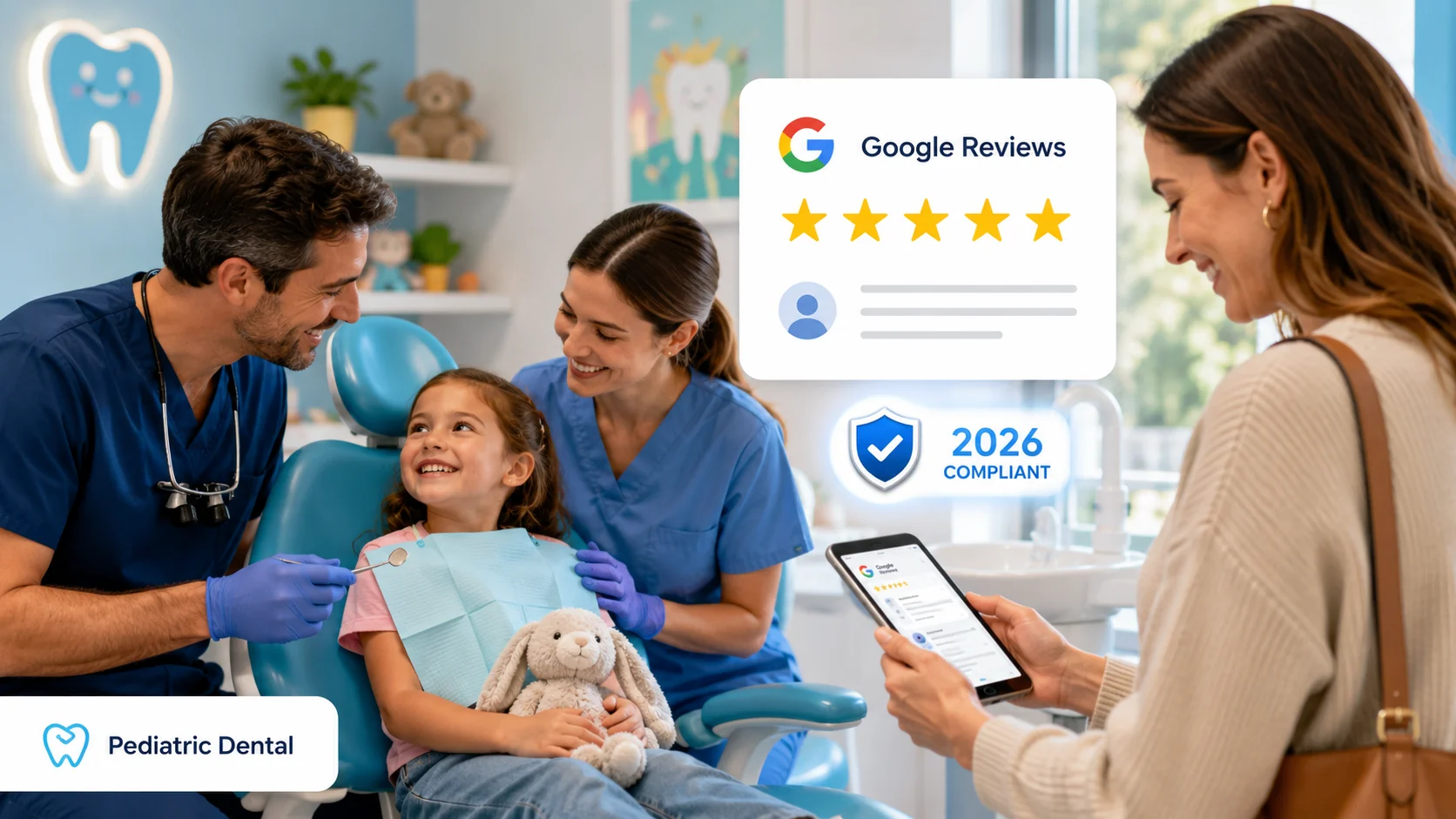 Google reviews for pediatric dental practices follow different rules than general dentistry—and the rules tightened sharply in 2026. Google reviews for pediatric dental practices follow different rules than general dentistry—and the rules tightened sharply in 2026.
Parents (not patients) leave the reviews. Every word can reference a minor’s protected health information. And Google’s April 2026 policy update banned several review-collection practices—in-office iPads, staff review quotas, asking customers to name a specific team member—that pediatric offices have relied on for years. You can still build a steady stream of 5-star Google reviews from parents, but the playbook has to account for HIPAA, the FTC’s Consumer Review Rule, and Google’s tightened enforcement.
The stakes are higher in pediatric than most owners realize. A single misstep in a review response—saying “your daughter” or “we’re glad your son enjoyed his visit”—can constitute acknowledgment of a patient relationship and trigger an OCR investigation. The 2023 Manasa Health Center case made that explicit: the New Jersey psychiatry practice disclosed a patient’s mental health diagnosis in a Google review response, OCR ruled it a clear HIPAA violation, and the practice settled for $30,000 plus a two-year corrective action plan. And Google’s 2026 enforcement isn’t theoretical: Google blocked or removed 292 million policy-violating reviews in 2025, and the AI moderation that rolled out in April 2026 catches on-premises review attempts via GPS and IP signals.
If your current review process involves a tablet at checkout, a staff leaderboard, or a script that asks parents to mention a specific hygienist by name, stop reading and audit that workflow first—Google’s April 2026 update made those practices explicit policy violations.
Below, you’ll learn exactly how to build a parent-led review request workflow that complies with Google, HIPAA, and the FTC; what to say (and never say) in responses to positive and negative reviews; how to handle reviews that mention specific children, photos, or treatment details; and the metrics that prove the strategy is working.
Written for: pediatric dental practice owners, office managers, and marketing leads who want to grow Google reviews from parents without creating compliance exposure for the practice.
TL;DR
If you only do six things, do these:
| 1. |
Audit your current workflow against the April 2026 Google policy - in-office iPads, staff quotas, and name-specific asks are now explicit violations
|
| 2. |
Send review requests to every parent, not just happy ones - selective solicitation (review gating) violates Google policy and the FTC’s Consumer Review Rule
|
| 3. |
Time the ask 24–72 hours after the visit via email or SMS - never on-premises, never face-to-face, never with pressure
|
| 4. |
Write responses that never acknowledge a patient relationship - no “your child,” no “you,” no “patient,” no confirming dates or services
|
| 5. |
Build a pediatric-specific response library - kid behavior, fear, wait-time complaints, and photos of children each need their own compliant template
|
| 6. |
Document training, monitor monthly, and tie review work to new-patient attribution - a defensible system beats individual heroics every time |
Table of Contents
Why Google reviews for pediatric dental practices need a different playbook
Pediatric practices share Google’s underlying review mechanics with general dentistry, but four structural differences change the playbook entirely.
The reviewer is not the patient. A 7-year-old doesn’t write Google reviews—a parent does. That parent is filtering the experience through their own anxieties (Will my child be scared? Will the doctor be patient? Will my insurance cover this?) and their own logistical reality (school pickup, sibling juggling, screen-time check at 9pm). The review request workflow has to land on the parent’s phone at the moment they have 60 seconds to spare—typically the evening after the visit, not at the checkout counter.
Every review touches a minor’s PHI. When a parent writes “my daughter loved Dr. Smith and felt comfortable during her cleaning,” that’s the parent’s disclosure, not yours. But your response is governed by HIPAA the moment you reply. Anything that acknowledges the child as a patient—even a friendly “so glad she had a great visit”—crosses the line. HIPAA applies to all patients regardless of age, and pediatric reviews multiply the surface area for accidental acknowledgment.
Photos of children frequently appear. Parents post photos of kids with their new toothbrush, holding a sticker chart, or smiling next to the prize wall. Engaging with those photos in any way that confirms the child was at your office is a HIPAA exposure. The compliant approach: treat photo-attached reviews exactly the same as text-only reviews. Never reference the image, the child, or the visit.
The local SEO impact is amplified. Pediatric is a high-intent local search category. Parents searching “pediatric dentist near me” or “kids dentist [city]” rarely scroll past the local pack, and the local pack ordering is heavily influenced by review volume, recency, and star average. A pediatric office with 187 reviews at a 4.9 average will out-rank one with 32 reviews at a 5.0 average in almost every market we’ve audited. The goal isn’t a perfect rating—it’s consistent, recent, parent-written reviews that prove a track record.
In our work with pediatric practices, the offices that build review volume sustainably aren’t the ones with the most aggressive ask. They’re the ones that built a quiet, repeatable workflow that runs whether the front desk is having a great day or a chaotic one.
> Back to Table of Contents
What Google’s April 2026 review policy update changed—and why pediatric offices got hit hardest
On April 16 and April 17, 2026, Google made two consecutive changes to its Maps User Generated Content Policy. The first deployed Gemini-powered pre-publication moderation that uses GPS, IP, and device fingerprinting to detect reviews submitted from a business’s physical location. The second added explicit prohibitions on staff review quotas and content-direction asks to the Rating Manipulation section of the policy. Google’s 2025 Trust and Safety Report shows 292 million policy-violating reviews were blocked or removed in 2025, and that pace has accelerated in 2026.
Five practices that pediatric offices commonly used are now explicit violations:
| • |
On-premises review requests - asking a parent to leave a review while still in the office triggers GPS/IP detection and gets the review filtered or removed
|
| • |
Tablet or kiosk reviews at checkout - shared devices with a “leave us a review” link are now flagged as pressured solicitation
|
| • |
Staff review quotas - “we need 10 new reviews this week” or hygienist leaderboards now violate the Rating Manipulation policy directly
|
| • |
Asking parents to mention a staff member by name - prompts like “please mention Tessa, our hygienist” are explicitly banned
|
| • |
Review gating - asking only satisfied parents to leave reviews while routing dissatisfied ones to a private form has always been a violation; enforcement is now active |
Why pediatric offices were disproportionately exposed. The classic pediatric checkout flow—child gets a balloon and a sticker, parent gets handed an iPad, “would you mind leaving us a quick review while we ring you up”—was an industry-standard practice for years. It worked because pediatric parents are in a peak-positive emotional state at checkout (their kid didn’t cry, the appointment was over, life is good for 90 seconds). That same flow is now a triple violation: on-premises pressure, shared device, and selective timing (you only handed the iPad to parents whose kids had a good visit).
Enforcement consequences scale with violation pattern. Per Google’s documentation, the progression typically runs: individual reviews removed or shadow-filtered (the reviewer still sees their review, but no one else does), temporary inability to receive new reviews, existing reviews unpublished for a set period, a public warning banner on the profile alerting users that fake reviews were detected, and—for repeat or severe violations—full Business Profile suspension and removal from Google Maps. For a pediatric practice that depends on local search visibility, profile suspension is an extinction-level event.
The FTC layer. Google’s policy isn’t the only enforcement vector. The FTC’s Consumer Review Rule, which became effective October 21, 2024, prohibits fake reviews, undisclosed incentivized reviews, and review suppression. Maximum civil penalty as of 2026 is $53,088 per violation. In December 2025, the FTC issued its first round of warning letters under the rule to 10 unidentified companies. Review gating in particular sits at the intersection of both Google’s policy and the FTC rule, which is why it’s the single fastest way to put a practice at compliance risk.
> Back to Table of Contents
How HIPAA applies to review requests and responses about minors
HIPAA doesn’t prohibit pediatric practices from soliciting Google reviews or responding to them. What it prohibits is disclosing protected health information without authorization—and a child’s status as a patient is itself PHI. The line is finer than most practices realize, and it’s where most well-meaning offices accidentally create exposure.
The acknowledgment rule. HIPAA prohibits a covered provider from confirming or implying that any specific individual is a patient. This rule applies even when the parent has already disclosed the relationship in their own review. A parent’s self-disclosure does not constitute authorization for the practice to disclose. The most common mistake: a friendly response like “Thank you for trusting us with your daughter’s care” confirms that the daughter is a patient and references the type of services received. Both elements are PHI under HIPAA.
What counts as PHI in a review response. Any combination of these creates exposure:
| • |
Naming the reviewer or the child - “Hi Sarah,” or “We’re so glad Emma had a great visit”
|
| • |
Confirming the relationship - “Thank you for being part of our family,” or “We appreciate our patients”
|
| • |
Referencing specific dates, services, or providers - “Glad your visit on Tuesday went well,” or “Dr. Jones is wonderful with anxious kids”
|
| • |
Acknowledging clinical or behavioral details - “We’re happy she felt comfortable during her cleaning”
|
| • |
Engaging with photos - “Love the smile!” or “What a great picture from her visit” |
The Manasa Health Center precedent. In April 2020, OCR received a complaint that Manasa Health Center disclosed a patient’s mental health diagnosis and treatment information in a response to a negative Google review. OCR’s investigation found the practice had disclosed PHI in responses to four different patient reviews, and on June 5, 2023, OCR announced a $30,000 settlement plus a two-year corrective action plan. The former OCR Director’s public statement on the matter was unambiguous: HIPAA expressly protects patients from this type of disclosure, full stop. The takeaway for pediatric: even if a parent posts a scathing review about how their child “has terrible anxiety and the doctor didn’t handle it well,” the practice cannot reference the child, the anxiety, the visit, or the clinical handling in a public response.
Penalty structure. As of January 28, 2026, HHS’s inflation-adjusted HIPAA penalty tiers are: $145 to $73,011 per violation for unknowing violations; $1,461 to $73,011 for reasonable cause; $14,602 to $73,011 for willful neglect corrected within 30 days; and $73,011 to $2,190,294 per violation for uncorrected willful neglect. The annual cap per identical provision is $2,190,294, though OCR continues to exercise enforcement discretion on the lower tiers. Most review-response violations fall in the lower tiers, but the reputational cost of an OCR investigation, mandatory corrective action plan, and public breach notification dwarfs the dollar fine.
Why the safest response is generic. The guidance that’s consistently held up in legal analysis and OCR enforcement: speak about general practice philosophy, not specific care; use third-person language about the practice, not second-person about the reviewer; never acknowledge the reviewer as a patient or the child as a patient; offer offline contact through a phone number or general email rather than a portal that would itself confirm a patient relationship. These review-response principles are one slice of a larger exposure surface; for the broader picture, see our guide to HIPAA privacy risks in dental digital marketing.
> Back to Table of Contents
A parent-friendly review request workflow that stays compliant
The compliant workflow is mechanically simple. The challenge is operational discipline—making sure it runs consistently across every visit, not just the ones where the front desk remembers.
The compliant request: when, where, and how
Timing: 24–72 hours after the visit, not on-premises and not at checkout. Evening sends (5pm–9pm local) typically get the highest engagement for pediatric parents, because that’s when they’re on their phone post-bedtime routine. Morning sends work for school-day parents who check email during their commute.
Channel: Email or SMS, sent from a HIPAA-compliant patient communication platform. Direct text from a personal staff phone is not compliant; the channel itself must support the appropriate safeguards. Many pediatric practices use the same platform they use for appointment confirmations.
Recipient list: Every parent whose child had a visit—not a filtered list. This is the part most offices get wrong. Selective solicitation (sending only to parents you predict will leave 5 stars) is the definition of review gating under Google’s policy and the FTC Consumer Review Rule. If you can’t comfortably send the same message to a parent whose visit went poorly, you have a compliance problem.
Message wording: Keep it neutral, brief, and genuinely open to honest feedback. Avoid “if you had a great visit,” “5 stars,” “positive,” or anything that hints at expected sentiment. A pattern we commonly see work:
| • |
Subject line - “A quick favor from our team” or “How was your visit?”
|
| • |
Body - “Thanks for visiting us this week. If you have a minute, we’d genuinely appreciate your honest feedback on Google. It helps other families decide where to bring their kids and helps us improve.”
|
| • |
Link - direct to your Google Business Profile review link, no intermediate form
|
| • |
Frequency - one request only; no follow-up nudges that create pressure |
What not to do
| • |
Don’t hand out iPads or tablets at checkout - on-premises shared-device review collection is now a banned practice under Google’s April 2026 update
|
| • |
Don’t set staff quotas or run hygienist leaderboards - “Whoever gets the most reviews this month wins lunch” is now an explicit policy violation
|
| • |
Don’t ask parents to mention specific names - “Please mention Dr. Lee” or “our hygienist Karen” is banned
|
| • |
Don’t offer incentives - free toothbrush, raffle entry, discount on the next visit—all violate Google policy and the FTC rule
|
| • |
Don’t pre-screen with a survey - any internal “how was your visit?” question that decides who gets the Google link is review gating |
Tooling that supports the workflow
A handful of patient communication and reputation platforms have updated their workflows to comply with the April 2026 changes. Look for features like:
| • |
Equal-send logic - the platform sends the same request to every patient on a given day, with no satisfaction-based filtering
|
| • |
Drip cadence - automated, individualized sends spread across hours/days, not bulk-blast all at once (which Google can flag as artificial spike)
|
| • |
HIPAA-compliant messaging - documented BAA, encryption in transit and at rest, audit logging
|
| • |
Direct Google link only - no intermediate “rate us 1–5” pre-screen that filters who reaches Google
|
| • |
Response monitoring - notifies a designated reviewer of new reviews within 24 hours |
The platform name matters less than whether it’s been updated for the April 2026 policy changes. Several major reputation tools rolled out compliance updates in May 2026; if your vendor hasn’t communicated specifically about the April 16–17 updates, ask them directly.
> Back to Table of Contents
How to respond to parent reviews without violating HIPAA
Response is where most pediatric practices accidentally cross the HIPAA line. The instinct is to be warm, personal, and parent-to-parent friendly. The compliant approach is warm, generic, and provider-to-public neutral—the same principles in our dental patient review response SOP, adapted for the pediatric context.
Positive reviews: the safe response framework
The safest positive-review response has three properties: it thanks the writer for the time taken to share feedback, it speaks about the practice in general terms, and it never confirms a patient relationship.
Compliant examples:
| • |
Short and safe - “Thank you for taking the time to share feedback. We’re grateful that families trust our team with their kids’ dental care.”
|
| • |
Slightly warmer, still safe - “Thank you for the kind words. Helping kids build a positive relationship with the dentist is what our team comes in every day to do, and we appreciate the feedback.”
|
| • |
Compliance-paranoid - “Thank you for the feedback.” (when in doubt, less is more) |
Avoid: “Thank you, Sarah,” “We’re so glad Emma had a great visit,” “We love seeing our patients smile,” “Thank you for being part of our family,” “Dr. Lee is wonderful, isn’t she?”—every one of these acknowledges a patient relationship or references specific care.
Negative reviews: take it offline, fast
The fundamental rule for negative reviews: never defend the practice publicly with details, because defending requires referencing the visit and the visit references PHI. Acknowledge the feedback in general terms, move the conversation to a private channel, and address it there.
Compliant negative-review response template:
| • |
Opening - “Thank you for sharing your feedback. We take all family experiences seriously.”
|
| • |
Offer offline - “Please contact our office manager at 888-246-6906 so we can better understand your concerns and work toward a resolution.”
|
| • |
Close generic - “We’re committed to providing a positive experience for every family who walks through our doors.” |
What never to do:
| • |
Don’t refute specifics - “Actually, your child’s appointment was on time” confirms the patient relationship and the visit
|
| • |
Don’t apologize for specific events - “We’re sorry about the wait Tuesday” does the same
|
| • |
Don’t make it personal - emotional or defensive responses have led directly to OCR enforcement actions; the Manasa case is the clearest precedent
|
| • |
Don’t respond within an hour of seeing the review - build a 24-hour cooling-off rule into the workflow |
The 90-minute response standard isn’t the right benchmark for healthcare. Generic reputation-management advice says respond within 90 minutes. For pediatric dental, a 24–48 hour response window with a single trained, designated responder produces far better outcomes than a fast emotional response from whoever happens to see the notification. Speed without discipline is how HIPAA violations happen.
> Back to Table of Contents
Pediatric-specific scenarios: kid behavior, fear, wait times, and photos of children
Pediatric reviews surface a small set of recurring scenarios that don’t map cleanly onto general dental templates. Each needs a pre-drafted response your designated reviewer can adapt.
Reviews about a child’s behavior or anxiety
“My son was terrified and screaming and they couldn’t handle it” or “The doctor lost patience with my daughter when she wouldn’t open her mouth.” These reviews are emotionally loaded and almost guaranteed to draw a defensive response from staff who were there.
Compliant approach: Speak generally about the practice’s approach to behavioral guidance, never reference the specific visit or child, and move the conversation offline. A pattern that works: “Thank you for the feedback. Helping kids who feel anxious about dental visits is a core part of what our team trains for, and we use a range of behavioral support techniques tailored to each child’s needs. We’d like to better understand your family’s experience—please contact us at 888-246-6906.”
Reviews about wait times
“We waited 40 minutes past our appointment time.” Wait-time complaints are the most common negative review in pediatric, and they’re the easiest to mishandle because the urge to explain (“we had an emergency”) confirms specific information about the visit.
Compliant approach: Acknowledge the general issue, describe the practice’s general scheduling philosophy, and offer offline contact. “Thank you for sharing your feedback. Our team works to honor scheduled times, and we know how disruptive a delay can be for families with kids. We’d like to learn more about your experience—please call our office manager at 888-246-6906.”
Reviews with photos of children
Parents frequently attach a photo of the child holding a balloon, displaying a sticker, or smiling at the prize wall. The photo is the parent’s disclosure, not yours—but any engagement with the photo confirms the child is a patient.
Compliant approach: Respond exactly as you would to a text-only review. Don’t reference the photo, the child’s appearance, the prize, or anything visible in the image. Treat it as if the photo isn’t there. If the response would have been generic for a text review, it should be generic here too.
Reviews from non-custodial parents or family disputes
Occasionally a pediatric practice receives a review from a non-custodial parent, grandparent, or family member who was not authorized to bring the child to the appointment. Engaging publicly with this kind of review is risky on multiple fronts—HIPAA, custody, and reputation.
Compliant approach: Standard generic response (“Thank you for the feedback”) plus an immediate internal escalation to the office manager and, if relevant, the practice’s attorney. Never confirm or deny anything about the child, the appointment, or the family situation publicly. If the review contains clearly identifying PHI that wasn’t the parent’s to share, the practice can request review removal through Google’s standard policy-violation reporting process.
Reviews from staff or family of staff
Reviews from current employees, their immediate family, or competitors fall under Google’s conflict-of-interest prohibitions and the FTC’s insider review rules. A written policy that prohibits staff from leaving reviews—and prohibits staff from asking family members to leave reviews—is part of a defensible compliance posture.
> Back to Table of Contents
Documentation, staff training, and ongoing monitoring
A pediatric practice with a compliant review program looks different from one that’s improvising. The differences are not glamorous, but they are what holds up under an OCR inquiry or an FTC compliance review.
Written policy
A one-to-two-page internal policy that covers: who is authorized to respond to reviews; the response approval workflow; the prohibited language and behaviors; the workflow for negative reviews and offline escalation; the policy against staff and family-member reviews; the documented HIPAA training requirement before anyone touches a review. The policy lives where staff actually look (operations manual, employee handbook), not just on a shared drive.
Designated responder model
One trained person responds to reviews. Not the doctor (who may instinctively defend), not the front desk team (who change frequently), not the marketing agency (who may not have HIPAA training). The designated responder is typically the office manager, practice administrator, or a senior team member who has documented HIPAA training and a written escalation path for anything ambiguous. Backup responder is named so coverage doesn’t break during vacation or turnover.
HIPAA training for review work specifically
General HIPAA training covers PHI broadly but rarely addresses online review responses. A 30-minute supplemental training on review-specific HIPAA covers: the acknowledgment rule, the second-person language prohibition, photo handling, negative-review escalation, the Manasa case as a real-world example. Document the training date, attendees, and content; an OCR inquiry will ask for it.
Malpractice insurance check
Some malpractice carriers prohibit responding to online reviews entirely or require specific approval workflows. A quick call to the carrier confirms the practice’s coverage isn’t inadvertently jeopardized by review responses. We’ve seen carriers update their policies in 2025 and 2026 specifically because of the Manasa precedent.
Monthly audit
A 15-minute monthly review: pull every response from the past 30 days, check against the prohibited-language list, verify all negative reviews were escalated offline within 24 hours, confirm no incentivized reviews were posted by staff or family. Document the audit. Patterns of policy drift are easier to catch and correct in a 30-day window than a 12-month one.
Review monitoring and flagging
Set up automated notifications for new Google reviews, low-star reviews, and any review that mentions specific PHI categories (medication, diagnosis, behavioral health, custody, photos of minors). The faster the designated responder sees a sensitive review, the more disciplined the response can be. Several dental reputation management platforms offer healthcare-specific risk monitoring; the value isn’t in the automation itself but in catching exposure before it sits public for days.
> Back to Table of Contents
Metrics that prove your review work is paying off
Pediatric practices that build review programs without measurement tend to abandon them when the front desk gets busy. The practices that sustain the work track a small set of metrics that connect review activity to new-patient outcomes.
Core metrics, monthly:
| • |
New review velocity - new reviews per month; healthy pediatric range is typically 8–15 per month per location, depending on visit volume
|
| • |
Recency mix - percentage of reviews from the last 90 days; Google weighs recent reviews more heavily in local pack ranking
|
| • |
Average star rating - track the rolling 90-day average rather than the all-time number; current sentiment matters more than legacy
|
| • |
Response rate and time - 100% response rate within 48 hours is the standard; below that signals workflow drift
|
| • |
Review-to-booking attribution - the “how did you hear about us” intake question, with Google reviews as an explicit option
|
| • |
Local pack visibility - position for primary keywords (“pediatric dentist [city],” “kids dentist near me”) tracked monthly |
What good looks like for a typical pediatric practice. After 6–12 months of running a compliant workflow consistently, the practices we see hit benchmarks roughly in this range: 8–15 new reviews per month, 4.7–4.9 rolling average, 90%+ response rate within 48 hours, 15–25% of new patients citing Google reviews as their primary source on intake. Results vary by market saturation, current review baseline, and visit volume; treat these as directional, not guaranteed.
What good doesn’t look like. A pediatric practice with 200 reviews in three months, all 5 stars, with similar phrasing patterns, is a profile Google’s 2026 AI moderation will flag and a profile the FTC may eventually examine. Slow, authentic, and varied beats fast and uniform every time.
> Back to Table of Contents
Build a compliant review system for your pediatric practice
Building a parent-driven, compliance-safe Google review program for a pediatric practice requires more than a checklist. It takes a workflow that runs whether the front desk is having a great day or a chaotic one, response templates that hold up under HIPAA scrutiny, and a measurement system that proves the work is producing new patients.
WEO Media works with pediatric dental practices nationwide to build review programs that comply with Google’s April 2026 policy update, HIPAA, and the FTC Consumer Review Rule—and that produce a sustainable flow of new-patient reviews from parents. If you’d like to talk through what a compliant review program would look like for your practice, call us at 888-246-6906 or schedule a consultation.
> Back to Table of Contents
FAQs
Can a pediatric dental practice respond to Google reviews without violating HIPAA?
Yes, but the response cannot acknowledge that the reviewer or the child is a patient, reference specific dates or services, or engage with any clinical or behavioral details. Compliant responses speak about the practice in general terms, thank the reviewer for the feedback in neutral language, and offer offline contact for any specific concerns. Saying “thank you for trusting us with your daughter’s care” is a HIPAA violation because it confirms a patient relationship. Saying “thank you for taking the time to share feedback” is compliant.
Is it still okay to ask parents to leave a Google review at checkout?
No. Google’s April 2026 policy update explicitly prohibits requesting or pressuring users to leave reviews while on the business’s premises. Google uses GPS, IP, and device fingerprinting to detect reviews submitted from the business location, and those reviews are filtered or removed. The compliant alternative is to send the review request via email or SMS 24–72 hours after the visit through a HIPAA-compliant patient communication platform.
Are review tablets or kiosks at the front desk still allowed?
No. Shared in-office devices used to collect reviews are explicitly prohibited under Google’s updated Maps User Generated Content Policy. The policy considers them a form of on-premises pressure. Practices that continue to use tablets or kiosks risk having reviews filtered, the inability to receive new reviews for a period, or a public warning banner on the Business Profile. Move review requests off-premises and off shared devices.
Can we set monthly review goals for staff or run a hygienist review contest?
No. As of April 17, 2026, Google’s Rating Manipulation policy explicitly prohibits directing staff to solicit a specific number of reviews or asking customers to mention a staff member by name. Staff review quotas and leaderboards now constitute policy violations. Build incentives around process behaviors (consistent workflow execution, response-time adherence, training completion) rather than review counts.
What is review gating and why is it a problem for pediatric practices?
Review gating is the practice of sending Google review requests only to parents you predict will leave a positive review, while routing dissatisfied parents to a private feedback form. Google’s policy prohibits selectively soliciting positive reviews, and the FTC’s Consumer Review Rule treats review suppression as a deceptive practice subject to civil penalties up to $53,088 per violation. The compliant approach is to send the same neutral request to every parent after every visit, with no satisfaction-based filtering.
How should we respond to a Google review that includes a photo of a child?
Treat the review exactly as if no photo were attached. Don’t reference the photo, the child’s appearance, anything visible in the image, or the visit itself. Engaging with the photo content in any way that confirms the child was treated at the practice constitutes acknowledgment of a patient relationship under HIPAA. Use a standard generic response thanking the reviewer for feedback in neutral terms.
Can we offer a small incentive like a free toothbrush for leaving a Google review?
No. Google’s policy prohibits offering any incentive—payment, discount, free product, raffle entry, gift, or service—in exchange for a review. The FTC’s Consumer Review Rule treats undisclosed incentivized reviews as deceptive. Even disclosed incentives create credibility risk and can trigger review removal. Build review volume through workflow consistency rather than incentives.
What should we do if a parent leaves a review that discloses sensitive information about their child?
Respond with a generic acknowledgment that doesn’t reference any specifics, offer offline contact, and document the review internally. The parent’s disclosure is their own and not a HIPAA violation by the practice, but the practice’s response is governed by HIPAA regardless of what the parent shared. If the review contains identifying PHI that creates ongoing exposure, the practice can request removal through Google’s policy-violation reporting process, though removal isn’t guaranteed.
How many Google reviews should a pediatric dental practice aim for each month?
A healthy range for a typical single-location pediatric practice is 8–15 new reviews per month, with consistency mattering more than volume. Google’s local ranking weighs recency and steady cadence; a sudden spike of 50 reviews in one week looks more suspicious than 10 reviews per month for six months. Visit volume, market saturation, and current review baseline all affect what’s realistic for a specific practice.
Who should respond to Google reviews at a pediatric practice?
One designated person with documented HIPAA training and a written escalation path. Typically this is the office manager or practice administrator, with a named backup for vacation and turnover coverage. Doctors and front desk staff should not respond to reviews directly; the instinct to defend or to be warmly personal is where most HIPAA violations originate. A single trained responder produces more consistent and compliant responses than a distributed team. |
|





